Best Free CRM Software for Remote Teams in 2026: 9 Tools Compared
Compare the best free crm software for remote teams in 2026, covering free user limits, pipelines, mobile access, and upgrade paths for distributed teams.
- Editor's choice
 HubSpot CRM
Most remote teams starting free
Starts atFreeVisit hubspot.comFull review - Great alternative
 Zoho CRM
Small teams needing automation free
Starts atFreeVisit zoho.comFull review - Also consider
 Freshsales
Sales focused remote teams
Starts atFreeVisit freshworks.comFull review
TL;DR:
- HubSpot and Zoho CRM offer the strongest free starting points for a remote team, with different seat and record limits.
- Freshsales, EngageBay, and Capsule suit smaller remote teams that want a free tier without a complex setup.
- Bitrix24 adds chat and project tools, which helps a remote team that wants fewer separate apps.
- Every free plan has a cap, usually on users, records, or automation, so check the wall you will hit first.
- Remote teams should test mobile access, permissions, and activity logging before rolling a CRM out to everyone.
Quick comparison
| Tool | Best for | Starts at | Free plan? | |
|---|---|---|---|---|
| HubSpot CRM | Most remote teams starting free | Free | Yes | Visit |
| Zoho CRM | Small teams needing automation free | Free | Yes | Visit |
| Freshsales | Sales focused remote teams | Free | Yes | Visit |
 Bitrix24 | Remote teams wanting chat and projects | Free | Yes | Visit |
 EngageBay | Solo founders and small teams | Free | Yes | Visit |
 Capsule CRM | Simple pipelines for small teams | Free | Yes | Visit |
 SendPulse CRM | Teams that also need email marketing | Free | Yes | Visit |
 Bigin by Zoho | Very small teams wanting simplicity | Free | Yes | Visit |
 EspoCRM | Teams willing to self host | Free | Yes | Visit |
The best free crm software for remote teams
Remote teams need a CRM that works from anywhere, keeps every conversation visible, and does not punish a distributed team for adding seats. We compared free plans on user limits, contact and deal limits, pipeline tools, mobile apps, and how painful the first paid upgrade is.
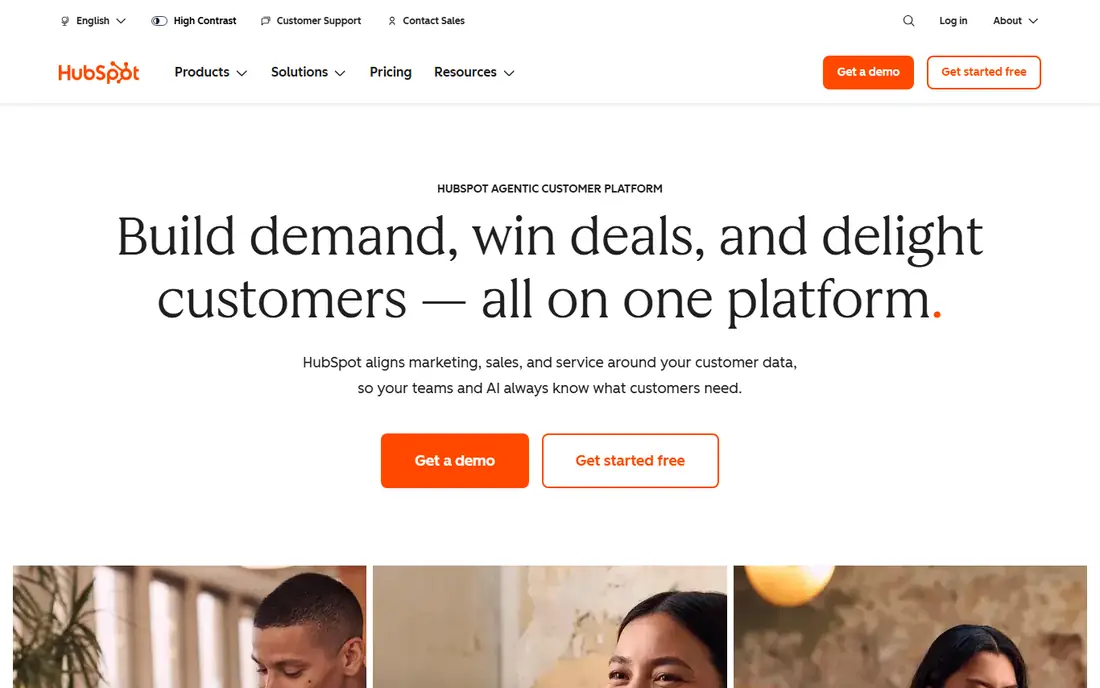
HubSpot CRM is our pick for most remote teams starting free. The free tier covers contacts, deals, tasks, email tracking, forms, and live chat with no time limit, and the mobile app lets a remote rep update a deal from anywhere. Because so many tools integrate with HubSpot, a remote team can connect email, calendars, and forms without custom work.
The catch is that free limits have tightened for newer accounts in some 2026 reports, with caps on users, contacts, and pipelines on some accounts. Check your own account limits on signup. If your team grows past the free tier, Starter is the next step, while Professional is a much larger jump.
- Generous free tools
- Forms, live chat, and email tracking
- Large integration library
- Newer free accounts face tighter limits in some reports
- Paid jump to Professional is steep

Zoho CRM gives a very small remote team real CRM depth for free. The free plan covers up to 3 users, with custom modules, fields, and layouts, plus a small number of workflow rules. That is more customization than most free tiers offer, and it suits a founding team that wants to shape the CRM to its sales process.
The wall arrives at the fourth user and at record limits, and third party integrations are limited on the free tier. Zoho also connects to a wide set of Zoho apps, which helps if your remote team already uses Zoho for email, documents, or projects. For a team of three, it is one of the best free options available.
- Free for up to 3 users
- Custom fields and modules
- Workflow rules on the free tier
- Free tier caps records and integrations
- Fourth user forces a paid plan

Freshsales, from Freshworks, suits a remote sales team that wants a clear pipeline and fast setup. The interface is simple, deals are easy to move, and built in phone and chat options help a distributed team contact leads without adding a separate calling tool. In several 2026 reports, the free plan allows unlimited users with basic features, though seat details vary by account.
Automation and advanced reporting sit behind paid plans, so a team that needs complex workflows will need to upgrade. For a small remote team focused on calls, emails, and pipeline movement, Freshsales is a fast and friendly free start.
- Clean interface
- Built in phone and chat options
- Unlimited users on the free tier in some reports
- Free tier limits automation and reporting
- Paid tiers rise with features
Bitrix24 is different from a pure CRM, because it also includes team chat, video calls, tasks, and project tools. That breadth helps a remote team that wants one place for customer records and internal work, rather than paying for a CRM, a chat app, and a project tool separately.
The downside is complexity. The interface packs in many features, and a team that only needs a pipeline may find it noisy. Free tier limits vary, and paid plans use flat pricing rather than per user pricing in some tiers. Bitrix24 fits a remote micro business that wants to consolidate tools, not just track deals.
- CRM plus chat, video, and project tools
- Flat pricing on paid tiers
- Good for replacing several apps
- Interface can feel crowded
- Free tier limits vary by feature
EngageBay combines CRM with email marketing and a helpdesk, which suits a small remote team that also needs to send campaigns and answer customer messages. Reports describe a free tier that can include up to 15 users, which is generous for a hosted CRM, though contact and feature caps still apply.
The CRM itself is lighter than HubSpot or Zoho for complex sales processes, and automation is limited on the free tier. For a solo founder or a tiny team that needs marketing, sales, and support in one free account, EngageBay is a practical choice.
- Free tier for up to 15 users in some reports
- Email marketing and helpdesk included
- Simple setup
- Free tier caps contacts and features
- CRM depth is lighter than HubSpot or Zoho
Capsule CRM is built for teams that want a simple, clean pipeline without a long setup. Contacts, deals, tasks, and activity history are easy to follow, and a remote team can learn it in a day. That simplicity is the point: it does the core CRM job well and stays out of the way.
The free tier is narrow, with caps on contacts and opportunities reported around 250 contacts and 50 opportunities in some guides. Paid plans start higher than some free first rivals. Capsule fits a small team with a modest pipeline that values clarity over advanced automation.
- Very easy to learn
- Clean contact and deal views
- Good for small teams
- Free tier caps contacts and opportunities
- Paid plans start higher than some rivals
SendPulse CRM sits inside a marketing platform, so a remote team that lives on email and messaging may find it convenient. Reports highlight a free plan with room for up to 50,000 contacts and 500 deals, plus an account owner and several invited users, and multiple sales pipelines. That contact room is far larger than most free CRMs offer.
The trade off is sales depth. If your team needs complex deal automation, forecasting, and deep CRM reporting, a dedicated CRM will serve you better. SendPulse fits a team where marketing and customer contact matter as much as pipeline tracking.
- Large free contact allowance in reports
- Email, chatbots, and automation nearby
- Multiple pipelines
- CRM is part of a marketing platform, so sales depth is lighter
- Free user limits apply
Bigin by Zoho is a simpler CRM for a very small team or a solo operator who finds full Zoho CRM too much. It focuses on pipelines, activities, and contacts, with a clean mobile experience for a remote worker on the move. Setup is fast, and it connects to other Zoho tools if you need them later.
It is intentionally small. A growing team with complex processes, many users, or heavy automation will outgrow Bigin and need to move to Zoho CRM or another platform. For a first CRM, though, its simplicity is a real advantage, because a tool the team actually uses beats a powerful tool they avoid.
- Simple pipeline built for small teams
- Easy setup
- Zoho ecosystem links
- Free tier is limited
- Larger teams will outgrow it quickly
EspoCRM is the open source option in this list. Its self hosted edition can be run for free with no cap on users, covering sales, support, and marketing in one CRM. That makes it attractive for a remote team with technical skills that wants control over data, hosting, and costs.
Self hosting is also the catch. You own updates, backups, and security, which takes time and care. A non technical team should use a hosted free CRM instead. For a technical remote team that wants a free, unlimited user CRM and can manage a server, EspoCRM is a strong choice.
- Open source and free to self host
- No seat cap on self hosted edition
- Sales, support, and marketing in one CRM
- Self hosting needs technical care
- Hosted cloud version is paid
How we picked these
We compared official free plan pages and 2026 free CRM guides, focusing on plans that are free with no expiry, not just trials. We kept tools with a usable pipeline, contact management, and mobile or web access for remote work, and we noted where reports disagree on exact seat or record caps, since vendors change free limits. We did not claim hands on testing, and we advise checking the current free plan page before signup.
How to choose a free CRM for a remote team
Start with the cap you will hit first. Count your team, your contacts, and your deals, then match those numbers to free plan limits. A team of two with 800 contacts faces a different wall than a team of eight with 200 contacts. Pick the tool whose first wall sits furthest away, not just the tool with the best known name.
Next, test remote work in practice. Check mobile apps, offline behavior, permissions, and activity logging. Every rep should be able to see the last email, call, and task on an account without asking a colleague. Set clear rules for who updates deals and when, because a remote CRM fails when only half the team keeps it current.
Finally, plan the upgrade. Note the first paid price, what it adds, and whether you can export contacts and deal history in a standard format. A free CRM that traps your data or jumps sharply in price at the fourth user is a poor long term choice, even if the free tier looks generous today.
FAQ
What is the best free CRM for a remote team?
HubSpot CRM is the best all round free start for most remote teams, thanks to its free tools and integrations. Zoho CRM is better for a team of up to three that wants more customization and automation for free. The right choice depends on your seat and record counts.
Is a free CRM really free, or just a trial?
A true free plan has no expiry date, unlike a 14 day trial. HubSpot, Zoho, Freshsales, EngageBay, and others in this list offer permanent free tiers, though each caps users, records, or features. Always check whether the plan is free forever or time limited.
How many users can use a free CRM?
It varies widely. Zoho CRM allows 3 users free, HubSpot free limits vary by account in recent reports, EngageBay reports up to 15 users on its free tier, and self hosted EspoCRM has no seat cap. Count your team before you choose.
Can a remote team use a free CRM on mobile?
Yes, most tools here offer mobile apps for iOS and Android, with deal updates, contacts, and tasks. Test the mobile app for your most common tasks, such as logging a call or moving a deal, before you roll it out to the whole team.
When should a remote team pay for a CRM?
Pay when you hit a free cap that blocks real work, such as a user limit, a record limit, or missing automation and reporting. Also consider paying if you need advanced permissions, forecasting, or support that free tiers do not include.
Can I move my data out of a free CRM later?
Most reputable CRMs allow export of contacts and deals in CSV or a similar format, but the exact export options vary by plan. Test export before you invest months of data, so you are not locked in if you later switch platforms.