Best Knowledge Base Software with AI Search in 2026: Prices, Free Plans and 6 Picks
Need the best knowledge base software with AI search? We compare 6 tools on cost, free access and who each suits. Concise write-ups of every option. No hype.
- Editor's choice
 Document360
Documentation with AI search and chatbot
Starts atSee websiteVisit document360.comFull review - Great alternative
 Guru
Governed knowledge for enterprise AI
Starts atSee websiteVisit getguru.comFull review - Also consider
 KnowledgeOwl
Simple knowledge sharing for teams
Starts at$100 per monthVisit knowledgeowl.comFull review
Direct answer
This list puts Document360 first for documentation with AI search and chatbot. Listed starting prices: KnowledgeOwl from $100 per month and Zendesk from $19 agent/month premium yearly. Guru is better for governed knowledge for enterprise AI, and KnowledgeOwl is better for simple knowledge sharing for teams. The other 3 tools in the list cover narrower or pricier cases.
TL;DR:
- Document360 is the opening pick, best for documentation with AI search and chatbot.
- For AI service with knowledge built in, Zendesk is worth a look.
- For the cheapest start, look at Zendesk: $19 agent/month premium yearly.
- One limit worth knowing about Helpjuice: less emphasis on AI agent workflows.
Last checked November 2026. Prices and plan details were read from the vendors' own pages in November 2026; vendors change plans often, so confirm the current price on the vendor site before you buy.
Quick comparison
| Tool | Best for | Starts at | Free plan? | |
|---|---|---|---|---|
| Document360 | Documentation with AI search and chatbot | See website | Not stated | Visit |
| Guru | Governed knowledge for enterprise AI | See website | Not stated | Visit |
| KnowledgeOwl | Simple knowledge sharing for teams | $100 per month | Free trial | Visit |
 Helpjuice | Straightforward knowledge base for support | See website | Free trial | Visit |
 Freshdesk | Omnichannel support with automatic workflows | See website | Not stated | Visit |
 Zendesk | AI service with knowledge built in | $19 agent/month premium yearly | Free trial | Visit |
Tool-by-tool breakdown
Short on time? The summary and table above give the quick view of 6 tools for knowledge base software with AI search, and the profiles that follow give the detail behind each entry.
Document360 targets documentation with AI search and chatbot. Since it centers on documentation, organizations needing deep ticketing or omnichannel service may want a support suite alongside it.
It is a natural pick when public and internal docs are the priority. In daily use, Document360 describes itself as AI knowledge base software for documentation, with AI search, an AI chatbot and writing tools inside the system. No starting price is listed for Document360 here; confirm pricing on the vendor site. On free options: Not stated.
Downsides: Concentrated on documentation rather than ticketing.
- AI search inside documentation
- AI chatbot and writing tools
- AI features need well-structured content
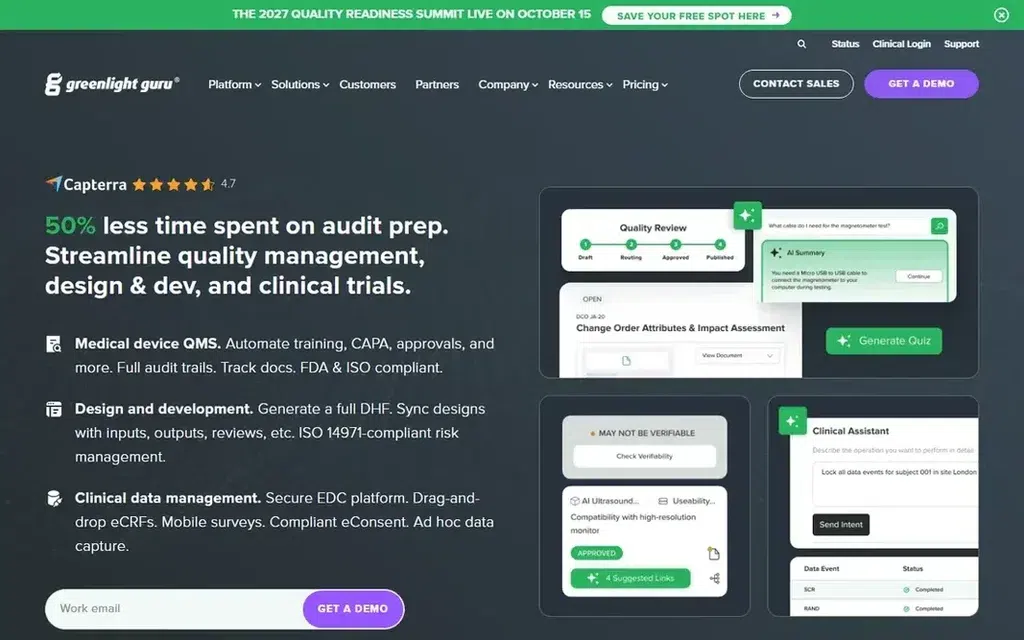
Guru was built for governed knowledge for enterprise AI. Teams wanting a light public help center with minimal process may find it more structure than they need. More specifically, Guru positions itself as a governed knowledge layer for enterprise AI, structuring and continuously improving knowledge so AI answers can be trusted.
Honest limits: Needs continuing content governance effort.
That makes it a fit for organizations worried about confidently wrong AI output and willing to invest in governance, verification and content ownership across teams. Also, compare with documentation tools if external publishing is the main goal. No starting price is listed for Guru here; confirm pricing on the vendor site. On free options: Not stated.
- Continuous knowledge improvement
- Aims at trustworthy AI answers
- Enterprise orientation may feel heavy for small teams
KnowledgeOwl targets simple knowledge sharing for teams. Compared to AI-first products, KnowledgeOwl emphasizes dependable knowledge sharing instead of agent automation, so verify how its search takes care of natural-language questions before adopting it for AI search needs.
Teams with complicated multi-channel support may want a broader suite. The starting price for KnowledgeOwl: $100 per month. On free options: Free trial.
Drawbacks to consider: Lighter on advanced AI positioning.
- Suited to customer and staff content
- Emphasis on simplicity
- May need integrations for complicated support
Helpjuice is built with straightforward knowledge base for support in mind. Helpjuice presents itself as knowledge base software that simplifies support and boosts productivity. Its focus is the knowledge base itself, helping teams share information with customers and staff and cut repetitive questions.
The product is positioned around knowledge base management instead of end-to-end AI service resolution. So teams wanting AI agents handling tickets may have to pair it with a support suite. Helpjuice shows no starting price here, so confirm the cost on the vendor site. Free options: Free trial.
Watch-outs: Needs content upkeep to stay handy.
- Straightforward positioning for content sharing
- Aims at productivity and self-service
- Less emphasis on AI agent workflows
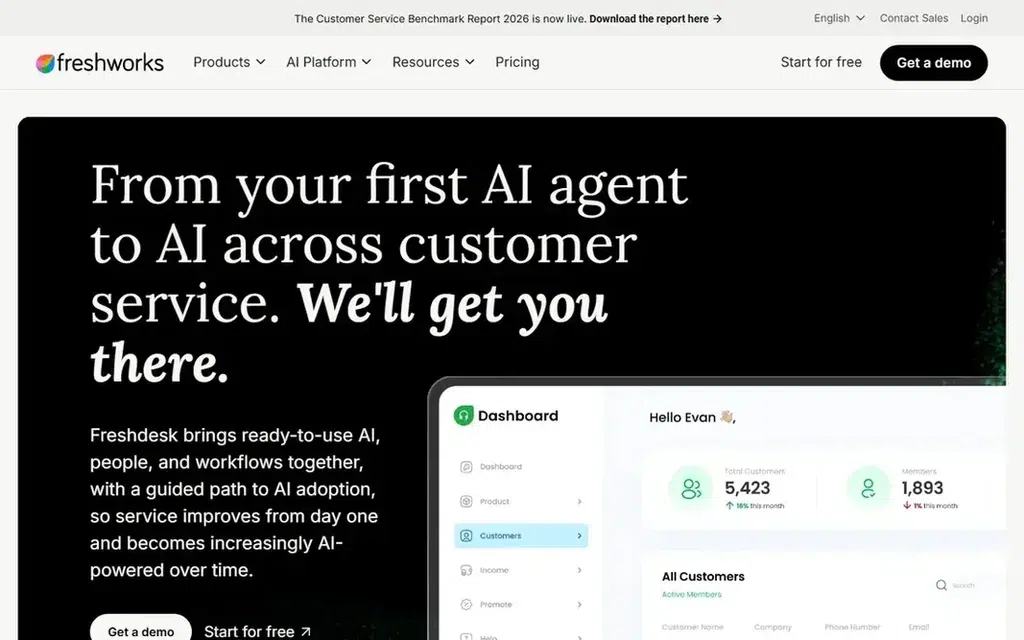
Choose Freshdesk for omnichannel support with automated workflows. Freshdesk is described as an AI-powered customer service option with omnichannel ticketing and automatic workflows that boost agent productivity.
Its strengths lean toward ticketing and agent efficiency, so organizations that chiefly need a public documentation site with advanced AI search may prefer a documentation-first product. No starting price is listed for Freshdesk here; confirm pricing on the vendor site. On free options: Not stated.
Honest limits: Setup needs workflow planning.
- Automatic workflows for agents
- AI-powered service positioning
- Knowledge features tied to the support suite

Pick Zendesk if this describes you: AI service with knowledge built in. Its knowledge capabilities sit within that service context, so help content feeds straight into customer interactions.
In daily use, consider a dedicated documentation tool instead if your primary need is publishing product docs. Since Zendesk is a full service product, teams seeking only a straightforward public help center may find it broader than necessary. What you pay to start with Zendesk: $19 agent/month premium yearly. Free access: Free trial.
Drawbacks to consider: Best value inside the wider Zendesk suite.
- Wide customer service product
- AI agents pitched at end-to-end resolution
- Feature depth may exceed small team needs
How the list was put together
What to check before you buy
- Get a written quote from Document360, Guru, Helpjuice and Freshdesk; the list shows no starting price for them.
- Take the trial from KnowledgeOwl, Helpjuice and Zendesk and push a live task through it before you pay.
- Before choosing Document360, weigh its main limit: concentrated on documentation instead of ticketing.
- Ask whether Helpjuice integrates with your current software, and whether that comes standard or as an add-on.
- Look at the help docs and support options for Document360 before you commit.
FAQ
Is Document360 the right pick for everyone comparing knowledge base software with AI search?
No single tool suits every team. Document360 comes first because it fits documentation with AI search and chatbot, while Guru suits governed knowledge for enterprise AI and KnowledgeOwl suits easy knowledge sharing for teams. Match the tool to your own size, budget and workflow before deciding.
What is the cheapest option for knowledge base software with AI search in this list?
On published monthly entry prices, Zendesk is the lowest here at $19 agent/month premium yearly. Entry price is only part of the cost, because seats, add-ons and billing terms can change the total. For the full picture, the cards above cover all 6 entries of this knowledge base software with AI search list, including price, free plan and limits.
How are the tools for knowledge base software with AI search ordered?
The order follows typical fit for knowledge base software with AI search, with Document360 first and Zendesk last, then price clarity and free access. It is editorial judgement, not a score, so another team could rank the tools differently.
Does any tool for knowledge base software with AI search here have a free plan?
No tool in this list, Document360 and Zendesk included, has a permanent free plan. KnowledgeOwl, Helpjuice, Zendesk offer a trial. Trials and quotes are the usual route, so plan a short evaluation period.
Sources
- https://document360.com
- https://www.getguru.com
- https://www.knowledgeowl.com
- https://helpjuice.com
- https://www.freshworks.com/freshdesk
- https://www.zendesk.com