Top 6 Kitchen Display Software for Quick Service Restaurants for 2026 (Prices and Free Plans)
Best kitchen display software for quick service restaurants in 2026: 6 tools with starting prices, free plans and limits. Short verdicts, no fluff. No hype.
- Editor's choiceFresh KDS
Focused, straightforward kitchen screens
Starts at$16 a month per screen billed yearlyVisit freshkds.comFull review - Great alternativePAR Brink Kitchen Display
Bigger hospitality operations
Starts atSee websiteVisit partech.comFull review - Also considerLightspeed Restaurant KDS
Restaurants wanting POS plus kitchen
Starts atSee websiteVisit lightspeedhq.comFull review
Direct answer
If you need focused, straightforward kitchen screens, Fresh KDS is the first tool to look at here. Listed starting prices: Fresh KDS from $16 a month per screen billed yearly and TouchBistro KDS from $69 per month. Alternatives: PAR Brink Kitchen Display for bigger hospitality operations, and Lightspeed Restaurant KDS for restaurants wanting POS plus kitchen. Prices, free plans and limits for all 6 tools follow.
TL;DR:
- This list starts with Fresh KDS, which is built for focused, straightforward kitchen screens.
- The cheapest monthly starting price in the list is $16 per month per screen billed yearly, offered by Fresh KDS.
- Check the limits for QSR Automations ConnectSmart Kitchen before you commit: full suite may exceed small needs.
- Fresh KDS stands alone as the one tool in this list with a free plan.
Last checked November 2026. Prices and plan details were read from the vendors' own pages in November 2026; vendors change plans often, so confirm the current price on the vendor site before you buy.
Quick comparison
| Tool | Best for | Starts at | Free plan? | |
|---|---|---|---|---|
| Fresh KDS | Focused, straightforward kitchen screens | $16 a month per screen billed yearly | Yes | Visit |
| PAR Brink Kitchen Display | Bigger hospitality operations | See website | Not stated | Visit |
| Lightspeed Restaurant KDS | Restaurants wanting POS plus kitchen | See website | Not stated | Visit |
| QSR Automations ConnectSmart Kitchen | High-volume fast service kitchens | See website | Not stated | Visit |
| Square KDS | QSRs already on Square | See website | Not stated | Visit |
| TouchBistro KDS | Restaurant management plus kitchen | $69 per month | Not stated | Visit |
Kitchen Display Software for Quick Service Restaurants compared in detail
Choosing kitchen display software for quick service restaurants usually comes down to price, fit and limits. This LinkVetted guide sets 6 tools side by side on those three points, with the facts kept short and checkable.
Fresh KDS
Best for: Focused, straightforward kitchen screens
For focused, straightforward kitchen screens, Fresh KDS is a natural candidate. Fresh KDS is a dedicated kitchen display system that keeps orders organized and helps teams stay on track through a shift. In daily use, because it concentrates on the kitchen screen instead of the entire restaurant stack, it fits fast service operators who already have ordering handled and want clearer ticket flow in the kitchen.
Trade-offs to know: Pairing with your POS needs checking.
It is a practical choice for teams that prefer a focused tool. In daily use, as a kitchen-focused product, it does not replace a full point of sale or restaurant management suite. Beyond that, confirm which POS systems it plugs into before deciding. Fresh KDS pricing: $16 per month per screen billed yearly. Fresh KDS has a free plan.
- Keeps orders organized for the team
- No contracts mentioned on the site
- Narrower than full POS products
PAR Brink Kitchen Display
Best for: Bigger hospitality operations
Pick PAR Brink Kitchen Display if this describes you: bigger hospitality operations. PAR Brink Kitchen Display is part of PAR Technology's hospitality management system, which brings together POS, management tools and scheduling software.
On top of that, compare against lighter choices if quick setup matters most. No starting price is listed for PAR Brink Kitchen Display here; confirm pricing on the vendor site. Free plan details: Not stated.
What to check first: Oriented toward bigger deployments.
- Geared toward simplifying operations
- Kitchen display within PAR's hospitality system
- Details rely on the Brink setup
Lightspeed Restaurant KDS
Best for: Restaurants wanting POS plus kitchen
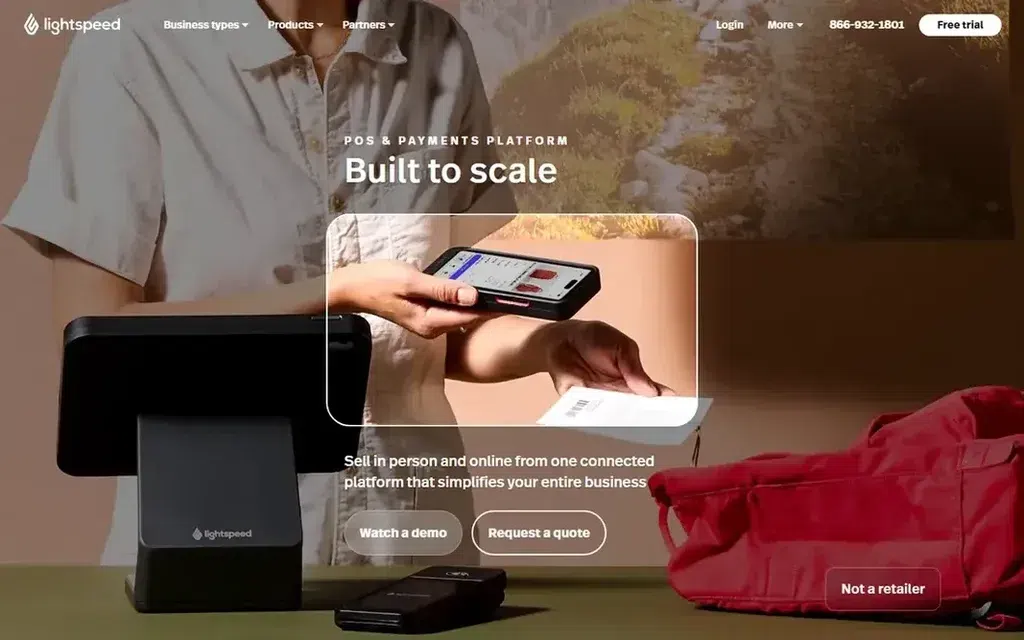
Lightspeed Restaurant KDS serves restaurants wanting POS plus kitchen. Lightspeed Restaurant KDS is the kitchen display offering from Lightspeed, a point of sale and commerce system with a restaurant focus. It is targeted at hospitality operators who want kitchen tickets handled inside the same system as front-of-house ordering.
Where it is weaker: Setup relies on the wider product.
The vendor homepage does not spell out every kitchen display detail, so exact capabilities rely on your configuration. Also, operators wanting a completely standalone kitchen screen may look elsewhere. From a buyer's view, quick service teams evaluating a combined POS and kitchen setup should contain it on a shortlist. Check the vendor site for Lightspeed Restaurant KDS pricing; none is listed in this comparison. Trial and free access: Not stated.
- Built around hospitality operations
- Kitchen display within a restaurant POS product
- Feature details vary by configuration
QSR Automations ConnectSmart Kitchen
Best for: High-volume fast service kitchens
QSR Automations ConnectSmart Kitchen is built with high-volume fast service kitchens in mind. It is built for fast service environments where order pacing and kitchen coordination matter throughout the day.
Operators running busy counters or several stations should contain it when comparing kitchen display software. QSR Automations ConnectSmart Kitchen does not show a starting price in this comparison, so check the vendor site for current pricing. Free access: Not stated.
Trade-offs to know: Full suite may exceed small needs.
- Kitchen display within an operations suite
- Designed for restaurant operations management
- Configuration effort can be higher
Square KDS
Best for: QSRs already on Square
Square KDS is a good fit for QSRs already on Square. For quick service restaurants already running Square at the counter, it keeps kitchen tickets close to the same system that takes care of orders and payments.
Where it is weaker: Best value inside the Square ecosystem.
Since it sits inside the Square ecosystem, the kitchen display makes most sense when the rest of your stack is Square too. Check the vendor site for Square KDS pricing; none is listed in this comparison. Trial and free access: Not stated.
- Part of a broad business toolset
- Kitchen tickets tied to the Square system
- Kitchen depth varies by setup
TouchBistro KDS
Best for: Restaurant management plus kitchen
TouchBistro KDS is a good fit for Restaurant management plus kitchen. The kitchen display links order flow to the same system used for front-of-house management.
Verify screen choices and ticket behavior with the vendor for your menu and volume. For everyday use, teams needing highly specialized kitchen routing may want a dedicated product. TouchBistro KDS pricing: $69 per month. Free access: Not stated.
Trade-offs to know: Confirm hardware compatibility.
- Designed around restaurant workflows
- Focus on saving time in service
- Kitchen depth relies on the package
What went into this list
Pre-purchase checklist
- Ask PAR Brink Kitchen Display, Lightspeed Restaurant KDS, QSR Automations ConnectSmart Kitchen and Square KDS for a written quote, since no starting price is shown.
- Test the free plan from Fresh KDS against your real workload before relying on it.
- Read the limits listed for Fresh KDS first: narrower than full POS systems.
- List the apps you already depend on and check that TouchBistro KDS supports each one on the plan you would buy.
- Check whether the features you need in Fresh KDS sit on the entry plan or only on higher tiers.
FAQ
Do these tools publish their prices?
Not all of them. PAR Brink Kitchen Display, Lightspeed Restaurant KDS, QSR Automations ConnectSmart Kitchen and Square KDS publish no starting price, so expect a quote request for those. The rest, Fresh KDS included, show a starting price, though seats and billing terms still change the final cost.
Can I try these tools before paying?
Often, yes. Fresh KDS has a free plan. Use your own data and a real task during the test, and check what the free tier or trial limits before you rely on it. All 6 picks in this kitchen display software for quick service restaurants comparison list a starting price, free plan details and the main limits on their cards above.
What should a fast service restaurant look for in kitchen display software?
Focus on quick ticket routing, clear station assignment and steady bumping during peak hours. Confirm integration with your existing point of sale, since kitchen displays work best when orders flow automatically from the counter or app.
Can kitchen display software manage several stations?
The exact choices rely on the product and configuration, so ask each vendor to demonstrate station setup for your menu before you commit.
How are the kitchen display software for quick service restaurants ordered?
The order follows typical fit for kitchen display software for quick service restaurants, with Fresh KDS first and TouchBistro KDS last, then price clarity and free access. It is editorial judgement, not a score, so another team could rank the tools differently.
What is the cheapest option for kitchen display software for quick service restaurants in this list?
On published monthly entry prices, Fresh KDS is the lowest here at $16 per month per screen billed yearly. Entry price is only part of the cost, because seats, add-ons and billing terms can change the total. For the full picture, the cards above cover all 6 entries of this kitchen display software for quick service restaurants list, including price, free plan and limits.
Sources
- https://www.freshkds.com
- https://www.partech.com
- https://www.lightspeedhq.com
- https://www.qsrautomations.com
- https://squareup.com
- https://www.touchbistro.com