6 Cafe Kitchen Display Software Worth Shortlisting in 2026
6 tools for the best cafe kitchen display software, compared on pricing, free plans and best-fit use. Concise write-ups of every option. Read before you buy.
- Editor's choiceLightspeed K-Series
Restaurants needing integrated commerce tools
Starts atSee websiteVisit lightspeedhq.comFull review - Great alternativeQSR Automations ConnectSmart Kitchen
High-volume kitchens needing automation
Starts atSee websiteVisit qsrautomations.comFull review - Also considerTouchBistro KDS
Full-service cafes needing restaurant management
Starts at$69 a monthVisit touchbistro.comFull review
Direct answer
Lightspeed K-Series comes first here, mainly for restaurants needing integrated commerce tools. Listed starting prices: TouchBistro KDS from $69 a month and Fresh KDS from $16 a month per screen billed annually. QSR Automations ConnectSmart Kitchen is the stronger choice for high-volume kitchens needing automation, while TouchBistro KDS suits full-service cafes needing restaurant management. The other 3 tools in the list cover narrower or pricier cases.
TL;DR:
- The list opens with Lightspeed K-Series, aimed at restaurants needing integrated commerce tools.
- Check the limits for Square KDS before you commit: best value within the Square ecosystem.
- Fresh KDS stands alone as the one tool in this list with a free plan.
- Fresh KDS has the lowest monthly starting price in this list: $16 per month per screen billed yearly.
- For Cafes wanting a dedicated kitchen display, Fresh KDS is worth a look.
Last checked November 2026. Prices and plan details were read from the vendors' own pages in November 2026; vendors change plans often, so confirm the current price on the vendor site before you buy.
Quick comparison
| Tool | Best for | Starts at | Free plan? | |
|---|---|---|---|---|
| Lightspeed K-Series | Restaurants needing integrated commerce tools | See website | Not stated | Visit |
| QSR Automations ConnectSmart Kitchen | High-volume kitchens needing automation | See website | Not stated | Visit |
| TouchBistro KDS | Full-service cafes needing restaurant management | $69 a month | Not stated | Visit |
| Square KDS | Cafes already using Square POS | See website | Not stated | Visit |
| NCR Voyix Kitchen Display | Companies needing unified commerce product | See website | Not stated | Visit |
| Fresh KDS | Cafes wanting a dedicated kitchen display | $16 a month per screen billed annually | Yes | Visit |
Tool-by-tool breakdown
This LinkVetted guide covers 6 options for cafe kitchen display software. Each profile lists a starting price, free plan details, strengths and drawbacks, so you can drop poor fits quickly.
Lightspeed K-Series
Best for: Restaurants needing integrated commerce tools
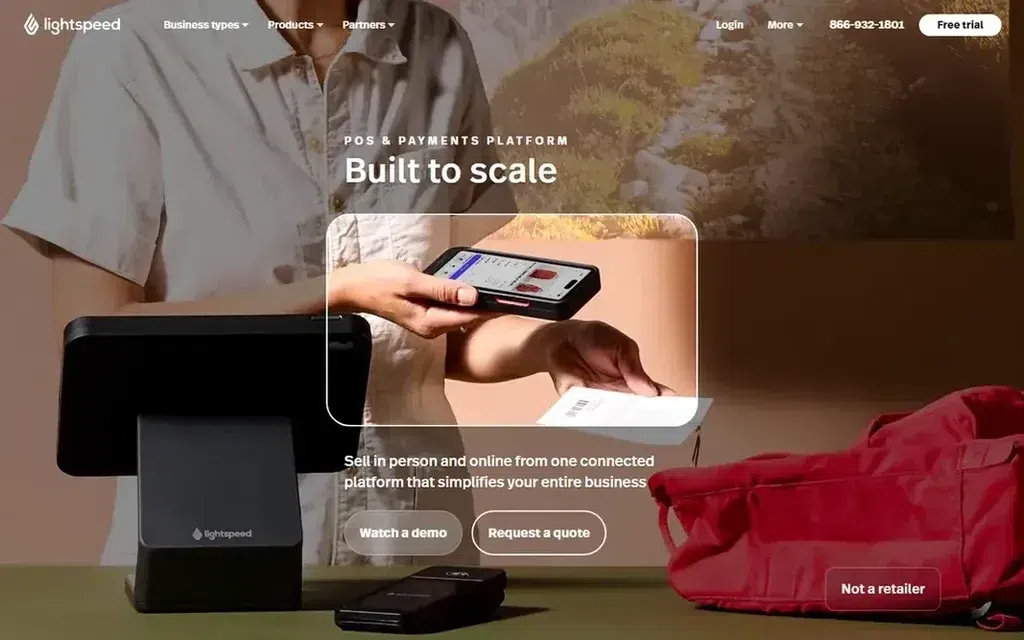
Choose Lightspeed K-Series for restaurants needing integrated commerce tools. Lightspeed K-Series is part of Lightspeed's point-of-sale and commerce product, which is positioned as a leading option for retail and restaurants.
From a buyer's view, for cafes, it supplies kitchen display capabilities alongside broader restaurant management tools. No starting price is listed for Lightspeed K-Series here; confirm pricing on the vendor site. On free options: Not stated.
Limits to weigh: Kitchen display is part of a broader suite.
- Merges POS and commerce features
- Made for restaurant operations
- May need commitment to Lightspeed ecosystem
QSR Automations ConnectSmart Kitchen
Best for: High-volume kitchens needing automation
For high-volume kitchens needing automation, QSR Automations ConnectSmart Kitchen is a natural candidate. QSR Automations ConnectSmart Kitchen is part of a restaurant operations management suite, now associated with Crunchtime. It is meant to bring automation and efficiency to kitchen workflows, making it right for cafes with higher order volumes or several stations.
Watch-outs: Enterprise-oriented feature set.
In daily use, the enterprise focus of ConnectSmart Kitchen may be more than a small cafe needs. Setup can be more involved than standalone KDS choices. Also, the platform emphasizes operational management beyond a straightforward display. Pricing for QSR Automations ConnectSmart Kitchen is not stated here, so ask the vendor for current figures. Free access: Not stated.
- Focus on kitchen automation
- Made for operational efficiency
- May be complicated for small cafes
TouchBistro KDS
Best for: Full-service cafes needing restaurant management
For full-service cafes needing restaurant management, TouchBistro KDS is a natural candidate. The product is built to help restaurants increase sales, delight guests, and save time and money.
In daily use, for cafes with table service or complex menus, it gives you kitchen display features within a thorough restaurant toolset. More specifically, since TouchBistro is a full restaurant management system, cafes wanting only a kitchen display may find it broader than necessary. Entry price for TouchBistro KDS: $69 per month. Free access: Not stated.
Trade-offs to know: May be more than a straightforward cafe needs.
- Focus on guest experience and efficiency
- All-in-one POS and restaurant management
- Kitchen display is part of a bigger system
Square KDS
Best for: Cafes already using Square POS
Square KDS targets Cafes already using Square POS. On top of that, the homepage emphasizes selling anywhere, diversifying revenue streams, and simplifying operations, which makes it a natural choice for cafes seeking an all-in-one setup. Consider it when you want a unified business product rather than a standalone kitchen display.
Points against: Restricted appeal for non-Square companies.
As for the details, since Square KDS is built to work within Square's ecosystem, cafes using other POS products may find it less adaptable or harder to integrate. It is also less specialized for complicated kitchen workflows than dedicated restaurant KDS products. This comparison lists no price for Square KDS; ask the vendor. Free access: Not stated.
- Simplified staff and order management
- Tight integration with Square point-of-sale
- Best value within the Square ecosystem
NCR Voyix Kitchen Display
Best for: Companies needing unified commerce product
Think of NCR Voyix Kitchen Display for firms needing unified commerce system. NCR Voyix Kitchen Display is part of NCR Voyix's unified commerce product for retail and restaurants. The kitchen display is one component of a wider system.
Worth adding: since NCR Voyix is a large unified commerce product, small cafes may find it more complicated and expensive than needed. For cafes, it provides kitchen display within a wide, scalable commerce option. No starting price is listed for NCR Voyix Kitchen Display here; confirm pricing on the vendor site. Free access: Not stated.
Watch-outs: Kitchen display is one piece of a bigger suite.
- Scalable for bigger operations
- Spans POS, payments, operations
- Wide product may overwhelm small cafes
Fresh KDS
Best for: Cafes wanting a dedicated kitchen display
Fresh KDS works best for Cafes wanting a dedicated kitchen display. The homepage states it is free to start with no contracts, making it accessible for cafes that want a dedicated kitchen screen without a long commitment.
Choose it when a straightforward, kitchen-focused display is the priority. From a buyer's view, Cafes needing integrated payments and front-of-house tools may have to pair it with another system. Price to start with Fresh KDS: $16 per month per screen billed yearly. Fresh KDS offers a free plan.
Where it is weaker: May need integration with existing POS.
- Keeps orders organized and teams on track
- No contracts mentioned on homepage
- Less emphasis on full POS features
How we chose
We compared the tools on published pricing, free plan or trial availability, feature coverage for cafe kitchen display software, and the limits each vendor documents. Where a vendor does not publish a price, the entry says quote. Where a price depends on seats or billing term, the entry says so. The sequence is a judgement call: typical use case first, then pricing transparency, then free access. Use the profiles to check fit.
Before you commit
- Ask Lightspeed K-Series, QSR Automations ConnectSmart Kitchen, Square KDS and NCR Voyix Kitchen Display for a written quote, since no starting price is shown.
- Look at the free plan from Fresh KDS closely: its caps decide whether it is usable for real work.
- Read the limits listed for Lightspeed K-Series first: may need commitment to Lightspeed ecosystem.
- Ask Square KDS which support channels and response times come with the plan you would buy.
- Involve the people who will use Lightspeed K-Series daily; a short pilot beats a long feature checklist.
FAQ
Which options for cafe kitchen display software have a free plan?
Fresh KDS is the only tool in this list with a free plan. Free plans usually cap users, projects or features, so check the limits on the vendor page. For the full picture, the cards above cover all 6 entries of this Cafe kitchen display software list, including price, free plan and limits.
Can I try these options before paying?
Often, yes. Fresh KDS has a free plan. Use your own data and a real task during the test, and check what the free tier or trial limits before you rely on it.
Do these tools publish their prices?
Not all of them. Lightspeed K-Series, QSR Automations ConnectSmart Kitchen, Square KDS and NCR Voyix Kitchen Display publish no starting price, so expect a quote request for those. The rest, TouchBistro KDS included, show a starting price, though seats and billing terms still change the final cost.
How does kitchen display software help during peak hours?
It cuts the need for verbal communication and paper tickets, which can get lost or misread. This helps maintain order flow and consistency when the cafe is busiest.
Is Lightspeed K-Series the right pick for everyone comparing cafe kitchen display software?
No single tool suits every team. Lightspeed K-Series comes first because it fits restaurants needing integrated commerce tools, while QSR Automations ConnectSmart Kitchen suits high-volume kitchens needing automation and TouchBistro KDS suits full-service cafes needing restaurant management. Match the tool to your own size, budget and workflow before deciding.
Sources
- https://www.lightspeedhq.com
- https://www.qsrautomations.com
- https://www.touchbistro.com
- https://squareup.com
- https://www.ncrvoyix.com
- https://www.freshkds.com