Best Hosted WordPress Platform (2026): 5 Picks Checked on Vendor Pages
Best hosted WordPress platform in 2026: 5 contenders with entry costs and free tiers. Short, factual notes on every option. A comparison table is included.
- Editor's choice
 Liquid Web
Managed hosting with infrastructure depth
Starts atSee websiteVisit liquidweb.comFull review - Great alternative
 Kinsta
Performance-focused WordPress hosting
Starts at$17.50 per monthVisit kinsta.comFull review - Also consider
 WordPress VIP
Enterprise WordPress with compliance needs
Starts atSee websiteVisit wpvip.comFull review
Direct answer
For managed hosting with infrastructure depth, Liquid Web is where this list starts. Listed starting prices: Kinsta from $17.50 per month, WP Engine from $28.00 per month and Cloudways from $20 per month. If your case is different, Kinsta suits performance-focused WordPress hosting and WordPress VIP suits enterprise WordPress with compliance needs. Prices, free plans and limits for all 5 tools follow.
TL;DR:
- Liquid Web sits first on this list: managed hosting with infrastructure depth.
- The cheapest monthly starting price in the list is $17.50 per month, offered by Kinsta.
- A permanent free plan is missing from all 5 tools, Liquid Web and Cloudways included; plan for a trial or a premium start.
- Cloudways suits managed cloud hosting adaptability.
Last checked November 2026. Prices and plan details were read from the vendors' own pages in November 2026; vendors change plans often, so confirm the current price on the vendor site before you buy.
Quick comparison
| Tool | Best for | Starts at | Free plan? | |
|---|---|---|---|---|
| Liquid Web | Managed hosting with infrastructure depth | See website | Not stated | Visit |
| Kinsta | Performance-focused WordPress hosting | $17.50 per month | Free trial | Visit |
| WordPress VIP | Enterprise WordPress with compliance needs | See website | Not stated | Visit |
 WP Engine | Managed WordPress with solid support | $28.00 per month | Not stated | Visit |
 Cloudways | Managed cloud hosting adaptability | $20 per month | Free trial | Visit |
Every option for hosted WordPress platform explained
Choosing hosted WordPress platform usually comes down to price, fit and limits. This LinkVetted guide sets 5 tools side by side on those three points, with the facts kept short and checkable.
Think of Liquid Web for managed hosting with infrastructure depth. Liquid Web supplies hosting options made for uptime, performance, and security, spanning dedicated servers, managed hosting, and compliant infrastructure. In practice, for WordPress sites that require more infrastructure control or compliance considerations, this broader managed hosting catalog can be a solid fit.
More specifically, smaller sites may find a dedicated WordPress host more straightforward. For everyday use, the range of choices means more decisions than a WordPress-only product needs, and WordPress-specific tooling may be less central. Check the vendor site for Liquid Web pricing; none is listed in this comparison. On free options: Not stated.
Limits to weigh: More configuration choices.
- Dedicated server choices
- Compliant infrastructure
- Broader than WordPress

Choose Kinsta for performance-focused WordPress hosting. Kinsta positions itself as hosting made for WordPress, with enterprise-grade speed, security, and support as its headline themes.
The main drawbacks: WordPress only.
Exact resource limits and environment features should be verified on the vendor site. Starting cost for Kinsta: $17.50 per month. Trial and free access: Free trial.
- Security and support emphasis
- WordPress-specific product
- Feature details need checking
Choose WordPress VIP for enterprise WordPress with compliance needs. WordPress VIP is an enterprise content product and managed WordPress service that states an uptime SLA along with FedRAMP authorization and SOC 2 Type 2 certification. It targets large organizations with compliance and reliability requirements, including well-known enterprise brands.
Watch-outs: Enterprise-oriented.
As for the details, confirm contract terms and technical requirements with the vendor before evaluating further. Teams that require governance and certification evidence are the clearest fit. WordPress VIP does not show a starting price in this comparison, so check the vendor site for current pricing. Trial and free access: Not stated.
- Enterprise content product
- Uptime SLA stated
- Heavier onboarding likely
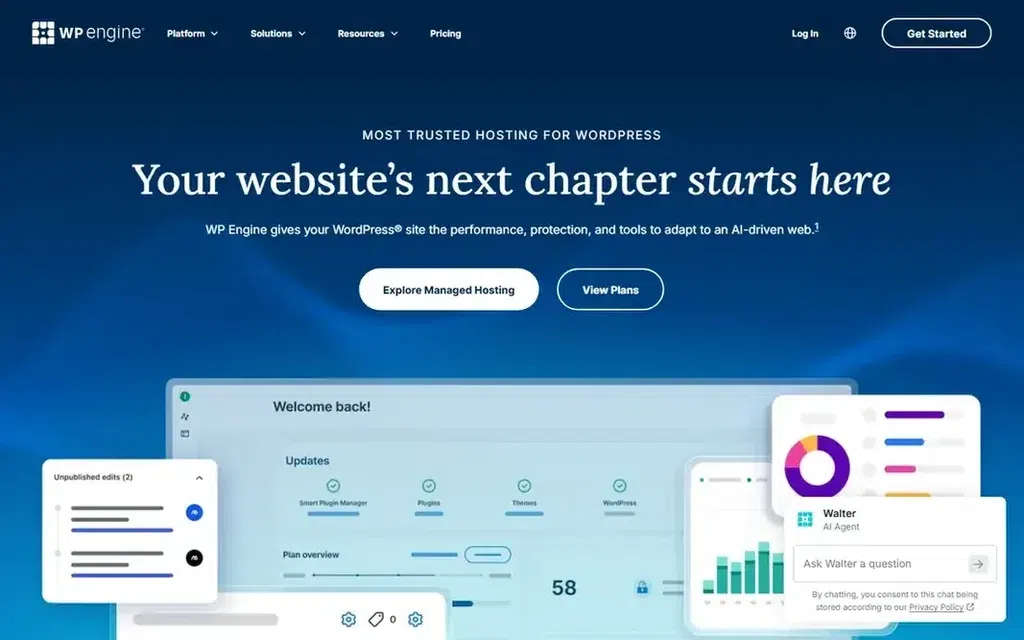
WP Engine works best for managed WordPress with solid support. The emphasis on support availability makes it a reasonable starting point for organizations without dedicated hosting staff. WP Engine presents itself as a website hosting product built around managed WordPress, with support and security options highlighted on its homepage.
In practice, confirm storage, staging, and environment choices on the vendor site before committing. Worth adding: teams that want a hands-off WordPress home, from small business sites to bigger managed deployments, are the natural fit. For everyday use, since the platform centers on WordPress, teams running multiple different frameworks may prefer a broader host. On cost, WP Engine starts like this: $28.00 per month. As for free access: Not stated.
Where it shines: Managed WordPress focus. Watch-outs: WordPress-centric.
- Security options included
- Round-the-clock support
- Less suited to mixed stacks
Cloudways is aimed squarely at managed cloud hosting adaptability. Cloudways presents a managed cloud hosting product built to ease server management for smaller firms and expanding sites.
Drawbacks to consider: Cloud abstraction layer.
Verify application support and migration details on the vendor site. In daily use, WordPress runs on top of its cloud infrastructure, so teams get cloud adaptability without handling servers straight. Entry price for Cloudways: $20 per month. Free plan details: Free trial.
- Targeted at smaller companies
- Managed cloud hosting model
- WordPress is one of multiple apps
How we compared the tools
We compared the tools on published pricing, free plan or trial availability, feature coverage for hosted WordPress platform, and the limits each vendor documents. Figures are shown as the vendors publish them. Billing terms, seat minimums and add-ons can change the real cost. The order reflects how well each tool fits the most common buying scenario for hosted WordPress platform, then price clarity, then free plan access. It is a starting point, not a verdict.
A buyer's checklist
- Confirm the entry price on the vendor page. For Liquid Web and WordPress VIP that means a quote rather than a fixed price.
- Run a trial of Kinsta and Cloudways with real work before paying for a year; your own workflow is the best test.
- Read the limits listed for Liquid Web first: broader than WordPress.
- Confirm that WordPress VIP connects to the apps your team already uses, on the plan you would actually buy.
- Find out whether the entry plan of Kinsta covers your must-haves or only a trimmed-down version.
FAQ
Does any tool for hosted WordPress platform here have a free plan?
No tool in this list, Liquid Web and Cloudways included, has a permanent free plan. Kinsta, Cloudways offer a trial. Trials and quotes are the usual route, so plan a short evaluation period. For the full picture, the cards above cover all 5 entries of this hosted WordPress platform list, including price, free plan and limits.
How should I verify features before signing up?
Check the vendor site for current feature lists, support terms, and compliance documentation, since these change over time. Ask the vendor straight about anything your project relies on.
Do these tools publish their prices?
Not all of them. Liquid Web and WordPress VIP publish no starting price, so expect a quote request for those. The rest, Kinsta included, show a starting price, though seats and billing terms still change the final cost.
Can I try these tools before paying?
Often, yes. Kinsta and Cloudways offer a free trial. Use your own data and a real task during the test, and check what the free tier or trial limits before you rely on it. Prices, free plan details and limits for all 5 tools in this hosted WordPress platform roundup sit on the individual cards above.
When does enterprise WordPress hosting make sense?
Enterprise choices for example WordPress VIP matter when you need stated uptime commitments, compliance certifications, or governance for large content operations. Smaller sites seldom need that overhead.
Is Liquid Web the right pick for everyone comparing hosted WordPress platform?
No single tool suits every team. Liquid Web comes first because it fits managed hosting with infrastructure depth, while Kinsta suits performance-focused WordPress hosting and WordPress VIP suits enterprise WordPress with compliance needs. Match the tool to your own size, budget and workflow before deciding.
Sources
- https://www.liquidweb.com
- https://kinsta.com
- https://wpvip.com
- https://wpengine.com
- https://www.cloudways.com