Choosing Help Center Platforms with Branding Control in 2026: 6 Options Compared
6 products for the best help center platforms with branding control, ranked by fit, with starting costs and free tiers. Short, factual notes on every option.
- Editor's choiceServiceNow Knowledge Management
Enterprise knowledge and self-service
Starts atPricing on requestVisit servicenow.comFull review - Great alternativeSalesforce Knowledge
Integrated case and knowledge management
Starts atPricing on requestVisit salesforce.comFull review - Also considerHubSpot Knowledge Base
AI-powered knowledge with CRM integration
Starts atPricing on requestVisit hubspot.comFull review
Direct answer
ServiceNow Knowledge Management comes first here, mainly for enterprise knowledge and self-service. Look at Salesforce Knowledge for integrated case and knowledge management, and at HubSpot Knowledge Base for AI-powered knowledge with CRM integration. The remaining 3 options are covered below with pricing notes and limits. None of these vendors publish plan prices, so pricing is on request for every option.
TL;DR:
- This list starts with ServiceNow Knowledge Management, which is built for enterprise knowledge and self-service.
- No starting price is shown for any of the 6 tools, ServiceNow Knowledge Management and Freshdesk Solutions included, so plan time for sales calls.
- Check the limits for HubSpot Knowledge Base before you commit: branding may need template adjustments.
- For omnichannel support with automatic workflows, Freshdesk Solutions is worth a look.
Last checked November 2026. Pricing on request: vendors did not publish plan prices when this guide was last checked (November 2026), so ask each vendor for a written quote.
Quick comparison
| Tool | Best for | Starts at | Free plan? | |
|---|---|---|---|---|
| ServiceNow Knowledge Management | Enterprise knowledge and self-service | Pricing on request | Not stated | Visit |
| Salesforce Knowledge | Integrated case and knowledge management | Pricing on request | Free trial | Visit |
| HubSpot Knowledge Base | AI-powered knowledge with CRM integration | Pricing on request | Not stated | Visit |
 Document360 | AI-powered documentation and branding | Pricing on request | Not stated | Visit |
 Zendesk Guide | AI-powered knowledge and self-service | Pricing on request | Not stated | Visit |
| Freshdesk Solutions | Omnichannel support with automatic workflows | Pricing on request | Not stated | Visit |
Every option for help center platforms with branding control explained
LinkVetted put together this guide to help center platforms with branding control for readers who want a clear shortlist without reading every vendor page. It compares 6 tools on starting price, free plans, who each one suits and where each one falls short.
ServiceNow Knowledge Management
Best for: Enterprise knowledge and self-service
Pick ServiceNow Knowledge Management if this describes you: enterprise knowledge and self-service. If you need a more light, documentation-focused tool, Document360 is a better alternative.
Where it falls short: Enterprise-focused complexity.
As for the details, ServiceNow Knowledge Management is a knowledge center that raises self-service rates for customers and employees. It supplies a contextual knowledge base to boost agent productivity. ServiceNow Knowledge Management shows no starting price here, so confirm the cost on the vendor site. Free options: Not stated.
- Boosts self-service rates
- Boosts agent productivity
- Branding may need configuration
Salesforce Knowledge
Best for: Integrated case and knowledge management
Salesforce Knowledge is aimed squarely at integrated case and knowledge management. Salesforce Knowledge is part of Service Cloud, an AI-powered customer service console that runs cases, knowledge, and incidents from a single workspace.
The product can be complicated and may need technical resources for branding and customization. This comparison lists no price for Salesforce Knowledge; ask the vendor. As for free access: Free trial.
Points against: Can be complicated to set up.
- Collaborative case management
- AI-powered console
- Branding may need developer help
HubSpot Knowledge Base
Best for: AI-powered knowledge with CRM integration
HubSpot Knowledge Base targets AI-powered knowledge with CRM integration. HubSpot Knowledge Base is an AI-powered knowledge base software built to help teams boost ticket close rates and cut resolution time.
It plugs into HubSpot's CRM and service tools, making it a solid fit for teams already using HubSpot who want a branded self-service help center. HubSpot Knowledge Base does not show a starting price in this comparison, so check the vendor site for current pricing. As for free access: Not stated.
What to check first: Best value within HubSpot ecosystem.
- Integrated with HubSpot CRM
- Aims to cut resolution time
- Branding may need template adjustments
Choose Document360 for AI-powered documentation and branding. Document360 is an AI knowledge base software for documentation, offering AI search, AI chatbot, and writing tools.
It is built for teams that prioritize documentation and want capable branding control over their help center. As for the details, if you want an all-in-one support suite, consider Zendesk Guide or Freshdesk Solutions. Document360 does not show a starting price in this comparison, so check the vendor site for current pricing. Free access: Not stated.
The main drawbacks: Branding choices may need setup.
- AI search and chatbot
- Focus on documentation
- May lack built-in ticketing
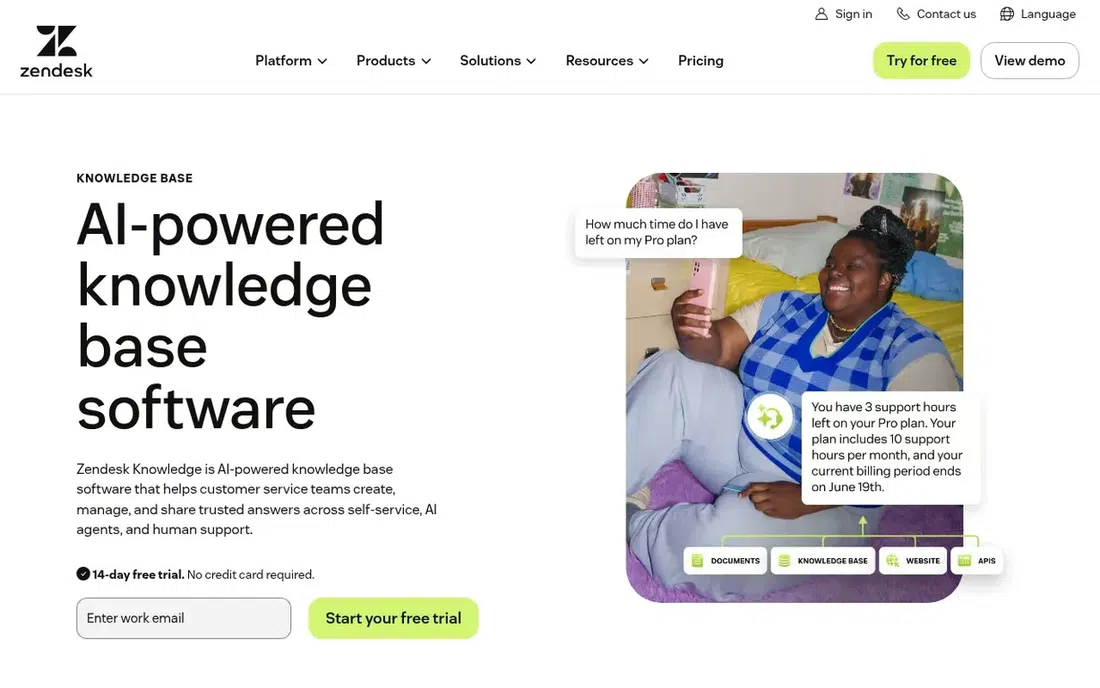
Think of Zendesk Guide for AI-powered knowledge and self-service. It links trusted content, powers AI agents and self-service, and makes it possible for better answers for customers.
Where it falls short: Can be complicated for small teams.
It suits organizations looking for a scalable, branded help center with capable AI capabilities. Pricing for Zendesk Guide is not stated here, so ask the vendor for current figures. On free options: Not stated.
- Self-service and AI agents
- AI-powered knowledge base
- May need setup for branding
Freshdesk Solutions
Best for: Omnichannel support with automatic workflows
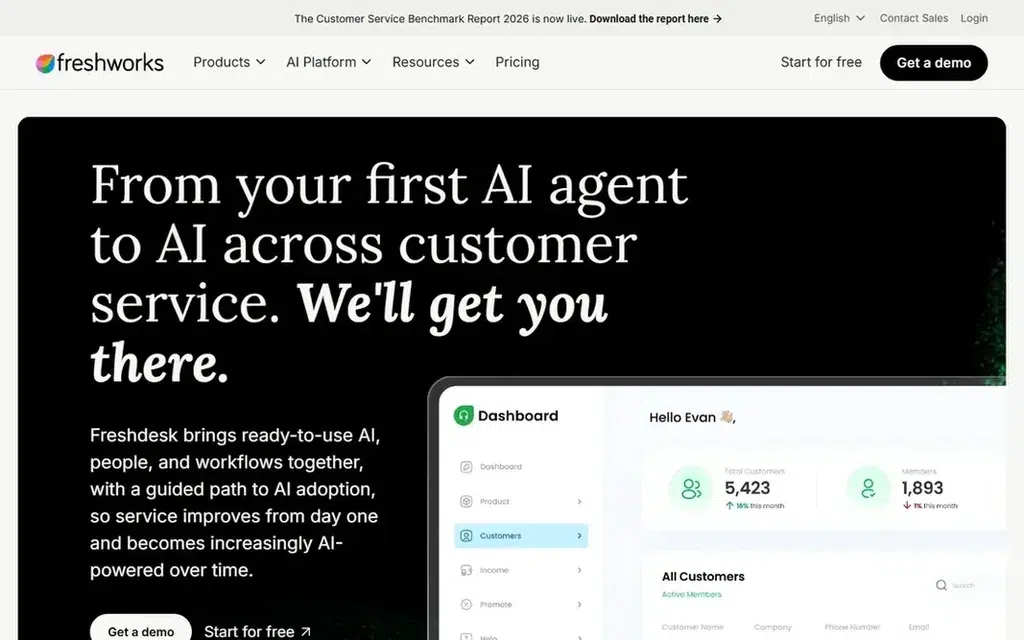
Where Freshdesk Solutions fits: omnichannel support with automatic workflows. Freshdesk Solutions is an AI-powered customer service system with omnichannel ticketing and automatic workflows.
Where it falls short: Branding choices may vary by plan.
No starting price is listed for Freshdesk Solutions here; confirm pricing on the vendor site. On free options: Not stated.
- AI-powered service
- Omnichannel ticketing
- Can be complicated to configure
How the list was put together
The comparison looks at four things: starting price, free access, how well the feature set matches help center platforms with branding control, and the main limit of each tool. Where a price is missing, the vendor does not list one publicly or ties it to a quote. Always confirm before budgeting. We ordered the tools by general fit, then by how clearly pricing is shown, then by free access. A buyer with unusual needs may reorder them.
Things to verify first
- Request quotes from ServiceNow Knowledge Management, Freshdesk Solutions and the others; the list shows no fixed prices.
- Use real work to test the free trial from Salesforce Knowledge, rather than a demo project.
- Read the limits listed for ServiceNow Knowledge Management first: enterprise-focused complexity.
- Confirm that Freshdesk Solutions connects to the apps your team already uses, on the plan you would actually buy.
- Check how data leaves HubSpot Knowledge Base: formats, limits and whether exports are available on every plan.
FAQ
How important is AI in help center products?
AI can boost search, suggest answers, and automate responses, enhancing self-service and agent productivity. Systems like Zendesk Guide, HubSpot Knowledge Base, and Document360 emphasize AI capabilities.
What is branding control in a help center system?
Branding control refers to the capacity to customize the look and feel of your help center, including logo, colors, domain, and layout, to match your brand identity.
Can I try these tools before paying?
Often, yes. Salesforce Knowledge offers a free trial. Use your own data and a real task during the test, and check what the free tier or trial limits before you rely on it.
Do these tools publish their prices?
No. None of the tools, from ServiceNow Knowledge Management to Freshdesk Solutions, shows a fixed starting price here, so budget time for quotes.
Which help center system is a good match for small teams?
The first pick on this list is ServiceNow Knowledge Management, because it suits enterprise knowledge and self-service. Salesforce Knowledge is better for integrated case and knowledge management, and HubSpot Knowledge Base for AI-powered knowledge with CRM integration. Check price and limits against your own needs before choosing.
Is ServiceNow Knowledge Management the right pick for everyone comparing help center platforms with branding control?
No single tool suits every team. ServiceNow Knowledge Management comes first because it fits enterprise knowledge and self-service, while Salesforce Knowledge suits integrated case and knowledge management and HubSpot Knowledge Base suits AI-powered knowledge with CRM integration. Match the tool to your own size, budget and workflow before deciding.
Sources
- https://www.servicenow.com/products/knowledge-management.html
- https://www.salesforce.com/service/cloud
- https://www.hubspot.com/products/service/knowledge-base
- https://document360.com
- https://www.zendesk.com/service/help-center
- https://www.freshworks.com/freshdesk