Top 6 Hackathon Software for 2026 (Prices and Free Plans)
Best hackathon software in 2026: 6 tools with starting prices, free plans and limits. Our number one: Zoom, for video meetings and webinars. No filler.
- Editor's choice
 Zoom
Video meetings and webinars
Starts atSee websiteVisit zoom.usFull review - Great alternative
 Notion
Planning, notes and shared workspace
Starts at$10 per member a monthVisit notion.soFull review - Also consider
 Slack
Team communication and workflow automation
Starts at$4.38 per user per monthVisit slack.comFull review
Direct answer
Start with Zoom if you need video meetings and webinars. Listed starting prices: Notion from $10 per member a month, Slack from $4.38 per user per month and Vercel from $20 per month. Notion fits planning, notes and shared workspace; Slack fits team communication and workflow automation. All 6 tools are compared below on price, free plan and limits.
TL;DR:
- Zoom is the opening pick, best for video meetings and webinars.
- 4 of 6 tools offer a free plan: Notion, Slack, Vercel, GitHub.
- The lowest published monthly entry price here is $4 per user per month, from GitHub.
- Discord fits community chat and voice rooms.
Last checked November 2026. Prices and plan details were read from the vendors' own pages in November 2026; vendors change plans often, so confirm the current price on the vendor site before you buy.
Quick comparison
| Tool | Best for | Starts at | Free plan? | |
|---|---|---|---|---|
| Zoom | Video meetings and webinars | See website | Not stated | Visit |
| Notion | Planning, notes and shared workspace | $10 per member a month | Yes | Visit |
| Slack | Team communication and workflow automation | $4.38 per user per month | Yes | Visit |
 Vercel | Deploying apps and agents rapidly | $20 per month | Yes | Visit |
 GitHub | Code hosting and team collaboration | $4 per user a month | Yes | Visit |
 Discord | Community chat and voice rooms | See website | Not stated | Visit |
The full hackathon software list
LinkVetted put together this guide to hackathon software for readers who want a clear shortlist without reading every vendor page. It compares 6 tools on starting price, free plans, who each one suits and where each one falls short.
Choose Zoom for video meetings and webinars. If your event is largely in person or chat-based, keep Zoom for a handful of key sessions instead of as the central coordination tool.
Points against: Meeting fatigue with long sessions.
Zoom is a collaboration system with video meetings, chat, webinars, whiteboard and events. Long or frequent meetings can tire participants, and the tool is less useful for asynchronous collaboration between calls. This comparison lists no price for Zoom; ask the vendor. Free access: Not stated.
- Dependable video meetings
- Chat and whiteboard included
- Less handy for asynchronous work
Notion works best for planning, notes and shared workspace. Notion is an AI workspace where teams build pages, search across apps and automate busywork.
It is not a code host or a meeting tool. For everyday use, if your team only needs fast notes, a lighter document tool may be quicker, with Notion reserved for organizer planning. Entry price for Notion: $10 per member per month. Free access exists with Notion.
Downsides: Can become cluttered without structure.
- Works for docs and task lists
- Adaptable pages and databases
- Needs setup discipline
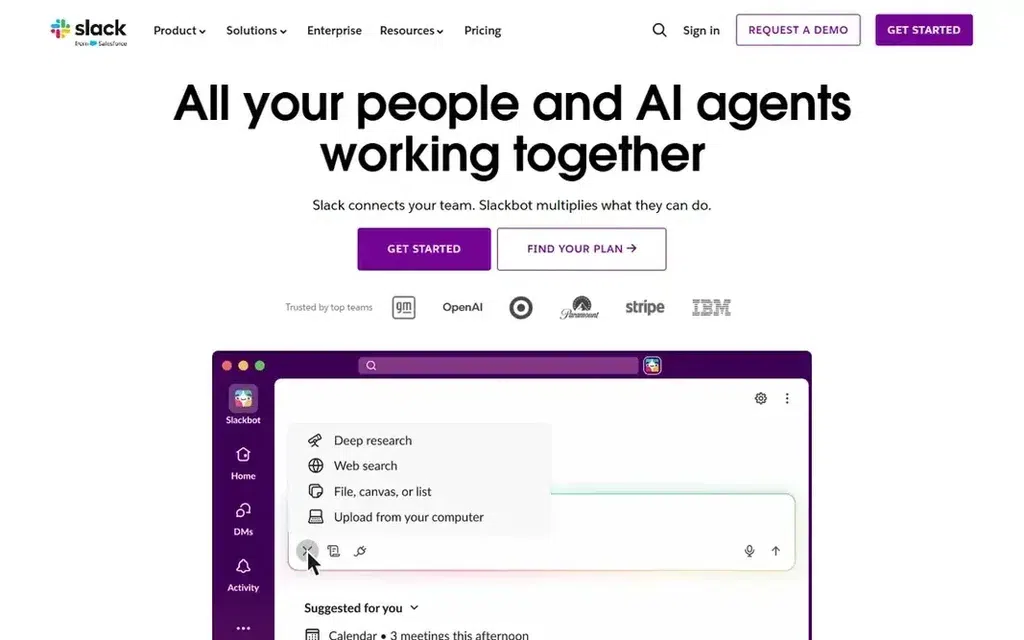
Slack works best for team communication and workflow automation. Channels let a hackathon team separate topics like setup, design and demos, whereas integrations can bring updates from other services into one view.
Limits to weigh: Less suited to large public communities.
In daily use, if your event needs a large, informal participant space, a community chat tool may be a better fit alongside Slack. Slack cost at the entry level: $4.38 per user per month. Free access exists with Slack.
- Workflow automation for routine tasks
- Integrations link other tools
- Notification overload in busy channels
Think of Vercel for deploying apps and agents rapidly. Vercel describes itself as agentic infrastructure and an autonomous stack for every app and agent.
In daily use, teams unfamiliar with deployment concepts may need time to understand the workflow. What you pay to start with Vercel: $20 per month. Vercel offers a free plan.
The main drawbacks: Needs some system knowledge.
- Made for modern web apps
- Supports agentic infrastructure
- Centred on web deployment
GitHub is built with code hosting and team collaboration in mind. GitHub is a developer product centered on code hosting and collaboration. As for the details, teams use repositories, branches and pull requests to build together, and the platform supports open source and private projects.
For a hackathon, it provides every participant a shared place to store work, review changes and keep a clear history. Its broader features can also distract a small team with restricted time. Worth adding: if your event is not code-centric, a more straightforward shared workspace may be enough, and GitHub can stay optional for documentation. What you pay to start with GitHub: $4 per user per month. GitHub has a free plan.
Drawbacks to consider: Advanced automation needs setup time.
- Central repositories for team code
- Pull requests and review workflow
- Steeper ramp-up time for beginners

Choose Discord for community chat and voice rooms. Discord is group chat designed for communities, with text channels, voice rooms and configurable spaces. If your event is small and work-focused, a more straightforward team chat may be enough, and Discord can serve as the public lobby.
The main drawbacks: Plenty of features need moderation.
The informal tone and large feature set can overwhelm teams used to workplace tools, and busy servers need active moderation. It is not a code host or a document workspace. No starting price is listed for Discord here; confirm pricing on the vendor site. Free access: Not stated.
- Voice and text in one place
- A decent match for open participant communities
- Can feel informal for corporate teams
How the list was put together
The comparison looks at four things: starting price, free access, how well the feature set matches hackathon software, and the main limit of each tool. Where a price is missing, the vendor does not list one publicly or ties it to a quote. Always confirm before budgeting. Order on the page follows fit for the typical buyer first, then price transparency and free access. Your own requirements should decide the final pick.
Before you commit
- Confirm the entry price on the vendor page. For Zoom and Discord that means a quote rather than a fixed price.
- Read the fine print on the free plans from Notion, Slack, Vercel and GitHub; seat, project and feature caps differ.
- Before choosing Zoom, weigh its main limit: meeting fatigue with long sessions.
- Check the support hours and onboarding help Slack offers; smaller vendors vary a lot here.
- Find out whether the entry plan of Vercel covers your must-haves or only a trimmed-down version.
FAQ
Should organizers use Slack or Discord for participants?
Organizers running a large public event frequently prefer Discord, and smaller workplace-style teams may prefer Slack. Some events use one for organizers and the other for participants.
What is the cheapest option for hackathon software in this list?
On published monthly entry prices, GitHub is the lowest here at $4 per user per month. Entry price is only part of the cost, because seats, add-ons and billing terms can change the total. For the full picture, the cards above cover all 6 entries of this Hackathon software list, including price, free plan and limits.
How are the tools for hackathon software ordered?
The order follows typical fit for hackathon software, with Zoom first and Discord last, then price clarity and free access. It is editorial judgement, not a score, so another team could rank the tools differently.
Is Zoom the right pick for everyone comparing hackathon software?
No single tool suits every team. Zoom comes first because it fits video meetings and webinars, while Notion suits planning, notes and shared workspace and Slack suits team communication and workflow automation. Match the tool to your own size, budget and workflow before deciding.
Do we need video meetings for a hackathon?
Video meetings help for opening sessions, mentor check-ins and judging, and Zoom spans those needs with meetings and webinars. Use video for scheduled moments and keep the rest in written channels.
Can I try these options before paying?
Often, yes. Notion, Slack, Vercel and GitHub have a free plan. Use your own data and a real task during the test, and check what the free tier or trial limits before you rely on it.
Sources
- https://zoom.us
- https://www.notion.so
- https://slack.com
- https://vercel.com
- https://github.com
- https://discord.com