Best Forms Automation Software in 2026: 9 Tools Compared
Compare the best forms automation software for 2026, with form builders, approvals, workflows, e-signatures, and field data tools compared for business.
- Editor's choice
 Jotform
General forms with workflows
Starts at$34 per monthVisit jotform.comFull review - Great alternative
 Formstack
Forms plus documents and workflows
Starts at$99 per monthVisit formstack.comFull review - Also consider
 Typeform
Conversational lead and survey forms
Starts atSee websiteVisit typeform.comFull review
TL;DR:
- The best forms automation software turns a submitted form into the next step automatically, not just into an email inbox.
- Jotform and Formstack suit general business forms with approvals, workflows, and document generation.
- Google Forms and Microsoft Forms suit simple, free forms inside a suite you already use.
- GoFormz and Appenate suit field teams that need offline mobile forms, photos, signatures, and calculations.
- Check submission limits, user counts, and integration costs before buying, because those drive total cost more than the headline price.
Quick comparison
| Tool | Best for | Starts at | Free plan? | |
|---|---|---|---|---|
| Jotform | General forms with workflows | $34 per month | Yes | Visit |
| Formstack | Forms plus documents and workflows | $99 per month | Free trial | Visit |
| Typeform | Conversational lead and survey forms | See website | Yes | Visit |
 Google Forms | Free simple forms in Google Workspace | Free | Yes | Visit |
 Microsoft Forms | Free simple forms in Microsoft 365 | Free | Yes | Visit |
 Wufoo | Simple online forms with payments | See website | Free trial | Visit |
 Cognito Forms | Calculated and payment forms | See website | Yes | Visit |
 GoFormz | Mobile field forms | See website | Free trial | Visit |
 Appenate | Offline field data capture | See website | Free trial | Visit |
The best forms automation software
We compared official pricing, workflow features, and integration options for form tools that still operate in October 2026. The list covers general form builders, suite forms, and field tools, because form automation means different things for an office team and a field team.
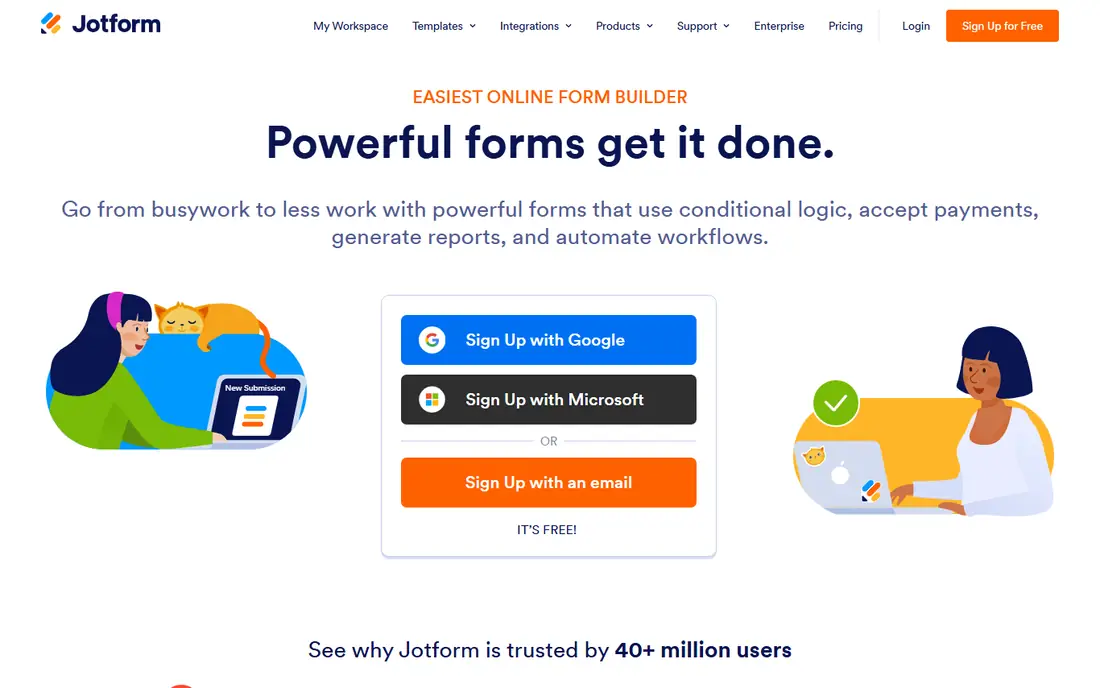
Jotform is our pick for most general business form automation, because every plan includes the same core features, including conditional logic, payments, approvals, e-signatures, tables, and workflows. Tiers differ mainly in limits, such as form count and monthly submissions, so you do not discover a needed feature is locked on a higher tier. Bronze pricing at $34 per month billed annually is a clear starting point for a small team.
The catch is users and limits. Standard plans allow one user per account, so a team that needs separate logins must check Enterprise terms, and the free Starter plan caps submissions low. For a single owner or a small team that shares an account carefully, Jotform is a strong, predictable choice.
- Every plan includes core features
- Workflows, approvals, and e-signatures
- Large template library
- Standard plans allow one user per account
- Free plan caps submissions at a low monthly total

Formstack suits teams that need forms to do more than collect data, including routing approvals, generating documents, and moving data into other systems. The Forms plan starts at $99 per month, with workflows and document generation as core strengths, which helps HR, operations, and service teams that repeat the same intake, approval, and document steps. That automation saves time once volume grows.
The downside is price and tiering. Starting cost is higher than Jotform, and some compliance features sit on higher tiers, so check the plan that matches your data needs. For a team with high form volume and document output, Formstack value is clear. For a simple contact form, a free suite tool may be enough.
- Strong workflow automation
- Document generation from form data
- Many integrations
- Higher starting price than Jotform
- Full compliance features sit on higher tiers
Typeform is best when form completion matters more than back-office workflow depth, such as lead capture, surveys, quizzes, and feedback forms. The conversational design, which shows one question at a time, feels lighter than a long page of fields and can lift completion rates. Branding and logic options help a marketing team keep a form on brand.
The limit is workflow depth. Typeform is less suited to multi-step approvals, document generation, or field data capture than Formstack or Jotform. Use it for front-end capture, then send data to a CRM or workflow tool for the next step. Check response limits and pricing tiers, because costs rise with volume.
- Conversational, one-question-at-a-time design
- High completion rates for surveys
- Clean branding
- Less suited to long, complex approval workflows
- Pricing rises with responses and features
Google Forms is the right pick when you need a simple form fast and already use Google Workspace. Setup takes minutes, responses flow into Sheets, and sharing is simple for a class, a small team, or a community group. For a contact form, a signup sheet, or a short survey, it costs nothing and works well.
The catch is automation depth. Google Forms lacks built-in approvals, complex workflows, e-signatures, and payment handling, so a business process that needs routing and sign-off will need add-ons or a different tool. Use Google Forms for simple capture, and move to Jotform or Formstack when a form must trigger approvals and documents.
- Free with a Google account
- Simple setup
- Data flows into Google Sheets automatically
- Limited workflow, approval, and branding options
- No built-in e-signatures or payments depth
Microsoft Forms suits teams already on Microsoft 365 who need simple surveys, quizzes, and intake forms without buying another tool. It is included with many Microsoft 365 plans, setup is simple, and results flow into Excel for review. For an internal survey, a training quiz, or a simple request form, it is a low-friction choice.
The limit is automation. Complex approvals, document generation, and multi-step workflows need Power Automate or a dedicated form tool, which adds setup time. If your form must route, approve, and generate a document on its own, Formstack or Jotform will be faster to run. If you only need capture and review, Microsoft Forms is enough.
- Included with many Microsoft 365 plans
- Simple surveys and quizzes
- Data flows into Excel
- Limited workflow and branding depth
- Automation needs Power Automate for complex steps
Wufoo is a good fit for a small business that needs a simple online form with payment collection, notifications, and basic reports, without a large platform. The builder is easy to learn, and forms can accept payments, collect registrations, and send alerts to a team inbox. For an event signup, an order form, or a simple application, Wufoo covers the basics well.
The downside is depth and design. Workflow automation, approvals, and document generation are thinner than in Formstack, and the design options feel older than Jotform or Typeform. If your process is simple, Wufoo is enough. If a form must trigger a multi-step approval chain, choose a workflow-first tool.
- Simple drag-and-drop builder
- Payment collection
- Reports and notifications
- Workflow depth is thinner than Formstack
- Design options feel older than newer rivals
Cognito Forms suits teams that need calculated forms, such as order forms with pricing math, registration forms with fees, or application forms with conditional sections. Its calculation engine and conditional logic are strong, and the free tier covers small use, which helps a nonprofit or small business test a form before paying. Payment integration covers common gateways for order and donation forms.
The catch is workflow scope. Approvals, document generation, and field data features are thinner than in Formstack or GoFormz, so a complex business process may need another tool for the next step. Use Cognito Forms when calculation and payment accuracy are the main need, and check submission and storage limits on the free tier.
- Strong calculations and conditional logic
- Payment forms
- Free tier for small use
- Workflow and document features are thinner than Formstack
- Interface takes time to learn for complex forms
GoFormz is the pick for field teams that need to fill forms on a phone or tablet, often without a reliable connection. It supports offline use, photos, digital signatures, calculations, and workflow routing, which helps construction, service, inspection, and delivery teams replace paper forms. Data flows back to the office once the device reconnects, so field work does not wait for signal.
The limit is general web use. GoFormz is built for field data, not for a marketing lead form or a conversational survey, so an office team may prefer Jotform or Typeform for those jobs. Pricing is also less transparent for many teams, so get a written quote for user count and features before comparing totals.
- Mobile forms with offline use
- Photos, signatures, and calculations
- Good for field teams
- Less suited to general web marketing forms
- Pricing is quote-based for many teams
Appenate suits field teams that need rich data capture in places with poor connectivity, including inspections, audits, maintenance, and site surveys. It works offline across iOS, Android, and Windows, with GPS tagging, photo and video capture, barcode scanning, digital signatures, and automatic calculations. That depth helps a team that must capture proof, not just text, in the field.
The trade-off is setup effort. Complex forms with many rules, calculations, and integrations need planning and testing before rollout, and pricing varies by team size and features. For a field operation with regular offline work, Appenate is a strong, purpose-built choice. For a simple office form, a general builder will be faster.
- Full offline use on iOS, Android, and Windows
- GPS, photos, barcodes, and signatures
- Strong field calculations
- Setup takes more planning for complex forms
- Pricing varies by users and features
How we picked these
We compared official pricing pages, workflow features, and integration options for form tools that still operate in October 2026. We did not claim hands-on testing, and we did not invent prices, limits, or feature claims. Where pricing is quote-based or varies by billing term, we list See website and advise checking the current pricing page for your user count and submission volume.
How to choose form automation software
Start with what must happen after submit. If the answer is just an email, a free suite form is enough. If the answer is approval, document generation, CRM update, and payment, you need a workflow tool such as Jotform or Formstack. If the answer is offline field capture, you need GoFormz or Appenate.
Check limits that drive cost
Compare monthly submissions, form count, storage, user count, and integration costs, not just the monthly price. A low plan that caps submissions will force an upgrade fast on a busy site. Test the full flow, including approval, notification, and document output, during the free plan or trial before you commit.
FAQ
What is the best form automation software for small businesses?
Jotform is the best general pick for small businesses, because it includes workflows, approvals, and e-signatures on every plan, with a free tier for small use. Formstack suits teams that also need document generation, while Google Forms or Microsoft Forms suit simple capture inside a suite you already pay for.
What are the best form automation tools for field teams?
GoFormz and Appenate are strong field picks, because both support offline mobile forms, photos, signatures, and calculations. GoFormz suits service and inspection teams that need simple field workflows, while Appenate suits teams that need rich offline capture across devices. Test offline sync with your exact devices before rollout.
Is Jotform free?
Jotform offers a free Starter plan with 5 forms and 100 submissions per month, with all core features included. Paid plans start at $34 per month billed annually for Bronze, with higher form and submission limits. Check the current pricing page, because limits and billing terms can change.
Can forms automation replace manual data entry?
Yes, for many repeat processes, form automation can route approvals, update a CRM or sheet, generate a document, and send notifications without manual copying. The key is mapping the full process before building the form, including who approves, what document is needed, and where data must go. A form alone, without workflow rules, only moves data entry to a web page.
How do I automate approvals with a form?
Choose a tool with workflow and approval features, such as Jotform or Formstack, then set rules for who approves, what triggers approval, and what happens on approval or rejection. Test with a real example, including a rejection and a resubmission, before launching. Keep the approval chain short, because long chains delay the process they were meant to speed up.
What is the difference between a form builder and forms automation software?
A form builder creates a web form and collects responses, while forms automation software also routes, approves, calculates, signs, and generates documents from those responses. Google Forms and Microsoft Forms are mainly builders, while Jotform, Formstack, GoFormz, and Appenate add automation. Pick automation when the next step after submit matters as much as the form itself.