Best Food Scanner Apps in 2026: 8 Apps Compared
Compare the best food scanner app options for 2026, with barcode scores, ingredient flags, allergy filters, prices, and free plans for shoppers Check our guide.

- Editor's choice
 Yuka
Quick overall food and cosmetic scores
Starts atFreeVisit yuka.ioFull review - Great alternative
 Bobby Approved
Shoppers who follow Bobby Parrish ingredient rules
Starts atFreeVisit bobbyapproved.comFull review - Also consider
 Fig
Allergy and diet filtering
Starts atSee websiteVisit fig.appFull review
TL;DR:
- Yuka gives the clearest quick score for most shoppers, while ingredient-focused apps give more detail on additives and processing.
- Fig stands out for allergy and diet filters, and Trash Panda stands out for ingredient-only ratings without calorie scoring.
- Free scanning is common, but unlimited scans, offline use, and diet alerts often sit behind a paid tier, so check the free limits first.
- No app score should replace medical advice or a label read, and different apps can rate the same product differently because their methods differ.
Quick comparison
| Tool | Best for | Starts at | Free plan? | |
|---|---|---|---|---|
| Yuka | Quick overall food and cosmetic scores | Free | Yes | Visit |
| Bobby Approved | Shoppers who follow Bobby Parrish ingredient rules | Free | Yes | Visit |
| Fig | Allergy and diet filtering | See website | Yes | Visit |
 Trash Panda | Ingredient quality without calorie scoring | See website | Yes | Visit |
 Open Food Facts | Open data and detailed nutrition facts | Free | Yes | Visit |
 Foodvisor | Scanning plus meal and calorie tracking | See website | Yes | Visit |
 MyFitnessPal | Barcode scanning inside calorie tracking | See website | Yes | Visit |
 Cronometer | Detailed nutrient tracking | See website | Yes | Visit |
The best food scanner apps
We compared barcode scanners, ingredient flags, and scoring methods so you can pick one that matches your shopping habits, not just a single score.
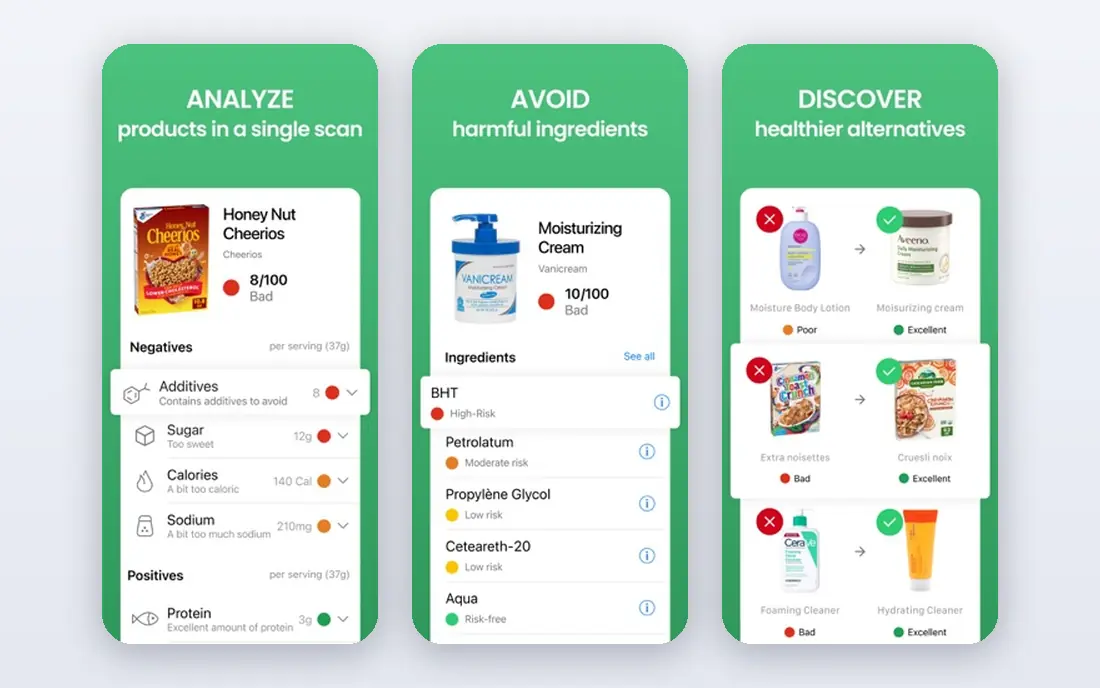
Yuka is our pick for most people because it turns a barcode scan into a clear score in seconds, with a breakdown for nutrition, additives, and organic status. If you need quick overall food and cosmetic scores, Yuka keeps the core workflow close at hand, with a layout that is easy to learn on a first session and clear enough to return to after a break. Its main strength is how directly it serves that use case. The app also covers cosmetics, which is handy if you want one scanner for food and personal care items in the same shop. That focus also explains its main trade-off, because a tool built for one job will not cover every related job as well as a wider platform can. Check the free plan limits and the starting price on the vendor site before you commit, and test it on a real task from your own routine, such as a shop, a project, or a session with friends, to see if the limits matter to you.
- Simple 0 to 100 score
- Large product database
- Suggests alternatives
- Score method may not match personal diet priorities
- Some products missing
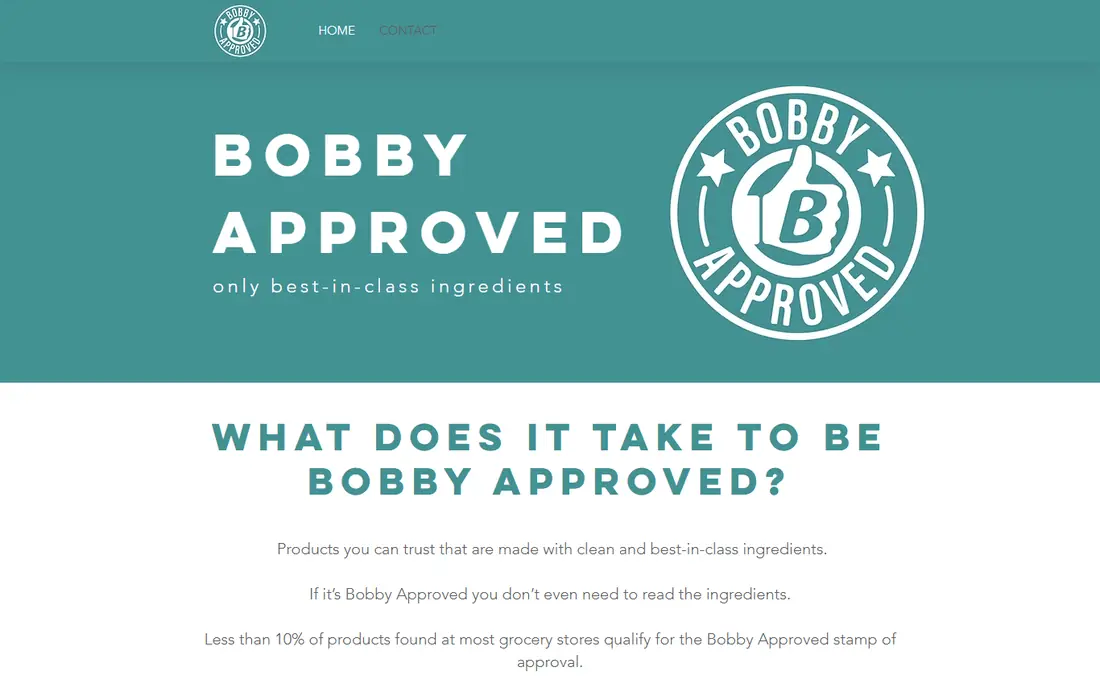
Bobby Approved suits shoppers who already agree with its ingredient standards and want a simple approved or not approved answer. This one suits shoppers who follow bobby parrish ingredient rules, Bobby Approved keeps the core workflow close at hand, with a layout that is easy to learn on a first session and clear enough to return to after a break. Its main strength is how directly it serves that use case. Each flagged ingredient comes with an explanation, so the result feels more useful than a bare score when you are learning what to avoid. That focus also explains its main trade-off, because a tool built for one job will not cover every related job as well as a wider platform can. Check the free plan limits and the starting price on the vendor site before you commit, and test it on a real task from your own routine, such as a shop, a project, or a session with friends, to see if the limits matter to you.
- Clear ingredient flags with explanations
- Suggests alternatives
- Free to use
- Rules are fixed to one set of standards
- Less flexible for other diet views
Fig is the strongest choice when a general health score is not enough and you need to know if a product fits your own restrictions. We found allergy and diet filtering, Fig keeps the core workflow close at hand, with a layout that is easy to learn on a first session and clear enough to return to after a break. Its main strength is how directly it serves that use case. You build a profile around diets, allergies, and ingredients to avoid, then scans are judged against that profile rather than one fixed method. That focus also explains its main trade-off, because a tool built for one job will not cover every related job as well as a wider platform can. Check the free plan limits and the starting price on the vendor site before you commit, and test it on a real task from your own routine, such as a shop, a project, or a session with friends, to see if the limits matter to you.
- Personal diet profiles
- Flags ingredients against your needs
- Broad food coverage
- Full features may need a paid plan
- Database gaps can occur
Trash Panda fits shoppers who care most about ingredients and processing rather than calories, fat, or sugar totals. For users who prefer ingredient quality without calorie scoring, Trash Panda keeps the core workflow close at hand, with a layout that is easy to learn on a first session and clear enough to return to after a break. Its main strength is how directly it serves that use case. Its photo scan helps when a barcode is missing or a product is not in the database, which is a common frustration with barcode-only tools. That focus also explains its main trade-off, because a tool built for one job will not cover every related job as well as a wider platform can. Check the free plan limits and the starting price on the vendor site before you commit, and test it on a real task from your own routine, such as a shop, a project, or a session with friends, to see if the limits matter to you.
- Ingredient-only ratings
- Photo scan for labels
- Cleaner swap ideas
- Free scans are limited each month
- Full access needs a membership
Open Food Facts is a good pick for shoppers who value open data and want to see the full nutrition panel and ingredient list. When you want open data and detailed nutrition facts, Open Food Facts keeps the core workflow close at hand, with a layout that is easy to learn on a first session and clear enough to return to after a break. Its main strength is how directly it serves that use case. Because it is community driven, coverage is wide, but you may need to read the details yourself instead of relying on one summary score. That focus also explains its main trade-off, because a tool built for one job will not cover every related job as well as a wider platform can. Check the free plan limits and the starting price on the vendor site before you commit, and test it on a real task from your own routine, such as a shop, a project, or a session with friends, to see if the limits matter to you.
- Free and open database
- Detailed nutrition and ingredient data
- No ads in the core project
- Interface is less polished than paid apps
- Scores can vary by product data quality
Foodvisor works well if you want a scanner that also helps with meal logging and daily nutrition tracking. A good fit for scanning plus meal and calorie tracking, Foodvisor keeps the core workflow close at hand, with a layout that is easy to learn on a first session and clear enough to return to after a break. Its main strength is how directly it serves that use case. Its photo feature can estimate a meal from a picture, which saves time compared with typing every ingredient, though estimates are not exact. That focus also explains its main trade-off, because a tool built for one job will not cover every related job as well as a wider platform can. Check the free plan limits and the starting price on the vendor site before you commit, and test it on a real task from your own routine, such as a shop, a project, or a session with friends, to see if the limits matter to you.
- Photo meal estimates
- Barcode scanning
- Diet tracking in one app
- Scanning is part of a wider paid health app
- Free features are limited
MyFitnessPal is the practical choice if scanning is one part of a wider calorie and nutrition routine. If your priority is barcode scanning inside calorie tracking, MyFitnessPal keeps the core workflow close at hand, with a layout that is easy to learn on a first session and clear enough to return to after a break. Its main strength is how directly it serves that use case. You can scan a product, log it in seconds, and see how it fits your daily totals, which is more useful than a score on its own for many users. That focus also explains its main trade-off, because a tool built for one job will not cover every related job as well as a wider platform can. Check the free plan limits and the starting price on the vendor site before you commit, and test it on a real task from your own routine, such as a shop, a project, or a session with friends, to see if the limits matter to you.
- Very large food database
- Barcode scanning
- Links to activity and weight goals
- Best scanning and tracking features sit behind Premium
- Ads on free tier
Cronometer suits shoppers who want nutrient detail beyond calories, including vitamins and minerals for logged foods. For shoppers who want detailed nutrient tracking, Cronometer keeps the core workflow close at hand, with a layout that is easy to learn on a first session and clear enough to return to after a break. Its main strength is how directly it serves that use case. Its food entries tend to be well sourced, so the numbers you see after a scan are easier to trust when you compare similar products. That focus also explains its main trade-off, because a tool built for one job will not cover every related job as well as a wider platform can. Check the free plan limits and the starting price on the vendor site before you commit, and test it on a real task from your own routine, such as a shop, a project, or a session with friends, to see if the limits matter to you.
- Detailed micronutrient data
- Barcode scanning
- Verified food entries
- Interface feels more detailed than casual shoppers may want
- Some features need Gold
How we picked these
We compared official feature pages, pricing pages, app store listings, and privacy pages for each product, and we focused on whether the product exists and works today, in October 2026. We checked free plans, starting prices, and the main limits that affect everyday use, rather than relying on marketing claims alone. We also compared products against each other on the same points: who it fits, what it does well, and where it falls short. That side-by-side view helps you see trade-offs clearly, such as a simple app with fewer features versus a detailed app with a steeper learning curve. Prices can vary by region and plan, so check the vendor site before you subscribe.
How to pick a food scanner that fits how you shop
Start with the job you need done most often, then check the free limits that affect that job. A tool that is free for occasional use can become costly if you need it daily, so test the free tier for a week before paying. Next, check device support, export options, and how your data is handled, because those details matter more than a feature list. Read the pricing page and privacy page on the vendor site before you sign up. Our pick for most people is the tool that covers the core job well on the free tier, with a paid plan that adds clear value rather than removing basic features. If two tools tie, keep the one with the simpler layout, because you will use it more often.
FAQ
What is the best food scanner app for most shoppers?
For most shoppers, Yuka is a solid starting point because scanning is free and the score is easy to read at a glance. If you have allergies or a strict diet, Fig may be a better fit because it judges products against your own profile. Try two free apps on the same shop and keep the one whose results you find clearest.
Are the best food scanner apps free?
Many of the best food scanner apps offer free scanning, including Yuka, Bobby Approved, and Open Food Facts. Paid tiers usually add offline scanning, unlimited history, search, or diet alerts. Start free, then pay only if you hit a limit that matters to you.
Can a food scanner app tell me if food is healthy?
A scanner can show nutrition, ingredients, and additives, but its score is one method, not a medical verdict. Different apps rate the same product differently because they weigh nutrition, additives, and processing differently. Read the ingredient list and talk to a clinician for personal health questions.
Do food scanner apps work for unpackaged food?
Barcode scanners work best on packaged food with a barcode in the database. For fresh produce, meat, or bakery items, photo or search features in apps such as Foodvisor can help, but results are estimates. A label read or a simple whole-food choice is often clearer for unpackaged items.
Which scanner is best for additives?
Trash Panda and Bobby Approved focus more on ingredients and additives than a general nutrition score does. Yuka also weighs additives in its score, with a cap for high-risk additives. Pick the app whose additive explanations you understand and trust.