Best Free Message Apps in 2026: 9 Apps Compared
Best free message apps compared for 2026, from WhatsApp and Signal to Telegram, Messenger, and Discord, with privacy, calls, and group tools. Stay in touch.
- Editor's choice
 WhatsApp
Everyday messaging for everyone
Starts atFreeVisit whatsapp.comFull review - Great alternative
 Telegram
Large groups and channels
Starts atFreeVisit telegram.orgFull review - Also consider
 Signal
Private messaging
Starts atFreeVisit signal.orgFull review
TL;DR:
- WhatsApp is the safest default for most people, because almost everyone already has it and messages are end to end encrypted.
- Signal is our pick for privacy, with the strongest default encryption and the least data collection of the major apps.
- Telegram suits large groups and channels, while Discord suits communities built around games, study, and shared interests.
- Check who you actually talk to before choosing, since a free app is only useful if your family, friends, and work contacts use it.
- Free does not mean private, so read what each app stores, whether backups are encrypted, and who can add you to groups.
Quick comparison
| Tool | Best for | Starts at | Free plan? | |
|---|---|---|---|---|
| WhatsApp | Everyday messaging for everyone | Free | Yes | Visit |
| Telegram | Large groups and channels | Free | Yes | Visit |
| Signal | Private messaging | Free | Yes | Visit |
 Facebook Messenger | Facebook contacts and chats | Free | Yes | Visit |
 Google Messages | Android texting with RCS | Free | Yes | Visit |
 Viber | International calls and chats | Free | Yes | Visit |
 Discord | Community and group chats | Free | Yes | Visit |
 Skype | Calls and older contacts | Free | Yes | Visit |
 LINE | Chats and stickers in Asia | Free | Yes | Visit |
The best free message apps
A message app needs to be free, reliable, and used by the people you want to reach. The apps below cover everyday chats, private messaging, large communities, and international calls, so you can pick one main app and keep a second for specific contacts.
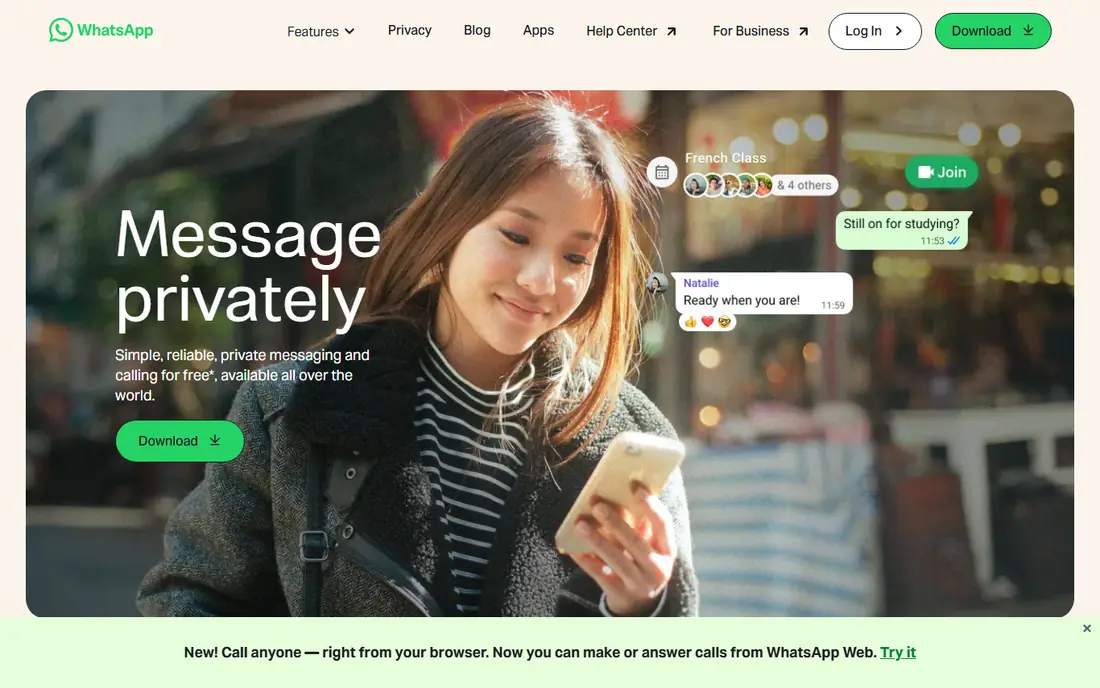
WhatsApp is the default message app for billions of people, and that reach is its biggest strength. You can message family, friends, and colleagues without asking them to install something new, and chats, voice calls, and video calls are end to end encrypted. Groups, communities, channels, and status updates cover most everyday needs in one app.
The main limits are tied to its design. An account needs a phone number, and cloud backups need care, since backup encryption settings vary by platform and by whether you turn the option on. Still, for most people, WhatsApp is the app to keep installed even if you also use a more private option for sensitive chats.
- Huge global user base
- End to end encrypted chats and calls
- Groups, voice notes, and status updates
- Tied to a phone number
- Backups may not be encrypted by default on some platforms
- Owned by Meta
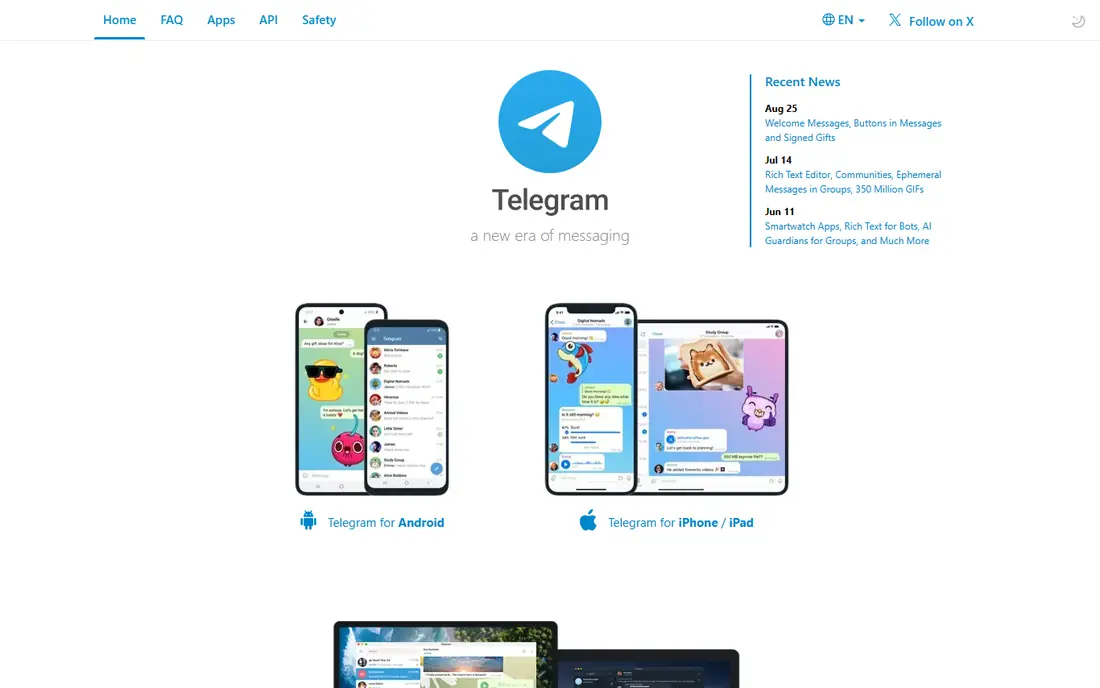
Telegram is built for scale. Groups can hold huge numbers of members, channels let creators broadcast to followers, and files, photos, and videos sync fast across phone, desktop, and web. Bots add polls, reminders, games, and automation that other message apps lack.
Privacy needs a closer look. Regular Telegram chats are encrypted in transit and stored in the cloud, but they are not end to end encrypted by default. Secret chats offer end to end encryption, yet they work only on one device and must be started on purpose. Use Telegram for communities and public channels, and use Signal or WhatsApp for private conversations.
- Very large groups and channels
- Fast cloud sync across devices
- Bots, files, and media sharing
- Default chats are cloud based, not end to end encrypted
- Secret chats need to be started manually
- Spam can appear in large groups

Signal is run by a nonprofit and is widely regarded as the strongest privacy choice among major message apps. Messages, voice calls, and video calls are end to end encrypted by default, the protocol is open source, and the app collects far less metadata than ad funded rivals. There are no ads and no tracking for advertising.
The drawback is reach. Many friends and family members do not use Signal, so you may need to persuade a small circle to join for sensitive chats. For journalists, activists, health discussions, and any conversation you want kept private, that extra step is worth it. Keep WhatsApp for everyone else, and Signal for the chats that matter most.
- End to end encryption by default
- Open source protocol
- Minimal metadata and no ads
- Smaller user base than WhatsApp
- Fewer fun extras and stickers
- Some features need a phone number
Messenger lets you message Facebook friends without sharing a phone number, which is useful for older contacts, marketplace sellers, and people you know only through Facebook. Video calls, group chats, rooms, and a large sticker library make it a lively app for family groups.
Privacy is the reason some people keep Messenger as a second app rather than a main one. End to end encrypted chats are available, but not every chat uses that setting by default, so check the encryption status of a chat before sharing sensitive details. For casual chats with Facebook contacts, Messenger remains convenient and free.
- Works with Facebook contacts without a phone number
- Video calls and group chats
- Many stickers and effects
- Privacy record of Meta is a concern for some users
- End to end encryption settings vary by chat type
- Can feel cluttered
Google Messages is the default texting app on many Android phones, and with RCS it feels much closer to WhatsApp than old SMS did. You get typing indicators, read receipts, high quality photos, and group chats, plus a web version for typing on a computer. For Android users who mainly text phone contacts, it is a clean, free choice.
The catch is compatibility. RCS support depends on your carrier, your region, and the other person phone and app, and chats with iPhones may still fall back to SMS in some cases. If your contacts are split across Android and iPhone, WhatsApp or Signal will give a more consistent experience.
- Free on Android
- RCS adds typing indicators, read receipts, and better media
- Works on the web
- RCS availability depends on carrier and region
- IPhone chats may fall back to SMS
- Fewer community features
Viber is popular in parts of Europe, Asia, and the Middle East, and it is a strong pick for international families. Chats and calls between Viber users are free, and Viber Out lets you call ordinary phone numbers at low rates when the other person does not use the app. Group chats, channels, and stickers cover everyday use.
In the United States, Viber is less common than WhatsApp, so it works best as a second app for specific contacts abroad. If your family is spread across countries where Viber is widely used, it can save money on calls and keep everyone in one place.
- Free chats and calls between Viber users
- Viber Out calls to phone numbers
- End to end encrypted chats
- Smaller user base in the United States
- Some features vary by region
- Sticker and business messages can clutter chats
Discord started for gamers and now hosts study groups, hobby clubs, work communities, and creator fan groups. Servers organise chats into channels by topic, voice channels let people drop in and talk, and screen sharing suits study sessions and game nights. For a community, Discord is more flexible than a simple group chat.
For private messaging, Discord is less private than Signal or WhatsApp, since server messages are not end to end encrypted. Treat Discord as a community app, not a place for sensitive personal details. If you run or join a club, class, or team, Discord is often the free app that fits best.
- Servers for large communities
- Voice channels and screen sharing
- Text, voice, and video in one app
- Not ideal for private one to one messaging
- Moderation quality varies by server
- Can be noisy and distracting
Skype is still useful, especially for older relatives and contacts who have used it for years. Skype to Skype calls and messages are free, video calls work on phone and desktop, and calls to landlines and mobiles are available at low rates in many countries. That familiarity matters when you do not want to teach a new app to a parent or grandparent.
Younger users have largely moved to WhatsApp, Telegram, and Discord, so Skype is best kept for the contacts who already use it. For work, Microsoft now points most teams to Teams, but for personal calls with long term Skype users, Skype remains a free and reliable option.
- Free Skype to Skype calls and chats
- Low cost calls to phone numbers
- Familiar to older users
- Less popular with younger users
- Interface feels dated
- Microsoft focus has shifted to Teams for work
LINE is a major message app in Japan, Thailand, Taiwan, and Indonesia, with a huge sticker culture, themed chats, and official accounts for brands and creators. Free voice and video calls, group chats, and timeline posts make it a complete social app, not just a text tool.
Outside Asia, LINE is less useful, since fewer contacts will have it installed. If you have friends, family, or work contacts in countries where LINE is the norm, install it for those chats and keep WhatsApp for everyone else. The sticker library alone makes it fun for family groups.
- Very popular in Japan, Thailand, and Taiwan
- Rich stickers and themes
- Free calls and group chats
- Smaller base in the United States and Europe
- Some features are region specific
- Account setup uses a phone number
How we picked these
We compared official feature pages, privacy policies, app store listings, and public reviews for message apps that are free to use, actively maintained, and available in the United States in 2026. We favoured apps with a large reachable user base, reliable calls and groups, and clear privacy settings. We also noted where encryption is default, optional, or absent, since that difference matters more than marketing claims.
How to choose a free message app
Follow your contacts
The best message app is the one your contacts already use. Ask family, friends, and work groups which app they check daily. A technically better app that nobody opens will not help you stay in touch.
Separate private and community chats
Use Signal or WhatsApp for private and sensitive chats, and Telegram or Discord for large groups and communities. Keeping those uses separate makes it easier to control who sees your number, your status, and your messages.
Check backup and encryption settings
Turn on encrypted backups where offered, review who can add you to groups, and check whether a chat is end to end encrypted before sharing personal details. Small settings changes do more for privacy than switching apps every month.
Watch for costs that are not obvious
All of the apps here are free for app to app messaging, but calls to phone numbers, sticker packs, and premium extras may cost money. Check those extras before you rely on an app for international calls.
FAQ
What is the best free message app overall?
WhatsApp is the best default for most people, because it is free, encrypted, and used by almost everyone. Signal is the best pick for privacy, and Telegram is the best pick for large groups and channels. Many people keep two apps, one for everyone and one for private chats.
Is WhatsApp really free?
Yes, WhatsApp is free to download and use for messages, voice calls, and video calls over the internet. You need a data plan or Wi-Fi, and your carrier may charge for data use, but WhatsApp itself does not charge a subscription for personal messaging.
Which message app is most private?
Signal is the most private major message app, with end to end encryption by default, an open source protocol, and minimal data collection. WhatsApp also encrypts chats by default. Telegram default chats are not end to end encrypted, so use secret chats or a different app for sensitive topics.
Can I message someone who uses a different app?
No, message apps do not generally talk to each other. You and the other person need the same app, or you need to use SMS or email. That is why it helps to keep the one or two apps your contacts actually use, rather than installing every app on this list.
Do free message apps work without a phone number?
Most need a phone number for setup, including WhatsApp, Signal, and Viber. Messenger can work with a Facebook account, and Discord and Telegram also have different setup paths, but a phone number is still common. Check the signup flow for the app you choose before you promise a contact you can join without one.
Are group chats safe on free message apps?
Group chats are convenient, but anyone in the group can copy or share messages, and group privacy depends on the app settings. Avoid sharing passwords, financial details, or sensitive personal information in large groups, and review group membership before posting something private.