Best Face Editing App in 2026: 8 Apps Compared
Compare the best face editing app in 2026 for filters, retouching, and makeup, from FaceApp and Facetune to Lensa, YouCam, AirBrush and PicsArt compared.

- Editor's choice
 FaceApp
Quick face transformations
Starts atFreeVisit faceapp.comFull review - Great alternative
 Facetune
Detailed manual retouching
Starts at$25 per monthVisit facetuneapp.comFull review - Also consider
 Lensa
AI avatars and portraits
Starts at$7.99 per monthVisit lensa.appFull review
TL;DR:
- FaceApp is best for quick age, hair, and style changes, while Facetune gives you finer manual control.
- Lensa stands out for AI avatars and portrait retouching, but avatar packs cost extra on top of the subscription.
- YouCam Makeup is the strongest choice for virtual makeup and live camera try-ons.
- Most of these apps are free to download, with the best filters and high-resolution exports behind a subscription.
- Check privacy settings before uploading photos, and avoid editing photos of other people without their permission.
Quick comparison
| Tool | Best for | Starts at | Free plan? | |
|---|---|---|---|---|
| FaceApp | Quick face transformations | Free | Yes | Visit |
| Facetune | Detailed manual retouching | $25 per month | Yes | Visit |
| Lensa | AI avatars and portraits | $7.99 per month | Yes | Visit |
 YouCam Makeup | Virtual makeup try-ons | See website | Yes | Visit |
 Perfect365 | Makeup and face tuning | See website | Yes | Visit |
 AirBrush | Natural selfie retouching | See website | Yes | Visit |
 RetouchMe | Human-edited retouching | See website | Yes | Visit |
 PicsArt | All-round photo editing | See website | Yes | Visit |
The best face editing apps
Face editing apps now cover very different jobs, from a one-tap age filter to careful skin retouching and full virtual makeup. The best app depends on whether you want fun, a polished profile photo, or a natural edit that still looks like you. Our pick for most people is Facetune for control, with FaceApp as the fun, fast alternative and YouCam Makeup for makeup try-ons.

FaceApp is the app most people think of when they hear face editing. One tap can age a photo, change hair color, add a beard, or try a different smile, and the results often look surprisingly natural. The free version includes a set of basic filters, while Pro adds more filters, removes ads, and improves export quality.
Privacy deserves a pause here. FaceApp says photos are processed on US cloud infrastructure and deleted shortly after upload, but you should still read the current privacy policy before uploading sensitive photos. Avoid editing photos of other people without consent, and skip the app for work photos that contain clients or private documents in the background.
- Realistic age and gender filters
- Hair color and style previews
- Easy share to social apps
- Best filters sit behind Pro
- Privacy questions have followed the app since 2019
- Results can look overdone

Facetune is built for people who want to control every detail. You can smooth skin, whiten teeth, reshape features slightly, remove blemishes, and adjust lighting with brushes and sliders rather than relying on a single filter. The app also includes AI tools for quick fixes, plus background and clothing tools for full portraits.
That control is also the risk. Small, careful edits look natural, while heavy smoothing or reshaping can look plastic and draw more attention than the original flaw. Facetune offers a free trial, with monthly, quarterly, and annual plans, and the annual plan costs far less per month. Start with the trial and a light touch, and compare the edited photo with the original at full size before you post it.
- Fine control over skin, eyes, and smile
- AI tools plus manual brushes
- Video retouching options
- Monthly price is high
- Annual plan is much cheaper but locks you in
- Easy to over-edit
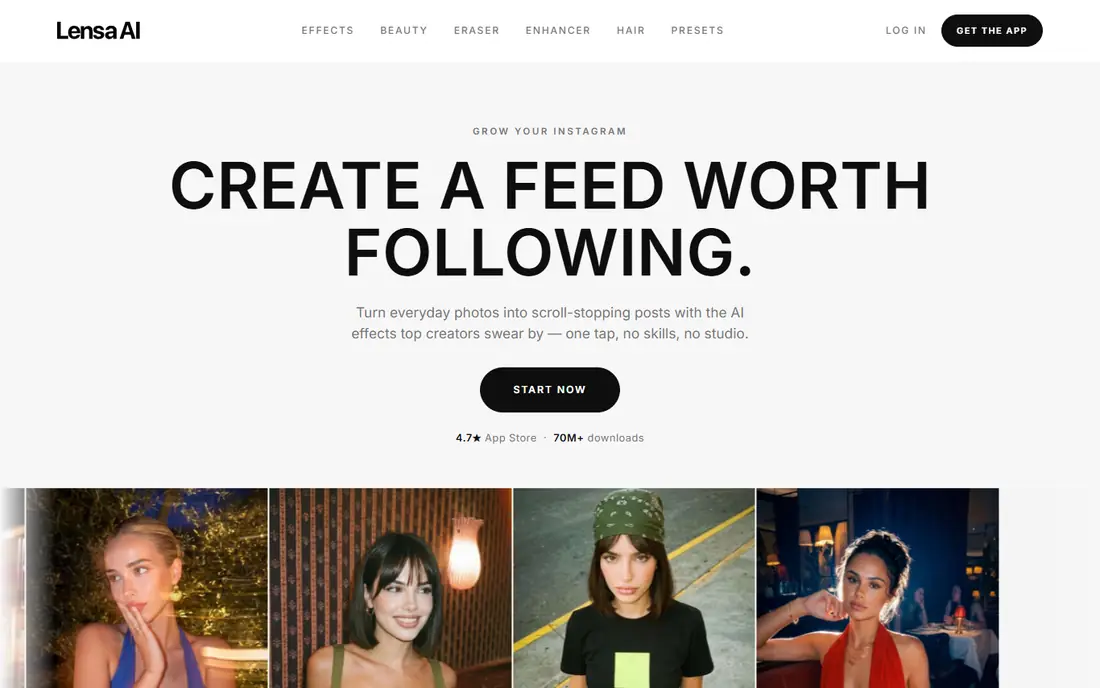
Lensa, from Prisma Labs, became famous for Magic Avatars, which turn a set of selfies into stylized portraits in many art styles. The app also works as a solid portrait editor, with retouching, background blur, and filters for everyday photos. Monthly and annual subscriptions cover the editing tools, with the annual plan costing much less per month.
The pricing quirk to know is that avatar packs are a separate charge. A subscription gives you editing tools and a discount on avatar packs, but it does not make every avatar pack free. Set a calendar reminder if you start a trial, since it auto-renews, and upload varied, clear selfies for the best avatar results. Avoid using avatars that copy a real artist style for commercial work without checking the license.
- Popular Magic Avatars
- Strong portrait retouching
- Background removal and filters
- Avatar packs cost extra beyond the subscription
- Trial auto-renews if you forget to cancel
- Results vary by photo
YouCam Makeup is the most practical choice if you want to try makeup before you buy it. The live camera applies lipstick, foundation, blush, and eye looks in real time, with shades tied to real beauty brands in many cases. You can also edit still photos, test hair colors, and check skin concerns with guided analysis tools.
Lighting makes a big difference. A shade that looks right in bright daylight can look different indoors, so test in the light where you will actually wear it. The free version covers basic try-ons, while premium plans add more looks, tools, and high-resolution exports. Check current pricing in the app, since plans vary by platform and region.
- Live makeup try-ons with real product shades
- Skin analysis tools
- Photo and video makeup
- Best features need a subscription
- Product links can feel sales-led
- Accuracy varies with lighting
Perfect365 offers a library of ready-made makeup looks that you can apply to a photo in one tap, then adjust to taste. Face tuning tools let you refine eyes, lips, and skin, and the app includes filters for different moods and occasions. It suits users who want a finished look fast, without learning manual brushes.
The downside is subtlety. One-tap looks can be strong, so dial down intensity for daytime photos or professional headshots. Perfect365 is free to download with in-app purchases and subscriptions for premium looks and tools. Compare the result with your original photo, and keep a copy of the unedited file in case you want to start again.
- One-tap makeup looks
- Face tuning for eyes, nose, and smile
- Large look library
- Some looks can look heavy
- Premium features are paywalled
- Older interface in places
AirBrush focuses on natural retouching rather than dramatic transformation. Skin tools remove blemishes and shine without erasing texture completely, and the layout is simple enough for first-time editors. It is a good choice for everyday selfies, dating profile photos, and social posts where you want to look rested, not remade.
The app is free with a premium tier for advanced tools, filters, and higher-quality exports. Check pricing in the app store, since it varies by plan and region. Keep edits light, especially around eyes and skin texture, and avoid reshaping features in photos that will be used for ID, work, or dating, where accuracy matters.
- Natural-looking skin smoothing
- Blemish and shine removal
- Simple layout for beginners
- Advanced tools need a subscription
- Heavy edits can still look flat
- Fewer creative filters than PicsArt
RetouchMe works differently from the other apps here. Instead of applying a filter yourself, you choose the retouch you want, such as skin cleanup, body shaping, or background work, and a designer edits the photo for you. That human step often gives more natural results, especially for tricky lighting or complex backgrounds.
The trade-off is speed and cost. Edits are not instant, and each request uses credits, so heavy use can cost more than a flat subscription. RetouchMe is free to download, with credit packs for edits. It suits one-off important photos, such as a portfolio headshot or a special occasion portrait, rather than daily social posts.
- Real designers edit your photo
- Natural results for body and face
- Pay per edit with credits
- Edits take time to return
- Credit costs add up
- You cannot tweak results live like in other apps
PicsArt is the best choice if you want face editing inside a full photo editor. You can retouch a portrait, then add text, stickers, backgrounds, and collage layouts without switching apps. Face tools cover smoothing, makeup, and reshaping, though they are less detailed than a dedicated retouching app.
The busy interface can overwhelm beginners, and many of the best tools sit behind a premium plan. PicsArt is free to use with a paid Gold tier for premium filters, tools, and stock content. Use it when a photo needs more than a face fix, such as a social post, a flyer, or a creative edit, and use Facetune or AirBrush when the face itself is the main job.
- Full photo editor plus face tools
- Stickers, filters, and collage options
- Large creative community
- Face tools are less focused than Facetune
- Premium plan needed for best features
- Interface can feel busy
How we picked these
We compared official app store listings, pricing pages, and public reviews for face editing apps that are live in the United States in October 2026. We favored apps with working face tools, clear pricing, and a real user base, and we mixed fun filter apps with careful retouching tools and makeup try-on apps. We left out apps that only swap faces without editing, since this list focuses on editing your own face photos.
How to edit without overdoing it
Start from a good original photo with soft daylight and a clean background, since no filter can fix harsh shadows or blur. Make one change at a time, zoom in to check skin texture, and step away for a few minutes before you post. If friends can tell exactly what you changed, you probably changed too much.
Privacy checks before you upload
Read the privacy policy for any app that uploads photos to a server, and check whether photos are stored, used for training, or shared with third parties. Delete uploads you no longer need, avoid photos with children or other people without consent, and keep original files on your own device. For sensitive work photos, prefer an app that edits on your device rather than in the cloud.
FAQ
What is the best face filter app free?
FaceApp and AirBrush offer useful free filters and retouching, while PicsArt gives you a broad free editor. Free tiers usually limit filters, add watermarks or ads, or cap export quality, so check what the free plan actually includes before you rely on it.
What is the best face editing app for natural photos?
AirBrush and Facetune, used lightly, give the most natural results, because you control intensity with sliders and brushes. RetouchMe can also look natural, since a designer edits the photo rather than a single filter.
What is the best app for face filters on video?
Facetune and YouCam Makeup both offer video tools, with YouCam stronger for live makeup and Facetune stronger for retouching. Test in your usual lighting, since live filters can flicker or shift when you move.
Is FaceApp safe to use?
FaceApp states that photos are processed on US cloud servers and deleted shortly after upload, but privacy policies can change. Read the current policy, avoid sensitive photos, and do not edit photos of other people without their permission.
Can I edit a photo of someone else?
Only with their permission, especially for public posts or commercial use. Editing a photo of another person without consent can harm trust and, in some cases, break platform rules or local law.
Which face editing app is best for makeup?
YouCam Makeup is best for live try-ons tied to real shades, while Perfect365 is best for quick one-tap makeup looks on still photos. Try both free versions and compare shades in daylight before you buy a product based on a virtual try-on.