The 5 Best Encryption Program Download in 2026, Ranked
Best encryption program download in 2026: 5 tools with starting prices, free plans and limits. Each pick comes with its main catch. Jump to the table.
- Editor's choiceMicrosoft BitLocker
Built-in Windows drive encryption
Starts atPricing on requestVisit microsoft.comFull review - Great alternativeSophos SafeGuard Encryption
Enterprise data protection programs
Starts atPricing on requestVisit sophos.comFull review - Also consider
 Bitdefender Total Security
Consumer security with privacy features
Starts atPricing on requestVisit bitdefender.comFull review
Direct answer
This list puts Microsoft BitLocker first for built-in Windows drive encryption. If your case is different, Sophos SafeGuard Encryption suits enterprise data protection programs and Bitdefender Total Security suits consumer security with privacy features. The full list of 5 tools follows, with free plan facts. None of these vendors publish plan prices, so pricing is on request for every option.
TL;DR:
- Top of the list is Microsoft BitLocker, which targets built-in Windows drive encryption.
- Neither Microsoft BitLocker nor VeraCrypt, nor any of the other 3 tools, has a permanent free plan; trials and quotes are the norm.
- VeraCrypt is the one to check for open-source disk encryption across systems.
- Microsoft BitLocker, VeraCrypt and the 3 others all sell by quote; expect sales conversations before you see a price.
Last checked November 2026. Pricing on request: vendors did not publish plan prices when this guide was last checked (November 2026), so ask each vendor for a written quote.
Quick comparison
| Tool | Best for | Starts at | Free plan? | |
|---|---|---|---|---|
| Microsoft BitLocker | Built-in Windows drive encryption | Pricing on request | Not stated | Visit |
| Sophos SafeGuard Encryption | Enterprise data protection programs | Pricing on request | Not stated | Visit |
| Bitdefender Total Security | Consumer security with privacy features | Pricing on request | Not stated | Visit |
| ESET Endpoint Encryption | Managed business endpoint encryption | Pricing on request | Free trial | Visit |
 VeraCrypt | Open-source disk encryption across products | Pricing on request | Not stated | Visit |
Tool-by-tool breakdown
Short on time? The summary and table above give the quick view of 5 tools for encryption program download, and the profiles that follow give the detail behind each entry.
Microsoft BitLocker
Best for: Built-in Windows drive encryption
Choose Microsoft BitLocker for built-in Windows drive encryption. Microsoft BitLocker is the drive encryption feature included with Windows, managed through Microsoft's broader product and cloud ecosystem. It guards data on lost or stolen devices and suits organizations already standardized on Windows and Microsoft management tools.
Where it is weaker: Windows-focused.
In daily use, BitLocker is tied to Windows, so mixed-OS environments need another approach for Mac or Linux machines. Recovery key handling and policy configuration require planning, particularly for remote workers. In practice, choose a cross-platform tool if you need consistent encryption outside the Microsoft ecosystem. On top of that, since it ships with the operating system, there is no separate encryption download to source. Microsoft BitLocker shows no starting price here, so confirm the cost on the vendor site. As for free access: Not stated.
- Plugs into Microsoft management
- Native to Windows
- Recovery key management needs planning
Sophos SafeGuard Encryption
Best for: Enterprise data protection programs
Think of Sophos SafeGuard Encryption for enterprise data protection programs. Sophos SafeGuard Encryption sits within Sophos's cyber defense platform, which emphasizes resilience and coordinated response across an organization. It targets enterprises that require encryption as part of a wider security program instead of a single-user download.
Downsides: Needs administrative planning.
Smaller teams may prefer a lighter, dedicated encryption utility to cut administrative effort. The system's breadth means encryption is one component among plenty of. From a buyer's view, deployment and policy design assume an established IT function, which can be heavy for small firms. Sophos SafeGuard Encryption does not show a starting price in this comparison, so check the vendor site for current pricing. On free options: Not stated.
- Enterprise-focused encryption
- Fits compliance-driven teams
- Complicated for small setups
In short, Bitdefender Total Security is for consumer security with privacy features. Bitdefender Total Security is a consumer cybersecurity suite built around threat prevention, detection, and response. For everyday use, if your only goal is full-disk encryption, a dedicated tool is a more direct choice.
In daily use, suite features vary by system, and the encryption-adjacent choices are not the product's core focus. Consider a specialized encryption program when you need granular control over volumes or removable media. Bitdefender Total Security shows no starting price here, so confirm the cost on the vendor site. Free access: Not stated.
What to check first: Encryption is one part of a suite.
- Wide threat prevention
- Contains privacy tools
- Not a dedicated disk encryption tool
ESET Endpoint Encryption
Best for: Managed business endpoint encryption
ESET Endpoint Encryption is built with managed business endpoint encryption in mind. ESET Endpoint Encryption is part of ESET's business security lineup, which handles endpoint protection for Windows, Android, Mac, and Linux.
Feature availability can differ between business and home editions. This comparison lists no price for ESET Endpoint Encryption; ask the vendor. Trial and free access: Free trial.
The main drawbacks: Geared toward IT-managed fleets.
- Pairs with ESET antivirus
- Central policy choices
- Less relevant for single home users
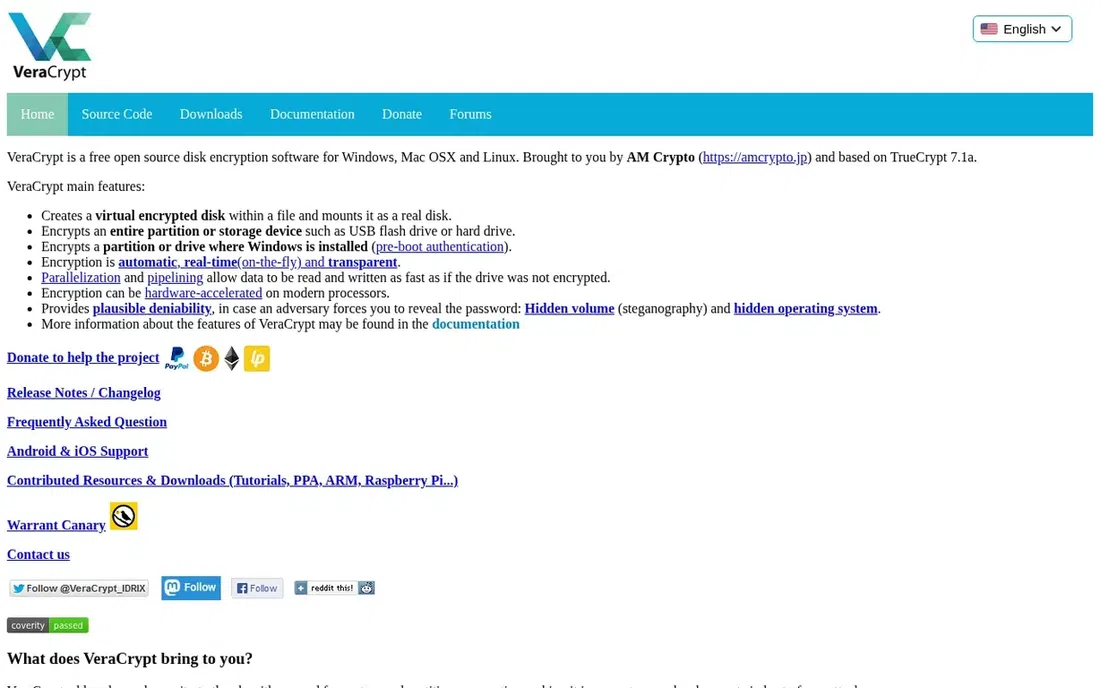
VeraCrypt is aimed squarely at open-source disk encryption across systems. VeraCrypt is free open-source disk encryption software for Windows, Mac OS X, and Linux.
Limits to weigh: No centralized management.
It concentrates on solid security and provides plausible deniability if an attacker forces you to reveal a password. Pricing for VeraCrypt is not stated here, so ask the vendor for current figures. Free plan details: Not stated.
- Cross-platform support
- Free and open source
- Manual setup can be technical
What went into this list
For each of the 5 tools we noted price, free plan or trial, fit for encryption program download and the main limit, using vendor pages and documentation. Figures are shown as the vendors publish them. Billing terms, seat minimums and add-ons can change the real cost. Tools are placed by general fit for encryption program download, with price clarity and free access as tie-breakers. A different team can reasonably rank them differently.
Pre-purchase checklist
- Ask each vendor, from Microsoft BitLocker to VeraCrypt, for a written quote; none of them publishes a starting price.
- Take the trial from ESET Endpoint Encryption and push a live task through it before you pay.
- Read the limits listed for Microsoft BitLocker first: Windows-focused.
- Confirm you can export your data from ESET Endpoint Encryption, so leaving later does not mean losing records.
- Ask the daily users to test VeraCrypt on a live task before you roll it out to everyone.
FAQ
Can I try these tools before paying?
Often, yes. ESET Endpoint Encryption offers a free trial. Use your own data and a real task during the test, and check what the free tier or trial limits before you rely on it.
Does any tool for encryption program download here have a free plan?
No tool in this list, Microsoft BitLocker and VeraCrypt included, has a permanent free plan. ESET Endpoint Encryption offer a trial. Trials and quotes are the usual route, so plan a short evaluation period.
Is VeraCrypt a decent choice for a free encryption download?
VeraCrypt is free and open source, with disk encryption for Windows, Mac, and Linux and plausible deniability features. Managed environments may prefer a commercial endpoint suite.
Is Microsoft BitLocker the right pick for everyone comparing encryption program download?
No single tool suits every team. Microsoft BitLocker comes first because it fits built-in Windows drive encryption, while Sophos SafeGuard Encryption suits enterprise data protection programs and Bitdefender Total Security suits consumer security with privacy features. Match the tool to your own size, budget and workflow before deciding.
Do I need a separate download if I use Windows BitLocker?
It links up with Microsoft management tools and suits Windows-standardized organizations. Worth adding: mixed-OS environments need extra tools for Mac or Linux devices.
What should I check before downloading an encryption program?
Also review management choices for several devices and compatibility with existing security tools. Verifying these details on vendor sites avoids surprises after deployment.
Sources
- https://www.microsoft.com
- https://www.sophos.com
- https://www.bitdefender.com
- https://www.eset.com
- https://www.veracrypt.fr