Choosing Donation Processing Software for Nonprofits in 2026: 5 Options Compared
Compare 5 best donation processing software for nonprofits, with prices, free plans and who each fits. Read the caveats before you buy. Clear verdicts.
- Editor's choice
 Classy
Online and peer-to-peer campaigns
Starts atSee websiteVisit classy.orgFull review - Great alternative
 Little Green Light
Small and mid-size nonprofits
Starts at$45 per monthVisit littlegreenlight.comFull review - Also consider
 Blackbaud Raiser's Edge NXT
Fundraising tied to finance
Starts atSee websiteVisit blackbaud.comFull review
Direct answer
Start with Classy if you need online and peer-to-peer campaigns. Listed starting prices: Little Green Light from $45 per month and Neon CRM from $99 a month. For a different need, Little Green Light covers small and mid-size nonprofits and Blackbaud Raiser's Edge NXT covers fundraising tied to finance. The full list of 5 tools follows, with prices and free plan facts.
TL;DR:
- Number one here is Classy, a fit for online and peer-to-peer campaigns.
- Neither Classy nor Kindful, nor any of the other 3 tools, has a permanent free plan; trials and quotes are the norm.
- A fair warning about Classy: less of a full donor database.
- Kindful fits nonprofit CRM with fundraising tools.
Last checked November 2026. Prices and plan details were read from the vendors' own pages in November 2026; vendors change plans often, so confirm the current price on the vendor site before you buy.
Quick comparison
| Tool | Best for | Starts at | Free plan? | |
|---|---|---|---|---|
| Classy | Online and peer-to-peer campaigns | See website | Not stated | Visit |
| Little Green Light | Small and mid-size nonprofits | $45 per month | Not stated | Visit |
| Blackbaud Raiser's Edge NXT | Fundraising tied to finance | See website | Not stated | Visit |
 Neon CRM | Memberships, events and ticketing | $99 a month | Not stated | Visit |
| Kindful | Nonprofit CRM with fundraising tools | See website | Not stated | Visit |
The best donation processing software for nonprofits
This LinkVetted guide covers 5 donation processing software for nonprofits. Each profile lists a starting price, free plan details, strengths and drawbacks, so you can drop poor fits quickly.
Choose Classy for online and peer-to-peer campaigns. It suits nonprofits that run online campaigns, peer-to-peer fundraising or event-driven giving and want solid digital donation experiences.
The main drawbacks: Less of a full donor database.
Groups needing a deep CRM should pair it with a donor database or choose a CRM-first system. Pricing for Classy is not stated here, so ask the vendor for current figures. Trial and free access: Not stated.
- Part of GoFundMe Pro
- Campaign and peer-to-peer support
- Back-office record keeping is secondary
Think of Little Green Light for small and mid-size nonprofits. Nonprofits needing memberships, ticketing or finance integration may outgrow a donor-focused tool.
Also, in that case, look at Neon CRM or Blackbaud Raiser's Edge NXT. Entry price for Little Green Light: $45 per month. As for free access: Not stated.
Trade-offs to know: May not fit complicated enterprise needs.
- Described as low-cost and capable
- Donor management focus
- Fewer adjacent modules than bigger suites
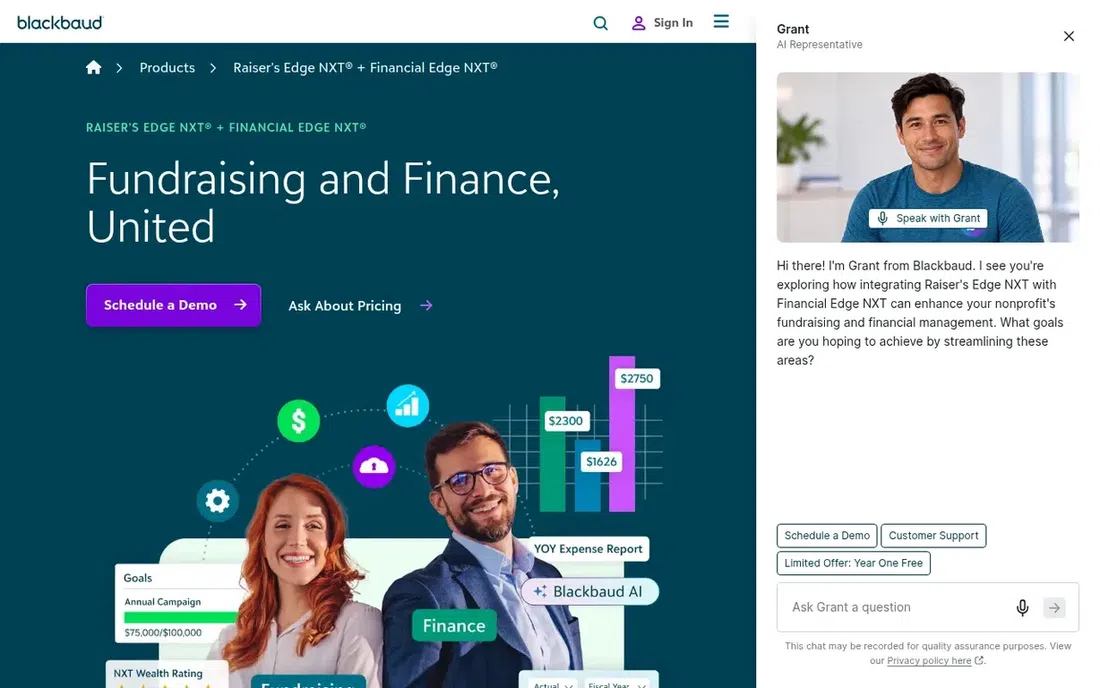
Blackbaud Raiser's Edge NXT is built with fundraising tied to finance in mind. Blackbaud Raiser's Edge NXT is a fundraising product from Blackbaud, a vendor concentrated on nonprofit software. Its homepage flags how Raiser's Edge plugs into Financial Edge NXT, uniting fundraising and finance.
That makes it a reasonable fit for organizations that want donation activity to line up with accounting and financial reporting instead of sitting in a separate system. Teams wanting a more straightforward donor database or lighter campaign tools should compare the other choices here before committing. Since it is built around a broader nonprofit software ecosystem, it may be more than a small group needs for entry-level online giving. Blackbaud Raiser's Edge NXT shows no starting price here, so confirm the cost on the vendor site. Free plan details: Not stated.
Downsides: Can suit bigger, established organizations.
- Supports donor relationship tracking
- Links fundraising with financial management
- Setup may involve more configuration
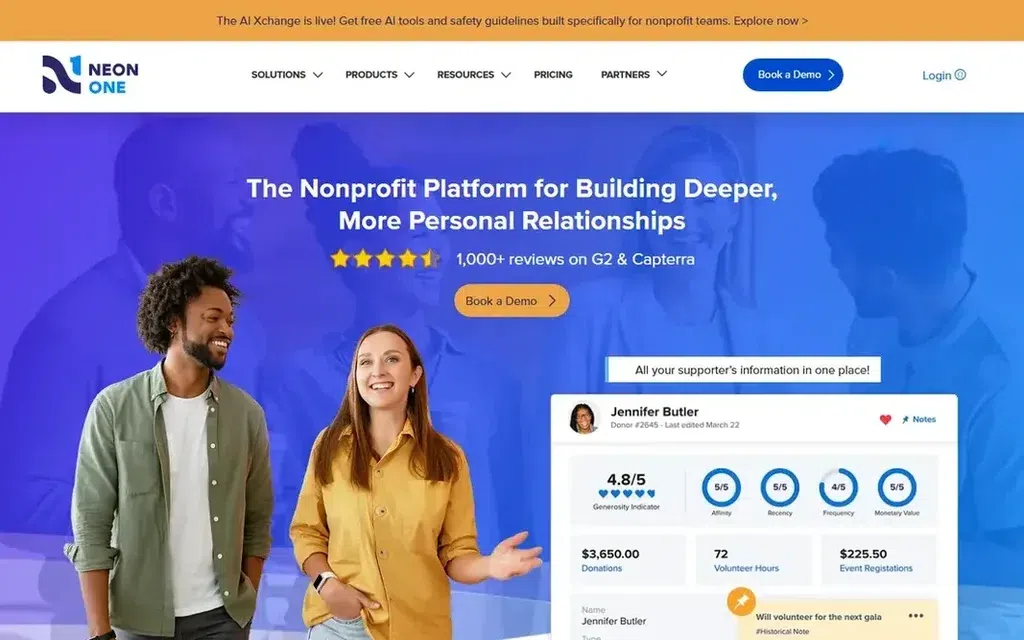
Neon CRM is aimed squarely at memberships, events and ticketing. Neon CRM, from Neon One, merges donor management, fundraising, memberships, events and ticketing in a unified nonprofit platform.
The main drawbacks: May be heavy for donation-only needs.
What you pay to start with Neon CRM: $99 per month. On free options: Not stated.
- Memberships and events in one system
- Ticketing support
- Wide modules may need setup time
Kindful
Best for: Nonprofit CRM with fundraising tools
Kindful was built for nonprofit CRM with fundraising tools. It suits organizations that want donor management and fundraising tools in a CRM-style system and value shared educational resources.
Points against: Product direction may shift over time.
Kindful shows no starting price here, so confirm the cost on the vendor site. Free plan details: Not stated.
- Part of the Bloomerang family
- Resources and insights for nonprofits
- Overlaps with Bloomerang offerings
How we chose
For each of the 5 tools we noted price, free plan or trial, fit for donation processing software for nonprofits and the main limit, using vendor pages and documentation. Figures are shown as the vendors publish them. Billing terms, seat minimums and add-ons can change the real cost. The order reflects how well each tool fits the most common buying scenario for donation processing software for nonprofits, then price clarity, then free plan access. It is a starting point, not a verdict.
Things to verify first
- Confirm the entry price on the vendor page. For Classy, Blackbaud Raiser's Edge NXT and Kindful that means a quote rather than a fixed price.
- Before choosing Classy, weigh its main limit: less of a full donor database.
- Price Classy for your actual team size; headline prices rarely include add-ons or overage.
- Ask Little Green Light about contract length, onboarding fees and user minimums before you sign.
- Let daily users try Neon CRM on real work; their feedback beats any feature checklist.
FAQ
Is Classy the right pick for everyone comparing donation processing software for nonprofits?
No single tool suits every team. Classy comes first because it fits online and peer-to-peer campaigns, while Little Green Light suits small and mid-sized nonprofits and Blackbaud Raiser's Edge NXT suits fundraising tied to finance. Match the tool to your own size, budget and workflow before deciding.
Does any tool for donation processing software for nonprofits here have a free plan?
A permanent free plan is not offered by Classy, Kindful or the other tools here. Plan a short evaluation period instead.
What is the cheapest option for donation processing software for nonprofits in this list?
On published monthly entry prices, Little Green Light is the lowest here at $45 per month. Entry price is only part of the cost, because seats, add-ons and billing terms can change the total. For the full picture, the cards above cover all 5 entries of this donation processing software for nonprofits list, including price, free plan and limits.
Which system is a good match for online campaigns and peer-to-peer fundraising?
For most readers this guide would start with Classy, built for online and peer-to-peer campaigns. Little Green Light is the alternative for small and mid-size nonprofits, and Blackbaud Raiser's Edge NXT for fundraising tied to finance. The right answer depends on budget and workflow.
Can I try these tools before paying?
Not by default. None of the tools, from Classy to Kindful, lists a free plan or a free trial here, so ask each vendor for a demo before committing.
Sources
- https://www.classy.org
- https://www.littlegreenlight.com
- https://www.blackbaud.com/products/raisers-edge-nxt
- https://neonone.com
- https://www.kindful.com