Best Donation Software for Nonprofits in 2026: 8 Platforms Compared
Compare the best donation software for nonprofits, with free and paid fundraising tools, donor CRM features, processing fees, and recurring gift options.
- Editor's choice
 Givebutter
Free all-in-one fundraising
Starts atFreeVisit givebutter.comFull review - Great alternative
 Zeffy
Zero-fee fundraising
Starts atFreeVisit zeffy.comFull review - Also consider
 Bloomerang
Donor retention
Starts at$125 per monthVisit bloomerang.coFull review
TL;DR:
- Givebutter and Zeffy let small nonprofits start with no software fee, funded by optional donor tips.
- Bloomerang is the strongest pick here for donor retention, with engagement scoring and a retention dashboard.
- Little Green Light and DonorSnap are the lowest-cost paid donor databases for teams leaving spreadsheets.
- DonorPerfect and Neon CRM suit larger or more complex fundraising operations, but pricing is quote-based or tiered by records.
- Always separate the software fee from payment processing fees, since both affect what you keep from each gift.
Quick comparison
| Tool | Best for | Starts at | Free plan? | |
|---|---|---|---|---|
| Givebutter | Free all-in-one fundraising | Free | Yes | Visit |
| Zeffy | Zero-fee fundraising | Free | Yes | Visit |
| Bloomerang | Donor retention | $125 per month | No | Visit |
 DonorPerfect | Complex fundraising operations | See website | No | Visit |
 Little Green Light | Affordable donor database | $45 per month | Free trial | Visit |
 Neon CRM | Membership and events | $99 per month | No | Visit |
 Donorbox | Flexible donation forms | Free | Yes | Visit |
 DonorSnap | Simple affordable CRM | $50 per month | Free trial | Visit |
The best donation software for nonprofits
We compared nonprofit donation platforms on donation forms, recurring gifts, donor records, fees, and accounting links. These eight cover free starts, low-cost databases, and fuller fundraising systems.

Givebutter is the easiest free start for a small nonprofit. You can build donation pages, run campaigns, sell event tickets, and track donors without a monthly software fee. The built-in CRM keeps gift history in the same place as campaigns, which helps small teams avoid a second system.
The trade-off is the funding model. Donors see an optional tip prompt, and some donors may find that confusing. Processing fees also depend on your setup, so read the fee page and test a donation before you launch a public campaign.
- Free fundraising and built-in CRM
- Campaigns, events, and peer-to-peer tools
- Donor tips fund the free plan
- Tip prompts appear to donors
- Advanced features sit on paid Plus plans
- Processing fees still apply in some setups
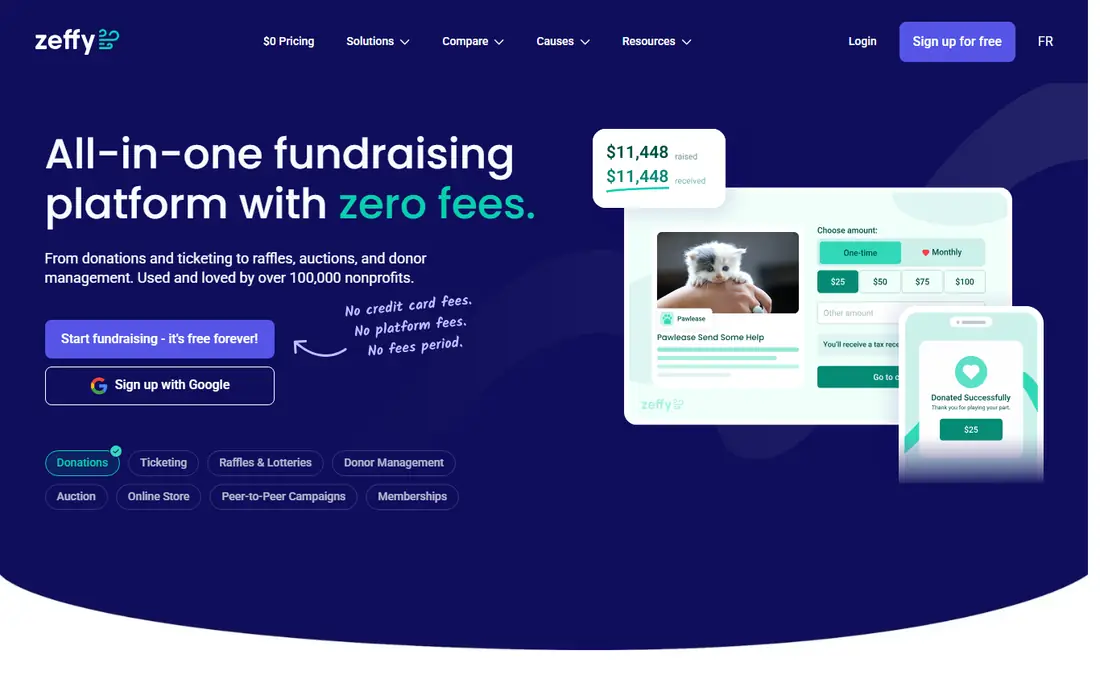
Zeffy stands out because it charges no platform fee and no transaction fee on its core fundraising tools, with costs covered by optional donor contributions. That model helps budget-tight nonprofits keep more of each gift. Forms, events, memberships, and raffles cover most small fundraising needs in one account.
The limit is depth. Zeffy is not a full donor CRM for large teams with complex major-gift work. If you need deep segmentation, grant tracking, and advanced reporting, pair Zeffy with a paid CRM or move to a fuller system as you grow.
- No platform or transaction fees on the core offer
- Donation forms, events, and raffles
- Automatic tax receipts
- Funded by donor tips
- CRM depth is lighter than paid databases
- Fewer advanced fundraising controls
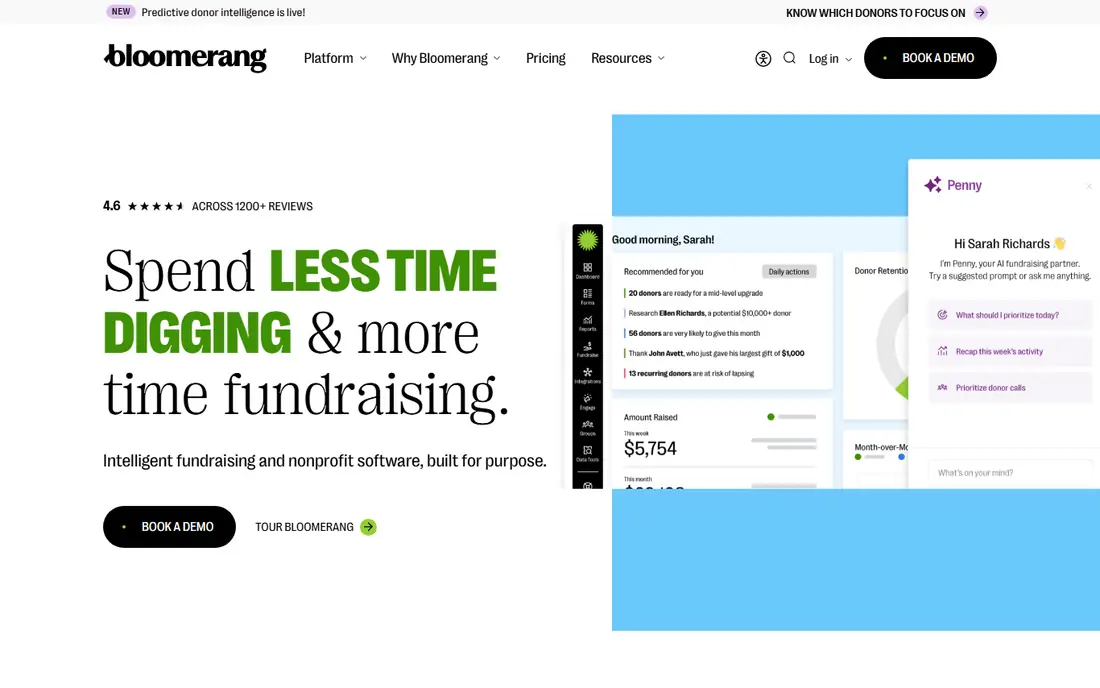
Bloomerang is built around keeping donors, not just recording gifts. Engagement scores highlight who is drifting, and the retention dashboard makes it easy to see whether your appeals are working. Donation forms write straight into donor records, so thank-you work and follow-up start from clean data.
The catch is price and packaging. At 125 dollars per month for the CRM plan, it costs more than Little Green Light or DonorSnap, and some fundraising features are separate. For teams where retention is the main gap, that focus is worth the extra cost.
- Engagement scoring
- Retention dashboard
- Donation forms linked to donor records
- Higher entry price than budget databases
- Fundraising tools may need an added plan
DonorPerfect suits nonprofits with multi-channel fundraising and a need for detailed records. It handles donor profiles, gifts, pledges, events, and reports in one system, and it has a long history with US nonprofits. Teams that outgrow spreadsheets and free tools often land here for structure.
The downside is the buying process. Pricing is not published as a simple rate card, so you need a quote based on records and features. Budget extra time for setup and training, and ask what is included in the first-year price before you sign.
- Mature donor CRM
- Online forms and reporting
- Integrations with email and accounting tools
- Pricing is quote-based
- Interface feels dated in places
- Setup help matters for larger teams
Little Green Light is the classic next step after spreadsheets. At 45 dollars per month for up to 2,500 records, it gives small teams real donor records, gift tracking, and basic forms without a large contract. Unlimited users help when staff and volunteers share the database.
The limit is support and campaign depth. Support is mainly by email on lower plans, and peer-to-peer or auction tools are not its focus. If your main need is clean donor records and simple online gifts, it is hard to beat on price.
- Low price for up to 2,500 records
- Unlimited users
- Simple donation forms and reporting
- Email-only support on basic plans
- Fewer built-in fundraising campaign tools
Neon CRM fits organizations that juggle many activities at once. Membership renewals, event registrations, volunteer records, and donations can live in one system, which cuts duplicate data entry. That breadth helps arts groups, associations, and community nonprofits with varied programs.
The trade-off is setup effort. Neon CRM takes more learning than a simple donor database, and onboarding costs can add to the first year. Plan staff time for training, and use the trial period to test membership and event flows with real data.
- Donor CRM plus memberships, events, and volunteers
- Donation forms and reporting
- Broad nonprofit feature set
- Onboarding fees may apply
- Learning curve is steeper than budget tools
Donorbox is a good pick when your website is the main donation channel. Forms embed cleanly, donors can manage recurring gifts through a portal, and the tool links to CRMs such as Salesforce, Bloomerang, and others. Small teams can start free and upgrade when volume grows.
The catch is fees and scope. The free plan carries a platform fee on top of processing fees, and Donorbox is a donation tool rather than a full donor CRM. If you need deep donor management, pair it with a CRM or choose an all-in-one platform instead.
- Embeddable donation forms
- Recurring gifts and donor portal
- Links to many CRMs and accounting tools
- Platform fee on the free plan
- Processing fees apply
- Full CRM features need another system
DonorSnap gives small nonprofits a focused donor database at a modest price. At 50 dollars per month for up to 1,000 contacts, it covers donor records, gifts, forms, and basic events, with unlimited users included. That simplicity helps teams that want a real CRM without a long setup.
The limit is scale. As your contact count grows, the price tier rises, and reporting stays simpler than DonorPerfect or Neon CRM. For a small team with a clear donor list, though, DonorSnap is a practical and affordable home for fundraising data.
- Low price for up to 1,000 contacts
- Unlimited users
- Built-in donation forms and event tools
- Record limit rises with price
- Reporting depth is lighter than enterprise CRMs
How we picked these
We compared official pricing pages, donation form features, recurring gift handling, CRM depth, and public reviews for nonprofit donation software. We favored tools that serve US nonprofits, publish clear fee terms, and cover either free fundraising or a real donor database. Prices shown here reflect published entry tiers at the time of writing, and processing fees vary by payment provider, so confirm the full fee schedule before launch.
How to choose donation software for your nonprofit
Match the tool to your fundraising shape, not to the longest feature list. A gala-heavy nonprofit and a monthly-giving nonprofit need different strengths.
Separate software fees from processing fees
A free platform can still involve card processing fees, and a paid CRM may use a separate payment processor. Add both costs for a typical month, using your average gift size and volume, to see what you actually keep.
Test recurring gifts and receipts end to end
Make a test monthly gift, update the card, cancel it, and check the receipt and CRM record. Failed payments and card updates cause more donor loss than most teams expect, so the donor portal and retry handling matter as much as the form design.
Check accounting and email links before you commit
Confirm two-way or clean export links to QuickBooks, Xero, Mailchimp, or your email tool. A donation platform that cannot send clean gift data to accounting will create manual work every month, no matter how good the form looks.
FAQ
What is the best donation platform for nonprofits?
For a free start, Givebutter and Zeffy are the strongest options. For donor retention, Bloomerang leads this list. For a low-cost donor database, Little Green Light and DonorSnap are the best value. The right pick depends on your donor count, campaign types, and whether you need a full CRM.
Is there free donation software for nonprofits?
Yes. Givebutter offers free fundraising funded by optional donor tips, and Zeffy offers free fundraising with no platform or transaction fees on its core offer. Both still show a tip prompt to donors, so test the donor experience before a major campaign.
What fees do donation platforms charge?
Most platforms charge a software fee, a payment processing fee, or both. Processing fees for cards are commonly around 2 to 3 percent plus a small per-gift amount, while platform fees vary from zero to a monthly plan. Always read the fee page for your setup, since ACH, card, and international gifts differ.
Can donors give monthly through these tools?
Yes, all eight support recurring gifts in some form, with donor portals for updates on most paid and free plans. Check retry rules for failed cards, since a clear retry schedule and donor update link protect monthly revenue.
Do I need a separate CRM if I use Givebutter or Donorbox?
Not at first. Givebutter includes a built-in CRM, while Donorbox is mainly a donation form tool that links to outside CRMs. As donor counts and major-gift work grow, a dedicated CRM such as Bloomerang or DonorPerfect gives deeper segmentation and reporting.
What is the best nonprofit donation platform for events?
Givebutter and Neon CRM cover events well, with ticketing and attendee tracking alongside donations. Zeffy also covers events and raffles on its free offer. If galas and auctions are central, check auction and table tools specifically, since not every donation platform covers them in depth.