Best Cybersecurity Software for Churches for 2026: Our 5 Vetted Picks
5 products for the best cybersecurity software for churches, ranked by fit, with starting costs and free tiers. Each entry gets a plain verdict. Decide faster.
- Editor's choiceProofpoint Email Protection
Stopping phishing and business email compromise
Starts atSee websiteVisit proofpoint.comFull review - Great alternative
 Barracuda Email Protection
Email filtering against phishing and malware
Starts atSee websiteVisit barracuda.comFull review - Also considerKnowBe4 Security Awareness Training
Training staff and volunteers
Starts at$5.30 per seat a monthVisit knowbe4.comFull review
Direct answer
Proofpoint Email Protection leads the list, best for stopping phishing and business email compromise. Listed starting prices: KnowBe4 Security Awareness Training from $5.30 per seat a month. Barracuda Email Protection fits Email filtering against phishing and malware; KnowBe4 Security Awareness Training fits Training staff and volunteers. The other 2 tools in the list cover narrower or pricier cases.
TL;DR:
- Proofpoint Email Protection takes the first slot, best suited to stopping phishing and business email compromise.
- The lowest published monthly entry price here is $5.30 per seat per month, from KnowBe4 Security Awareness Training.
- The main caution on Barracuda Email Protection: overlaps with built-in mail defenses.
- Sophos Intercept X suits endpoint protection with response tools.
- Proofpoint Email Protection, Sophos Intercept X and the 3 others all need a premium plan or a trial, since no free plan is listed.
Last checked November 2026. Prices and plan details were read from the vendors' own pages in November 2026; vendors change plans often, so confirm the current price on the vendor site before you buy.
Quick comparison
| Tool | Best for | Starts at | Free plan? | |
|---|---|---|---|---|
| Proofpoint Email Protection | Stopping phishing and business email compromise | See website | Not stated | Visit |
| Barracuda Email Protection | Email filtering against phishing and malware | See website | Free trial | Visit |
| KnowBe4 Security Awareness Training | Training staff and volunteers | $5.30 per seat a month | Not stated | Visit |
 LastPass | Shared and staff login security | See website | Free trial | Visit |
 Sophos Intercept X | Endpoint protection with response tools | See website | Not stated | Visit |
Cybersecurity Software for Churches profiles
This LinkVetted guide covers 5 cybersecurity software for churches. Each profile lists a starting price, free plan details, strengths and drawbacks, so you can drop poor fits quickly.
Proofpoint Email Protection
Best for: Stopping phishing and business email compromise
Proofpoint Email Protection is built with stopping phishing and business email compromise in mind. Proofpoint Email Protection uses behavioral AI to stop phishing, business email compromise and evasive attacks that the vendor says can bypass built-in defenses in Microsoft 365 and Google Workspace. It deploys through an API or a secure email gateway.
Downsides: Deployment choices need planning.
Churches that exchange donor and member information by email can benefit from a dedicated layer in front of their existing mail provider. This is an email security product, so it does not include endpoints, passwords or training. Choose it when email is your central risk channel, and pair it with endpoint and awareness tools for a complete stack. Proofpoint Email Protection shows no starting price here, so confirm the cost on the vendor site. Free options: Not stated.
- Works with Microsoft 365 and Google Workspace
- Behavioral AI for phishing defense
- Email-focused
Barracuda Email Protection
Best for: Email filtering against phishing and malware
In short, Barracuda Email Protection is for Email filtering against phishing and malware. Barracuda Email Protection is an email security service the vendor describes as preventing phishing, malware and data breaches through advanced threat detection. Consider it when phishing volume is high; otherwise prioritize endpoint protection and training first.
The main drawbacks: Email scope only.
As for the details, numerous mail products already bundle baseline filtering, so evaluate overlap before adding another layer. The product is also restricted to email. Barracuda Email Protection shows no starting price here, so confirm the cost on the vendor site. Trial and free access: Free trial.
- Advanced threat detection
- Geared toward preventing data breaches
- Overlaps with built-in mail defenses
KnowBe4 Security Awareness Training
Best for: Training staff and volunteers
KnowBe4 Security Awareness Training is aimed squarely at Training staff and volunteers. KnowBe4 Security Awareness Training concentrates on the human side of security, helping organizations cut risk through training and coaching. More specifically, pick it when people, not technology, are your weakest link.
Churches commonly depend on volunteers who may not recognize phishing or social engineering, so structured awareness training can complement technical controls and build safer habits across staff and helpers. It does not protect devices or filter email on its own, so it belongs alongside endpoint and email tools instead of replacing them. It also needs continuing participation to be effective. On cost, KnowBe4 Security Awareness Training starts like this: $5.30 per seat per month. Free access: Not stated.
Where it falls short: Needs continuing staff participation.
- AI-native training content
- Live coaching features
- Not an endpoint or email filter
LastPass was built for shared and staff login security. LastPass is a password manager that secures logins and, based on the vendor, provides shadow IT visibility and AI governance across the SaaS and AI tools employees use. It produces solid passwords and keeps them in an encrypted vault.
Beyond that, a password manager does not stop malware or filter email, and its value relies on staff actually using it consistently. From a buyer's view, choose it as a complement to endpoint and email security, not a substitute, and set clear rules for shared credentials. In practice, churches juggling shared accounts for donation systems, scheduling tools and social media can use it to cut password reuse and boost accountability. Check the vendor site for LastPass pricing; none is listed in this comparison. Free access: Free trial.
Where it falls short: Not endpoint or email protection.
- Encrypted vault for logins
- Shadow IT and AI governance visibility
- Adoption relies on staff habits
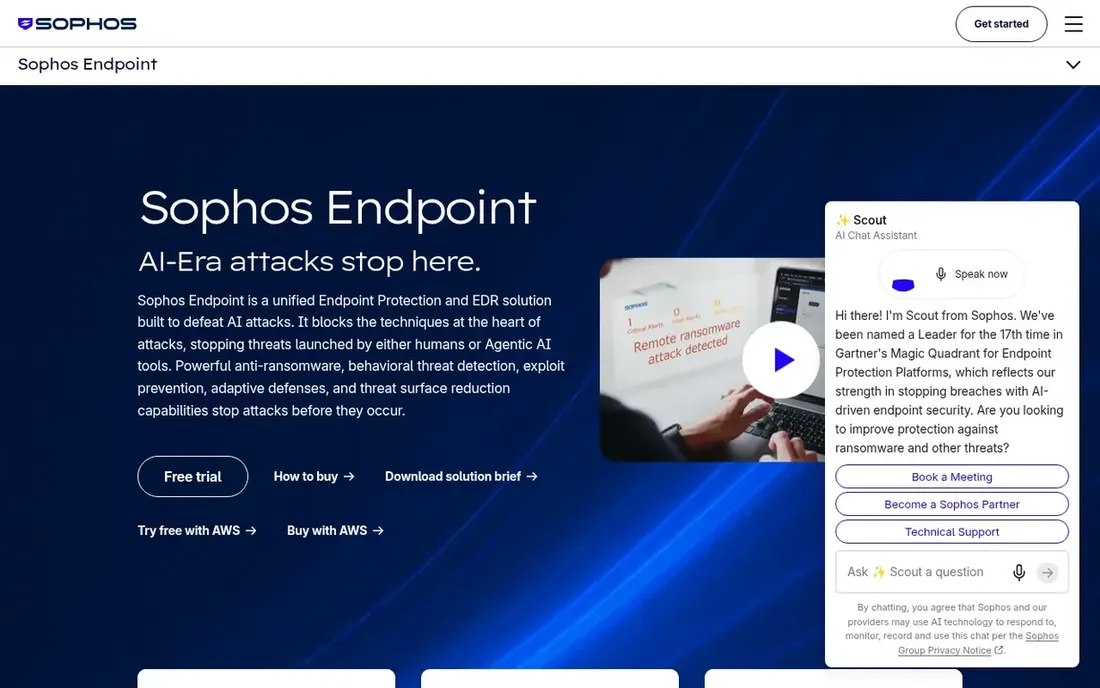
Sophos Intercept X targets endpoint protection with response tools. Sophos Intercept X is an endpoint security product that the vendor describes as delivering capable protection and stopping advanced attacks before they affect systems. It also contains detection and response tools so an organization can hunt for, investigate and respond to suspicious activity.
Limits to weigh: Needs staff time to handle.
The detection and response features are powerful but add complexity. So a church without dedicated IT help may need a managed provider or a more straightforward tool. More specifically, consider it when endpoints are the priority; look elsewhere if email filtering or password hygiene is the larger gap. Check the vendor site for Sophos Intercept X pricing; none is listed in this comparison. Free access: Not stated.
- AI-powered endpoint protection
- EDR and XDR investigation tools
- Feature depth may overwhelm small teams
How we compared the tools
LinkVetted looked at what each vendor publishes: pricing, plan limits, feature coverage for cybersecurity software for churches and stated drawbacks. No hands-on testing is claimed. Figures are shown as the vendors publish them. Billing terms, seat minimums and add-ons can change the real cost. The sequence is a judgement call: typical use case first, then pricing transparency, then free access. Use the profiles to check fit.
Things to verify first
- Get a written quote from Proofpoint Email Protection, Barracuda Email Protection, LastPass and Sophos Intercept X; the list shows no starting price for them.
- Take the trial from Barracuda Email Protection and LastPass and push a live task through it before you pay.
- Before choosing Proofpoint Email Protection, weigh its main limit: Email-focused, not full endpoint suite.
- Check the support hours and onboarding help Sophos Intercept X offers; smaller vendors vary a lot here.
- The entry price of Barracuda Email Protection is only the starting point; model the full cost with seats and extras.
FAQ
Is Proofpoint Email Protection the right pick for everyone comparing cybersecurity software for churches?
No single tool suits every team. Proofpoint Email Protection comes first because it fits stopping phishing and business email compromise, while Barracuda Email Protection suits Email filtering against phishing and malware and KnowBe4 Security Awareness Training suits Training staff and volunteers. Match the tool to your own size, budget and workflow before deciding.
How does awareness training help a church?
Training helps volunteers and staff recognize phishing, social engineering and unsafe links before they click. Worth adding: products like KnowBe4 focus on reducing human risk, which complements technical controls like email filtering and endpoint protection.
Can a password manager replace other security tools?
No. A password manager like LastPass boosts login hygiene and visibility into the tools staff use. But it does not stop malware or filter email. It fits best as part of a layered approach alongside endpoint and email security.
Can I try these tools before paying?
Often, yes. Barracuda Email Protection and LastPass offer a free trial. Use your own data and a real task during the test, and check what the free tier or trial limits before you rely on it.
How are the tools for cybersecurity software for churches ordered?
The order follows typical fit for cybersecurity software for churches, with Proofpoint Email Protection first and Sophos Intercept X last, then price clarity and free access. It is editorial judgement, not a score, so another team could rank the tools differently.
What should a church protect first with cybersecurity software?
Start with endpoint protection for staff computers and a dedicated email filter, since phishing is a typical entry point. Then add awareness training and a password manager to cut human risk across volunteers and staff.
Sources
- https://www.proofpoint.com/us/products/email-protection
- https://www.barracuda.com/products/email-protection
- https://www.knowbe4.com/products/security-awareness-training
- https://www.lastpass.com
- https://www.sophos.com/en-us/products/endpoint-antivirus