Best Construction Scheduling Software for Remote Teams in 2026: Prices, Free Plans and 6 Picks
6 best construction scheduling software for remote teams, with entry costs, free tiers and the buyer each one serves. Real limits included. Updated for 2026.
- Editor's choice
 Autodesk Construction Cloud
Secure collaboration across project teams
Starts atSee websiteVisit construction.autodesk.comFull review - Great alternative
 Smartsheet
Adaptable work management and visibility
Starts at$12 per Member/monthVisit smartsheet.comFull review - Also consider
 Monday.com
Collaborative AI-assisted work management
Starts at$9 per seat a monthVisit monday.comFull review
Direct answer
Autodesk Construction Cloud leads the list, best for secure collaboration across project teams. Listed starting prices: Smartsheet from $12 per Member/month and Monday.com from $9 per seat a month. Smartsheet fits adaptable work management and visibility; Monday.com fits collaborative AI-assisted work management. All 6 tools are compared below on price, free plan and limits.
TL;DR:
- Autodesk Construction Cloud is the opening pick, best for secure collaboration across project teams.
- Only Monday.com offers a free plan among these 6 tools.
- Starting prices begin at $9 per seat per month with Monday.com.
- Microsoft Project suits teams already in the Microsoft ecosystem.
- A fair warning about Monday.com: general platform, not construction-specific.
Last checked November 2026. Prices and plan details were read from the vendors' own pages in November 2026; vendors change plans often, so confirm the current price on the vendor site before you buy.
Quick comparison
| Tool | Best for | Starts at | Free plan? | |
|---|---|---|---|---|
| Autodesk Construction Cloud | Secure collaboration across project teams | See website | Not stated | Visit |
| Smartsheet | Adaptable work management and visibility | $12 per Member/month | Not stated | Visit |
| Monday.com | Collaborative AI-assisted work management | $9 per seat a month | Yes | Visit |
 CoConstruct | Custom home builders and remodelers | See website | Not stated | Visit |
 Procore | Connecting field and office scheduling | See website | Not stated | Visit |
 Microsoft Project | Teams already in the Microsoft ecosystem | See website | Not stated | Visit |
Construction Scheduling Software for Remote Teams compared in detail
This LinkVetted guide covers 6 construction scheduling software for remote teams. Each profile lists a starting price, free plan details, strengths and drawbacks, so you can drop poor fits quickly.
Autodesk Construction Cloud
Best for: Secure collaboration across project teams
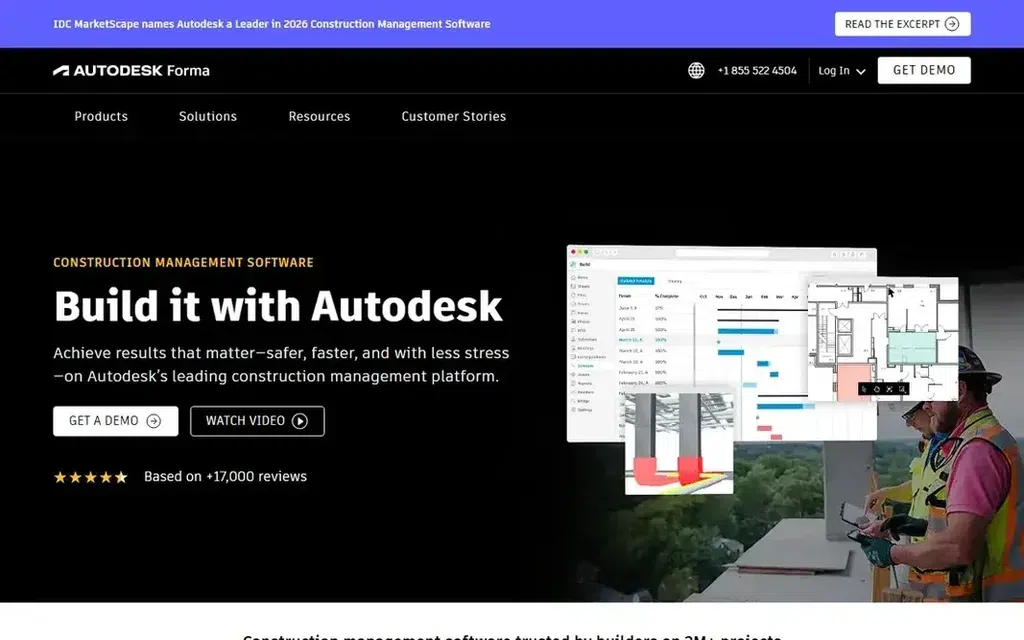
Autodesk Construction Cloud is aimed squarely at secure collaboration across project teams. Autodesk Construction Cloud, now described under Autodesk Forma, is construction management software that lets project teams collaborate securely and rapidly. For remote teams, that means a shared environment for project coordination and scheduling context.
Trade-offs to know: Best value for design-linked construction work.
Adoption can involve onboarding across project partners. The product handles a broad scope, so teams needing only a schedule may find it more than required. Autodesk Construction Cloud does not show a starting price in this comparison, so check the vendor site for current pricing. Free access: Not stated.
- Aims at on-time
- Links project teams in one environment
- Wide product may need onboarding effort
Smartsheet targets adaptable work management and visibility. Smartsheet describes itself as an execution hub for enterprise work where people and AI work together, with governance and visibility for enterprises.
Where it is weaker: Not construction-specific.
For everyday use, choose Smartsheet when adaptability and cross-team visibility matter more than construction-specific tooling. As for the details, teams needing deep jobsite integration may prefer a dedicated product. Smartsheet pricing: $12 per Member/month. On free options: Not stated.
- Execution hub for enterprise work
- Adaptable to varied workflows
- Needs setup to mirror scheduling processes
Choose Monday.com for collaborative AI-assisted work management. As a general workspace, monday.com does not supply construction-specific scheduling depth from day one. Beyond that, organizations running varied projects may appreciate the adaptable structure.
Worth adding: Monday.com is an AI workspace for people and agents, positioned around executing, managing and operating work together. In practice, teams with complicated dependencies may need a dedicated scheduling system. Monday.com starts at: $9 per seat per month. Monday.com offers a free plan.
Drawbacks to consider: Custom setup needed for scheduling depth.
- Collaborative execution tools
- Adaptable to team workflows
- General system, not construction-specific
CoConstruct is a good fit for custom home builders and remodelers. Remote teams managing client selections, schedules and job communication in home building may find the fit natural.
What to check first: Less suited to large infrastructure programs.
That combination points to a focus on residential and custom building workflows. Teams needing enterprise portfolio control should look elsewhere. CoConstruct does not show a starting price in this comparison, so check the vendor site for current pricing. On free options: Not stated.
- Aimed at builder and remodeler workflows
- Construction management focus
- Narrower fit outside residential building

Procore is a good fit for connecting field and office scheduling. Its stated aim is live visibility so teams can deliver quality projects on time.
For everyday use, smaller crews with light coordination needs might prefer a general work management tool. On top of that, choose Procore when scheduling must stay tightly linked to field and office construction data. No starting price is listed for Procore here; confirm pricing on the vendor site. As for free access: Not stated.
Honest limits: Wide product may feel heavy for small teams.
- Wide construction management product
- Live visibility across site and office
- Construction-specific focus limits non-build use
Microsoft Project is built with teams already in the Microsoft ecosystem in mind. Microsoft Project is not designed for construction, so field-oriented workflows and construction-specific reporting may need configuration.
Downsides: General tool, not construction-specific.
Teams wanting jobsite-connected scheduling might prefer a construction system. Microsoft Project shows no starting price here, so confirm the cost on the vendor site. Free access: Not stated.
- Familiar Microsoft environment
- Plan comparison available on vendor site
- Construction workflows may need configuration
What went into this list
A buyer's checklist
- Confirm the entry price on the vendor page. For Autodesk Construction Cloud, CoConstruct, Procore and Microsoft Project that means a quote rather than a fixed price.
- Look at the free plan from Monday.com closely: its caps decide whether it is usable for real work.
- Before choosing Autodesk Construction Cloud, weigh its main limit: wide system may need onboarding effort.
- The entry price of Procore is only the starting point; model the full cost with seats and extras.
- Check whether CoConstruct bills monthly or annually, and what cancelling early costs.
FAQ
How are the tools for construction scheduling software for remote teams ordered?
Autodesk Construction Cloud sits first and Microsoft Project last because the order follows typical fit for construction scheduling software for remote teams, then price clarity and free access. It is a judgement call, so read each profile for fit and limits.
Which options for construction scheduling software for remote teams have a free plan?
Monday.com is the only tool in this list with a free plan. Free plans usually cap users, projects or features, so check the limits on the vendor page. For the full picture, the cards above cover all 6 entries of this construction scheduling software for remote teams list, including price, free plan and limits.
What is the cheapest option for construction scheduling software for remote teams in this list?
On published monthly entry prices, Monday.com is the lowest here at $9 per seat per month. Entry price is only part of the cost, because seats, add-ons and billing terms can change the total. Prices, free plan details and limits for all 6 tools in this construction scheduling software for remote teams roundup sit on the individual cards above.
How do remote teams keep schedules accurate across sites?
Look for tools that share live project visibility between field and office, as Procore describes. Clear permissions and consistent update routines matter as much as the software.
Is Autodesk Construction Cloud the right pick for everyone comparing construction scheduling software for remote teams?
No single tool suits every team. Autodesk Construction Cloud comes first because it fits secure collaboration across project teams, while Smartsheet suits flexible work management and visibility and Monday.com suits collaborative AI-assisted work management. Match the tool to your own size, budget and workflow before deciding.
Sources
- https://construction.autodesk.com
- https://www.smartsheet.com
- https://monday.com
- https://www.coConstruct.com
- https://www.procore.com
- https://www.microsoft.com/en-us/microsoft-365/project/project-management-software