Best Construction ERP Software in 2026: 8 Systems Compared
Searching for the best construction ERP software? We compare 8 ERP systems for contractors, covering job costing, payroll, projects and pricing today.
- Editor's choice
 Sage 300 Construction
Job costing and accounting
Starts atSee websiteVisit sage.comFull review - Great alternative
 Viewpoint Vista
Large contractors on Trimble
Starts atSee websiteVisit viewpoint.comFull review - Also consider
 Acumatica Construction Edition
Growing cloud-first firms
Starts atSee websiteVisit acumatica.comFull review
TL;DR:
- Sage 300 Construction and Viewpoint Vista are the established choices for contractors who need job costing tied closely to accounting.
- Acumatica Construction Edition suits growing firms that want cloud access and user-based pricing that does not charge for every field worker.
- CMiC fits large general contractors with complex, multi-entity work, but its implementation is a major project in itself.
- Most construction ERP pricing is quote-based, so budget for implementation, training and payroll setup, not just the software license.
Quick comparison
| Tool | Best for | Starts at | Free plan? | |
|---|---|---|---|---|
| Sage 300 Construction | Job costing and accounting | See website | No | Visit |
| Viewpoint Vista | Large contractors on Trimble | See website | No | Visit |
| Acumatica Construction Edition | Growing cloud-first firms | See website | No | Visit |
 CMiC | Large general contractors | See website | No | Visit |
 Jonas Premier | Mid-sized contractors | See website | No | Visit |
 Foundation Software | Accounting-first contractors | See website | No | Visit |
 Deltek ComputerEase | Small to mid-sized firms | See website | No | Visit |
 Trimble Spectrum | Contractors needing flexibility | See website | No | Visit |
The best construction ERP software
Construction ERP is different from generic accounting software because it must track job costs, change orders, subcontracts and payroll together. We compared systems that do that job, not project tools that only manage schedules.

Sage 300 Construction has served contractors for many years, and its strength is still the link between accounting and the job site. Job costing, payroll, accounts payable and project reporting sit in one system, which reduces the spreadsheet work that creeps in when tools are separate. Firms that already use Sage products often find the move easier than starting fresh elsewhere.
The trade-off is age. Parts of the interface feel older than cloud rivals, and setup rewards careful planning. It is a strong fit for firms that value accounting depth over a modern look, and for teams with staff who already know Sage workflows. Get a quote that includes training, since that cost shapes the first year as much as the license.
- Deep construction accounting
- Job cost tracking
- Long track record
- Dated interface in places
- Implementation takes time
Viewpoint Vista, now part of Trimble, covers accounting, project management, human resources and equipment in a single ERP. That breadth matters for larger contractors who run many jobs at once and need consistent reporting across offices. Its links to other Trimble tools can also help firms that already use Trimble for estimating or field work.
Vista is not a light purchase. Implementation, data migration and training take real time, and smaller firms may find the depth more than they need. For a contractor scaling past the point where separate tools stop matching up, Vista offers a single system that can grow with the business.
- Broad ERP coverage
- Project management and HR in one place
- Trimble links
- Complex setup
- Best suited to larger firms
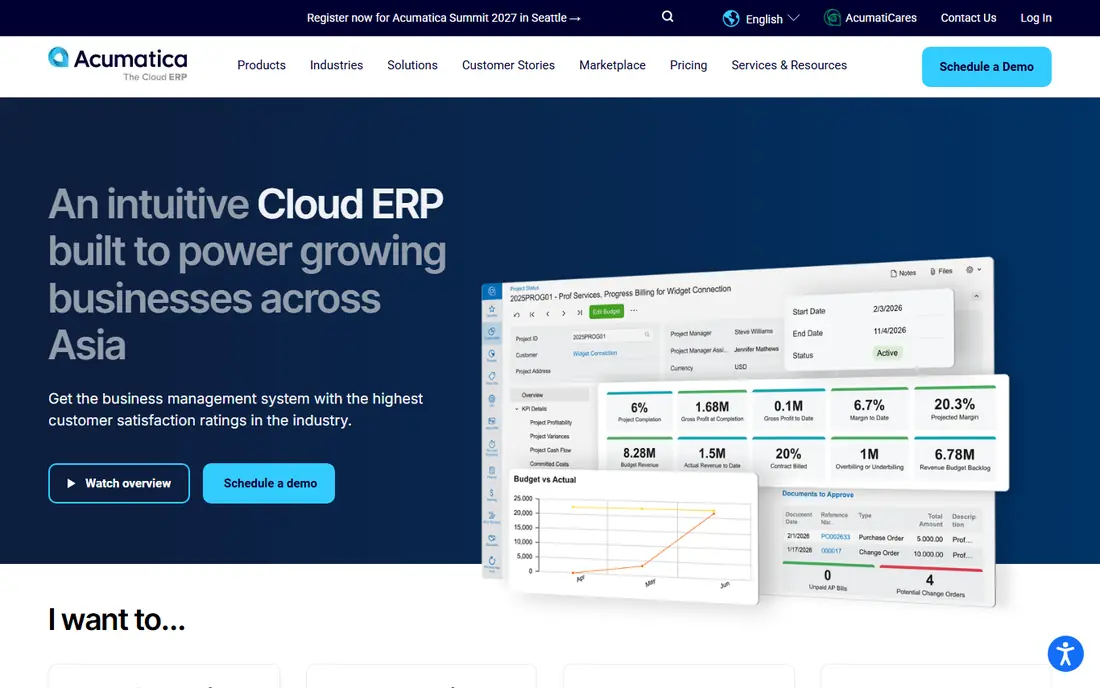
Acumatica takes a different pricing path from many rivals, charging based on resources used rather than a fee for every user. That can help firms with many field staff who only need occasional access, since you are not paying a full seat for each person. Its cloud design also suits teams spread across job sites and offices.
The product is a general ERP with a construction edition, so some construction workflows need partner configuration. That is normal in this market, but it means the partner you pick matters as much as the software. Ask for a demo built around your own job costing and change order process before you sign.
- Cloud access
- Pricing by usage, not per user
- Modern interface
- Construction features may need partner setup
- Partner quality varies
CMiC is built for large general contractors and heavy civil firms that need finance, project controls, payroll and human resources on one database. That single-database design avoids the sync errors that appear when separate systems pass data back and forth. Its forecasting and reporting tools suit firms managing large, complex portfolios.
This depth comes with a heavy implementation. Projects can run many months and cost far more than the license alone, so CMiC only makes sense once a firm has the scale and staff to use it. Smaller contractors should look at lighter options first and revisit CMiC when complexity, not headcount alone, demands it.
- Single database for finance, projects and HR
- Strong forecasting
- Deep controls
- High implementation cost
- Steep learning curve
Jonas Premier aims at mid-sized contractors who need accounting, job costing and project management without enterprise complexity. It also offers service management features, which help firms that do both construction and ongoing service work. Cloud access means office and field teams can work from the same data.
Jonas does not have the same name recognition as Sage or Trimble, so references from similar firms matter more during evaluation. Ask how change orders, subcontractor payments and payroll flow through the system in a live demo. If those flows match your process, Jonas can be a practical middle step between basic accounting and a large ERP.
- Construction accounting plus project tools
- Service management options
- Cloud access
- Less well known than Sage or Vista
- Some modules cost extra
Foundation Software focuses on what many contractors care about most, accurate accounting and payroll. Its job costing, general ledger and payroll tools are built for construction, including prevailing wage and union reporting needs that generic software handles poorly. For firms where accounting accuracy drives every other decision, that focus is a clear strength.
The product feels more traditional than newer cloud ERPs, and its mobile tools are less broad. That may matter less if most work happens in the office, but field-heavy firms should test mobile time entry and approvals early. Foundation fits contractors who want accounting done right first and can accept a less flashy interface.
- Strong construction accounting
- US payroll support
- Job costing depth
- Interface feels traditional
- Mobile features are narrower than cloud rivals
Deltek ComputerEase serves small to mid-sized contractors with accounting, job costing and project management in one package. It is a sensible step up from generic accounting software, because it understands progress billing, retainage and job phases without heavy customization. Firms outgrowing QuickBooks-style tools often find the transition manageable.
ComputerEase does not match the breadth of Vista or CMiC, and some advanced features sit in add-ons. That is fine for firms that need core ERP functions rather than enterprise controls. Compare its payroll and reporting against your current process, since those two areas decide whether the move saves time or just moves work.
- Construction accounting and job costing
- Project tracking
- Accessible scale
- Smaller ecosystem than Sage
- Some features need add-ons
Trimble Spectrum, formerly from Dexter and Chaney, combines accounting, project management and document control for contractors. It suits firms that want a full ERP but prefer a different fit from Vista, including firms already using other Trimble products. Its document management helps teams keep contracts, drawings and change orders tied to the job record.
One caution is that Trimble has more than one construction ERP, so confirm which product is being sold and supported for new customers in your region. Ask about the roadmap, upgrade path and how Spectrum handles payroll and service work. With those answers clear, it can be a solid choice for mid-sized firms.
- Accounting and project tools
- Document management
- Trimble ecosystem
- Product direction has shifted over time
- Check current roadmap
How we picked these
We compared official product pages, construction ERP comparisons and vendor documentation for systems that combine accounting, job costing and project management. We favored products with a real construction install base in the United States, not generic ERPs with a construction label added. Pricing is mostly quote-based in this market, so we used See website where a vendor does not publish a firm starting price.
How to choose construction ERP software
Start with your accounting needs, because ERP lives or dies on job costing. List how you handle change orders, retainage, subcontractor payments, payroll and progress billing today, then test each system against that list. A pretty dashboard will not help if payroll or job cost reports need manual fixes every month.
Next, weigh implementation honestly. Data migration, training and process changes often cost more than the first year of software. Ask each vendor for a timeline, a named implementation team and references from firms of your size. A system that fits your process with modest setup will beat a larger system that needs a year of customization.
Finally, check field access and integrations. Time entry, approvals and document access from job sites matter for daily use, and links to estimating, scheduling and banking tools reduce double entry. Pick the smallest system that handles your real complexity, and leave room to grow without a second migration in three years.
FAQ
What is the best ERP software for construction?
There is no single best choice, because firm size and complexity decide the fit. Sage 300 Construction and Vista suit established firms with deep accounting needs, while Acumatica suits growing cloud-first firms. Large general contractors with complex portfolios should evaluate CMiC.
How much does construction ERP software cost?
Most construction ERP vendors price by quote, based on users, modules and implementation scope. That is why you will see few firm public prices in this category. Budget for implementation and training on top of the license, and ask for a total first-year cost in writing.
Is Procore a construction ERP?
Procore is project management software, not a full ERP, although it integrates with many ERPs on this list. It handles project documents, schedules and field workflows well. For accounting, job costing and payroll, you still need an ERP or accounting system alongside it.
Can small contractors use construction ERP?
Yes, but many small firms do fine with construction accounting software rather than a full ERP. Move to ERP when job costing, payroll and project reporting stop matching across separate tools. Deltek ComputerEase and Jonas Premier are closer to that mid-sized step than CMiC or Vista.
How long does implementation take?
Implementation varies from weeks for smaller systems to many months for enterprise ERPs. Data cleanup, payroll setup and training are the usual slow points. A realistic timeline from the vendor, plus references from similar firms, is a better guide than any marketing claim.