Best ERP Software for Construction Industry in 2026: 8 Tools Compared
Compare detailed the best erp software for construction industry firms, with job costing, project management, payroll and accounting in one system in 2026.
- Editor's choice
 Sage 300 CRE
Established contractors and job costing
Starts atSee websiteVisit sage.comFull review - Great alternative
 Trimble Viewpoint Vista
Large contractors and integrated projects
Starts atSee websiteVisit viewpoint.comFull review - Also consider
 Acumatica Construction
Cloud ERP for growing firms
Starts atSee websiteVisit acumatica.comFull review
TL;DR:
- Construction ERP must handle job costing, change orders, retainage and progress billing, not just general accounting.
- Sage 300 CRE and Trimble Viewpoint Vista suit established contractors with complex job-cost and payroll needs.
- Acumatica and Sage Intacct suit growing firms that want cloud ERP with construction-specific modules.
- CMiC, Jonas and Foundation cover different contractor sizes, so match the system to project volume and subcontractor complexity before signing.
Quick comparison
| Tool | Best for | Starts at | Free plan? | |
|---|---|---|---|---|
| Sage 300 CRE | Established contractors and job costing | See website | No | Visit |
| Trimble Viewpoint Vista | Large contractors and integrated projects | See website | No | Visit |
| Acumatica Construction | Cloud ERP for growing firms | See website | No | Visit |
 CMiC | Large construction ERP and project controls | See website | No | Visit |
 Jonas Construction | Mid-size contractors and service work | See website | No | Visit |
 Foundation Software | Contractor accounting and payroll | See website | No | Visit |
 Deltek ComputerEase | Job costing and project accounting | See website | No | Visit |
 Sage Intacct Construction | Cloud financials for construction firms | See website | No | Visit |
The best ERP software for construction industry
Construction ERP ties estimating, project management, accounting, payroll and equipment into one record per job. That matters because a bid, a change order and a pay application must agree, or margins vanish. The systems below are built for contractors, with different fits by size and trade.

Sage 300 Construction and Real Estate, often called Sage 300 CRE, is a long-standing system for contractors that need detailed job costing, payroll, billing and project management in one place. It handles change orders, retainage, commitments and cost-to-complete reporting, which general accounting tools handle poorly. Contractors use it across commercial, residential and specialty trades.
Pricing is quote-based, and implementation needs planning, especially for payroll, unions and multi-state work. The interface is functional rather than modern, and staff training matters. For established contractors that need proven job-cost depth, Sage 300 CRE remains a benchmark choice.
- Deep job costing
- Payroll and project tools
- Long contractor track record
- Quote-based pricing
- Implementation and training take time

Trimble Viewpoint Vista is an ERP for larger contractors that brings project management, accounting, HR and field tools into one system. It suits firms running many concurrent projects with subcontractors, equipment and complex billing, and it connects to other Trimble tools for field and estimating work. Reporting across jobs, regions and divisions is a core strength.
Vista is a serious implementation, not a quick install, and smaller firms may find it heavy. Pricing is quote-based. For contractors that have outgrown entry-level accounting and need portfolio-level control, Vista gives the depth to manage growth without splitting systems.
- Integrated project and financials
- Strong for large portfolios
- Trimble ecosystem
- Quote-based pricing
- Complex rollout for smaller firms
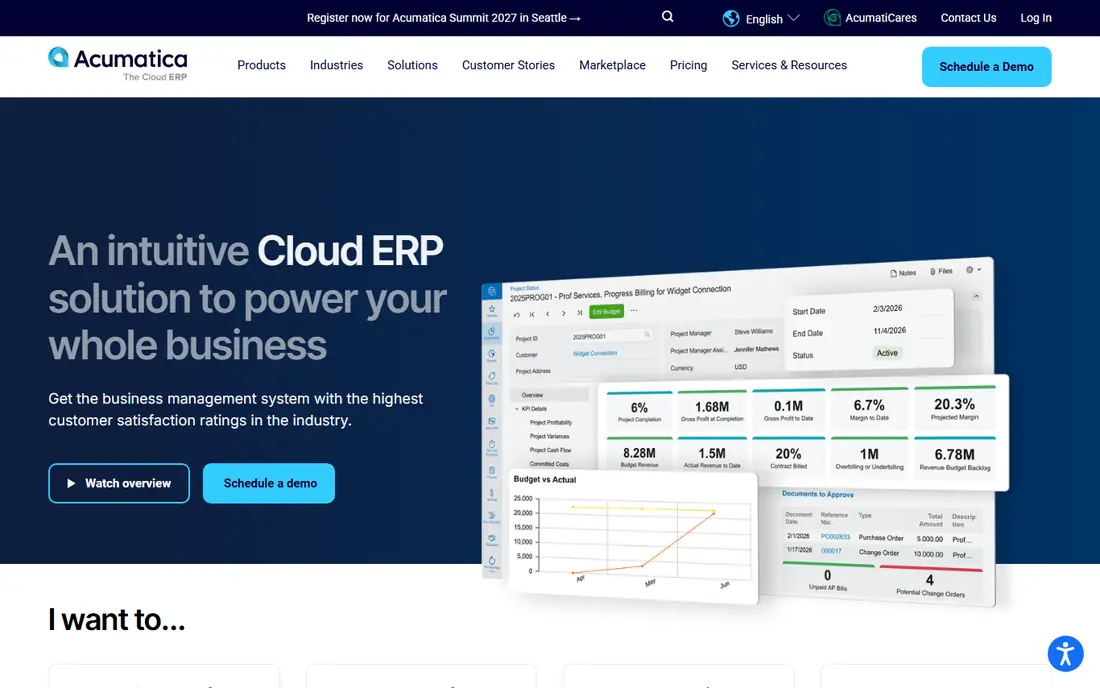
Acumatica Construction Edition adds project accounting, job costing, change orders and compliance tools to a cloud ERP platform. Growing firms like its browser access, mobile field tools and integration options, plus a pricing model that is often based on resources used rather than per-user seats, though exact terms need a quote. It suits firms moving from desktop accounting to cloud ERP.
Construction depth depends on the implementation partner, so buyers should check partner experience in their trade. Customisation is a strength, but it also needs governance to avoid a tangled setup. For growing contractors that want cloud ERP with construction modules, Acumatica is a strong shortlist pick.
- Cloud-based and flexible
- Construction modules for projects and costs
- Good integrations
- Quote-based pricing
- Construction depth varies by implementation partner
CMiC offers a single-database ERP for large contractors, covering project management, financials, HR, payroll and asset management without separate silos. That design helps firms control budgets, forecasts and change orders across complex projects, with reporting that ties field progress to financial results. It suits general contractors and large specialty firms with demanding controls.
Implementation is an enterprise project, with cost and timeline to match. Smaller firms will find it excessive. For large contractors that need one system of record and strict project controls, CMiC is a credible enterprise choice.
- Single database for projects and financials
- Strong controls
- Enterprise reporting
- Quote-based pricing
- Enterprise implementation effort
Jonas Construction Software serves mid-size contractors with accounting, job costing, payroll, project management and service dispatch in one system. It suits firms that mix project work with service calls, since both flows share job and customer records. Contractors in mechanical, electrical and general trades use it for steady, multi-job operations.
The interface feels more traditional than cloud-native rivals, and pricing is quote-based. Firms should test service dispatch and payroll workflows during a demo. For mid-size contractors that want a contractor-built system without enterprise complexity, Jonas fits well.
- Contractor-focused accounting
- Service management
- Job costing and payroll
- Quote-based pricing
- Interface is less modern than cloud rivals
Foundation Software, known for FOUNDATION, focuses on contractor accounting, job costing and payroll, with strong support for US construction payroll, including unions, certified payroll and multi-state work. It suits contractors whose biggest pain is payroll accuracy and job-cost reporting, rather than full field project controls.
Project management features are lighter than Vista or CMiC, so firms that need deep field collaboration may pair it with another tool. Pricing is quote-based. For contractors that want reliable accounting and payroll first, Foundation is a practical, focused choice.
- Strong payroll for contractors
- Job costing
- US construction focus
- Quote-based pricing
- Project management is lighter than Vista or CMiC
Deltek ComputerEase is a construction accounting and project system covering job costing, billing, payroll and financial reporting for contractors. It suits firms that need accurate cost tracking by job, phase and cost code, with billing that reflects progress, retainage and change orders. Deltek backing gives access to a wider support and partner network.
Buyers should confirm cloud versus on-premise options and migration terms in the quote, since deployment models affect cost and IT needs. For contractors that prioritise job-cost accuracy and project accounting, ComputerEase earns a place on the shortlist.
- Job costing and billing depth
- Project accounting
- Deltek support network
- Quote-based pricing
- Cloud options need confirmation in the quote
Sage Intacct Construction brings cloud financial management to construction firms, with dimensional reporting that slices results by job, project, location and division. Construction-specific project accounting and billing often come through Sage partners and modules, so the exact fit depends on the partner configuration. Firms that want modern cloud financials with strong reporting like this model.
Buyers should confirm which construction modules are included in the quote and how project billing, retainage and change orders are handled. For firms that already favour cloud finance and want construction reporting on top, Sage Intacct is a strong option.
- Cloud financial management
- Dimensional reporting
- Construction partner modules
- Quote-based pricing
- Construction features depend on partner setup
How we picked these
We compared official product pages, construction feature descriptions and contractor use cases, and favoured systems still sold and supported in 2026. We used See website where vendors publish no public list price, and we left out generic ERP tools without construction job-cost, change-order and payroll depth.
Implementation checks that protect margins
Do not judge construction ERP by a sales demo alone. Ask each vendor to run your own job through the system, from estimate to change order to pay application, and check that cost codes, retainage and billing agree at each step. A system that fails that test will cost margin later.
Plan payroll and data migration early
Payroll, union rules and certified reporting are where many rollouts stall, so confirm those workflows before signing. Ask for a written migration plan for open jobs, historical costs and vendor records, and keep the old system readable until the new one proves accurate on live jobs.
Test field-to-office flow on a live job
Ask site staff to log time, record a change and upload a photo through the mobile tools during the trial, then check that the office sees the same job cost without retyping. Field adoption decides whether job costs stay current, and a system that only works well at a desk will drift out of date by Friday. Confirm offline behaviour too, since site connectivity is not always reliable.
FAQ
What makes ERP different from accounting software for contractors?
Construction ERP adds job costing, change orders, progress billing, retainage, commitments and project controls to accounting. General accounting tools track money well but cannot tie field progress to job profitability in the same way.
Is cloud or on-premise ERP better for construction?
Cloud suits firms with multiple offices and field staff who need browser and mobile access, while on-premise suits firms with strict IT rules or weak site connectivity. Check data access, backup and offline needs before choosing.
How long does construction ERP implementation take?
It varies by firm size and data quality, from weeks for a small contractor to many months for a large multi-division firm. Payroll, migration and training are the usual drivers, so ask for a phased timeline in writing.
Can construction ERP handle subcontractor billing?
Yes, most systems here handle subcontractor commitments, change orders, pay applications and retainage. Test that flow on a real subcontract during the trial, since it is central to contractor cash flow.
Should small contractors buy full ERP?
Small firms often do well with contractor accounting plus a project tool, and move to full ERP when job volume, payroll complexity or reporting needs outgrow that setup. Buy the system that fits current jobs, with room to grow.