Best Construction Estimate Software in 2026: 8 Tools Compared
We compared the best construction estimate software for builders and contractors, covering takeoff, assemblies, pricing, and job costing to help you bid well.
- Editor's choice
 ProEst
Commercial general contractors
Starts atSee websiteVisit construction.autodesk.comFull review - Great alternative
 Buildertrend
Home builders and remodelers
Starts atSee websiteVisit buildertrend.comFull review - Also consider
 JobTread
Small builders who want estimating plus job costing
Starts at$199 per monthVisit jobtread.comFull review
TL;DR:
- The best construction estimate app for a remodeler is not the same as the one for a commercial general contractor, so match the tool to your project size and trade.
- Takeoff, assemblies, and a reusable cost catalog save more time than a polished proposal template, because they cut rework on every bid.
- Published pricing helps small firms budget, while larger firms should expect a quote and should ask what is included in implementation and training.
- Check how an estimate flows into job costing and invoicing, because a tool that stops at the bid creates extra work once the job starts.
Quick comparison
| Tool | Best for | Starts at | Free plan? | |
|---|---|---|---|---|
| ProEst | Commercial general contractors | See website | No | Visit |
| Buildertrend | Home builders and remodelers | See website | No | Visit |
| JobTread | Small builders who want estimating plus job costing | $199 per month | No | Visit |
 STACK | Teams that need cloud takeoff and estimating | See website | Yes | Visit |
 PlanSwift | Estimators who prefer desktop takeoff | See website | No | Visit |
 Buildxact | Residential builders and remodelers | $169 per month | No | Visit |
 Clear Estimates | Remodelers who want fast, simple estimates | See website | No | Visit |
 Knowify | Trade contractors with service and project work | $99 per month | No | Visit |
The best construction estimate software
We compared tools on takeoff, cost catalogs and assemblies, proposal quality, job costing, integrations, and pricing clarity. Here are eight that cover residential, commercial, and specialty work.
ProEst, now part of Autodesk Construction Cloud, suits commercial teams that need several estimators working on the same numbers. Digital takeoff, assemblies, and bid-day tools sit in one cloud system, so changes flow through without a pile of spreadsheet versions. That matters on larger bids where a late plan change can affect dozens of line items.
The cost is the honest catch. Pricing is quoted, and building a reliable cost catalog is work, not a one-day task. Smaller residential firms may find it more than they need. For a commercial contractor with repeat project types and a team to train, ProEst gives a consistent, auditable way to build bids.
- Cloud estimating with digital takeoff
- Cost catalogs and assemblies
- Integrations with accounting and project tools
- Pricing is quote based
- Setup and catalog building take real time

Buildertrend is an all-in-one platform rather than a takeoff-only tool. Estimates feed into budgets, schedules, change orders, and client communication, which helps residential builders who want one system from lead to final invoice. The client portal also reduces the back-and-forth on selections and approvals.
That breadth is also the trade-off. If you only need estimating, you will pay for and learn a wider system. Current pricing is quoted based on builder type and volume, so ask for the full annual cost and what onboarding includes. For a growing home builder or remodeler, the joined-up workflow is often worth it.
- Estimating plus scheduling, client portal, and payments in one system
- Unlimited users and projects on quoted plans
- Strong for residential workflows
- Pricing is no longer published, so you need a sales quote
- Breadth means a longer learning curve
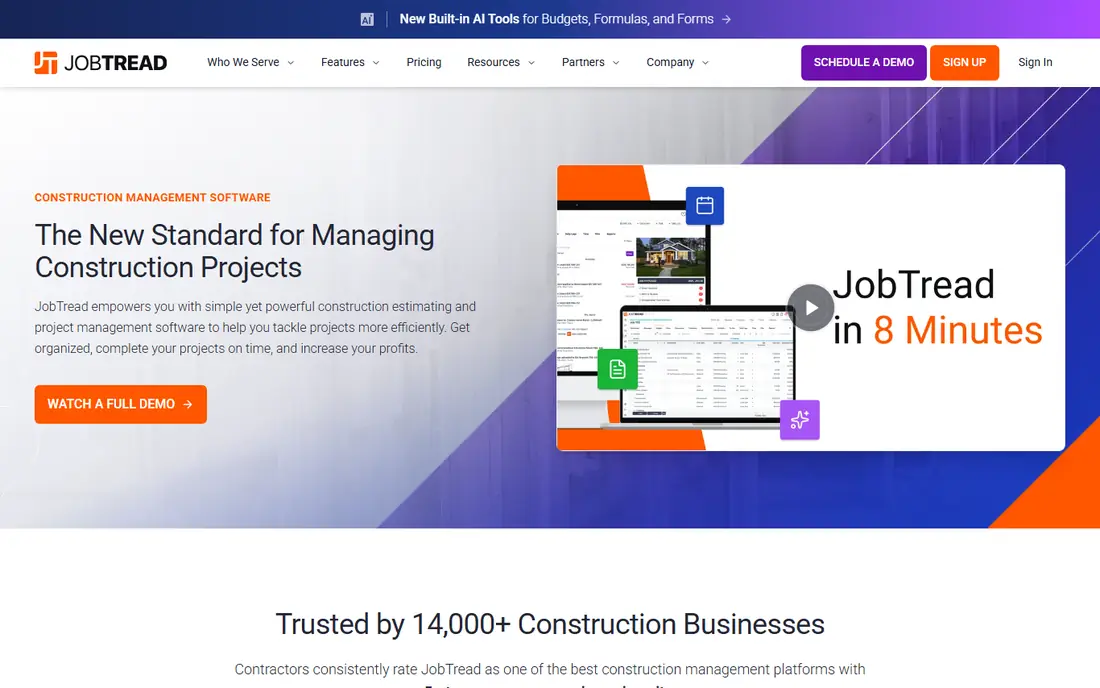
JobTread stands out for pricing clarity: one monthly price for the first user, a set price per extra internal user, and all features included. Estimators can build estimates from a cost catalog, send a polished proposal, and then track actual costs against the same budget. That link between estimate and job cost is where many small builders find profit leaks.
The learning curve is real, as with any system that covers estimating through invoicing, but the included training and support help. There is no free plan, though a money-back guarantee is offered. For a small builder who wants estimating and job management without tier guessing, JobTread is a clear, practical pick.
- Published pricing with all features included
- On-screen takeoff, budgets, and job costing
- Client and vendor portals
- No free tier
- Per-user cost rises as the internal team grows
STACK is a cloud-first takeoff and estimating tool, which makes it easy for a team spread across offices and sites to work on the same plans. Takeoff measurements feed into estimates, and the system supports collaboration without desktop installs. A free basic tier lets a small team test the core workflow before paying.
Check the tier carefully, because takeoff-only work and full estimating plus reporting sit at different levels. Firms that need deep job costing or accounting will likely pair STACK with another system. For takeoff-led estimating with a team that needs to share plans quickly, STACK is a solid choice.
- Cloud takeoff and estimating with team collaboration
- A free basic option to try
- Good for general and specialty contractors
- Higher tiers are priced annually and can add up
- Proposal and accounting depth varies by plan
PlanSwift is a desktop takeoff and estimating tool that many specialty contractors know well. Measuring plans on screen, building assemblies, and exporting to Excel feels direct, and the tool handles large plan sets without a browser slowing things down. It is a good fit for an estimator who works from a desk and wants control over every measurement.
The trade-off is collaboration. Cloud-native tools make sharing and simultaneous editing easier, while PlanSwift leans on files and exports. If your team is mostly in one office and values takeoff speed over cloud features, PlanSwift remains a dependable option. Confirm current licensing before you buy, since options have changed over time.
- Fast on-screen takeoff with assemblies
- Strong Excel export
- Long track record with specialty contractors
- Desktop-first, so cloud collaboration is less central
- Pricing needs a quote or vendor page check
Buildxact is built for residential builders, remodelers, and small contractors who need to turn a takeoff into a quote without a long setup. The workflow moves from measurement to estimate to schedule in a way that matches how a small residential job runs. Supplier pricing links help keep material costs current, which matters when prices move.
Commercial general contractors with complex bid packages will likely want a deeper commercial tool. For a residential firm, though, Buildxact hits a useful balance: enough structure to bid consistently, without enterprise pricing or a heavy rollout. Start with one job type, build your assemblies, and reuse them on the next bid.
- Estimating, takeoff, and scheduling for residential work
- Supplier pricing links
- Unlimited users on published plans
- Less suited to large commercial bidding
- Plan limits vary by tier
Clear Estimates suits remodelers who bid similar jobs again and again: kitchens, baths, basements, and common repairs. Templates and pre-built items let you produce a clean, itemised estimate quickly, and clients get a proposal they can understand without a long explanation. That speed helps small firms that bid often and cannot spend hours on each quote.
The limit is scope. Highly custom commercial work, complex assemblies, or deep job costing will stretch it. If your jobs fit its templates, it is a fast and low-friction tool. If every job is bespoke, a catalog-led tool such as JobTread or ProEst will serve you better.
- Simple, template-led estimating for common remodel jobs
- Quick proposals
- Low learning curve
- Less depth for commercial or highly custom work
- Pricing and plan details need a vendor check
Knowify covers both project work and service work, which matters for trade contractors who do installs one day and service calls the next. Estimates, purchase orders, job costing, and invoicing sit together, and the QuickBooks sync reduces double entry. A free trial is offered, which helps you test the estimating flow on a real job.
Project-only builders may not need the service dispatch side, and user limits on lower tiers need checking as the team grows. For a trade contractor who wants one system for estimating, costing, and billing, Knowify is a well-priced and practical option.
- Estimating plus job costing, purchasing, and service dispatch
- QuickBooks sync
- Published pricing
- Lower tiers limit users
- Service features may be extra for project-only firms
How we picked these
We compared official feature and pricing pages, takeoff and assembly options, job costing links, and public reviews for tools still sold in October 2026. We favoured tools with a real cost catalog or assembly system, a clear path from estimate to proposal, and a way to track costs after the win. We left out spreadsheet-only workflows, tools that only do takeoff with no estimating, and products with no clear current pricing or support path.
What to check before you buy
Start with a real past bid, not a demo project. Rebuild it in each shortlisted tool and time how long takeoff, pricing, and the proposal take. That test exposes catalog gaps, awkward assemblies, and export problems that a sales demo hides. It also shows whether your team will actually use the tool under deadline pressure.
Next, check the cost data. Some tools ship with cost libraries, others expect you to build your own from supplier prices and past jobs. Ask how often libraries update, how regional prices are handled, and how you adjust for waste, labour, and margin. A tool with pretty proposals but stale costs will lose you money quietly.
Finally, follow the money after the win. Does the estimate become a budget, a purchase order, and an invoice without retyping? Does it sync with your accounting system? If not, budget for that manual step on every job. For most firms, the estimating tool that also tracks job costs pays for itself faster than a cheaper tool that stops at the bid.
FAQ
What is the best construction estimate app for a small contractor?
For a small contractor, JobTread and Buildxact are strong starting points, because both combine estimating with job tracking at published prices. Clear Estimates is worth a look if your jobs are mostly standard remodels. Pick the one whose workflow matches your job type, and test it on a real past bid.
Do I need takeoff software, or can I estimate from spreadsheets?
Spreadsheets work for simple, repeat jobs, but they break down when plans change or several people edit the same bid. Takeoff software links measurements to quantities and costs, so a plan revision updates the estimate instead of forcing a recount. If you bid from plans often, takeoff pays for itself in fewer errors.
How much does construction estimating software cost?
Costs range widely. Small-team tools start near $99 to $199 per month, residential platforms such as Buildxact start near $169 per month, and commercial or all-in-one platforms are quoted based on size and volume. Always ask for the annual total, user limits, and onboarding costs before comparing.
Can estimating software help with change orders?
Yes, if the estimate links to the job budget. A change can be priced from the same catalog, added to the budget, and sent to the client for approval without rebuilding the whole bid. Tools such as JobTread, Buildertrend, and Knowify build this flow in, while takeoff-only tools may need a manual step.
Should I choose a cloud tool or a desktop tool?
Cloud tools suit teams that share plans and work from different places, while desktop tools suit a single estimator who values speed on large plan sets. PlanSwift is a desktop-led example, while STACK and JobTread are cloud-led. Choose based on how your team actually works, not on which model sounds newer.