Best Collection Software for Museums in 2026: Prices, Free Plans and 5 Picks
Best collection software for museums in 2026: 5 tools with starting prices, free plans and limits. Honest caveats for every entry. Updated November 2026.
- Editor's choiceContentDM
Digital collection visibility and management
Starts atSee websiteVisit oclc.orgFull review - Great alternativeCollectiveAccess
Open-source adaptability and customization
Starts atSee websiteVisit collectiveaccess.orgFull review - Also considerPreservica
Long-term digital preservation
Starts at$310 per monthVisit preservica.comFull review
Direct answer
Start with ContentDM if you need digital collection visibility and management. Listed starting prices: Preservica from $310 per month and Re:discovery Proficio from $975. For a different need, CollectiveAccess covers open-source adaptability and customization and Preservica covers long-term digital preservation. The full list of 5 tools follows, with prices and free plan facts.
TL;DR:
- Top of the list is ContentDM, which targets digital collection visibility and management.
- Preservica is the only tool of the 5 with a free plan.
- MuseumPlus fits full museum and archive management.
- Before buying Preservica, weigh this: specialized for preservation, not general collections management.
Last checked November 2026. Prices and plan details were read from the vendors' own pages in November 2026; vendors change plans often, so confirm the current price on the vendor site before you buy.
Quick comparison
| Tool | Best for | Starts at | Free plan? | |
|---|---|---|---|---|
| ContentDM | Digital collection visibility and management | See website | Not stated | Visit |
| CollectiveAccess | Open-source adaptability and customization | See website | Not stated | Visit |
| Preservica | Long-term digital preservation | $310 per month | Yes | Visit |
| Re:discovery Proficio | Diverse collections including art and archives | $975 | Not stated | Visit |
| MuseumPlus | Full museum and archive management | See website | Not stated | Visit |
The best collection software for museums
Choosing collection software for museums usually comes down to price, fit and limits. This LinkVetted guide sets 5 tools side by side on those three points, with the facts kept short and checkable.
ContentDM
Best for: Digital collection visibility and management
Where ContentDM fits: digital collection visibility and management. CONTENTdm, from OCLC, is a digital collection management platform that helps libraries, archives, museums, and cultural heritage institutions make their unique digital collections simpler to discover, handle, and link. It concentrates on increasing the visibility and impact of digital assets.
Trade-offs to know: Primarily for digital collections, not physical objects.
For everyday use, CONTENTdm is well-suited for institutions looking to simplify digital collection workflows and boost online access to their holdings. Museums with deep physical objects might need a separate system for cataloging artifacts. Also, whereas it enhances digital visibility, it may need integration with other tools for a complete collection management option. It remains a capable choice for digital-focused initiatives. No starting price is listed for ContentDM here; confirm pricing on the vendor site. Free access: Not stated.
- Enhances discoverability of digital collections
- Focus on efficiency and impact
- May need integration with other systems
CollectiveAccess
Best for: Open-source adaptability and customization
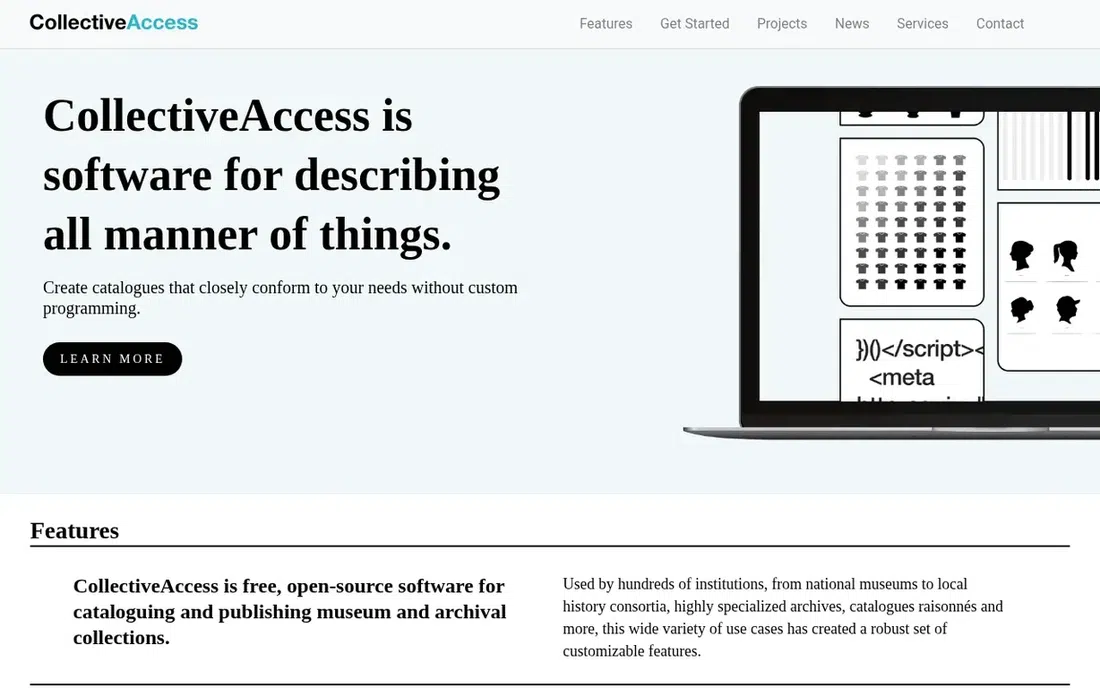
CollectiveAccess is a good fit for open-source adaptability and customization. CollectiveAccess is an open-source collections management system that supplies an adaptable product for museums and archives. It permits institutions to catalog, run, and publish collections online.
What to check first: May lack some advanced features of commercial systems.
That said, CollectiveAccess can be complicated to implement and maintain without in-house IT support. In practice, smaller museums with restricted technical staff might find it challenging. It may also lack some of the refined features and support offered by commercial alternatives. Organizations seeking a turnkey solution might prefer a commercial product. CollectiveAccess does not show a starting price in this comparison, so check the vendor site for current pricing. Free plan details: Not stated.
- Open-source and freely available
- Highly configurable to fit specific needs
- Requires technical expertise for setup and maintenance
Preservica
Best for: Long-term digital preservation
Where Preservica fits: long-term digital preservation. Preservica is a data archiving system that ensures critical records remain readable, findable, and provably intact over time. It is made for long-term digital preservation, making it a good match for museums with significant digital assets requiring continuing access.
Trade-offs to know: May be overkill for institutions without digital preservation needs.
In practice, Whereas Preservica excels at digital preservation, it is not a general collections management system. Preservica helps institutions meet preservation standards and safeguard digital collections against format obsolescence and data loss. What you pay to start with Preservica: $310 per month. Free access exists with Preservica.
- Focus on data archiving and preservation
- Keeps records readable and findable
- Not general collections management
Re:discovery Proficio
Best for: Diverse collections including art and archives
Re:discovery Proficio is built with diverse collections including art and archives in mind. The software may present a ramp-up time for new users because of its thorough feature set. Also, whereas it excels at internal management, public access features are not prominently highlighted, so institutions centred on online public portals might have to integrate extra tools.
Re:discovery Proficio is a collections management software from Re:discovery Software, Inc., serving art museums, archives, libraries, archaeological collections, and historical societies. It gives you solid tools for cataloging and managing diverse collections. As for the details, the system is built to deal with complicated documentation needs and is used by institutions nationally and globally. It is well-suited for museums with varied collection types requiring in-depth record-keeping. Entry price for Re:discovery Proficio: $975. Free options: Not stated.
Points against: Restricted information on public portal capabilities.
- Used by a variety of museum types
- Global user base
- May have a steeper ramp-up time
MuseumPlus
Best for: Full museum and archive management
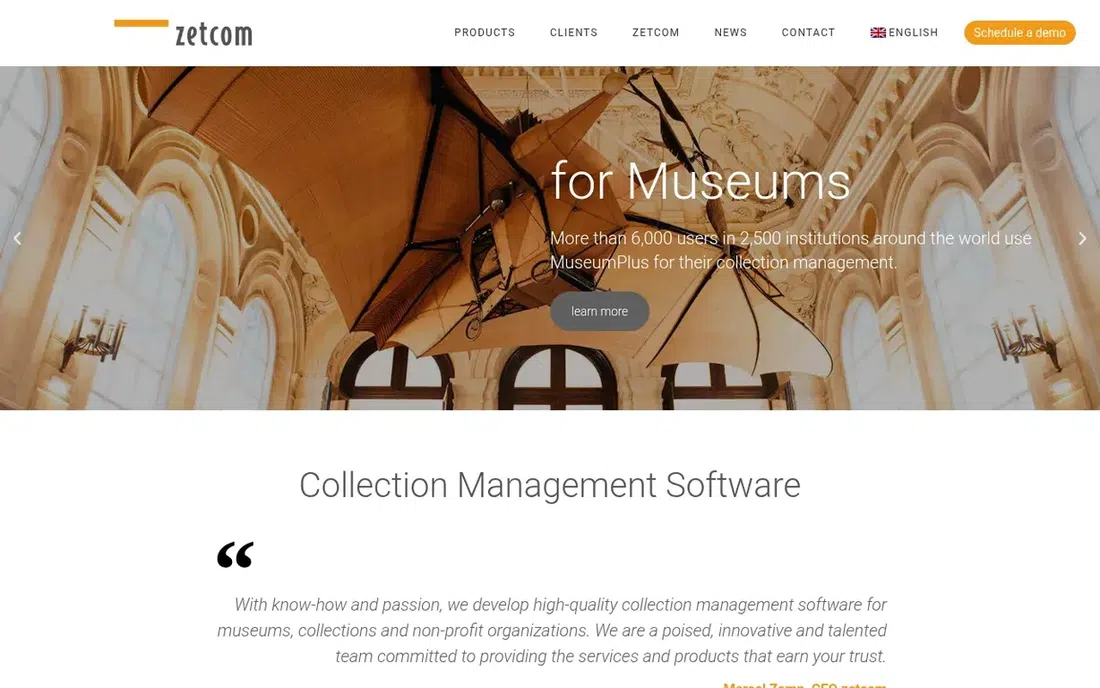
Where MuseumPlus fits: thorough museum and archive management. MuseumPlus, developed by zetcom, is a collection management software aimed at museums, collections, and corporate archives. It supplies a full suite of tools for managing collections and organizational workflows.
Its focus on the cultural sector makes it a capable candidate for museums of several sizes. More specifically, Whereas MuseumPlus handles plenty of aspects of collection management, it may not offer the same level of public-facing features as some competitors. On top of that, the breadth of features could need dedicated training for staff. It remains a solid choice for those needing a solid internal management system. This comparison lists no price for MuseumPlus; ask the vendor. Free options: Not stated.
Upsides: Supports organizational management alongside collections. Trade-offs to know: Restricted public portal capabilities compared with some alternatives.
- Integrated option for museums, collections, archives
- A specialist in cultural sector software
- May need training to completely utilize all features
How these tools were picked
Selection started from tools commonly considered for collection software for museums, then narrowed to 5 that have clear pricing information or a clear quote process. Prices and plan limits come from vendor pages and can change, so confirm them on the vendor site before you buy. Tools are placed by general fit for collection software for museums, with price clarity and free access as tie-breakers. A different team can reasonably rank them differently.
Questions to settle before buying
- Confirm the entry price on the vendor page. For ContentDM, CollectiveAccess and MuseumPlus that means a quote rather than a fixed price.
- Look at the free plan from Preservica closely: its caps decide whether it is usable for real work.
- Before choosing ContentDM, weigh its main limit: primarily for digital collections, not physical objects.
- Check the support hours and onboarding help CollectiveAccess offers; smaller vendors vary a lot here.
- Get the contract term, renewal terms and any onboarding fees from Re:discovery Proficio in writing.
FAQ
Can I try these tools before paying?
Often, yes. Preservica has a free plan. Use your own data and a real task during the test, and check what the free tier or trial limits before you rely on it.
Is ContentDM the right pick for everyone comparing collection software for museums?
No single tool suits every team. ContentDM comes first because it fits digital collection visibility and management, while CollectiveAccess suits open-source flexibility and customization and Preservica suits long-term digital preservation. Match the tool to your own size, budget and workflow before deciding.
How are the tools for collection software for museums ordered?
The order follows typical fit for collection software for museums, with ContentDM first and MuseumPlus last, then price clarity and free access. It is editorial judgement, not a score, so another team could rank the tools differently.
Do these tools publish their prices?
Not all of them. ContentDM, CollectiveAccess and MuseumPlus publish no starting price, so expect a quote request for those. The rest, Preservica included, show a starting price, though seats and billing terms still change the final cost.
Sources
- https://www.oclc.org/en/contentdm.html
- https://www.collectiveaccess.org
- https://preservica.com
- https://www.rediscov.com
- https://www.zetcom.com