Cloud Infrastructure Management Tools in 2026: The 5 Best Options Side by Side
5 best cloud infrastructure management tools, with entry costs, free tiers and the buyer each one serves. Concise write-ups of every option. Prices included.
- Editor's choice
 Dynatrace
Observability with automation and security
Starts at$7 per host a monthVisit dynatrace.comFull review - Great alternative
 Pulumi
Infrastructure as code in general languages
Starts at$40 per monthVisit pulumi.comFull review - Also consider
 AWS CloudFormation
AWS-native infrastructure as code
Starts atSee websiteVisit aws.amazon.comFull review
Direct answer
Dynatrace is the first pick on this list for observability with automation and security. Listed starting prices: Dynatrace from $7 per host a month, Pulumi from $40 per month and New Relic from $10 per user a month. If your case is different, Pulumi suits infrastructure as code in general languages and AWS CloudFormation suits AWS-native infrastructure as code. Prices, free plans and limits for all 5 tools follow.
TL;DR:
- Dynatrace is the opening pick, best for observability with automation and security.
- The main caution on New Relic: observability only, not provisioning.
- The lowest published monthly entry price here is $7 per host per month, from Dynatrace.
- A free plan is available from 3 of the 5 tools: Pulumi, AWS CloudFormation, New Relic.
Last checked November 2026. Prices and plan details were read from the vendors' own pages in November 2026; vendors change plans often, so confirm the current price on the vendor site before you buy.
Quick comparison
| Tool | Best for | Starts at | Free plan? | |
|---|---|---|---|---|
| Dynatrace | Observability with automation and security | $7 per host a month | Free trial | Visit |
| Pulumi | Infrastructure as code in general languages | $40 per month | Yes | Visit |
| AWS CloudFormation | AWS-native infrastructure as code | See website | Yes | Visit |
 New Relic | Telemetry correlation and root-cause analysis | $10 per user a month | Yes | Visit |
 Datadog | Unified cloud monitoring | $8 per committer a month | Free trial | Visit |
Tool-by-tool breakdown
If you are comparing cloud infrastructure management tools, this page covers 5 tools in one place: what each is best for, what it costs to start, whether it has a free plan, and the main limit to know about.
Think of Dynatrace for observability with automation and security. Beyond that, teams managing complicated environments can use it to operate infrastructure efficiently after provisioning. Choose Dynatrace when you want observability, automation and application security consolidated.
Worth adding: budget and onboarding effort should be weighed against more straightforward monitoring choices. The breadth of the platform can be more than small teams need, and it does not handle infrastructure provisioning itself. On cost, Dynatrace starts like this: $7 per host per month. On free options: Free trial.
Points against: Wide product may exceed straightforward needs.
- AI and automation
- Merges observability
- Observability does not include provisioning
Pulumi is aimed squarely at infrastructure as code in general languages. Developers who prefer familiar languages over a domain-specific configuration syntax can define and run resources with the constructs they already know.
What you pay to start with Pulumi: $40 per month. Free access exists with Pulumi.
Points against: Needs programming familiarity.
- Open-source product
- Uses real programming languages
- Language adaptability layers on complexity
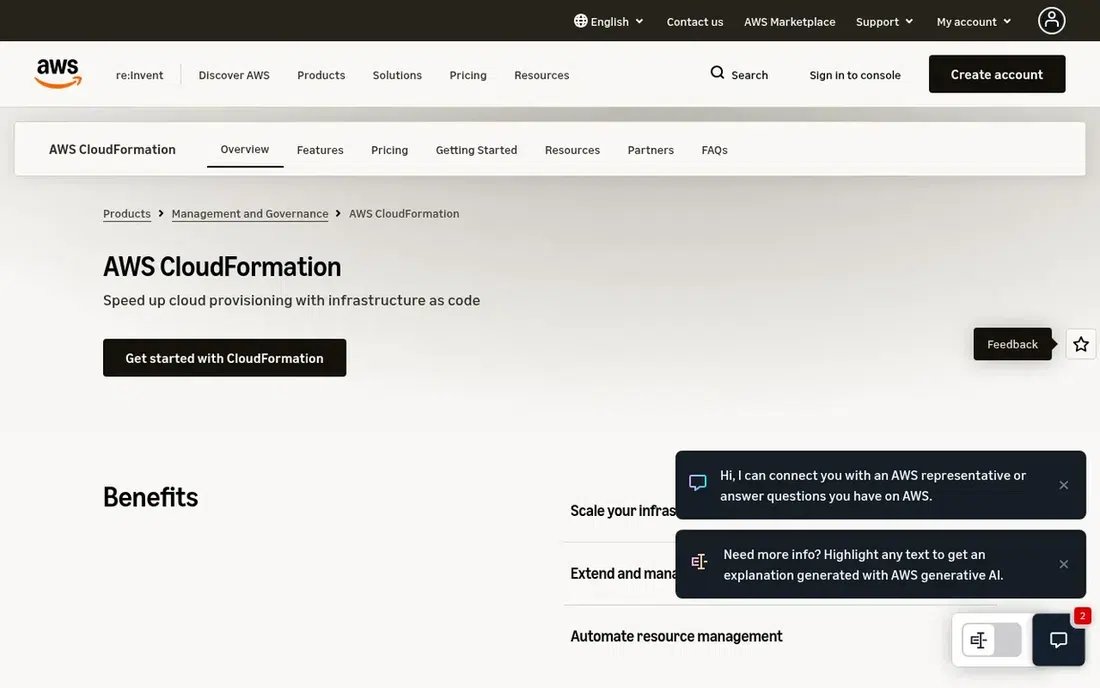
AWS CloudFormation is designed for AWS-native infrastructure as code. AWS CloudFormation is an infrastructure as code service for modeling, provisioning and managing AWS and external resources. From a buyer's view, teams that run primarily on AWS can describe their stack in templates and let the service manage resource creation and updates.
The primary limitation is scope: it is designed around AWS, so teams with heavy multi-cloud estates may prefer a cloud-neutral tool. From a buyer's view, choose CloudFormation when AWS is your core product and native integration matters more than portability. Template complexity can also grow rapidly on large stacks. AWS CloudFormation shows no starting price here, so confirm the cost on the vendor site. A free plan is available with AWS CloudFormation.
Trade-offs to know: Templates can grow complicated.
- Native to the AWS ecosystem
- Models AWS and external resources
- Tied closely to AWS workflows
New Relic targets telemetry correlation and root-cause analysis. New Relic is an AI-powered observability system that correlates telemetry across your whole stack so teams can isolate root cause and cut mean time to repair. From a buyer's view, choose New Relic when root-cause analysis across a complicated stack is the central goal.
What to check first: Needs instrumentation effort.
Organizations centred on quicker diagnosis of production problems can use it alongside their provisioning tooling. It is an observability product, not an infrastructure provisioning service, so it does not replace tools like Terraform. The starting price for New Relic: $10 per user per month. A free plan is available with New Relic.
- Aims to cut mean time to repair
- Correlates telemetry across the stack
- Observability only, not provisioning
Where Datadog fits: unified cloud monitoring. Teams already invested in another observability vendor may see overlap.
Drawbacks to consider: Observability is separate from provisioning.
Datadog does not provision infrastructure, so it pairs with an infrastructure as code tool instead of replacing one. Choose it when consolidated monitoring across numerous services is the priority and provisioning is handled elsewhere. The starting price for Datadog: $8 per committer per month. Trial and free access: Free trial.
- Monitoring delivered as a service
- Collects metrics across apps and services
- Overlaps with other monitoring tools
How we chose
Things to verify first
- Get a written quote from AWS CloudFormation; the list shows no starting price for them.
- Look at free plan limits closely: Pulumi, AWS CloudFormation and New Relic have one, and the caps decide whether it is usable for real work.
- Use real work to test the free trial from Dynatrace and Datadog, rather than a demo project.
- Read the limits listed for Dynatrace first: wide product may exceed straightforward needs.
- Find out what support Pulumi includes on your plan, and whether onboarding help costs extra.
- Ask whether AWS CloudFormation integrates with your current software, and whether that comes standard or as an add-on.
FAQ
What is the cheapest option for cloud infrastructure management tools in this list?
On published monthly entry prices, Dynatrace is the lowest here at $7 per host per month. Entry price is only part of the cost, because seats, add-ons and billing terms can change the total. Each of the 5 options in this cloud infrastructure management tools guide has its own card above with the price, free plan and limits.
Can I try these options before paying?
Often, yes. Pulumi, AWS CloudFormation and New Relic have a free plan and Dynatrace and Datadog offer a free trial. Use your own data and a real task during the test, and check what the free tier or trial limits before you rely on it.
How are the tools for cloud infrastructure management tools ordered?
The order follows typical fit for cloud infrastructure management tools, with Dynatrace first and Datadog last, then price clarity and free access. It is editorial judgement, not a score, so another team could rank the tools differently.
Which options for cloud infrastructure management tools have a free plan?
Pulumi, AWS CloudFormation and New Relic offer a free plan in this list. Free plans usually cap users, projects or features, so check the limits on the vendor page. Several others offer a trial instead.
Sources
- https://www.dynatrace.com
- https://www.pulumi.com
- https://aws.amazon.com/cloudformation
- https://newrelic.com
- https://www.datadoghq.com