Top 6 Cloud Hosting for DevOps Teams for 2026 (Prices and Free Plans)
Need the best cloud hosting for DevOps teams? We compare 6 tools on cost, free access and who each suits. Weak spots flagged for every entry. Plain facts.
- Editor's choice
 IBM Cloud
Enterprise infrastructure and system mix
Starts atSee websiteVisit ibm.comFull review - Great alternative
 DigitalOcean
Simplified developer cloud hosting
Starts at$4 a monthVisit digitalocean.comFull review - Also consider
 Linode
Low-latency edge applications
Starts at$100 per compute instance a monthVisit linode.comFull review
Direct answer
IBM Cloud is the first pick on this list for enterprise infrastructure and product mix. Listed starting prices: DigitalOcean from $4 a month and Linode from $100 per compute instance a month. If your case is different, DigitalOcean suits simplified developer cloud hosting and Linode suits low-latency edge applications. The full list of 6 tools follows, with prices and free plan facts.
TL;DR:
- IBM Cloud takes the first slot, best suited to enterprise infrastructure and system mix.
- What to know about Microsoft Azure first: portal and naming can feel complicated.
- DigitalOcean, AWS: these are the 2 tools out of 6 that offer a free plan.
- Hetzner Cloud suits developer-friendly scalable cloud hosting.
Last checked November 2026. Prices and plan details were read from the vendors' own pages in November 2026; vendors change plans often, so confirm the current price on the vendor site before you buy.
Quick comparison
| Tool | Best for | Starts at | Free plan? | |
|---|---|---|---|---|
| IBM Cloud | Enterprise infrastructure and system mix | See website | Free trial | Visit |
| DigitalOcean | Simplified developer cloud hosting | $4 a month | Yes | Visit |
| Linode | Low-latency edge applications | $100 per compute instance a month | Free trial | Visit |
 Microsoft Azure | Microsoft-centric enterprise teams | See website | Free trial | Visit |
 AWS | Wide service catalog and automation | See website | Yes | Visit |
 Hetzner Cloud | Developer-friendly scalable cloud hosting | See website | Not stated | Visit |
The full cloud hosting for DevOps teams list
If you are comparing cloud hosting for DevOps teams, this page covers 6 tools in one place: what each is best for, what it costs to start, whether it has a free plan, and the main limit to know about.
IBM Cloud is aimed squarely at enterprise infrastructure and product mix. Choose IBM Cloud when enterprise integration and a combined infrastructure and product story matter, and compare with more straightforward providers when speed of adoption and a lean catalog are the priority.
Downsides: Overlap across product lines.
Teams with existing IBM relationships frequently find the system a natural extension of their environment. Smaller teams may find it heavier than needed. IBM Cloud does not show a starting price in this comparison, so check the vendor site for current pricing. As for free access: Free trial.
- Industry-leading services messaging
- Enterprise-oriented portfolio
- Portfolio can be hard to navigate
In short, DigitalOcean is for simplified developer cloud hosting. Teams with complicated compliance or hybrid requirements should look elsewhere. In practice, the developer-oriented experience keeps typical tasks approachable.
Pick DigitalOcean when simplicity and a unified developer experience matter, and step up to a hyperscaler when your architecture demands a much wider service set. From a buyer's view, DigitalOcean describes itself as an AI-native cloud with a unified stack for agents, inference and cloud workloads, built around control, performance and economics at scale. On cost, DigitalOcean starts like this: $4 per month. DigitalOcean includes a free tier.
Points against: Narrower catalog than hyperscalers.
- Focus on control and performance
- Developer-oriented experience
- Advanced enterprise services are limited
In short, Linode is for low-latency edge applications. Service breadth is smaller than the major hyperscalers, and the edge emphasis means teams with conventional centralized workloads may not benefit completely.
Beyond that, choose Linode when distributed delivery is a core requirement, and compare with broader products when you need a deep catalog of managed offerings alongside compute. What you pay to start with Linode: $100 per compute instance per month. As for free access: Free trial.
Trade-offs to know: Smaller service breadth.
- Edge-native application focus
- Straightforward compute foundation
- Edge focus may not suit every team
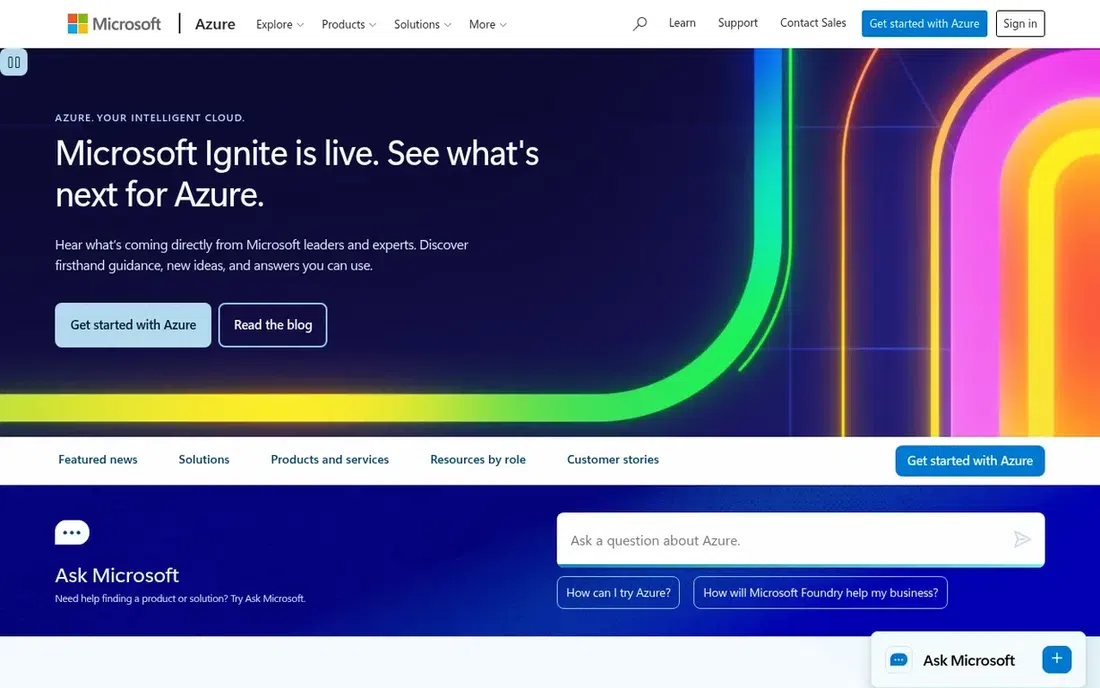
Microsoft Azure makes the most sense for Microsoft-centric enterprise teams. Teams without Microsoft dependencies may not gain much from that alignment.
What to check first: Numerous services overlap in purpose.
From a buyer's view, Microsoft Azure is a cloud computing system positioned around open and adaptable infrastructure, with messaging about cost savings and organizational efficiency. In practice, teams building pipelines around Microsoft development tools frequently find Azure the path of least resistance for both infrastructure and application hosting. Microsoft Azure shows no starting price here, so confirm the cost on the vendor site. Free access: Free trial.
- Cost savings and efficiency focus
- Open and adaptable cloud product
- Portal and naming can feel complicated
AWS was built for wide service catalog and automation. Amazon Web Services is a wide cloud computing system offering steady, scalable services that teams can adopt incrementally.
For everyday use, choose AWS when breadth and ecosystem matter more than simplicity, and consider lighter alternatives when a small team just needs predictable virtual servers and entry-level automation. Pricing for AWS is not stated here, so ask the vendor for current figures. AWS offers a free plan.
Points against: Cost management needs attention.
- Pay only for what you use
- Capable infrastructure automation choices
- Service breadth can overwhelm newcomers
Hetzner Cloud serves developer-friendly scalable cloud hosting. Hetzner Cloud is a cloud hosting provider targeted at developers and teams, offering scalable cloud hosting services with a GDPR-compliant positioning. The developer focus keeps provisioning and everyday operations direct, which fits small and mid-size teams running their own automation and deployment pipelines.
More specifically, the system offers fewer advanced managed services than the large hyperscalers, and regional coverage is narrower. More specifically, teams needing deep global regions or specialized services may outgrow it. No starting price is listed for Hetzner Cloud here; confirm pricing on the vendor site. Trial and free access: Not stated.
Drawbacks to consider: Fewer advanced managed services.
- GDPR-compliant positioning
- Scalable cloud hosting services
- Regional coverage is narrower
How we chose
Each tool was reviewed on what its vendor publishes: price, plan limits, core features and stated drawbacks. We did not run hands-on tests. Seat minimums, billing terms and add-ons can move the real cost, so the starting prices here are a guide and not a quote. The order reflects how well each tool fits the most common buying scenario for cloud hosting for DevOps teams, then price clarity, then free plan access. It is a starting point, not a verdict.
Questions to settle before buying
- Confirm the entry price on the vendor page. For IBM Cloud, Microsoft Azure, AWS and Hetzner Cloud that means a quote rather than a fixed price.
- Read the fine print on the free plans from DigitalOcean and AWS; seat, project and feature caps differ.
- Use real work to test the free trial from IBM Cloud, Linode and Microsoft Azure, rather than a demo project.
- Before choosing IBM Cloud, weigh its main limit: portfolio can be hard to navigate.
- Read the plan comparison for Linode carefully; key features often start on a higher tier.
- Find out what support Microsoft Azure includes on your plan, and whether onboarding help costs extra.
FAQ
How are the tools for cloud hosting for DevOps teams ordered?
The order follows typical fit for cloud hosting for DevOps teams, with IBM Cloud first and Hetzner Cloud last, then price clarity and free access. It is editorial judgement, not a score, so another team could rank the tools differently.
What is the cheapest option for cloud hosting for DevOps teams in this list?
On published monthly entry prices, DigitalOcean is the lowest here at $4 per month. Entry price is only part of the cost, because seats, add-ons and billing terms can change the total. For the full picture, the cards above cover all 6 entries of this cloud hosting for DevOps teams list, including price, free plan and limits.
Is IBM Cloud the right pick for everyone comparing cloud hosting for DevOps teams?
No single tool suits every team. IBM Cloud comes first because it fits enterprise infrastructure and platform mix, while DigitalOcean suits simplified developer cloud hosting and Linode suits low-latency edge applications. Match the tool to your own size, budget and workflow before deciding.
Which cloud hosting is best for a small DevOps team?
Start with IBM Cloud if you need enterprise infrastructure and product mix. DigitalOcean is the better match for simplified developer cloud hosting, and Linode for low-latency edge applications. The best choice depends on budget, team size and workflow.
Which options for cloud hosting for DevOps teams have a free plan?
On this list, DigitalOcean and AWS include a free plan. Caps on seats, usage or features are common, so test the free plan against your real workload. Several others offer a trial instead.
Sources
- https://www.ibm.com/cloud
- https://www.digitalocean.com
- https://www.linode.com
- https://azure.microsoft.com
- https://aws.amazon.com
- https://www.hetzner.com/cloud