Best Campground Management Software in 2026: 8 Tools Compared
Compare the best campground management software for RV parks and campgrounds, with online booking, dynamic pricing, payments, and site maps explained.
- Editor's choice
 Campspot
Parks wanting no subscription
Starts at$2 per bookingVisit campspot.comFull review - Great alternative
 Newbook
Multi-property operators
Starts atSee websiteVisit newbook.cloudFull review - Also consider
 RMS Cloud
Large parks and resorts
Starts atSee websiteVisit rmscloud.comFull review
TL;DR:
- Campspot stands out for parks that want booking fees instead of a monthly subscription, while Newbook and RMS suit larger multi-property operations.
- Dynamic pricing, an interactive site map, and a mobile-friendly booking engine drive the most revenue for most parks.
- RV park software must handle long stays, seasonal billing, and site-specific rules, not just nightly bookings.
- Always test the guest booking flow on a phone before you sign, because that is where most reservations are made.
Quick comparison
| Tool | Best for | Starts at | Free plan? | |
|---|---|---|---|---|
| Campspot | Parks wanting no subscription | $2 per booking | No | Visit |
| Newbook | Multi-property operators | See website | No | Visit |
| RMS Cloud | Large parks and resorts | See website | Free trial | Visit |
 RoverPass | Marketplace plus reservations | See website | No | Visit |
 Firefly Reservations | Small to mid-size parks | See website | Free trial | Visit |
 Campground Master | Desktop-based parks | See website | Free trial | Visit |
 BookYourSite | Simple online booking | See website | No | Visit |
 CampLife | Coaching plus software | See website | No | Visit |
The best campground management software
Campground software has to handle a mix that hotels rarely face: nightly guests, seasonal residents, group bookings, cabins, tent sites, and RV hookups with different rules. The best tools keep the reservation grid, payments, and guest messages in one place, so staff spend less time on the phone and more time on the park. These eight cover that range.
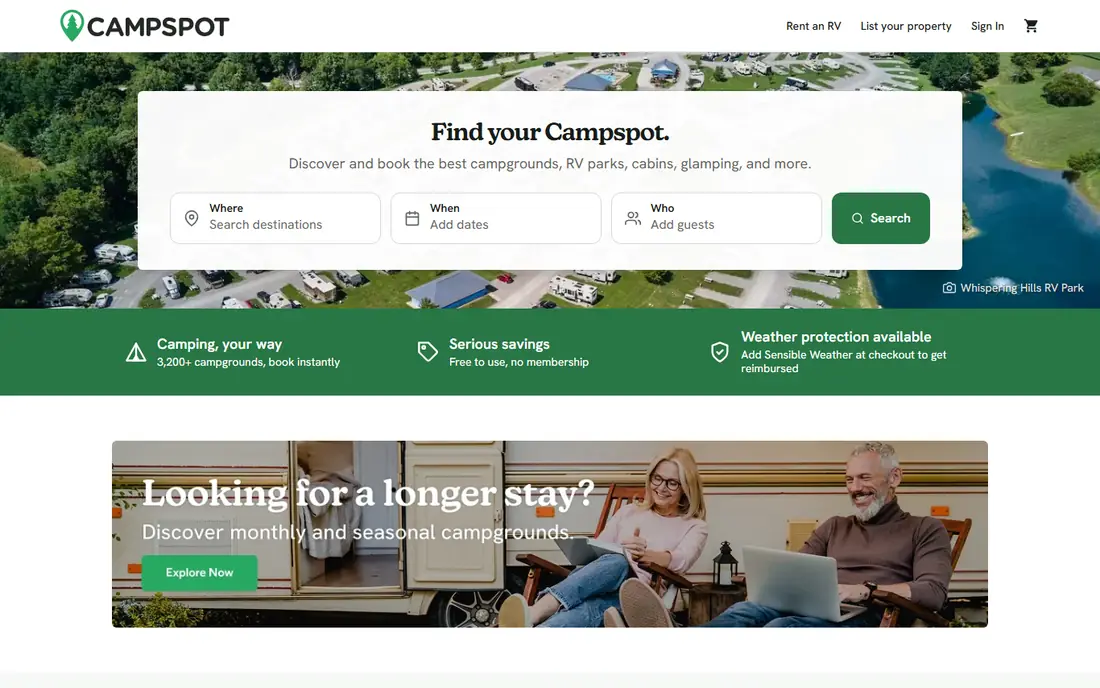
Campspot was designed by campground owners, and that background shows in the booking flow. Guests pick a site from an interactive map, see real availability, and complete a booking without calling the office. Dynamic pricing, point-of-sale tools, automatic grid optimization, and recurring billing for seasonal guests sit in the same system, which reduces double entry and missed revenue.
The pricing model is unusual and worth weighing carefully. Campspot charges $2 per booking with no setup, import, or ongoing subscription fees, according to its public descriptions. That model is attractive for seasonal parks with uneven months, but a busy park with thousands of bookings should compare the annual total against a flat monthly plan before choosing.
- No setup or monthly subscription fees
- Dynamic pricing and grid optimization
- Interactive site map
- Per-booking cost adds up at high volume
- Pricing model suits booking-heavy parks best

Newbook, now sold as Storable Newbook, is an all-in-one platform for campgrounds, RV parks, and hospitality properties. It combines a property management system, an online booking engine, a channel manager, a central reservation system, and self-service tools. That breadth suits operators running several properties who need one view of bookings, rates, and availability across sites.
The trade-off is complexity and sales-led pricing. Smaller single parks may not need the full suite, and setup takes more planning than a simple booking widget. For multi-property groups, though, central control over rates, channels, and reporting often justifies the effort, especially when manual work across properties is eating staff time.
- Full property management plus booking engine
- Channel manager included
- Self-service options
- Quote-based pricing
- Breadth can mean a longer setup
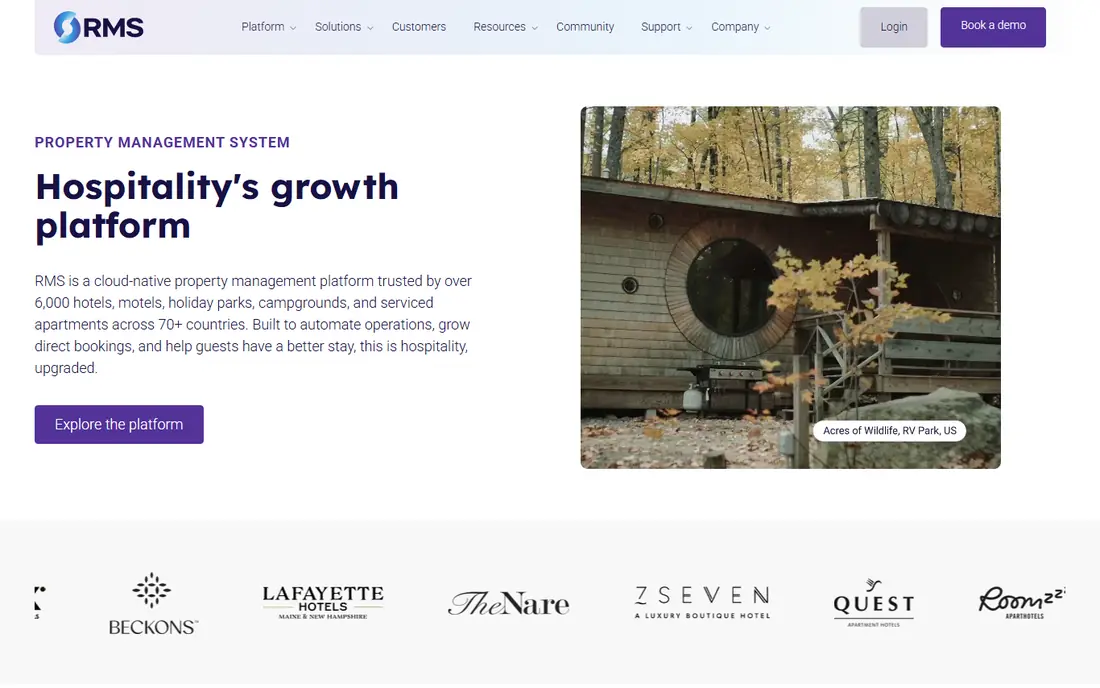
RMS Cloud serves parks, resorts, and larger hospitality operations that need depth in reservations, billing, housekeeping-style workflows, and reporting. It handles varied stay types, rate plans, and guest records, and it connects to booking channels so availability stays consistent. Larger teams benefit from role permissions and detailed reports that show occupancy, revenue, and booking pace.
For a small park with a handful of sites, RMS can feel large. Pricing is quote-based, so get a written quote tied to your site count and features. If you run a resort with cabins, RV sites, rentals, and activities, the extra structure pays off in fewer manual workarounds.
- Strong for large and complex properties
- Reservations, billing, and reporting in one system
- Channel links
- Pricing is quote-based
- May be more than a small park needs
RoverPass pairs a reservation and guest management system with a marketplace where travelers search for RV parks and campgrounds. That combination can bring new guests who would not have found a park website on their own. It also offers an online general store to process park sales in one place, channel management, and tools for long-term stays.
Parks should read the marketplace terms closely, including any per-reservation charges, before judging total cost. If your park already fills through direct bookings, the marketplace may matter less. If you need more discovery, especially in competitive RV destinations, the added exposure is a real advantage.
- Reservation system plus a large RV park marketplace
- Online store for park sales
- Long-stay management
- Marketplace fees and terms need checking
- Pricing is not fully published
Firefly Reservations focuses on the core job: a clear reservation system that staff can learn quickly and guests can use online. It covers bookings, site management, and guest records without forcing a small park into an enterprise platform. That focus suits family-run parks and mid-size campgrounds that want better online booking without a long implementation project.
The limit is scale. Very large resorts with complex rate rules, multiple properties, and deep reporting may outgrow it. Start with a trial using your real site types and rate rules, and check how seasonal billing, deposits, and cancellations work in practice before you switch systems.
- Clear reservation grid
- Online booking for guests
- Straightforward setup for smaller teams
- Fewer enterprise features than larger platforms
- Pricing requires a quote or trial
Campground Master has served campgrounds for many years with a desktop-focused system for reservations, site maps, billing, and guest history. Parks that prefer a system installed on office computers, or that have patchy internet at the front desk, often value that approach. It gives staff fine control over sites, rates, and reservations without depending on a constant cloud connection for daily work.
The honest catch is age and style. The interface feels more traditional than newer cloud tools, and online booking integration needs care to set up well. Parks that want a modern guest-facing booking engine and mobile staff tools should compare it directly with Campspot or Firefly during a trial.
- Long track record with parks
- Detailed site and reservation control
- Works without relying on a browser
- Desktop feel rather than modern cloud design
- Online booking needs setup
BookYourSite gives independent parks a guest-facing booking system with site selection, availability, and payments, without the weight of a full enterprise platform. Guests can browse sites, check dates, and book online, which cuts phone time during peak season. For a single park that mainly needs reliable online reservations, that simplicity is a strength.
Larger operations with many properties, complex channel needs, or deep revenue reporting may need a broader platform such as Newbook or RMS. BookYourSite is best judged on the booking flow itself: test it on a phone, check how deposits and cancellations are handled, and confirm that staff can adjust a reservation quickly when a guest calls.
- Guest-friendly online reservations
- Site selection tools
- Simple setup for independent parks
- Less depth for complex multi-property operations
- Pricing is quote-based
CampLife combines campground software with coaching from people who know park operations, which appeals to owners who want help improving revenue, not just a new booking screen. Its tools cover reservations and guest management, and the coaching side focuses on pricing, marketing, and operations habits that affect occupancy. Parks that feel stuck on revenue, rather than just on software, may value that pairing.
The model is not for everyone. Owners who only want a tool, and who already have strong operations, may prefer a lower-cost booking platform. Ask what the coaching includes, how often it happens, and what the total annual cost is, so you can compare it fairly against software-only options.
- Software plus coaching for operators
- Reservation and guest tools
- Revenue-focused guidance
- Pricing is not fully published
- Coaching model may not suit parks that only want software
How we picked these
We compared official product pages, vendor descriptions, and public listings for campground and RV park software, focusing on tools still actively sold in 2026. We favored systems that handle site maps, online booking, payments, seasonal and long stays, and reporting, and we included both subscription and per-booking pricing models. Prices are shown where vendors publish them, and marked as See website where pricing is quote-based. We did not claim hands-on trials; our view reflects vendor pages and widely reported user feedback.
What to check before you switch campground software
Test the guest booking flow first
Book a site yourself on a phone, change the dates, add an extra vehicle, and try to cancel. If that flow is confusing, guests will call instead, and staff time savings will disappear. Check that site photos, hookup details, and rules appear clearly before payment.
Map your stay types and rate rules
List nightly, weekly, monthly, seasonal, group, and cabin stays, plus deposits, cancellation terms, and site-specific fees. Run each type through a trial. Software that handles nightly bookings well can still struggle with seasonal billing or long-stay invoicing, and those gaps cause manual work every month.
Compare total annual cost, not the headline price
A $2 per booking fee, a monthly subscription, and a marketplace charge look different on paper but can cost similar amounts at your volume. Multiply each model by last year bookings, add payment processing, and include setup and training. The cheapest headline price is not always the cheapest year.
FAQ
What is the best campground management software for an RV park?
Campspot is a strong default for many RV parks because of its site map, dynamic pricing, and per-booking model. Newbook and RMS suit larger or multi-property RV resorts, while Firefly suits smaller parks. The best RV park management software for you depends on site count, stay mix, and whether you need marketplace discovery.
What is the top campground management software for seasonal parks?
Look for seasonal billing, recurring guest billing, and long-stay tools, which Campspot, RMS, and RoverPass all address in different ways. Test how seasonal invoices, deposits, and renewals work in a trial, because seasonal parks live or die on that workflow. A nightly-only booking tool will create manual work each season.
Does campground software include a booking engine for my website?
Most tools here include an online booking engine or widget, including Campspot, Newbook, RoverPass, Firefly, and BookYourSite. Confirm whether the engine sits on your own website domain, how it looks on mobile, and whether guests can pick a specific site. Those details affect conversion more than the back-office grid.
How much does campground management software cost?
Pricing varies widely. Campspot charges $2 per booking with no subscription, while most other platforms use quote-based monthly pricing tied to site count and features. Always compare total annual cost at your booking volume, including payment processing and any marketplace fees.
Can campground software handle cabins and tent sites as well as RV sites?
Yes, most modern platforms handle mixed inventory, but the setup differs. Check that each site type can carry its own rules, photos, rates, and minimum stays. A trial with your real inventory is the fastest way to spot gaps before peak season.