Which Calendar Making Software Fits You? 7 Tools Compared
Searching for the best calendar making software? Here are 7 options with prices and free plans. Compare costs and catches in one place. Budget notes included.
- Editor's choice
 CalendarLabs
Free printable calendars in under five minutes
Starts atFreeVisit calendarlabs.comFull review - Great alternative
 Photo Calendar Creator
Dedicated Windows software for photo calendars
Starts atSee websiteVisit photo-calendar-software.comFull review - Also consider
 Mixbook
Professionally printed and bound photo calendars
Starts atSee website (pay per printed calendar)Visit mixbook.comFull review
Direct answer
If you need free printable calendars in under five minutes, CalendarLabs is the first tool to look at here. If your case is different, Photo Calendar Creator suits dedicated Windows software for photo calendars and Mixbook suits professionally printed and bound photo calendars. The remaining 4 options are covered below with prices and limits.
TL;DR:
- Top of the list is CalendarLabs, which targets free printable calendars in under five minutes.
- Expect to ask for a quote from Photo Calendar Creator, Mixbook, Canva and others; the other tools show a starting price.
- Free plans exist at 4 of 7 tools (CalendarLabs, Canva, Timeanddate, Adobe Express).
- Adobe Express is the one to check for fast branded calendars with Adobe polish.
- One limit worth knowing about Canva: free templates are the most-used designs.
Quick comparison
| Tool | Best for | Starts at | Free plan? | |
|---|---|---|---|---|
| CalendarLabs | Free printable calendars in under five minutes | Free | Yes | Visit |
| Photo Calendar Creator | Dedicated Windows software for photo calendars | See website | Free trial | Visit |
| Mixbook | Professionally printed and bound photo calendars | See website (pay per printed calendar) | No | Visit |
 Canva | The easiest free way to design a calendar | See website (Pro plan) | Yes | Visit |
 Timeanddate | Free custom calendar PDFs with total date control | Free | Yes | Visit |
 MyMemories Suite | Scrapbook-style photo calendars | See website | Free trial | Visit |
 Adobe Express | Fast branded calendars with Adobe polish | See website (Premium plan) | Yes | Visit |
The 7 tools in detail
Short on time? The summary and table above give the quick view of 7 tools for calendar making software, and the profiles that follow give the detail behind each entry.
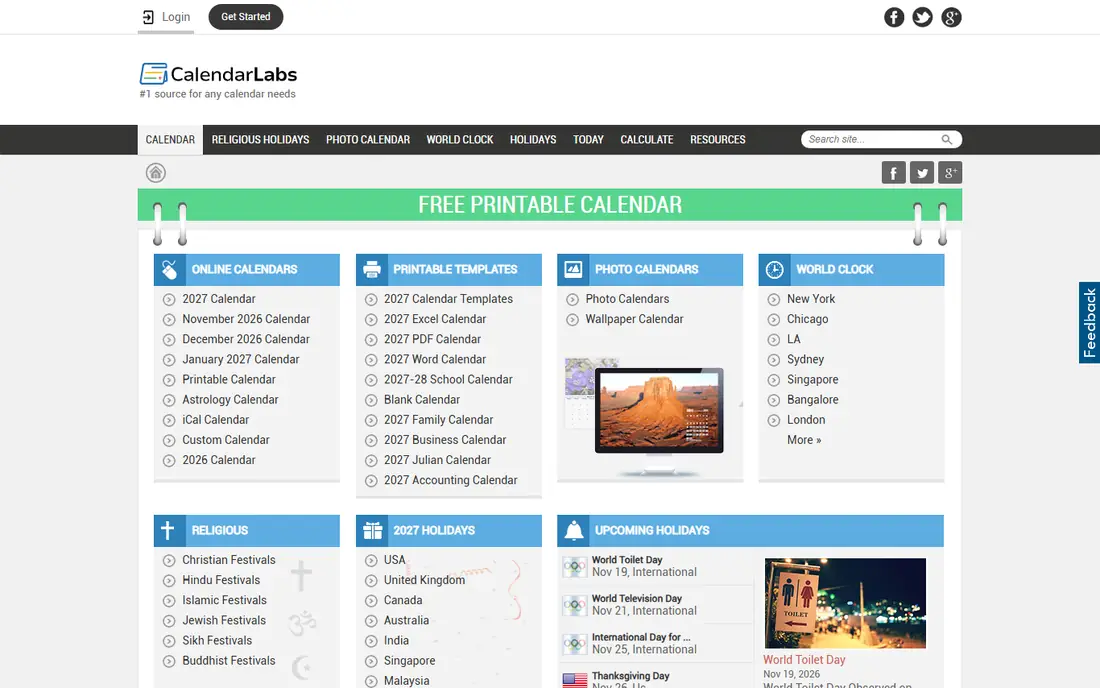
CalendarLabs serves free printable calendars in under five minutes. For a classroom, a workshop wall or a quick planner, it is done in five minutes.
Also, CalendarLabs is the no-frills answer to "I just need a calendar." The site gives you hundreds of free printable templates, monthly, yearly, planners, photo calendars, with no account and no payment. What you pay to start with CalendarLabs: Free. CalendarLabs has a free plan.
Limits to weigh: Ad-supported site.
- Photo calendar maker included
- Fully free with no account
- Designs are entry-level
Photo Calendar Creator
Best for: Dedicated Windows software for photo calendars
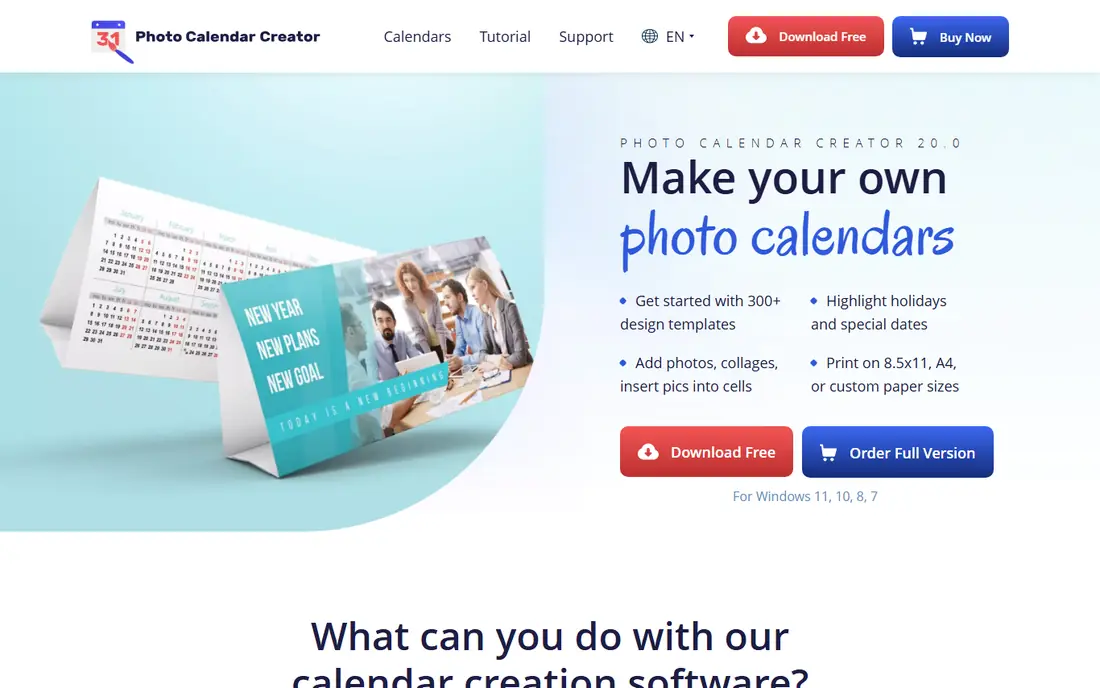
Think of Photo Calendar Creator for dedicated Windows software for photo calendars. Photo Calendar Creator from AMS Software does one job and does it thoroughly.
Drawbacks to consider: Windows only.
It is a one-time purchase for Windows with no subscription, and everything works offline. This comparison lists no price for Photo Calendar Creator; ask the vendor. As for free access: Free trial.
Best features of Photo Calendar Creator: 200+ templates and collage layouts.
- Not a general designer
- Designed for calendars
- Interface looks dated

For professionally printed and bound photo calendars, Mixbook is a natural candidate. You build your photo calendar in the browser from refined templates, then Mixbook prints, binds and ships it. The print quality beats any home printer, and wall, desk and mini formats handle gifts and office use.
There is no free level since you are buying a physical product, generally $20 and up per calendar before sales, which are frequent. Bulk orders for an entire company get costly quick, and holiday deadlines mean ordering weeks ahead. Pricing for Mixbook is not stated here, so ask the vendor for current figures. Mixbook has no free tier.
Where it is weaker: Unit cost high for bulk; you pay per calendar. What works well: Wall.
- Receive a bound calendar
- Very good print quality
- Shipping times to plan around
Pick Canva if this describes you: the easiest free way to design a calendar. Canva's calendar maker runs entirely in the browser: pick a wall, desk or photo calendar template, drop in your photos, edit the dates and holidays, and download a print-ready PDF. The free plan includes most templates and comes with enough storage for a family photo calendar.
Where it is weaker: Free templates are the most-used designs.
In practice, small companies use it for branded desk calendars and promotional giveaways without touching desktop software. Worth adding: the trade-offs are the ones every Canva user knows. The most attractive templates carry the Pro crown, the free designs are the ones everyone has seen, and getting exact bleed and trim right for professional printing takes some fiddling. But for a good-looking calendar finished in an afternoon at zero cost, nothing beats it. This comparison lists no price for Canva; ask the vendor. Free access exists with Canva.
- Drag-and-drop photo grids
- Hundreds of calendar templates
- Best features need Pro
Timeanddate is designed for free custom calendar PDFs with total date control. Styling choices are minimal, photo integration is essentially absent, and nobody is giving a timeanddate printout as a Christmas gift.
On top of that, choose any year, add country-specific holidays, display week numbers, pick Monday or Sunday start, and produce a clean PDF. Timeanddate.com has been the internet's calendar authority for decades, and its free calendar creator reflects that: unmatched control over the dates themselves. Entry price for Timeanddate: Free. Free access exists with Timeanddate.
Where it falls short: Restricted styling choices. Reasons to shortlist it: Trusted date data.
- Precise control over holidays
- Week numbers and layouts
- Utilitarian design, not gift-quality
Choose MyMemories Suite for Scrapbook-style photo calendars. The aesthetic is specific, and the layer-based editing takes longer to learn than Canva's drag-and-drop.
For everyday use, if your idea of a perfect calendar is a scrapbook page for every month, this is the most expressive tool on the list, with a community of designers selling add-on kits. No starting price is listed for MyMemories Suite here; confirm pricing on the vendor site. Trial and free access: Free trial.
Downsides: Template packs cost additional.
- Layered embellishments and papers
- Digital scrapbooking tools applied to calendars
- Niche scrapbook aesthetic
Adobe Express targets fast branded calendars with Adobe polish. The calendar templates skew professional rather than crafty, which fits office wall planners and client gifts.
Points against: Fewer calendar-specific templates than Canva.
What works well: professional templates. Adobe Express does not show a starting price in this comparison, so check the vendor site for current pricing. Adobe Express has a free plan.
- Clean
- Plugs into Adobe Stock and Fonts
- Calendar layouts less adaptable
How we built this list
The comparison looks at four things: starting price, free access, how well the feature set matches calendar making software, and the main limit of each tool. Prices and plan limits come from vendor pages and can change, so confirm them on the vendor site before you buy. The ranking is editorial: typical fit first, then clear pricing, then free access. If your needs are unusual, read the profiles rather than relying on position.
Questions to settle before buying
- Ask Photo Calendar Creator, Mixbook, Canva and others for a written quote, since no starting price is shown.
- Look at free plan limits closely: CalendarLabs, Canva, Timeanddate and Adobe Express have one, and the caps decide whether it is usable for real work.
- Take the trial from Photo Calendar Creator and MyMemories Suite and push a live task through it before you pay.
- Before choosing CalendarLabs, weigh its main limit: designs are entry-level.
- Ask the daily users to test CalendarLabs on a live task before you roll it out to everyone.
- Test how quickly Canva answers a pre-sales question; it hints at how support will feel later.
FAQ
What happened to Microsoft Publisher?
Microsoft retired Publisher in October 2026: it was removed from Microsoft 365 on October 1, and support for perpetual copies ended October 13. Migrate calendar projects to Canva, Adobe Express or Photo Calendar Creator, and export old.pub files to PDF whereas you still can.
Is CalendarLabs the right pick for everyone comparing calendar making software?
No single tool suits every team. CalendarLabs comes first because it fits free printable calendars in under five minutes, while Photo Calendar Creator suits dedicated Windows software for photo calendars and Mixbook suits professionally printed and bound photo calendars. Match the tool to your own size, budget and workflow before deciding.
Which options for calendar making software have a free plan?
On this list, CalendarLabs, Canva, Timeanddate and Adobe Express include a free plan. Caps on seats, usage or features are common, so test the free plan against your real workload. Several others offer a trial instead.
How are the tools for calendar making software ordered?
CalendarLabs sits first and Adobe Express last because the order follows typical fit for calendar making software, then price clarity and free access. It is a judgement call, so read each profile for fit and limits.
How far ahead should I order printed calendars?
For holiday gifts, order by early December at the latest. Print services like Mixbook quote one to two weeks of production plus shipping, and December slots fill up. Designing in November provides you time to proofread dates, which is the most typical calendar error.
What size should I print my calendar?
Desk calendars are normally 8.5x11 tent style or smaller. Use paper of a minimum of 80 lb handle weight so photos look rich and pages turn without flopping.