5 Calendar Apps for Sales Teams Worth Shortlisting in 2026
5 best calendar apps for sales teams, with entry costs, free tiers and the buyer each one serves. Each tool is judged on the same checks. Clear verdicts.

- Editor's choice
 Microsoft Outlook
Teams standardized on Microsoft 365 email and calendaring
Starts atSee websiteVisit microsoft.comFull review - Great alternativeChili Piper
Routing inbound results in the right rep
Starts at$12 per user per monthVisit chilipiper.comFull review - Also consider
 HubSpot Sales Hub
CRM-connected meeting scheduling and deal tracking
Starts atSee websiteVisit hubspot.comFull review
Direct answer
For teams standardized on Microsoft 365 email and calendaring, Microsoft Outlook is where this list starts. Listed starting prices: Chili Piper from $12 per user per month, Cal.com from $12 per user per month and Calendly from $10 per seat per month. Chili Piper fits routing inbound results in the right rep; HubSpot Sales Hub fits CRM-connected meeting scheduling and deal tracking. The full list of 5 tools follows, with prices and free plan facts.
TL;DR:
- The list opens with Microsoft Outlook, aimed at teams standardized on Microsoft 365 email and calendaring.
- Calendly is the one to check for quick self-service booking for prospects and customers.
- Calendly is the lowest-priced starter here at $10 per seat per month.
- The main caution on Microsoft Outlook: scheduling links are less sales-focused.
Last checked November 2026. Prices and plan details were read from the vendors' own pages in November 2026; vendors change plans often, so confirm the current price on the vendor site before you buy.
Quick comparison
| Tool | Best for | Starts at | Free plan? | |
|---|---|---|---|---|
| Microsoft Outlook | Teams standardized on Microsoft 365 email and calendaring | See website | Not stated | Visit |
| Chili Piper | Routing inbound results in the right rep | $12 per user per month | Not stated | Visit |
| HubSpot Sales Hub | CRM-connected meeting scheduling and deal tracking | See website | Not stated | Visit |
 Cal.com | Adaptable open scheduling for online bookings | $12 per user per month | Yes | Visit |
 Calendly | Quick self-service booking for prospects and customers | $10 per seat per month | Yes | Visit |
Calendar Apps for Sales Teams, one by one
Choosing calendar apps for sales teams usually comes down to price, fit and limits. This LinkVetted guide sets 5 tools side by side on those three points, with the facts kept short and checkable.
Microsoft Outlook
Best for: Teams standardized on Microsoft 365 email and calendaring
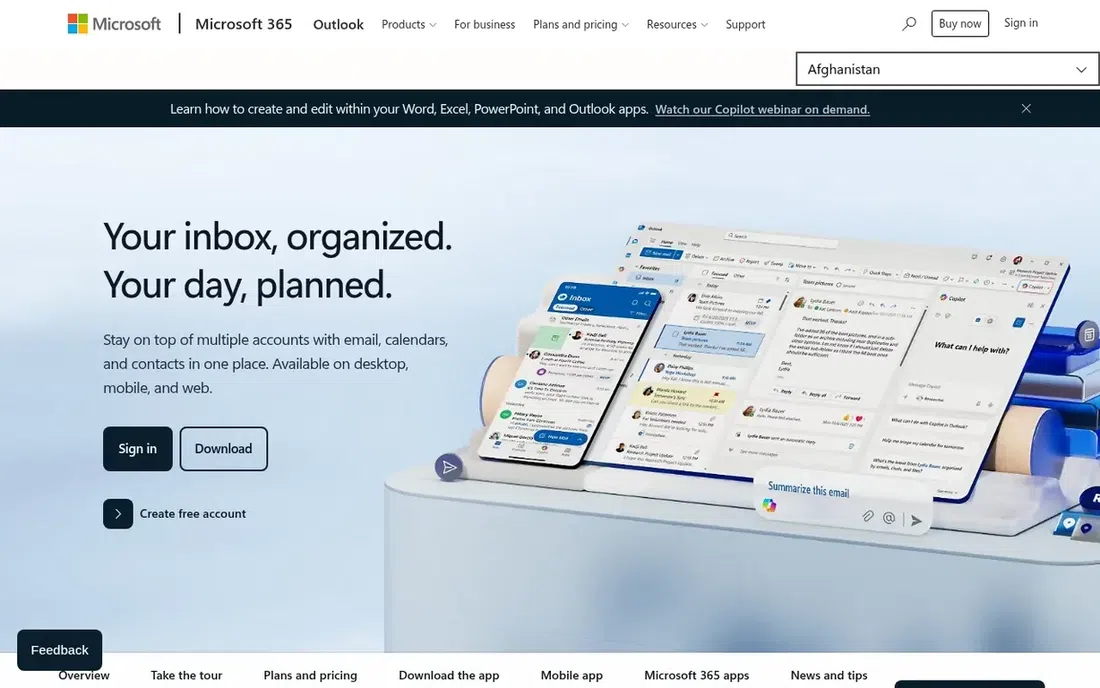
Where Microsoft Outlook fits: teams standardized on Microsoft 365 email and calendaring. Microsoft Outlook merges personal email and calendar software with access to Office Online apps like Word, Excel and PowerPoint. Also, for sales teams already working in Microsoft 365, it keeps meeting invites, email threads and calendar availability in one place.
Drawbacks to consider: Scheduling links are less sales-focused.
Beyond that, Outlook is a general productivity calendar, so self-service booking links and lead routing are not its core focus. Beyond that, choose it when email and calendar consolidation matters more than sales-specific booking features. This comparison lists no price for Microsoft Outlook; ask the vendor. As for free access: Not stated.
- Email and calendar in one familiar app
- Works across devices with a Microsoft account
- Shared booking flows need additional setup
Chili Piper
Best for: Routing inbound results in the right rep
Think of Chili Piper for routing inbound results in the right rep. For sales teams with steady inbound traffic, that means fewer manual handoffs between marketing interest and a booked call.
Where it is weaker: Narrower focus than a full CRM.
Its strength is inbound routing, so it is not a full calendar or CRM replacement. On top of that, results rely on well-defined routing rules and rep availability. Chili Piper starts at: $12 per user per month. Free options: Not stated.
- Agents recognize visitors and answer questions
- Routes leads and books meetings automatically
- Relies on clean routing rules

Think of HubSpot Sales Hub for CRM-connected meeting scheduling and deal tracking. For sales teams, its appeal is that scheduling, contact history and deal activity live in one place instead of in separate tools.
Where it is weaker: Setup takes more planning than a standalone calendar.
It also performs best when the entire team commits to the CRM. For everyday use, HubSpot Sales Hub is an AI sales product built on complete CRM data, geared toward turning prospects into pipeline and conversations into closed deals. Pricing for HubSpot Sales Hub is not stated here, so ask the vendor for current figures. Free plan details: Not stated.
- Pipeline and conversation data in one system
- Calendar and meeting links sit inside CRM records
- Best value only if you adopt the wider CRM
Cal.com is built with adaptable open scheduling for online bookings in mind. Cal.com is scheduling software for online bookings, described as a scheduling system that helps companies grow and better find time. It hands sales teams a booking layer for customer calls whereas staying separate from the CRM.
Drawbacks to consider: Fewer sales pipeline features.
As a scheduling product, it does not handle deals or account history on its own. Sales teams will likely link it to their CRM for context. Entry price for Cal.com: $12 per user per month. Free access exists with Cal.com.
- Positioned as a scheduling system for growth
- Geared toward helping companies find time
- Teams may need integrations for CRM data
Calendly is aimed squarely at quick self-service booking for prospects and customers. Choose it when fast, dependable booking and meeting follow-up are the priority. From a buyer's view, Calendly centers on meetings instead of deals, so it does not replace a CRM for pipeline visibility.
Drawbacks to consider: Restricted pipeline and deal management.
Where Calendly stands out: Straightforward scheduling links for prospects. Calendly is meeting scheduling software with AI meeting tools that link and ease the work around meetings, from scheduling and payments to meeting prep, notetaking, contact management and follow-up. Worth adding: complicated inbound routing and lead qualification may call for a more specialized tool. On cost, Calendly starts like this: $10 per seat per month. Calendly includes a free tier.
- Meeting prep
- Notes and follow-up in one flow
- Advanced routing may need other tools
How the list was put together
The comparison looks at four things: starting price, free access, how well the feature set matches calendar apps for sales teams, and the main limit of each tool. Plan names, prices and limits change often. Treat the figures here as a starting point and verify them with the vendor. The sequence is a judgement call: typical use case first, then pricing transparency, then free access. Use the profiles to check fit.
Things to verify first
- Confirm the entry price on the vendor page. For Microsoft Outlook and HubSpot Sales Hub that means a quote rather than a fixed price.
- Look at free plan limits closely: Cal.com and Calendly have one, and the caps decide whether it is usable for real work.
- Before choosing Microsoft Outlook, weigh its main limit: scheduling links are less sales-focused.
- Pick one real project and run it in Calendly first; a small pilot shows fit faster than a checklist.
- Confirm you can export your data from Chili Piper, so leaving later does not mean losing records.
FAQ
Do these tools publish their prices?
Not all of them. Microsoft Outlook and HubSpot Sales Hub publish no starting price, so expect a quote request for those. The rest, Chili Piper included, show a starting price, though seats and billing terms still change the final cost.
Can I try these tools before paying?
Often, yes. Cal.com and Calendly have a free plan. Use your own data and a real task during the test, and check what the free tier or trial limits before you rely on it.
Should a sales team use a CRM calendar or a dedicated scheduling app?
A CRM calendar keeps meetings next to contact and deal data, which helps reporting and follow-up. A dedicated scheduling app normally makes it simpler for prospects to book time on their own.
What is the cheapest option for calendar apps for sales teams in this list?
On published monthly entry prices, Calendly is the lowest here at $10 per seat per month. Entry price is only part of the cost, because seats, add-ons and billing terms can change the total. Prices, free plan details and limits for all 5 tools in this calendar apps for sales teams roundup sit on the individual cards above.
Which options for calendar apps for sales teams have a free plan?
Cal.com and Calendly offer a free plan in this list. Free plans usually cap users, projects or features, so check the limits on the vendor page.
Sources
- https://www.microsoft.com/microsoft-365/outlook/email-and-calendar-software-microsoft-outlook
- https://www.chilipiper.com
- https://www.hubspot.com/products/sales
- https://cal.com
- https://calendly.com