Best Bug Tracking Software in 2026: 9 Tools Compared
Compare the best bug tracking software for developers and QA teams, with free plans, workflows, integrations and issue tracking features listed today.

- Editor's choice
 Jira
Larger agile teams
Starts atFreeVisit atlassian.comFull review - Great alternative
 Linear
Fast focused issue tracking
Starts atFreeVisit linear.appFull review - Also consider
 Bugzilla
Free open source tracking
Starts atFreeVisit bugzilla.orgFull review
TL;DR:
- Jira remains the default for larger teams, with agile boards, workflows and thousands of integrations, plus a free plan for up to 10 users.
- Linear is the fastest, most focused choice for product and engineering teams that want clean issue tracking without heavy setup.
- Bugzilla, MantisBT and Redmine are free open source options for teams that can self-host and want full control.
- GitHub Issues suits teams already on GitHub, since bugs live beside code, pull requests and releases.
Quick comparison
| Tool | Best for | Starts at | Free plan? | |
|---|---|---|---|---|
| Jira | Larger agile teams | Free | Yes | Visit |
| Linear | Fast focused issue tracking | Free | Yes | Visit |
| Bugzilla | Free open source tracking | Free | Yes | Visit |
 GitHub Issues | GitHub-based teams | Free | Yes | Visit |
 YouTrack | Developer-centric teams | Free | Yes | Visit |
 ClickUp | All-in-one work tracking | Free | Yes | Visit |
 MantisBT | Simple open source tracking | Free | Yes | Visit |
 Redmine | Self-hosted project tracking | Free | Yes | Visit |
 Shortcut | Agile teams and roadmaps | $8.50 per user per month | Free trial | Visit |
The best bug tracking software
Bug tracking software gives every defect one record with status, owner, severity and history, so bugs stop hiding in email threads and chat messages. The tools below cover pure bug trackers, agile issue trackers and all-in-one work tools, with free and paid options for teams of all sizes.

Jira is the default bug tracker for many software teams, and for good reason. It covers Scrum and Kanban boards, custom workflows, dashboards, reporting and JQL search, with integrations for code, testing and support tools. The free plan covers up to 10 users with 2 GB storage, while Standard starts at $8.15 per user per month on annual billing.
The catch is complexity. Jira needs configuration time, and small teams may find the admin overhead larger than the benefit. For larger teams, cross-functional work and portfolio reporting, that depth pays off. Jira is our pick for most teams that need a proven, scalable tracker.
- Free plan for up to 10 users
- Scrum and Kanban boards
- 3,000 plus integrations
- Can feel heavy for small teams
- Advanced roadmaps need paid plans

Linear is built for speed. The interface is keyboard-friendly, issues support owners, labels, priorities and estimates, and cycles give a light way to plan iterations. GitHub and GitLab sync links issues to code changes, and triage tools help teams sort incoming bugs quickly. The free plan covers up to 250 issues, with paid plans from $8 per user per month.
The focused design is also the limit. Teams that need elaborate permissions, complex workflows or portfolio reporting may find Linear too simple. For product and engineering teams that want fast, clean issue tracking, Linear is the best modern alternative to Jira.
- Very fast interface
- GitHub and GitLab sync
- Cycles and roadmaps
- Less room for complex permissions and workflows than Jira
- Free plan caps issues
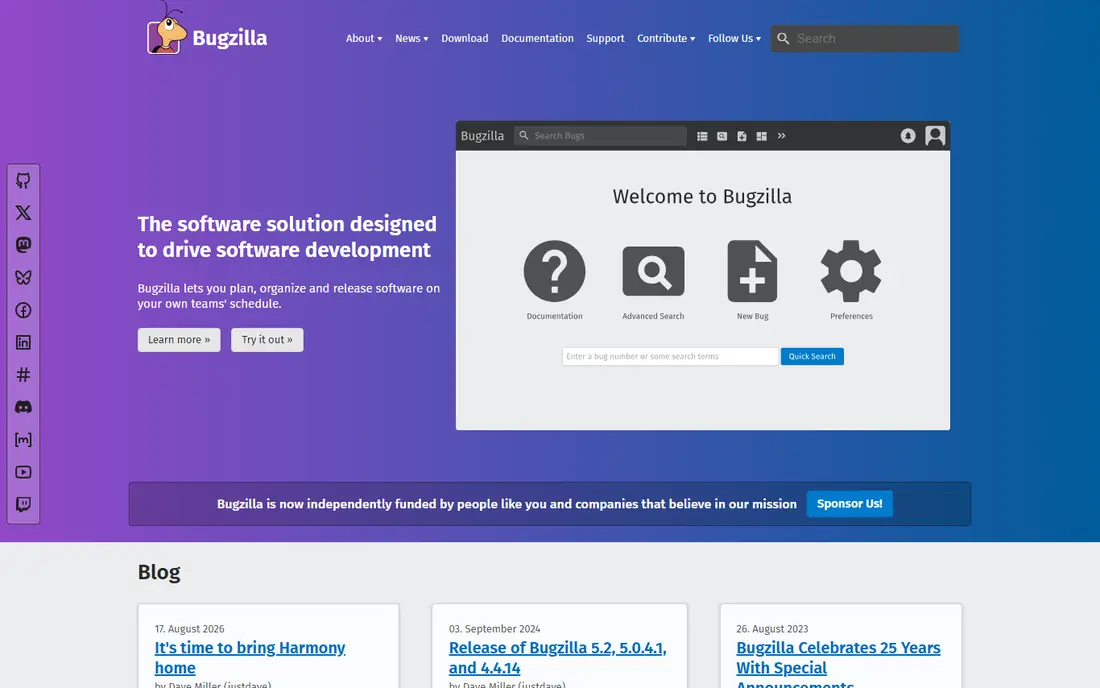
Bugzilla is one of the oldest bug trackers still in active use, maintained under Mozilla governance. It offers defect logging, severity classification, status tracking, email notifications, advanced search and reporting, with deep customization for teams that need it. Large open source projects have used it for years at high volume.
The interface feels dated beside Jira and Linear, and self-hosting needs server setup and upkeep. For teams with technical resources that want a free, customizable tracker without per-user fees, Bugzilla remains a solid choice. For teams that want a polished hosted tool, Jira or Linear will feel easier.
- Free and open source
- Advanced search
- Strong defect workflows
- Dated interface
- Self-hosting and maintenance need technical skill
GitHub Issues suits teams that already live on GitHub. Bugs sit beside code, pull requests, releases and discussions, with labels, milestones, assignees and Projects boards for Kanban views. Automation can move issues, link pull requests and close bugs when code merges, which keeps tracking close to development work.
The structure is lighter than Jira, with fewer custom fields and reporting options out of the box. Teams that need strict workflows, SLAs or portfolio reporting may need add-ons or a dedicated tracker. For open source projects and GitHub-first teams, GitHub Issues is the simplest, most natural pick.
- Free for public and many private repos
- Bugs beside code and pull requests
- Projects boards
- Less structured than a dedicated tracker
- Advanced reporting needs add-ons
YouTrack, from JetBrains, is a developer-focused tracker with agile boards, workflows, time tracking and strong IDE links. The free plan covers up to 10 users, while paid plans start at $4.40 per user per month, making it cheaper than Jira for small teams. Search uses a query language similar to Jira, which helps teams that like precise filtering.
The community and integration catalog are smaller than Jira, so some niche tools may need custom links. For JetBrains users and developer-centric teams that want a capable tracker at a lower price, YouTrack is a strong alternative.
- Free plan for up to 10 users
- Agile boards and time tracking
- JetBrains IDE links
- Smaller community than Jira
- Paid plans start at $4.40 per user per month
ClickUp covers bug tracking inside a broader work platform, with tasks, docs, goals, sprints and time tracking in one place. Teams can track bugs on boards, lists or timelines, link bugs to docs and goals, and use automations for status changes. The free plan is generous, while paid plans start at $7 per user per month.
The breadth is also the drawback. Pure bug tracking teams may find ClickUp bloated compared with Linear or Bugzilla, with many features they never use. For teams that want bugs, tasks, docs and goals in one tool, ClickUp is a good all-in-one pick.
- Free plan with many features
- Tasks, docs and goals in one place
- Many views
- Can feel bloated for pure bug tracking
- Paid plans start at $7 per user per month
MantisBT is a simple, free open source bug tracker that suits teams that want basic defect tracking without complexity. It covers issue logging, status, severity, assignees, email notifications and reporting, with a setup that is lighter than Bugzilla or Redmine. Self-hosting keeps costs at server and maintenance time only.
The interface is dated and integrations are fewer than Jira, Linear or GitHub Issues. For small teams, internal projects and open source groups that want a free, simple tracker, MantisBT is a practical choice. Larger teams will likely outgrow it.
- Free and open source
- Simple setup
- Email notifications and reporting
- Dated interface
- Fewer integrations than hosted tools
Redmine is a free, open source project tool with issue tracking at its core, beside wikis, forums, calendars and document management. It suits teams that want bugs tracked inside a wider project system, with multiple projects, roles and custom fields. A plugin system adds features such as agile boards and time tracking.
Self-hosting and plugin upkeep need technical skill, and the interface feels dated beside modern hosted tools. For teams that already self-host and want one free system for projects and bugs, Redmine is a capable choice. For hosted simplicity, Jira or ClickUp will be easier.
- Free and open source
- Projects, wikis and forums beside issues
- Plugin system
- Self-hosting and plugin upkeep need skill
- Interface feels dated
Shortcut, formerly Clubhouse, is an agile tracker for small to mid-sized development teams. It covers iterations, roadmaps, Kanban boards, docs and Git integration, with a focus on planning and delivery rather than pure defect logging. Paid plans start at $8.50 per user per month, with a free tier for small teams.
The ecosystem is smaller than Jira, with fewer integrations and community resources. For teams that want agile planning, roadmaps and bug tracking in one focused tool, Shortcut is a good alternative to Jira and Linear. Test the free tier with a real sprint before committing.
- Iterations and roadmaps
- Git integration
- Kanban and docs in one place
- Smaller ecosystem than Jira
- Free plan is limited compared with rivals
How we picked these
We compared official pricing pages, feature pages and public reviews for bug tracking tools active in October 2026. We favored tools with clear issue workflows, severity and status tracking, search and reporting, and integrations with code tools. We included free open source tools beside hosted tools, since cost and control matter differently for small teams and large firms.
What to check before you buy
Workflow, severity and ownership
Check that every bug gets one owner, one severity and one status, with a clear path from reported to fixed to verified. Test custom fields, workflows and notifications with a real bug report, including steps to reproduce, screenshots and environment details. A tracker that makes reporting hard will be bypassed in favor of chat messages.
Links to code and testing
The best trackers link bugs to code changes, test cases and releases, so a fix can be traced from report to deployment. Check GitHub, GitLab, Bitbucket and testing tool links, plus automation that moves a bug when a pull request merges. That traceability matters for audits and for learning which areas produce the most defects.
Cost, hosting and migration
Free plans cap users, issues or storage, while open source tools shift cost to hosting and upkeep. Check user caps, storage limits and export options before committing, and test migration with a sample project. A tracker should let you export your bugs, not lock them in.
FAQ
What is the best free bug tracking software?
Bugzilla, MantisBT and Redmine are free open source trackers for self-hosted teams. Among hosted tools, Jira is free for up to 10 users, YouTrack is free for up to 10 users, Linear is free for up to 250 issues, and GitHub Issues is free for many repos. Pick by hosting preference and team size.
What is the best bug tracking tool for agile teams?
Jira is the best choice for larger agile teams, with Scrum, Kanban, roadmaps and reporting. Linear suits fast product teams, Shortcut suits small to mid-sized agile teams, and YouTrack suits developer-centric agile teams. Test boards, sprints and reporting with a real sprint.
Is Jira the best issue tracking software?
Jira is the most widely used issue tracker, with the largest integration catalog and the deepest workflow options. It is not the best fit for every team, since smaller teams may find Linear faster and simpler, and open source teams may prefer GitHub Issues or Bugzilla. Match the tool to team size and workflow needs.
Can I use GitHub Issues for bug tracking?
Yes, GitHub Issues works well for bug tracking on GitHub-based projects, with labels, milestones, assignees and Projects boards. It is lighter than Jira for custom workflows and reporting, so teams with strict SLA or portfolio needs may need add-ons or a dedicated tracker.
What is the difference between bug tracking and issue tracking?
Bug tracking records and resolves individual defects, while issue tracking covers a wider range of work, including features, tasks and improvements. Many tools cover both, so the distinction is one of scope rather than technology. A good tracker handles bugs, tasks and features in one system.
How do I write a good bug report?
Include a clear title, steps to reproduce, expected versus actual behavior, environment details such as browser and version, and a screenshot or log if possible. Add severity and priority separately, since a severe crash in a rare case may still be lower priority than a common minor bug. A good report lets a developer reproduce the issue without asking for more detail.