Best Budgeting Apps Comparison in 2026: 9 Apps Compared
Our best budgeting apps comparison covers YNAB, Monarch, Simplifi, Copilot and more, comparing methods, bank sync, pricing and free plans for every budget.
- Editor's choice
 YNAB
Zero-based planning
Starts at$14.99 per monthVisit ynab.comFull review - Great alternative
 Monarch Money
Household dashboard
Starts at$14.99 per monthVisit monarchmoney.comFull review - Also consider
 Quicken Simplifi
Low-cost automatic tracking
Starts atSee websiteVisit quicken.comFull review
TL;DR:
- YNAB is best for hands-on, zero-based planning, while Monarch Money is best for households that want a broad automatic dashboard.
- Quicken Simplifi offers the best low-cost automatic tracking, and Copilot Money is the best-designed option for Apple users.
- Rocket Money is best for finding subscriptions and recurring charges, and Goodbudget is best for manual envelope budgeting.
- EveryDollar offers a usable free manual plan, while PocketGuard answers one question well: how much can I spend right now.
- This is not financial advice. A budgeting app organizes your money, but it cannot fix spending on its own, and bank sync quality varies by institution.
Quick comparison
| Tool | Best for | Starts at | Free plan? | |
|---|---|---|---|---|
| YNAB | Zero-based planning | $14.99 per month | Free trial | Visit |
| Monarch Money | Household dashboard | $14.99 per month | Free trial | Visit |
| Quicken Simplifi | Low-cost automatic tracking | See website | No | Visit |
 Copilot Money | Apple-first design | $13 per month | Free trial | Visit |
 Rocket Money | Subscriptions and bills | Free | Yes | Visit |
 Goodbudget | Envelope budgeting | Free | Yes | Visit |
 EveryDollar | Simple zero-based setup | Free | Yes | Visit |
 PocketGuard | Spendable balance | See website | Free trial | Visit |
 Qube Money | Envelope spending with a card | See website | Free trial | Visit |
The best budgeting apps comparison
Budgeting apps differ first by method, not by feature count. Zero-based apps ask you to assign every dollar a job before the month starts. Automatic trackers watch spending and show where money went. Envelope apps divide cash into named pots and stop spending when a pot empties. The comparison below groups apps by method, so you can match the method to your habits rather than buying the app with the longest feature list.
We compared official pricing pages and feature pages, and we favored apps that are current in 2026, connect to US banks or offer a workable manual option, and state pricing plainly. Prices change and promotional pricing varies, so check the checkout page before subscribing.
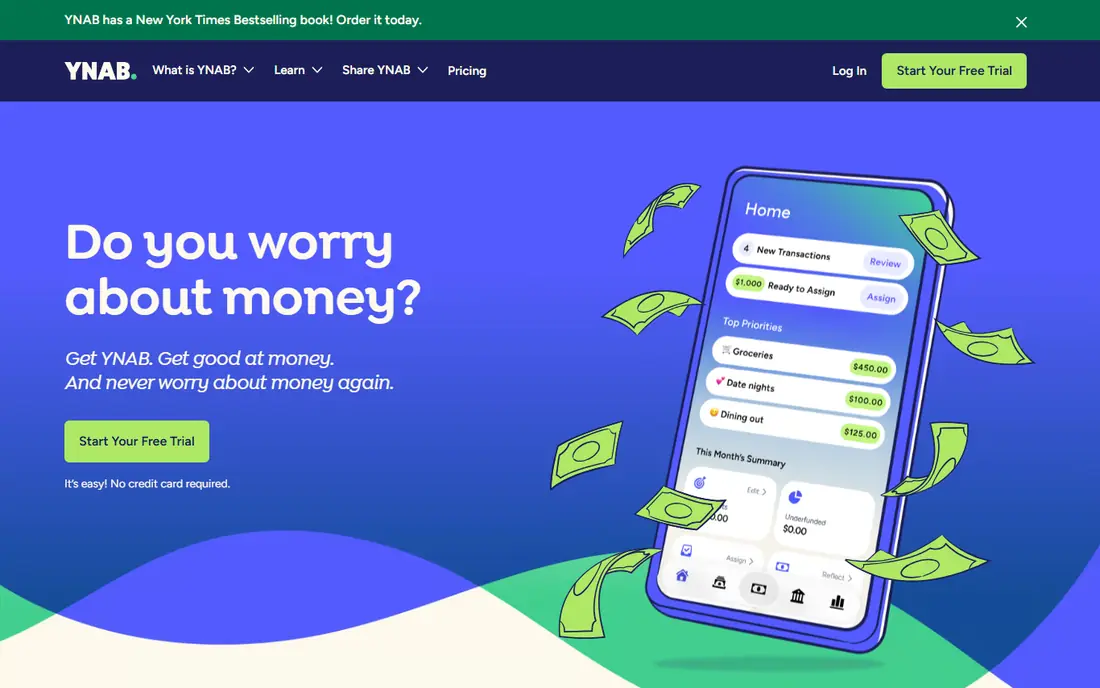
YNAB, short for You Need A Budget, is the best pick for people who want to plan deliberately. You assign money you already have to categories, roll unused amounts forward, and make tradeoffs visible when a category runs short. Targets, credit-card handling and reconciliation are unusually coherent, and the education material explains the method well.
The cost and attention are the honest drawbacks. After a 34-day trial, YNAB costs $109 per year or $14.99 per month, and it rewards daily or weekly attention rather than passive tracking. For budgeters who want behavior change and are willing to learn a method, YNAB is the strongest tool here. For passive trackers, it will feel like work.
- Clear zero-based method with targets and rollover
- Strong bank sync and reconciliation
- Free year for college students
- $109 per year or $14.99 per month after a 34-day trial
- Learning curve for new budgeters
- Demands regular attention
Monarch Money is the best household dashboard in this comparison. It pulls accounts, spending, investments and net worth into one view, supports shared household access, and lets couples set budgets and goals together. The flexible budgeting approach suits households that want oversight without the strict rules of zero-based planning.
There is no permanent free tier, only a 7-day trial, and Core pricing runs $99.99 per year or $14.99 per month. Bank sync quality also varies by institution, so test your own banks during the trial before committing. For couples and households that want one clear financial picture, Monarch is the most complete option here.
- Broad dashboard for accounts, spending and net worth
- Good for couples and households
- Flexible budgets and goals
- Paid only after a 7-day trial
- $99.99 per year for Core
- Bank sync quality varies by institution

Quicken Simplifi is the best value automatic tracker. Its spending plan shows how much you have left to spend after bills and savings, and cash-flow projections flag future shortfalls before they arrive. Bank sync is automatic, and the price undercuts most rivals, though promotional first-year pricing and regular renewal pricing differ, so check both.
Simplifi is a tracker with planning features, not a strict envelope or zero-based system, so hands-on budgeters may find it too loose. For people who want automatic tracking, a clear left-to-spend number and a low bill, Simplifi is the best balance of price and automation in this list.
- Automatic spending plan with an amount-left view
- Cash-flow projections
- Low cost for automatic tracking
- Promotional pricing varies and renewals cost more
- Not a strict envelope system
- Planning depth below YNAB
Copilot Money is the best-designed budgeting app here, and the best pick for Apple users. Automatic tracking, smart categorization, budgets and net worth views are presented in a clean interface that makes review pleasant rather than a chore. The design is not decoration: a budget you enjoy opening gets used more often.
The limit is platform. There is no Android app, so mixed-device households cannot use it together, and the web version is still catching up to the iOS and Mac apps. Pricing runs $95 per year or $13 per month after a trial. For iPhone and Mac users who value design, Copilot is the most enjoyable tracker available.
- Beautiful, design-first interface
- Automatic tracking and smart categorization
- Strong budgeting and net worth views
- No Android app
- $95 per year or $13 per month
- Web version still catching up to iOS and Mac
Rocket Money is the best first step for people who suspect subscriptions are eating their budget. The free connected overview finds recurring charges and categorizes spending with little setup, and Premium adds bill negotiation and more detailed tracking. For a quick win with minimal effort, it is the easiest app here to start.
Budgeting itself is lighter than YNAB or Monarch. Rocket Money shows where money went more than it plans where money should go, and Premium pricing varies by the offer shown. Bill negotiation also takes a share of first-year savings, commonly 35 to 60 percent. Use Rocket Money to clean up recurring costs, then pair it with a planning app if you need stricter budgeting.
- Free connected overview
- Finds subscriptions and recurring charges
- Bill negotiation service available
- Premium pricing varies by offer
- Budgeting is observational rather than planned
- Negotiation takes a share of savings
Goodbudget is the closest digital version of cash envelopes. You divide money into named envelopes, spend from each envelope, and stop when one empties, which makes overspending visible immediately. The free plan includes 20 envelopes, one account and two devices, and shared envelopes work well for couples.
Manual entry is the price of the method. Bank sync requires Premium at $10 per month or $80 per year, and the free plan limits accounts and devices. For budgeters who want the discipline of envelopes and are willing to enter transactions by hand, Goodbudget is the most faithful option. For automation lovers, it will feel slow.
- True digital envelope method
- Free plan with 20 envelopes
- Shared envelopes for couples
- Bank sync needs Premium
- Free plan limited to one account and two devices
- Manual entry takes effort
EveryDollar offers the simplest path into zero-based budgeting. The free manual plan contains the core method: assign income to categories, track spending by hand, and watch funds and debt targets. Setup is fast, and the interface stays focused on the monthly plan rather than a sprawling dashboard.
Automatic transaction sync needs Premium, which costs $79.99 per year or $17.99 per month, and investment and net worth analysis are limited. For budgeters who prefer manual entry and a simple plan, the free tier is enough. For automatic sync fans, Simplifi or Monarch offer more for a similar or lower annual price.
- Clear zero-based setup
- Free manual plan with core method
- Debt and fund tracking included
- Bank sync needs Premium at $79.99 per year
- Investment and net worth views limited
- Monthly Premium price is high
PocketGuard answers one question better than any app here: after bills, goals and savings, how much can I spend right now. That "in my pocket" number is the whole point, and it helps impulse control more than a detailed category list. Automatic categorization, bill views and subscription tracking support that single number.
Customization is lighter than YNAB or Monarch, and Plus pricing runs around $74.99 per year after a trial. For people who want a simple guardrail rather than a full budgeting system, PocketGuard is the best fit. For detailed planners, it will feel thin.
- Clear "in my pocket" spendable number
- Automatic categorization
- Bill and subscription views
- Less flexible customization than rivals
- Plus pricing around $74.99 per year
- Planning features are lighter
Qube Money takes envelopes a step further by pairing them with a debit card. Money sits in digital envelopes, and each purchase draws from the envelope you choose, so overspending is blocked at the point of sale rather than discovered later. Shared envelopes suit households that want joint control over grocery, dining or household spending.
The system takes setup, since it replaces your usual card for envelope spending, and pricing runs around $14 per month or $126 per year after a trial. For envelope budgeters who want real enforcement rather than willpower, Qube is unique. For everyone else, Goodbudget offers the same method without changing cards.
- Digital envelopes paired with a real debit card
- Envelope balance gates each purchase
- Shared envelopes for households
- Pricing around $14 per month
- Card-based system takes setup
- Bank sync and envelope rules take learning
How we picked these
We compared official pricing pages, feature pages and method descriptions, and we favored apps that are current in 2026 and represent distinct methods: zero-based, automatic tracking, envelope and spendable-balance. We included free, trial and paid options, and we left out discontinued apps and apps whose pricing or bank support could not be confirmed from official pages.
We did not claim hands-on testing. Prices, trial lengths and bank sync quality change, and sync varies by institution, so test your own banks during any trial. The method matters more than the app: pick the method you will actually maintain, then pick the app that implements it best.
Matching method to habit
Choose zero-based if you want control
Zero-based apps such as YNAB and EveryDollar suit people who want to decide where every dollar goes before spending it. They demand attention but give the clearest control. If you enjoy planning and review, start here.
Choose automatic tracking if you want awareness
Automatic trackers such as Simplifi, Monarch and Copilot suit people who want to see spending clearly without entering every transaction. They work best when you review weekly and act on what you see, rather than letting the dashboard run untouched.
Choose envelopes if you overspend in categories
Envelope apps such as Goodbudget and Qube suit people who overspend in specific areas such as dining or groceries. A visible pot that empties is a stronger limit than a category total on a screen. Qube enforces the limit at purchase, while Goodbudget relies on your discipline.
Test bank sync before paying
Bank connections fail more often than marketing suggests, especially with smaller banks and credit unions. Use the full trial period with your real accounts, and check that transactions import, categorize and reconcile correctly. An app that cannot sync your main bank is the wrong app, regardless of its other strengths.
FAQ
What is the best budgeting app overall?
YNAB is best for hands-on zero-based planning, and Monarch Money is best for households that want a broad automatic dashboard. Quicken Simplifi is the best low-cost automatic option. There is no single winner, since the best app depends on whether you want to plan, track or simply watch spending.
What is the best free budgeting app?
Rocket Money offers the best free connected overview, and Goodbudget and EveryDollar offer the best free manual plans. Free tiers cover core budgeting, while bank sync and advanced features usually need a paid plan. Start free, and pay only when a specific limit blocks you.
Is YNAB worth $109 per year?
YNAB is worth it for budgeters who use its method weekly and value targets, rollover and reconciliation. It is harder to justify for passive trackers, who get similar awareness from Simplifi at a lower price. Use the 34-day trial with real spending before deciding, and compare the annual cost against the overspending it prevents.
Do budgeting apps work with all banks?
Most major banks connect reliably, but smaller banks and credit unions vary, and connections can break when banks change security systems. Test your own accounts during a trial, and keep a manual entry fallback for any account that will not sync. An app with good manual entry is safer than one that depends entirely on sync.
What is the difference between Monarch Money and YNAB?
Monarch Money is a broad automatic dashboard for households, with accounts, spending, investments and net worth in one view. YNAB is a hands-on zero-based planner that asks you to assign every dollar a job. Monarch suits households that want oversight with less effort, while YNAB suits budgeters who want strict control.
Is budgeting app data safe?
Reputable budgeting apps use bank-grade encryption and read-only connections through aggregators, and they should not store your bank password directly. Read the privacy policy, turn on two-factor authentication, and check what data the app shares. If an app asks for credentials in an unusual way, stop and verify through official channels.