Best Accounting Software Comparison in 2026: 8 Tools Compared
This best accounting software comparison covers QuickBooks, Xero, FreshBooks, Wave and Zoho Books in 2026, with pricing, limits and who each suits best.

- Editor's choice
 QuickBooks Online
US small businesses
Starts at$38 per monthVisit quickbooks.intuit.comFull review - Great alternative
 Xero
Growing businesses
Starts at$25 per monthVisit xero.comFull review - Also consider
 FreshBooks
Freelancers and service firms
Starts at$23 per monthVisit freshbooks.comFull review
TL;DR:
- QuickBooks Online remains the default for US small businesses, mainly because most accountants already know it and it scales from solo to team use.
- Xero is the strongest alternative for growing businesses, with unlimited users on every plan and clean bank reconciliation.
- FreshBooks suits freelancers and service businesses that live in invoices and time tracking, rather than complex inventory.
- Wave and Zoho Books are the best low-cost starts, with free tiers that cover real bookkeeping for very small businesses.
- Price alone is a poor guide, because payroll, invoicing limits and accountant access change the real cost and the real workload.
Quick comparison
| Tool | Best for | Starts at | Free plan? | |
|---|---|---|---|---|
| QuickBooks Online | US small businesses | $38 per month | Yes | Visit |
| Xero | Growing businesses | $25 per month | No | Visit |
| FreshBooks | Freelancers and service firms | $23 per month | No | Visit |
 Wave | Free bookkeeping start | Free | Yes | Visit |
 Zoho Books | Budget accounting | $15 per month | Yes | Visit |
 Sage Accounting | Established small firms | See website | Free trial | Visit |
 FreeAgent | Freelancers and contractors | See website | Free trial | Visit |
 Kashoo | Simple first-time bookkeeping | See website | Free trial | Visit |
The best accounting software comparison
This comparison covers top accounting software for small businesses in the US, with a focus on what you actually get at the entry price. We compared official pricing pages and recent pricing coverage checked in October 2026, and we kept tools that are actively sold and supported. Prices are list prices before promotions, and they exclude taxes and payment processing fees, so confirm the current price on the vendor site before you buy.
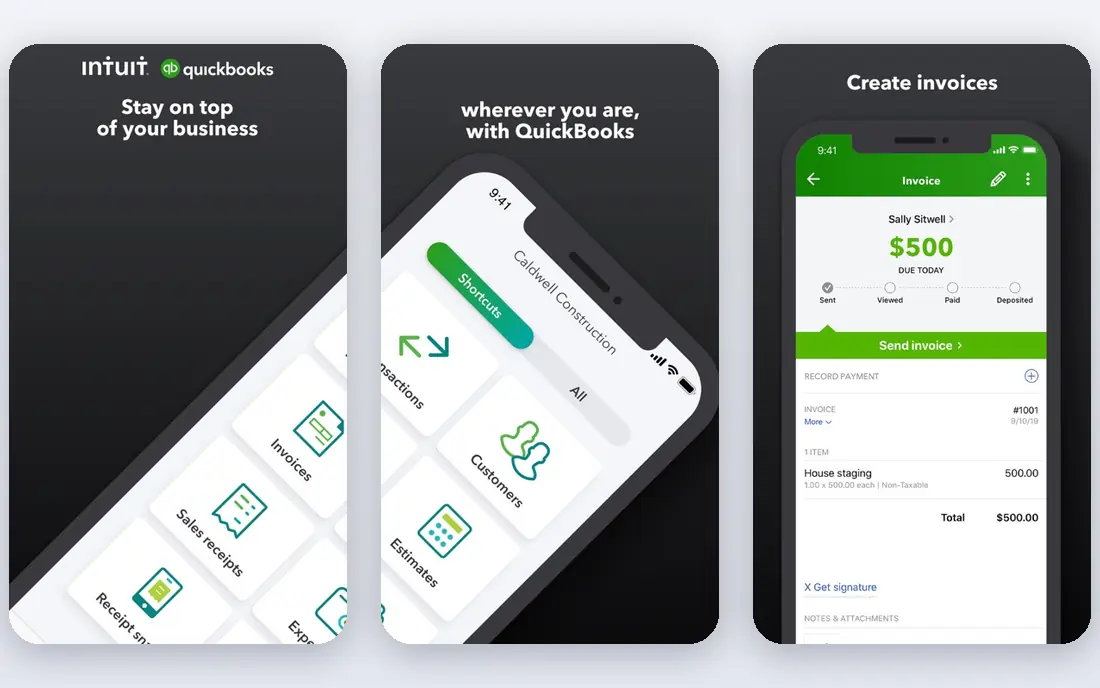
QuickBooks Online is the safe default for a US small business, and the reason is practical rather than exciting. Your accountant probably already uses it, your bookkeeper probably already knows it, and most banks, payroll tools and apps connect to it. Simple Start at $38 per month covers invoicing, expense tracking and basic reporting for a single user, with accountant users included, and higher tiers add more users, inventory and project features.
The downside is cost as you grow. Each step up adds users and features you may not need yet, and payroll is an add-on rather than included. Solo users who only need invoices and tax tracking may find QuickBooks Solopreneur at $20 per month a better fit, or a cheaper tool entirely. For a growing business that will hire an accountant, though, QuickBooks saves time in the long run.
- Most widely known by US accountants
- Simple Start at $38 per month
- Scales to larger teams and payroll add-ons
- Entry plan allows only one user plus accountants
- Price rises with users and features
- Interface can feel busy for solo users
Xero is the closest like-for-like alternative to QuickBooks for a growing business, and its unlimited-user policy is a real advantage. You do not pay more just because your bookkeeper, your partner and your accountant all need access, which keeps costs predictable as the team grows. Early at $25 per month includes quotes, 20 invoices and 5 bills, with bank reconciliation that many users rate as its strongest feature.
For US users, the gaps are payroll and tax depth. Payroll in the US is handled through partners, and sales tax and 1099 handling are less central than in QuickBooks. If you work with an accountant who prefers Xero, or you run a multi-currency business, those gaps may not matter. If you need deep US tax support in the same tool, QuickBooks is still stronger.
- Unlimited users on every plan
- Early at $25 per month
- Strong bank reconciliation and multi-currency support
- No permanent free plan
- Payroll is via partners such as Gusto in the US
- US tax features are less deep than QuickBooks
FreshBooks is built for people who bill clients for services and time. Invoices look clean, clients can pay online, and time tracking feeds directly into invoices, which removes a common source of lost billable hours. Lite at $23 per month covers up to 5 clients, which suits a freelancer with a small client list, while higher plans raise that limit and add features such as project profitability.
It is less suited to a business that sells stock, because inventory support is limited compared with QuickBooks or Xero. There is also no permanent free tier, only a trial, so you should use the trial to send a real invoice and check the payment flow before you commit. For a service business, though, the invoicing quality is worth the price.
- Best invoicing experience in this group
- Lite at $23 per month
- Time tracking and client portals built in
- No permanent free tier
- Client limits on lower plans
- Weaker for inventory-heavy businesses
Wave is the best free option for a very small business that needs real double-entry bookkeeping without a monthly bill. The free Starter plan includes unlimited invoices, estimates, bills and bookkeeping records, which is enough for many side businesses and new freelancers. Setup is quick, and you can add payroll and payment processing as paid add-ons when you need them.
The limits appear as you grow. Advanced features sit in the $19 per month Pro tier, and reporting and inventory depth are thinner than QuickBooks or Xero. Wave also suits US and Canadian businesses best, so check coverage if you operate elsewhere. For a new business with low revenue, though, starting free and upgrading only when needed is a sensible path.
- Free Starter plan with unlimited invoices and bookkeeping records
- No revenue cap on the free plan
- Simple setup
- Pro at $19 per month for advanced features
- Payroll is an add-on
- Fewer advanced reporting options than QuickBooks
Zoho Books offers the most accounting per dollar in this group, especially for a bootstrapped founder. If your annual revenue is under $50,000, the free plan covers core bookkeeping, and Standard at $15 per month billed annually adds more users and features. It integrates well with other Zoho apps, such as Zoho CRM and Zoho Inventory, which makes it a strong choice if you already use Zoho.
The revenue cap on the free plan means you will need to upgrade as you grow, which is fair, but you should plan for that step. US payroll is also not built in the way QuickBooks payroll is, and fewer US accountants work in Zoho Books day to day. If you already use Zoho, or you want full accounting at a low price, those trade-offs are easy to accept.
- Free plan for businesses with revenue under $50,000 per year
- Standard at $15 per month billed annually
- Strong value for Zoho users
- Free plan limit is tied to revenue
- US payroll is not built in
- Fewer US accountants use it than QuickBooks
Sage has served small businesses for decades, and its accounting product covers the core jobs well, including invoicing, expenses, bank reconciliation and reporting. For a firm that already uses Sage for payroll or other needs, staying in the same family reduces integration work. It also suits businesses that want a more traditional accounting structure, rather than a freelancer-first design.
The main friction is pricing clarity and US fit. Sage pricing varies by plan and region, so you should check the vendor site for your country and tier, and trial the product before you commit. US users may also find fewer local accountants and integrations than with QuickBooks. Choose Sage when its existing fit or reporting style matches your firm, not just on brand name.
- Long track record with small businesses
- Solid invoicing and reporting
- Good for firms that already use Sage products
- Pricing varies by region and plan and needs checking on the vendor site
- Interface is less modern than newer rivals
- US presence is smaller than QuickBooks
FreeAgent is designed for freelancers, contractors and small companies, with a focus on making tax deadlines and cash flow easy to understand. Its dashboard shows what you owe, when it is due and how your business is doing, without requiring accounting knowledge. That clarity is valuable for a solo owner who wants to stay on top of taxes without hiring a full-time bookkeeper.
Its home market is the UK, so US users should check current US pricing, tax features and support before buying, since UK plans are priced in pounds. Larger teams with inventory or multi-entity needs will also outgrow it faster than QuickBooks or Xero. For a freelancer who wants simple, tax-aware bookkeeping, it remains a strong option to trial.
- Built for freelancers and small companies
- Clear tax timelines and estimates
- Simple dashboard for non-accountants
- Pricing is in pounds for UK plans and varies by region
- US support is thinner than UK support
- Less depth for larger teams
Kashoo is the easiest tool in this list for an owner with no bookkeeping background. Setup asks simple questions, invoicing and expense tracking are straightforward, and the interface avoids accounting jargon where possible. That simplicity helps a new owner actually keep books up to date, which matters more than a feature list they never use.
The trade-off is depth. As transaction volume, inventory or reporting needs grow, you may hit limits that QuickBooks or Xero handle easily. Pricing also needs checking on the vendor site, since published figures have varied. Pick Kashoo when simplicity is the priority and your business is small, and plan to migrate if your needs become more complex.
- Very simple setup for first-time owners
- Clean invoicing and expense tracking
- Good for businesses with no bookkeeping background
- Fewer advanced features than QuickBooks or Xero
- Pricing needs checking on the vendor site
- Smaller integration library
How we picked these
We compared official pricing pages and recent pricing coverage, and we kept tools that are actively sold in October 2026 and truly cover small business accounting, including invoicing, expenses and bank reconciliation. We looked for a clear entry price, a realistic free or trial path, and a fit for US small businesses or freelancers. We did not include enterprise ERP tools, personal budgeting apps or tools that only do invoicing without bookkeeping.
How to choose from this comparison
Start with who will do the books. If an accountant will do them, ask which tool they prefer, because their time is a real cost. QuickBooks usually wins that question in the US, while Xero wins it for some international or multi-user teams. If you will do the books yourself, trial the invoicing and bank reconciliation flow, not just the dashboard, because those are the tasks you will repeat every week.
Next, check limits that matter to you. Count your monthly invoices, clients and users, and compare those numbers with the entry plan limits. A cheap plan that caps you at 5 clients will cost more in upgrades than a slightly dearer plan with room to grow. Finally, check payroll, sales tax and payment processing separately, because those add-ons often decide the total monthly cost more than the base plan does.
FAQ
What is the best accounting software for small business?
QuickBooks Online is the best default for US small businesses, because of accountant familiarity and scale. Xero is the best alternative for growing, multi-user teams, while Wave and Zoho Books are best for low-cost starts. The right pick depends on your accountant, your client count and your payroll needs.
Is QuickBooks or Xero better?
QuickBooks is better for deep US tax support and for working with a US accountant who already uses it. Xero is better for unlimited users and for multi-currency businesses. Both cover core bookkeeping well, so the deciding factor is usually your accountant and your user count, not the feature list.
What is the cheapest accounting software?
Wave is cheapest to start, because its Starter plan is free with unlimited invoices and bookkeeping records. Zoho Books is also free if your revenue is under $50,000 per year. Both are real accounting tools, not just invoice apps, but you will pay for payroll and advanced features as you grow.
Can FreshBooks handle full accounting?
FreshBooks handles invoicing, expenses, time tracking and basic accounting well for service businesses, but it is weaker for inventory and complex accounting than QuickBooks or Xero. For a freelancer or agency, that coverage is usually enough. For a stock-holding business, a fuller accounting tool is a better fit.
Do I need payroll built into my accounting software?
Not always. You can run payroll through a separate provider such as Gusto and connect it to your accounting tool, which many Xero and Wave users do. Built-in payroll, as in QuickBooks, is simpler to manage in one place, but it adds to the monthly cost, so compare the total before you decide.
How often should I reconcile my books?
Reconcile bank accounts at least monthly, and weekly if transaction volume is high. Regular reconciliation catches errors, duplicate entries and missing transactions early, when they are easy to fix. Most tools in this list automate much of the matching, but you should still review unmatched items yourself.