Best Budgeting Apps for Beginners in 2026: 9 Apps Compared
Compare the best budgeting apps for beginners, with simple methods, free plans and real prices, so first-time budgeters can pick with total confidence.
- Editor's choice
 Rocket Money
Finding subscriptions and free tracking
Starts atFreeVisit rocketmoney.comFull review - Great alternative
 YNAB
Hands-on zero-based budgeting
Starts at$14.99 per monthVisit ynab.comFull review - Also consider
 Monarch Money
Household money dashboard
Starts at$14.99 per monthVisit monarchmoney.comFull review
TL;DR:
- Rocket Money and Goodbudget are the best free starting points for beginners, while YNAB is the best choice for people who want a hands-on method that changes habits.
- Monarch Money suits households that want budgeting, net worth and investments in one dashboard, and Quicken Simplifi is the cheapest capable paid all-rounder.
- Beginners should choose based on method first, automatic sync or manual entry, rather than on the longest feature list.
- This article is general information only and is not financial advice, so check terms carefully before linking bank accounts or paying for a subscription.
Quick comparison
| Tool | Best for | Starts at | Free plan? | |
|---|---|---|---|---|
| Rocket Money | Finding subscriptions and free tracking | Free | Yes | Visit |
| YNAB | Hands-on zero-based budgeting | $14.99 per month | Free trial | Visit |
| Monarch Money | Household money dashboard | $14.99 per month | Free trial | Visit |
 Quicken Simplifi | Affordable all-round tracking | $5.99 per month | Free trial | Visit |
 Copilot | Design-first tracking for Apple users | $13 per month | Free trial | Visit |
 Goodbudget | Envelope budgeting without bank links | Free | Yes | Visit |
 EveryDollar | Simple zero-based budgeting | Free | Yes | Visit |
 PocketGuard | A single safe-to-spend number | Free | Yes | Visit |
 Honeydue | Couples budgeting together | Free | Yes | Visit |
The best budgeting apps for beginners
The best budgeting apps for beginners do one job well: they show where money goes and help you plan the next month without a spreadsheet degree. The nine apps below range from free trackers to paid planners, and each one suits a different kind of beginner.
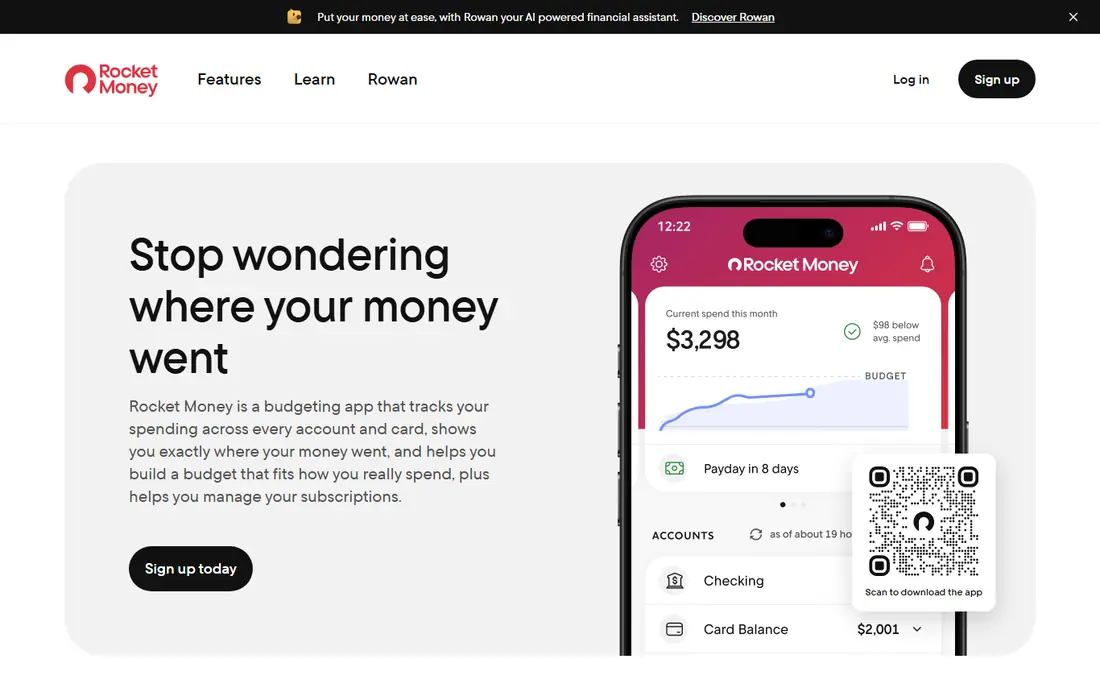
Rocket Money is a good first app because it gives value before you pay. Link an account and it surfaces recurring subscriptions, many of which people forget, and shows spending by category. That quick win helps beginners see why a budget matters, rather than asking them to build categories from scratch on day one. Premium adds more budgeting tools, and you choose a price in a set range, which keeps the entry cost flexible.
The catch is that bill negotiation, if you use it, keeps a share of the first-year savings, commonly around a third to a half depending on terms, so read that fee before you agree. Premium pricing also varies with the price you pick, so the yearly total is less predictable than a fixed-price rival. For a free start with real findings, though, Rocket Money is hard to beat.
- Free tier finds subscriptions
- Spending tracking without a large upfront cost
- Bill negotiation option
- Premium is pay-what-you-want, which confuses pricing
- Bill negotiation takes a share of savings
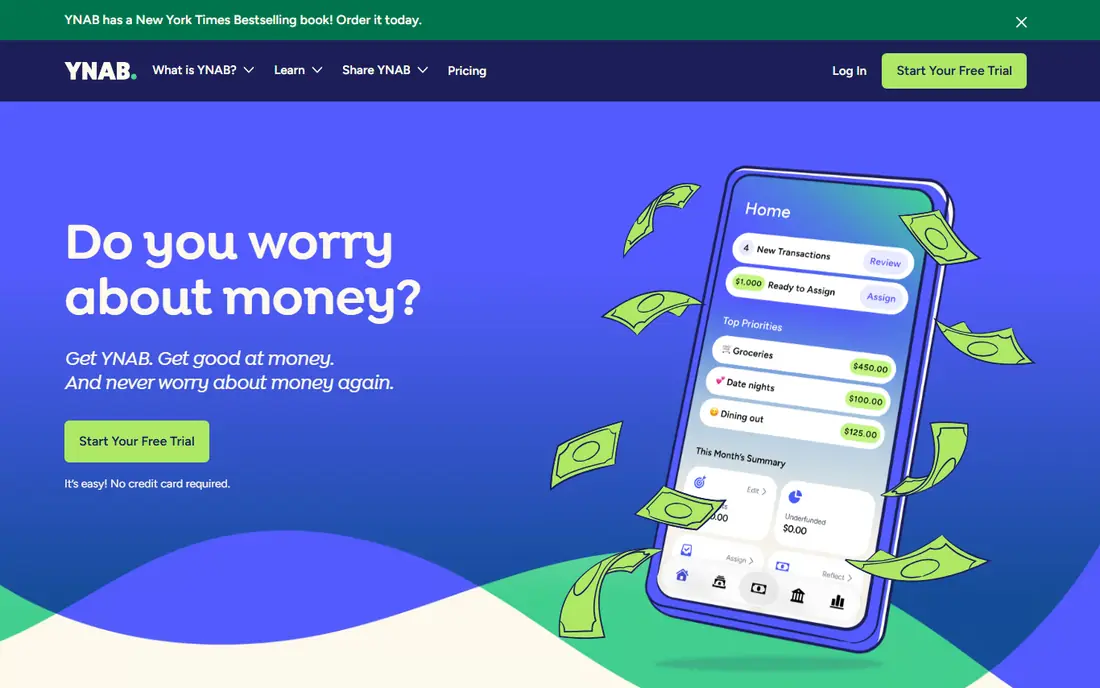
YNAB, short for You Need A Budget, is our pick for beginners who want a method, not just a tracker. You assign every dollar you have to a category before you spend it, which forces a simple question: what is this money for. That discipline helps people who track spending but still run out of money before payday. The app includes workshops, guides and a supportive community, which matter when the first month feels awkward.
The price is the barrier. At $14.99 a month or $109 a year, with a 34-day trial and no free tier, YNAB costs more than most rivals. It also asks for regular attention, which some beginners will love and others will resent. If you are willing to spend twenty minutes a week on your budget, YNAB can change habits in a way a passive tracker rarely does. This is not financial advice, and YNAB does not replace advice from a qualified professional for debt or investment decisions.
- Clear zero-based method
- Strong learning resources
- Gives every dollar a job
- Learning curve for true beginners
- No free tier after the 34-day trial
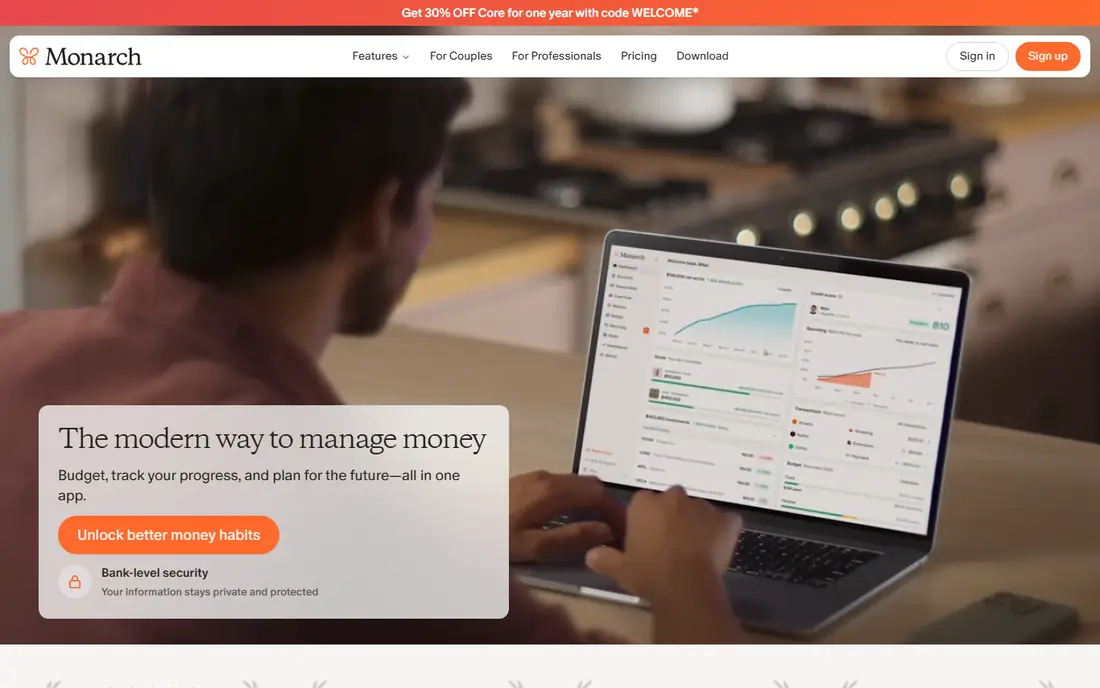
Monarch Money suits couples and households who want one view of everything. Budgets, accounts, net worth, cash flow and investments sit in a single dashboard, and a partner can access the same household view without a second subscription. That shared view reduces the classic problem where one person manages money and the other has no idea what is happening.
The downside for beginners is scope and price. At $14.99 a month or $99.99 a year for the core plan, with only a 7-day trial, Monarch asks you to commit before you know if you will use the investment tools. Beginners who only need a monthly budget may find Rocket Money or Goodbudget simpler and cheaper. Households ready for a full dashboard will appreciate Monarch most.
- Budgeting, net worth and investments in one place
- Partner access included
- Clean dashboard
- Paid only, with a short 7-day trial
- More than a beginner may need at first
Quicken Simplifi is the cheapest capable paid all-rounder we compared. Its Spending Plan shows how much you have left after bills and savings goals, and its forecast helps you see upcoming cash flow, which is exactly what beginners ask for most. At around $5.99 a month billed annually, it undercuts YNAB and Monarch while still offering automatic account syncing.
Simplifi is not a strict envelope budget, so people who want to assign every dollar in advance may prefer YNAB or Goodbudget. Promotional first-year pricing also means you should check the renewal price before you subscribe. For beginners who want automation, a clear left-to-spend number and a modest price, Simplifi is a strong middle choice.
- Spending plan and cash-flow forecast
- Lower price than YNAB or Monarch
- Watchlists for bills
- Not a strict envelope system
- Promotional pricing can confuse the renewal cost
Copilot is the best budgeting app for beginners who use Apple devices and care about design. Transactions are categorised clearly, budgets are easy to read, and the app makes reviewing a month feel less like homework. At $13 a month or $95 a year, with a one-month trial, it sits in the same price band as YNAB and Monarch, but with a lighter, more visual feel.
The limit is platform. There is no Android app, so Android users should skip Copilot entirely. The web version has also lagged behind mobile in some areas, though it has improved. Apple users who want a polished tracker and are willing to pay for it will like Copilot, while Android users should look at Simplifi or Monarch instead.
- Beautiful, clear design
- Smart categorisation
- Good for reviewing spending patterns
- No Android app
- Web features still catching up with the mobile app
Goodbudget brings the old envelope method to your phone. You divide money into virtual envelopes for groceries, rent, transport and fun, then record spending against each envelope. That visual limit helps beginners who overspend in one category without noticing. The free tier covers 20 envelopes, which is enough for a simple household budget, and you do not need to link a bank account to start.
Manual entry is both the strength and the weakness. It forces awareness, but it also takes a few minutes each day, and busy beginners may fall behind. Paid Plus, at $10 a month or $80 a year, adds more envelopes and bank syncing. If privacy matters to you, or you distrust bank linking, Goodbudget is the best place to start.
- Simple envelope method
- Free tier for 20 envelopes
- Works without linking bank accounts
- Manual entry takes effort
- Bank sync needs the paid Plus plan
EveryDollar is the simplest zero-based budget on this list. You create a monthly budget, assign income to categories until the remaining amount hits zero, and track spending against that plan. The free version uses manual entry, which keeps the concept clear and the cost at zero. That simplicity suits beginners who felt lost in YNAB or Monarch.
Bank syncing and automatic transaction imports need Premium, which is pricey at $17.99 a month or $79.99 a year. If you are happy to enter spending by hand, the free version is genuinely useful. If you want automation, Simplifi or Rocket Money give you more for less. EveryDollar is best for people who like a clean monthly plan and do not mind manual entry.
- Very simple zero-based setup
- Free manual version
- Clear monthly budget view
- Bank sync needs Premium
- Premium costs $17.99 a month or $79.99 a year
PocketGuard answers one question better than any rival: how much can I spend today without breaking my budget. After bills, goals and savings are accounted for, it shows a single safe-to-spend number. That clarity helps beginners who do not want to study charts and categories every day. The free tier covers basic tracking, while Plus, at $12.99 a month or $74.99 a year, adds more features and accounts.
The trade-off is depth. PocketGuard is lighter on detailed budgeting and reporting than YNAB, Monarch or Simplifi, so serious planners may outgrow it. For a beginner who mainly needs a daily guardrail and a warning before overspending, PocketGuard is a friendly, low-pressure start.
- Clear In My Pocket figure
- Bill and subscription tracking
- Simple daily view
- Full features need Plus
- Category tools are lighter than YNAB or Monarch
Honeydue is built for two people managing money together. Each partner links accounts, chooses what to share, and sees joint bills, balances and reminders in one place. A built-in chat lets couples discuss a bill without switching apps, which sounds small but helps when money conversations are awkward. The core app is free, which makes it an easy trial for couples.
Single users will find less here than in Rocket Money or Simplifi, and reporting tools are simpler than Monarch. Honeydue also focuses on day-to-day bills and balances rather than deep investment tracking. For couples starting their first shared budget, though, Honeydue is the most purpose-built free option on this list.
- Free for couples
- Shared and individual accounts
- Bill reminders and chat
- Less powerful for single users
- Reporting is simpler than paid rivals
How we picked these
We compared official pricing pages, free tier limits and published feature pages in October 2026, favouring apps that state their price, trial length and bank sync limits clearly. We included free, manual and paid options, and we mixed methods, from zero-based and envelope budgeting to simple tracking, so beginners can match an app to how they actually handle money. We left out apps with hidden pricing or very narrow availability. This article is general information only and is not financial advice.
How to start budgeting in your first month
Pick one method and stick with it for a full month. If you like control, try zero-based budgeting with YNAB or EveryDollar. If you like visual limits, try Goodbudget envelopes. If you like automation, try Rocket Money, Simplifi or Copilot and review the categories each week. Do not try three apps at once, since that splits your attention and your data.
In week one, just track spending without judging it. In week two, set realistic categories based on what you actually spent, not what you wish you spent. In week three, set one savings goal and one spending limit that feels achievable. In week four, review what worked and what felt like a chore, then decide whether to pay for a premium plan or stay free. A budget you keep is better than a perfect budget you abandon.
Protecting your accounts and privacy
Linking a bank account is convenient, but it deserves care. Use a strong, unique password, turn on two-factor authentication where offered, and check the app privacy policy for how it uses transaction data. If you are uneasy about linking accounts, start with Goodbudget or the manual version of EveryDollar, which work without bank access. Review connected accounts every few months and remove any app you no longer use.
FAQ
Which budgeting app is best for beginners?
Rocket Money is best for a free start, Goodbudget is best for envelope budgeting without bank links, and YNAB is best for a hands-on method. Beginners who want a paid all-rounder should compare Quicken Simplifi with Monarch Money. The best app is the one whose method you will actually follow for a full month.
What is the best budgeting software for beginners?
For desktop and mobile together, Quicken Simplifi and Monarch Money offer the most complete software experience, with budgets, accounts and reports in one place. YNAB also works on web and mobile and suits people who want a strict method. Free options such as Rocket Money and Goodbudget work well on mobile for simpler needs.
Is there a free budgeting app for beginners?
Yes. Rocket Money, Goodbudget, EveryDollar, PocketGuard and Honeydue all offer free tiers that cover basic budgeting or tracking. Free tiers usually limit bank sync, envelopes or premium features, so check those limits before you rely on one app for a joint household budget.
Should beginners link their bank account to a budgeting app?
Linking saves time and catches spending you forget, but it is not required. Manual apps such as Goodbudget work well without it, and they give you more privacy control. If you link accounts, use strong passwords and two-factor authentication, and review permissions regularly. This is general information, not financial advice.
How much should a budgeting app cost?
A good free app can be enough for a simple budget, while paid apps in this list range from about $5.99 a month for Simplifi to $14.99 a month for YNAB or Monarch on monthly billing. Annual billing usually lowers the monthly cost. Start free, then pay only if the paid features solve a problem you actually have.
What is the difference between YNAB and Monarch Money?
YNAB is a hands-on, zero-based method that asks you to assign every dollar before you spend it, while Monarch Money is a broader household dashboard that combines budgeting with net worth and investment views. YNAB suits habit change, Monarch suits households that want one view of everything. Both are paid, with trials, and neither is financial advice.