Best Big Data Platform in 2026: 8 Platforms Compared
Compare the best big data platform options for 2026, with pricing, SQL, streaming, machine learning and fit for analytics and engineering teams today.
- Editor's choice
 Databricks
Unified analytics and machine learning
Starts atSee websiteVisit databricks.comFull review - Great alternative
 Snowflake
Managed cloud data warehouse
Starts atSee websiteVisit snowflake.comFull review - Also consider
 Google BigQuery
Serverless SQL analytics
Starts atSee websiteVisit cloud.google.comFull review
TL;DR:
- Databricks leads for teams that combine SQL analytics with machine learning and Spark engineering.
- Snowflake and Google BigQuery lead for SQL heavy analytics with managed scaling.
- Amazon Redshift and Azure Synapse make most sense inside their own clouds.
- Pricing models differ sharply, so cost should be tested on a real workload, not a headline rate.
- Open source Spark and lakehouse options suit teams that want control and can run infrastructure.
Quick comparison
| Tool | Best for | Starts at | Free plan? | |
|---|---|---|---|---|
| Databricks | Unified analytics and machine learning | See website | Yes | Visit |
| Snowflake | Managed cloud data warehouse | See website | Free trial | Visit |
| Google BigQuery | Serverless SQL analytics | See website | Yes | Visit |
 Amazon Redshift | Analytics inside AWS | See website | Free trial | Visit |
 Azure Synapse Analytics | Unified analytics in Microsoft Azure | See website | No | Visit |
 Cloudera | Hybrid and governed data platform | See website | Free trial | Visit |
 Amazon EMR | Managed Spark and big data frameworks on AWS | See website | No | Visit |
 Dremio | Lakehouse SQL without moving data | See website | Yes | Visit |
The best big data platform
A big data platform stores, processes and queries large volumes of data for reporting, analysis and machine learning. We compared compute models, SQL support, streaming, governance and pricing shape, with attention to how each platform fits different engineering skills.
Databricks combines data engineering, SQL analytics and machine learning on a lakehouse architecture built on open formats. Teams can run notebooks, pipelines and SQL warehouses in one workspace, with governance tools to control access to tables and models. That breadth makes it popular for companies that build both dashboards and production models from the same data.
Pricing is based on Databricks units plus cloud infrastructure in some setups, so bills need careful monitoring. Serverless options simplify that picture, but they still reward good partitioning and warehouse sizing. Databricks fits best for teams with data engineering skill and a real machine learning workload alongside analytics.
- Lakehouse design
- Strong Spark and ML tools
- Serverless SQL options
- Usage based pricing can be complex
- Needs Spark knowledge for advanced work
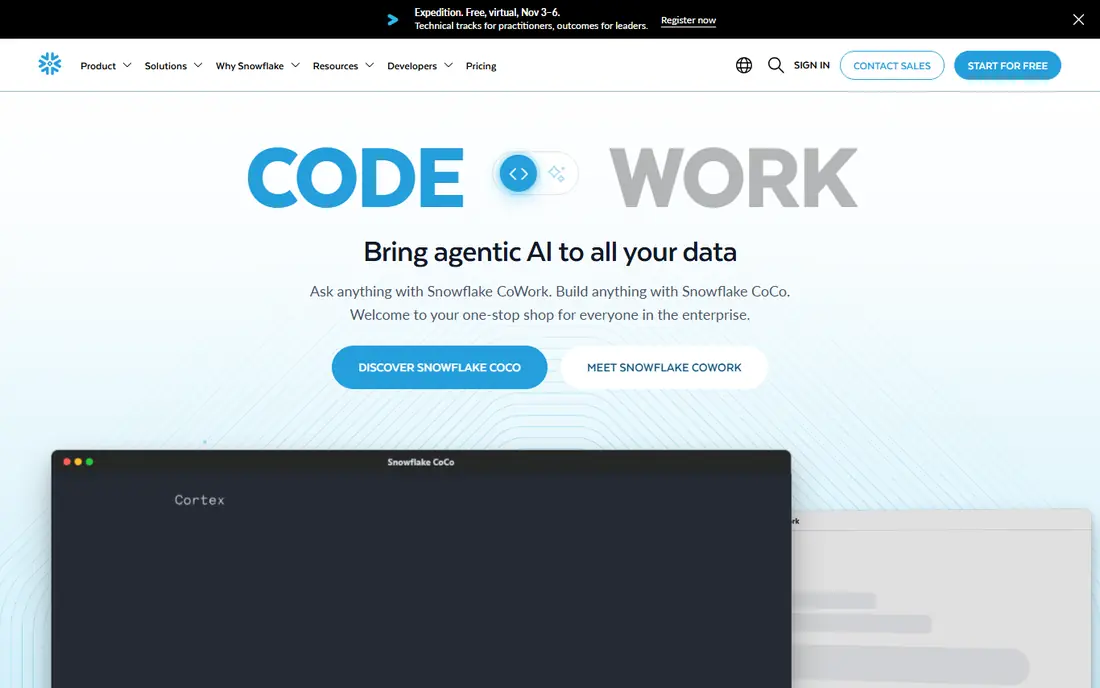
Snowflake separates storage from compute, so teams can scale warehouses up for heavy queries and suspend them when idle. Analysts work in SQL, data sharing is straightforward, and governance tools help central teams control access. That model suits business intelligence workloads where many teams query the same data at different times.
The main risk is cost discipline. Credits are consumed while warehouses run, with a minimum billing period on resume, so oversized or always on warehouses waste money. Auto suspend and right sizing help, but they need ongoing attention. For SQL centered analytics at scale, Snowflake remains a leading choice.
- Separate storage and compute
- Easy scaling
- Strong SQL and sharing features
- Credit costs rise with idle or oversized warehouses
- No permanent free tier

Google BigQuery is a serverless warehouse where analysts run SQL without sizing clusters. Storage and compute scale on their own, and integration with Google Analytics, Firebase and Google Ads data is a practical benefit for consumer and ecommerce teams. A free tier covers a monthly amount of queries and storage, which helps small teams start.
On demand pricing charges by data scanned, so a poorly partitioned table or a broad query can cost more than expected. Capacity pricing can cap that risk for steady workloads, but it needs forecasting. For teams on Google Cloud with variable query volume, BigQuery offers a low operations path to large scale analytics.
- No servers to manage
- Fast large scans
- Google Cloud integration
- On demand scan pricing can surprise
- Needs partitioning discipline
Amazon Redshift is AWS managed warehouse for SQL analytics, with both provisioned clusters and a serverless option. Teams already storing data in S3 and running apps on AWS can query across sources with less movement, and serverless scaling helps with variable workloads. Performance for structured reporting is a long standing strength.
Pricing varies by node type or serverless capacity units, so a pilot on real queries is the best guide. Teams outside AWS will find less benefit, and migration from another warehouse takes planning. Inside AWS, Redshift is a dependable, well supported analytics choice.
- Deep AWS integration
- Serverless option
- Strong SQL performance
- Best value inside AWS
- Serverless cost depends on usage
Azure Synapse Analytics brings SQL pools, Spark pools and data integration into one Azure workspace. Teams can run traditional warehouse queries and Spark jobs against the same data, then surface results in Power BI. That combination suits Microsoft centered companies that need both reporting and engineering in one place.
Cost depends on dedicated SQL pool units, serverless queries and Spark usage, so budgeting needs a workload test. Synapse is less attractive as a neutral, multi cloud choice. For Azure teams, its integration with Microsoft identity, storage and BI tools is a strong reason to shortlist it.
- SQL and Spark in one workspace
- Power BI integration
- Enterprise governance
- Pricing varies by pool and usage
- Best inside Azure
Cloudera provides a data platform that can run in public cloud, private cloud or on premises, with services for ingestion, engineering, warehousing and machine learning. Its governance and security tools appeal to regulated industries and large companies that must control where data lives. Hybrid deployment is a real differentiator when some data cannot move to public cloud.
The platform is complex and pricing is quote based, so small teams will likely find it heavy. Implementation and operations need skilled staff or a partner. For large organizations with hybrid requirements and strict governance, Cloudera offers control that simpler cloud warehouses do not.
- Hybrid cloud and on premises options
- Governance tools
- Broad data services
- Quote based pricing
- Complex for small teams
Amazon EMR lets teams run Spark, Hadoop, Hive, Presto and related frameworks on managed clusters without building the underlying infrastructure from scratch. It suits batch processing, large ETL jobs and custom analytics that need framework level control. Integration with S3 keeps storage separate from compute, which helps cost control.
EMR is not a turnkey warehouse for business analysts. Teams need engineers who can write and tune jobs, manage clusters and monitor costs. For AWS teams with heavy batch or streaming engineering work, it is a flexible and proven platform. For pure SQL reporting, a warehouse will be simpler.
- Managed Hadoop, Spark and related frameworks
- Pay for clusters used
- AWS integration
- Needs engineering skill
- You manage jobs and tuning
Dremio is a SQL engine for the data lakehouse that lets analysts query data in open formats such as Apache Iceberg without first loading it into a proprietary warehouse. That approach can reduce duplication and give teams faster access to fresh data. Self service features help analysts explore data without waiting for a central engineering queue for every query.
Dremio works best when a data lake is already in place or planned. Teams without that foundation will need to build storage, catalog and governance around it. Pricing for enterprise features is quote based, so a pilot should test performance on real tables and query patterns before committing.
- SQL on data lake storage
- Open formats
- Self service analytics
- Needs data lake setup
- Enterprise features are quote based
How we picked these
We compared official documentation, pricing models and product scope for warehousing, lakehouse, streaming and machine learning use. We favored platforms that are actively maintained, widely used in production and clear about their compute model. We did not claim hands-on testing. We included managed warehouses, lakehouse platforms and managed frameworks so readers can match a platform to their cloud, skills and workload, rather than forcing one architecture on every team.
How to choose a big data platform
Start with the workload, not the vendor. List your main jobs: dashboards, ad hoc SQL, batch ETL, streaming and machine learning. A SQL heavy team will be happiest on Snowflake or BigQuery, while a team building models and Spark pipelines will get more from Databricks or EMR. A team already committed to one cloud will usually save time and integration cost by staying in that cloud.
Next, test cost on a realistic workload. Run the same dashboards and queries for two weeks, track compute, storage and data scanned, and compare totals. Check governance early: who can see which tables, how access is audited, and how data quality is monitored. A platform that is cheap on paper but hard to govern can become costly in time and risk later.
Skills and operations
Managed warehouses need less engineering time, which matters for small teams. Spark based platforms need more skill but give more control over processing and modeling. Be honest about the team you have today and the team you can hire. A platform your current team can run well will outperform a more powerful platform that sits idle or is misconfigured.
FAQ
What is the best big data platform?
The best platform depends on workload and cloud. Databricks suits combined analytics and machine learning, Snowflake and BigQuery suit SQL analytics, and Redshift or Synapse suit teams inside AWS or Azure. A workload test is the most reliable way to choose.
What is the best big data software for analytics?
For analytics alone, a managed warehouse such as Snowflake, BigQuery or Redshift is usually simplest. Analysts work in SQL, scaling is managed and dashboards connect directly. Lakehouse tools such as Databricks and Dremio add flexibility when data engineering and machine learning share the same data.
What are the best data management tools for large data?
Data management at scale needs storage, catalog, governance and processing together. Cloudera and Databricks cover that breadth, while warehouses cover the analytics slice well. Choose based on whether you need hybrid deployment, strict governance or mainly fast SQL.
What are the best analytical tools for big data?
Analytical tools include the warehouse or lakehouse itself, plus BI tools that connect to it. The platform choice shapes query speed and cost, while the BI tool shapes how teams explore results. Test both together, since a fast warehouse with a poor BI connection still slows analysts down.
How much does a big data platform cost?
Cost ranges from free open source software where you pay for infrastructure, to managed services billed by compute, storage or data scanned. A mid sized analytics workload can cost hundreds to thousands of dollars a month. Always pilot with real queries and set alerts for spend.