Best Beginner Stock Investing Apps in 2026: 8 Apps Compared
We compared the best beginner stock investing apps for low costs, simple tools, and learning help, so new investors can start small with confidence in 2026.
- Editor's choice
 Fidelity
All-around beginners
Starts atFreeVisit fidelity.comFull review - Great alternative
 Charles Schwab
Beginners who want guidance
Starts atFreeVisit schwab.comFull review - Also consider
 Robinhood
Simple mobile trading
Starts atFreeVisit robinhood.comFull review
TL;DR:
- Most leading beginner apps now charge $0 commission on US stocks and ETFs, so education, account types, and extra fees matter more than headline trading costs.
- Fidelity and Charles Schwab stand out for beginners who want retirement accounts, research, and human help in the same place.
- Robinhood and Webull suit phone-first users, but their clean screens can make frequent trading feel too easy, so a plan matters.
- Acorns and Stash help people who want to start with very small amounts and build a habit before picking individual stocks.
- This is not financial advice; trading carries risk, and money invested in stocks can fall in value.
Quick comparison
| Tool | Best for | Starts at | Free plan? | |
|---|---|---|---|---|
| Fidelity | All-around beginners | Free | Yes | Visit |
| Charles Schwab | Beginners who want guidance | Free | Yes | Visit |
| Robinhood | Simple mobile trading | Free | Yes | Visit |
 Webull | Practice trading first | Free | Yes | Visit |
 SoFi Invest | Hands-off beginners | Free | Yes | Visit |
 Acorns | Automatic small investing | $3 per month | Free trial | Visit |
 Stash | Learning while investing | $3 per month | Free trial | Visit |
 Public | Research-led beginners | Free | Yes | Visit |
The best beginner stock investing apps
We compared official pricing pages, account options, fractional share minimums, and learning tools for the best stock investing apps for beginners. The list below favors apps that keep costs clear, explain risk in plain language, and let a new investor start small.
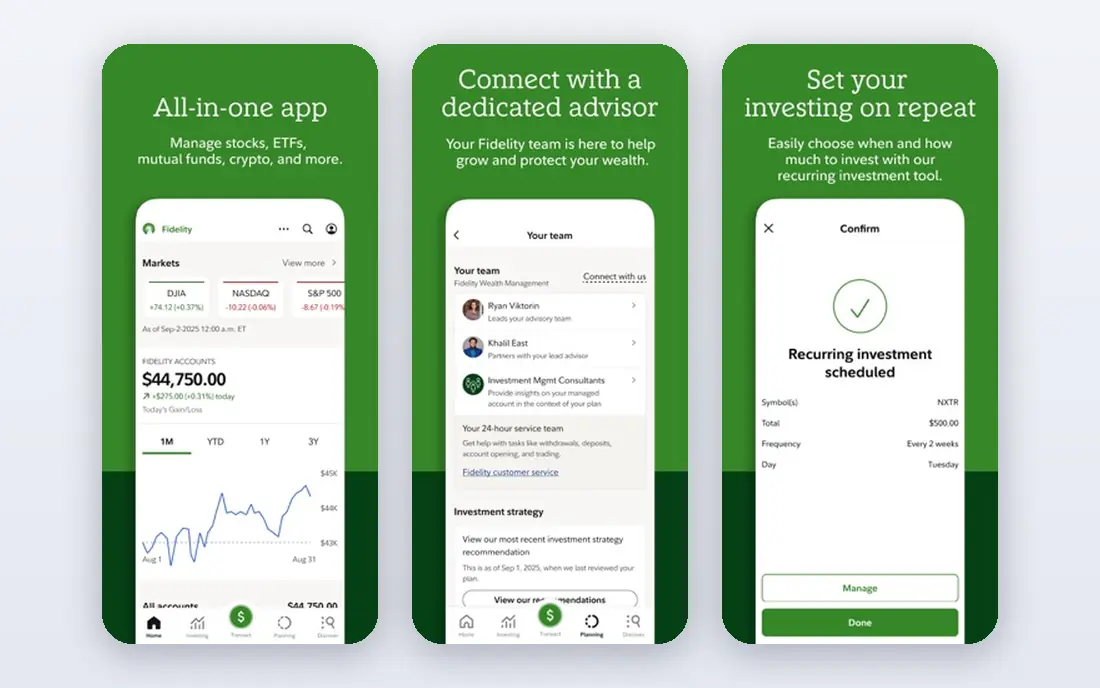
Fidelity is our pick for most people starting out. It pairs $0 commission stock and ETF trades with IRAs, fractional shares from $1, and a large library of guides, videos, and calculators. A beginner can open a brokerage account, set up a recurring investment, and later add a Roth IRA without switching firms. Customer support by phone and in branches is a real plus when a tax form or a first trade raises a question.
The catch is choice. Fidelity offers so many funds, tools, and account types that a first visit can feel crowded. Start with one broad ETF or a small list of stocks, turn on recurring investing if it fits your budget, and ignore the advanced trading screens until you need them. That slower path keeps costs low and avoids the urge to trade on every headline.
- $0 commission on US stocks and ETFs
- Fractional shares from $1
- Strong retirement accounts and research
- The full site can feel busy at first
- Some advanced tools take time to learn
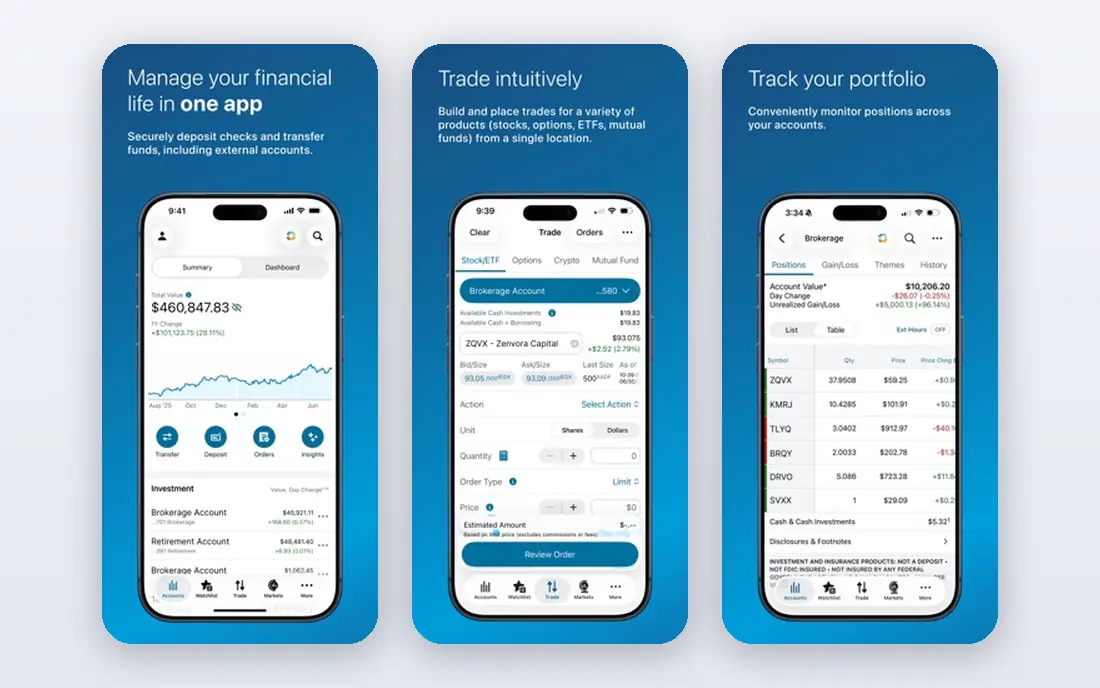
Charles Schwab suits beginners who want a full-service broker at a DIY price. Online US stock and ETF trades carry $0 commission, and there is no minimum to open a brokerage account. Fractional shares, called Schwab Stock Slices, let new investors buy pieces of larger companies from $5. The education hub covers budgeting, retirement, and how markets work in short, plain articles.
Schwab also offers automated portfolios and access to advisors for people who later want help. The main drawback is idle cash: money sitting uninvested may earn a low sweep yield unless you move it into a money market fund yourself. Check where your cash sits after funding, set a simple investing schedule, and use the learning center before adding complex products such as options.
- $0 commission on online US stock and ETF trades
- No minimum to open a brokerage account
- Broad education and branch support
- Cash sweep yields on idle cash can be low
- The platform has many menus to learn

Robinhood remains the easiest app to understand on a first day. The home screen shows your balance, your holdings, and a short list of trending stocks, and buying a fractional share from $1 takes only a few taps. It also offers IRAs, including a match for Gold members, plus options and crypto in the same app for users who want those products later. For a beginner who wants low friction, that simplicity is the point.
The weakness is depth. Research tools, screeners, and retirement planning are thinner than at Fidelity or Schwab, and the design rewards checking prices often. That habit can lead to overtrading, which hurts returns through taxes and mistimed sales. Use Robinhood for a small, planned portfolio, set price alerts sparingly, and keep a written rule for when you will buy, hold, or sell.
- $0 commission on stock and ETF trades
- Fractional shares from $1
- Very simple mobile app
- Limited research depth compared with Fidelity or Schwab
- Frequent trading is easy to slip into
Webull is a strong choice for a beginner who wants to learn by doing without risking money first. Its paper trading mode lets you place practice trades with virtual funds, test ideas, and learn how orders work before funding an account. When you are ready, US stock and ETF trades carry $0 commission, and the app provides detailed charts, news, and analyst data at no extra charge for most users.
That power is also the risk. Webull looks like a professional trading terminal, and a new investor can spend more time on indicators than on a basic plan. Treat paper trading as a classroom, not a game: pick a small number of holdings, write down why you bought them, and review results monthly. If you want a calm, long-term portfolio, Fidelity or Schwab may feel calmer day to day.
- $0 commission on US stocks and ETFs
- Free paper trading
- Detailed charts and market data
- The interface can overwhelm true beginners
- Advanced features may encourage active trading
SoFi Invest fits beginners who would rather set a plan and let the app handle the details. Active investing starts from $5, while automated investing builds a diversified ETF portfolio from $50 after a short questionnaire about goals and risk tolerance. The app also links to SoFi banking, loans, and credit products, which some users like for seeing money in one place.
The trade-off is control and depth. Active traders will find the research tools thin, and automated portfolios follow a set model rather than letting you hand-pick every holding. That is fine for many beginners, and often better than guessing. Start with automated investing if choosing stocks feels stressful, add active trades only with money you can afford to hold through market drops, and review fees on any fund you hold.
- $0 commission on stock and ETF trades
- Automated investing from $50
- Banking and loans in one app
- Research tools are basic
- Automated portfolios offer limited customization
Acorns is built for people who struggle to save a lump sum. Round-Ups round each card purchase up to the next dollar and invest the difference into a diversified ETF portfolio matched to your risk level. A $3 per month plan covers investing, retirement, and checking features in the base tier, and you can add recurring deposits on payday. For a beginner, the habit matters more than any single pick.
The math needs a check. On a $100 balance, $3 per month is a large percentage, so Acorns works best once Round-Ups and deposits push the balance higher, or when the habit itself is the main goal. You also give up stock picking in the core portfolios, which some beginners will miss. Use it to build consistency for six months, then compare its cost with a free brokerage account as your balance grows.
- Round-Ups invest spare change automatically
- Diversified ETF portfolios
- Simple goal setting
- Monthly fee can be high on a tiny balance
- You do not pick individual stocks in core portfolios
Stash pairs investing with short lessons that explain terms such as diversification, dividends, and risk without jargon. You can buy fractional shares from $1, browse themed collections, and set up automatic investments on a schedule. The $3 per month starter plan includes a debit account and investing tools, which suits a beginner who wants banking and investing side by side.
Like Acorns, the subscription deserves attention. If your balance is small, $36 a year is a real cost, so check whether the lessons and automation are worth it for you. The stock universe is curated rather than the full market, which keeps choices manageable but limits some picks. Use Stash to learn the basics, then move to a $0 commission broker later if you want a wider choice and no monthly fee.
- Fractional shares from $1
- Plain-language lessons
- Themed ETF and stock lists
- Monthly subscription adds up on small balances
- Stock selection is curated, not unlimited
Public suits beginners who like to read before they buy. The app combines $0 commission stock and ETF trades with research summaries, earnings context, and analyst notes presented in plain language. Fractional shares let you start small, and the interface keeps your portfolio, watchlist, and news in one feed. For a new investor who wants context without opening five websites, that layout saves time.
The social feed is the part to handle with care. Seeing what other members discuss can spark ideas, but it can also push you toward hot stocks at the wrong moment. Treat community posts as starting points for your own checks, not as advice. Keep your core holdings in broad ETFs or companies you understand, and keep any single-stock bets small while you learn how markets move.
- $0 commission on stocks and ETFs
- Fractional shares
- AI-assisted research summaries and community context
- Social features can distract from a plan
- Options and crypto add risk for new users
How we picked these
We compared official pricing pages, app store listings, account minimums, fractional share rules, and learning resources for each app. We favored brokers and investing apps that charge $0 commission on US stocks and ETFs or state a clear monthly price, offer IRAs or automated portfolios, and explain risk in plain terms. We left out platforms that hide core fees, require large minimums, or focus mainly on advanced derivatives, since those fit experienced traders better than beginners.
What to check before you fund an account
A low headline price is only part of the cost. Check options contract fees, transfer-out fees, margin interest, and fund expense ratios, since those charges show up later. Also check whether idle cash earns interest, whether fractional shares are available for the stocks you want, and whether the app offers a Roth IRA, a traditional IRA, or both. Those details decide how much of your money actually stays invested.
Start with a plan, not a stock tip
Decide how much you can invest each month without touching rent, bills, or an emergency fund. Many beginners do well with a broad ETF as a core holding and a small amount for individual companies they have researched. Write down your time horizon: money needed in the next year or two usually belongs in savings, not stocks. A plan written before the first trade makes market drops easier to sit through.
Use practice tools and limits
If an app offers paper trading, use it for a few weeks to learn order types and see how prices move. Set recurring investments rather than timing each purchase, and avoid margin borrowing as a beginner, since borrowed money can turn a normal drop into a large loss. Turn off push alerts that tempt you to trade daily, and review your portfolio on a monthly schedule instead of an hourly one.
Keep learning in small steps
Good beginner apps teach as you go, with short articles on diversification, fees, and taxes. Read the tax basics for your account type, since selling in a taxable account can create a tax bill even when the market feels quiet. This article is general education only. This is not financial advice; trading carries risk, and you can lose money, so consider speaking with a qualified advisor for decisions tied to retirement or large sums.
FAQ
What are the best stock investing apps for beginners?
For most beginners, Fidelity and Charles Schwab offer the strongest mix of $0 commission trades, retirement accounts, research, and support. Robinhood and SoFi Invest are simpler if you want a phone-first start, while Acorns and Stash help build a habit with small amounts. Pick the app whose account types and learning tools match your goals, not just the one with the flashiest home screen.
How much money do I need to start investing?
You can start with $1 at several apps on this list through fractional shares, and SoFi automated investing starts from $50. The amount matters less than regularity: a small monthly deposit, kept up for years, usually beats a large one-time trade followed by long gaps. Start with money you will not need soon, and build an emergency fund in savings first.
Are $0 commission apps really free?
Stock and ETF trades may carry $0 commission, but other costs still exist. Options contracts, fund expense ratios, margin interest, transfer fees, and paid subscriptions can all add up. Read the fee schedule on the vendor site before funding, and check what happens to idle cash. A free trade is only free if the surrounding costs stay low.
Should beginners buy individual stocks or ETFs?
Many beginners start with a broad ETF for instant diversification, then add individual stocks only after research. An ETF holds many companies at once, so one weak company hurts less than it would in a single-stock portfolio. Individual stocks can teach you about earnings and valuation, but they carry higher risk, so keep them as a smaller share of your portfolio at first.
Is investing in stocks risky for beginners?
Yes, stock prices can fall sharply, and short-term drops are normal. Risk falls when you diversify, invest for years rather than weeks, avoid borrowed money, and keep short-term cash in savings. Never invest money needed for rent or bills, and expect some years to end lower than they started. A written plan helps you hold steady during those periods.
Can I open an IRA in a beginner investing app?
Yes, Fidelity, Schwab, Robinhood, SoFi, Acorns, and several others on this list offer IRAs, including Roth and traditional options in many cases. An IRA adds tax benefits and annual contribution limits, so it suits money meant for retirement. Check the app for IRA fees, investment choices, and whether it offers a match or automated contributions before you open one.