Best Automatic Video Captioning Software in 2026: Prices, Free Plans and 5 Picks
Best automatic video captioning software in 2026: 5 contenders with entry costs and free tiers. Every pick gets a straight assessment. Refreshed for 2026.
- Editor's choice
 Happy Scribe
Multilingual transcription with compliance needs
Starts at$17 per monthVisit happyscribe.comFull review - Great alternative
 Otter.ai
Meeting notes and live transcription
Starts at$8.33 per user a monthVisit otter.aiFull review - Also consider
 Adobe Premiere Pro
Professional editing with caption workflows
Starts atSee websiteVisit adobe.comFull review
Direct answer
Happy Scribe comes first here, mainly for multilingual transcription with compliance needs. Listed starting prices: Happy Scribe from $17 per month, Otter.ai from $8.33 per user a month and Descript from $16 per person per month. Look at Otter.ai for meeting notes and live transcription, and at Adobe Premiere Pro for professional editing with caption workflows. Details, prices and limits for the rest of the 5 tools are below.
TL;DR:
- Number one here is Happy Scribe, a fit for multilingual transcription with compliance needs.
- Only 3 of the 5 tools have a free plan (Happy Scribe, Otter.ai, Descript), so check the caps.
- Check the limits for Happy Scribe before you commit: caption styling for video is secondary.
- Otter.ai is the lowest-priced starter here at $8.33 per user per month.
- Rev is the one to check for verified transcription for sensitive spoken content.
Last checked November 2026. Prices and plan details were read from the vendors' own pages in November 2026; vendors change plans often, so confirm the current price on the vendor site before you buy.
Quick comparison
| Tool | Best for | Starts at | Free plan? | |
|---|---|---|---|---|
| Happy Scribe | Multilingual transcription with compliance needs | $17 per month | Yes | Visit |
| Otter.ai | Meeting notes and live transcription | $8.33 per user a month | Yes | Visit |
| Adobe Premiere Pro | Professional editing with caption workflows | See website | Not stated | Visit |
 Descript | Transcript-based video editing and captions | $16 per person per month | Yes | Visit |
 Rev | Verified transcription for sensitive spoken content | $25.49 per seat a month | Not stated | Visit |
Automatic Video Captioning Software profiles
Choosing automatic video captioning software usually comes down to price, fit and limits. This LinkVetted guide sets 5 tools side by side on those three points, with the facts kept short and checkable.
Where Happy Scribe fits: multilingual transcription with compliance needs. Happy Scribe supplies AI transcription and notetaking in plenty of languages, with SOC 2 and GDPR considerations and an European base. Creators who want captions burned into refined social clips may prefer a video-first tool.
Watch-outs: Caption styling for video is secondary.
As for the details, for captioning multilingual video content, its transcription strength is the central advantage. Beyond that, Happy Scribe centers on transcription and notes instead of video editing, so subtitle styling and publishing are not its focus. Choose Happy Scribe when language coverage and compliance matter more than caption design. Happy Scribe cost at the entry level: $17 per month. Happy Scribe has a free plan.
- AI transcription in numerous languages
- SOC 2 and GDPR considerations
- Not a full video editing environment
Pick Otter.ai if this describes you: meeting notes and live transcription. Otter is not designed for producing styled video captions, so creators publishing to video products may find it restricted.
Drawbacks to consider: Not designed for video caption production.
Its strengths are summaries and action items instead of subtitle timing and design. Price to start with Otter.ai: $8.33 per user per month. A free plan is available with Otter.ai.
- Live transcription and live chat
- Automatic summaries and action items
- Caption styling choices are restricted
Adobe Premiere Pro is a good fit for professional editing with caption workflows. Adobe Premiere Pro is professional video editing and postproduction software for trimming, effects, audio mixing, and more.
What users get: trimming in one suite.
Drawbacks to consider: Captioning is one part of a bigger, complicated tool.
If your only goal is quick captions on a finished clip, a lighter choice is quicker. Teams handling longer or more complicated projects frequently prefer this kind of full suite. Adobe Premiere Pro does not show a starting price in this comparison, so check the vendor site for current pricing. On free options: Not stated.
- Professional editing and postproduction toolset
- Suits editors already in Adobe workflows
- Requires more setup than straightforward subtitle apps
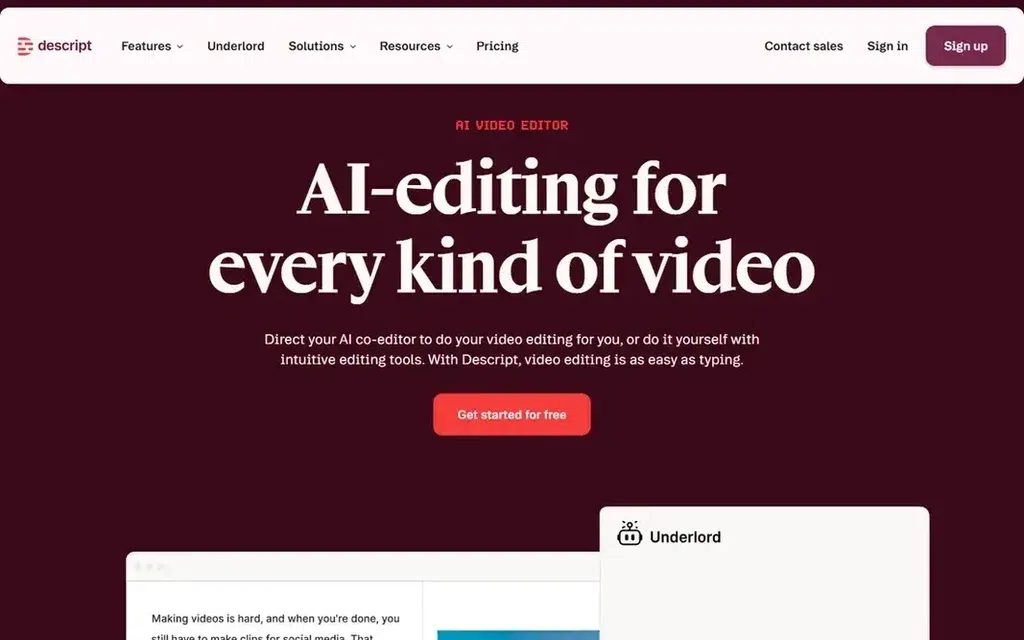
Descript targets Transcript-based video editing and captions. Since the transcript drives the edit, users who prefer traditional timeline editing may find the approach unfamiliar at first.
Where it is weaker: Best value comes from adopting its editing model.
Where it shines: Edit video by editing text.
For everyday use, if your main need is straightforward subtitles on finished clips instead of transcript-based editing, a lighter subtitle tool may be simpler. Descript is an AI video and audio editor built around editing text instead of timelines. Descript cost at the entry level: $16 per person per month. Descript offers a free plan.
- Caption workflow tied to the transcript
- Record, transcribe, edit
- Heavy projects can need a ramp-up time
Think of Rev for verified transcription for sensitive spoken content. Rev is not a general-purpose video editor, so creators wanting captions styled for social products may find it mismatched.
Also, caption design and publishing sit outside its core purpose. What you pay to start with Rev: $25.49 per seat per month. Free options: Not stated.
What users get: Made for investigative and legal work.
Watch-outs: Not positioned as a general video editor.
- Verified transcripts
- Solid emphasis on citable findings
- Caption styling is not the core focus
How these tools were picked
For each of the 5 tools we noted price, free plan or trial, fit for automatic video captioning software and the main limit, using vendor pages and documentation. Seat minimums, billing terms and add-ons can move the real cost, so the starting prices here are a guide and not a quote. Tools are placed by general fit for automatic video captioning software, with price clarity and free access as tie-breakers. A different team can reasonably rank them differently.
Things to verify first
- Get a written quote from Adobe Premiere Pro; the list shows no starting price for them.
- Read the fine print on the free plans from Happy Scribe, Otter.ai and Descript; seat, project and feature caps differ.
- Before choosing Happy Scribe, weigh its main limit: caption styling for video is secondary.
- Map your must-have features to a specific Otter.ai plan before you compare prices.
- Ask Happy Scribe which support channels and response times come with the plan you would buy.
FAQ
Can I try these options before paying?
Often, yes. Happy Scribe, Otter.ai and Descript have a free plan. Use your own data and a real task during the test, and check what the free tier or trial limits before you rely on it.
Is Happy Scribe the right pick for everyone comparing automatic video captioning software?
No single tool suits every team. Happy Scribe comes first because it fits multilingual transcription with compliance needs, while Otter.ai suits meeting notes and live transcription and Adobe Premiere Pro suits professional editing with caption workflows. Match the tool to your own size, budget and workflow before deciding.
How are the tools for automatic video captioning software ordered?
Happy Scribe sits first and Rev last because the order follows typical fit for automatic video captioning software, then price clarity and free access. It is a judgement call, so read each profile for fit and limits.
Which options for automatic video captioning software have a free plan?
Happy Scribe, Otter.ai and Descript offer a free plan in this list. Free plans usually cap users, projects or features, so check the limits on the vendor page.
What is the difference between transcription and captioning?
Transcription converts speech to text, whereas captioning formats that text with timing so it appears alongside video. Some tools do both in one workflow, and others focus on one side.
Sources
- https://www.happyscribe.com
- https://otter.ai
- https://www.adobe.com/products/premiere.html
- https://www.descript.com
- https://www.rev.com