Best Audio Editing Software for Startups for 2026: Our 5 Vetted Picks
Best audio editing software for startups in 2026: 5 tools with starting prices, free plans and limits. Caveats come with every verdict. Quick comparison inside.
- Editor's choiceReason
Virtual rack instruments and sound design
Starts at$11.99 a monthVisit reasonstudios.comFull review - Great alternative
 Pro Tools
Professional recording and post-production
Starts atSee websiteVisit avid.comFull review - Also consider
 Reaper
Light and configurable audio production
Starts atSee websiteVisit reaper.fmFull review
Direct answer
Reason is the first pick on this list for virtual rack instruments and sound design. Listed starting prices: Reason from $11.99 a month. Pro Tools is better for professional recording and post-production, and Reaper is better for light and configurable audio production. The other 2 tools in the list cover narrower or pricier cases.
TL;DR:
- Top of the list is Reason, which targets virtual rack instruments and sound design.
- One limit worth knowing about Adobe Audition: subscription-based pricing may not suit all budgets.
- The lowest published monthly entry price here is $11.99 per month, from Reason.
- Logic Pro suits Mac and iPad music production.
Last checked November 2026. Prices and plan details were read from the vendors' own pages in November 2026; vendors change plans often, so confirm the current price on the vendor site before you buy.
Quick comparison
| Tool | Best for | Starts at | Free plan? | |
|---|---|---|---|---|
| Reason | Virtual rack instruments and sound design | $11.99 a month | Not stated | Visit |
| Pro Tools | Professional recording and post-production | See website | Not stated | Visit |
| Reaper | Light and configurable audio production | See website | Not stated | Visit |
 Adobe Audition | Dedicated audio editing and restoration | See website | Not stated | Visit |
 Logic Pro | Mac and iPad music production | See website | Not stated | Visit |
Every option for audio editing software for startups explained
This LinkVetted guide covers 5 audio editing software for startups. Each profile lists a starting price, free plan details, strengths and drawbacks, so you can drop poor fits quickly.
Reason
Best for: Virtual rack instruments and sound design
Reason is a good fit for virtual rack instruments and sound design. Reason Studios supplies a digital audio workstation centered around a virtual rack of instruments and effects. Startups involved in music production or sound design will find Reason's creative environment inspiring.
It can also be demanding on system resources when using numerous devices. More specifically, for pure audio editing, Adobe Audition or Reaper are more direct choices. On cost, Reason starts like this: $11.99 per month. On free options: Not stated.
Drawbacks to consider: Can be CPU-intensive with numerous devices.
- Easy-to-learn routing and modulation
- Unique virtual rack paradigm
- Less centred on traditional audio editing
Choose Pro Tools for professional recording and post-production. Pro Tools is expensive and has a steep ramp-up time, which may be overkill for startups with entry-level audio needs. It also needs a feature-rich computer.
In daily use, Avid Pro Tools is a professional digital audio workstation used for recording, editing, composing, and mixing music and sound for film and television. It is the industry standard in numerous professional studios, making it a steady choice for startups that need to collaborate with established partners or deliver broadcast-quality audio. Pro Tools shows no starting price here, so confirm the cost on the vendor site. Trial and free access: Not stated.
Drawbacks to consider: Steep learning curve.
- Advanced editing and automation features
- Broad compatibility with hardware and plugins
- Costly for startups
Pick Reaper if this describes you: lightweight and configurable audio production. Reaper's interface may feel less easy-to-learn than some commercial DAWs, and it lacks the deep built-in instruments found in others. Even so, its customization and price make it a solid contender.
Startups on a budget will appreciate its low cost and small footprint, making it a practical choice for audio editing tasks. In daily use, Reaper is a digital audio workstation known for its efficiency and adaptability. It gives you a full set of features for recording, editing, and mixing, and is highly configurable to suit individual workflows. Reaper does not show a starting price in this comparison, so check the vendor site for current pricing. On free options: Not stated.
Drawbacks to consider: Less refined interface.
- Highly configurable workflow
- Very low-cost and light
- Restricted built-in instruments and effects
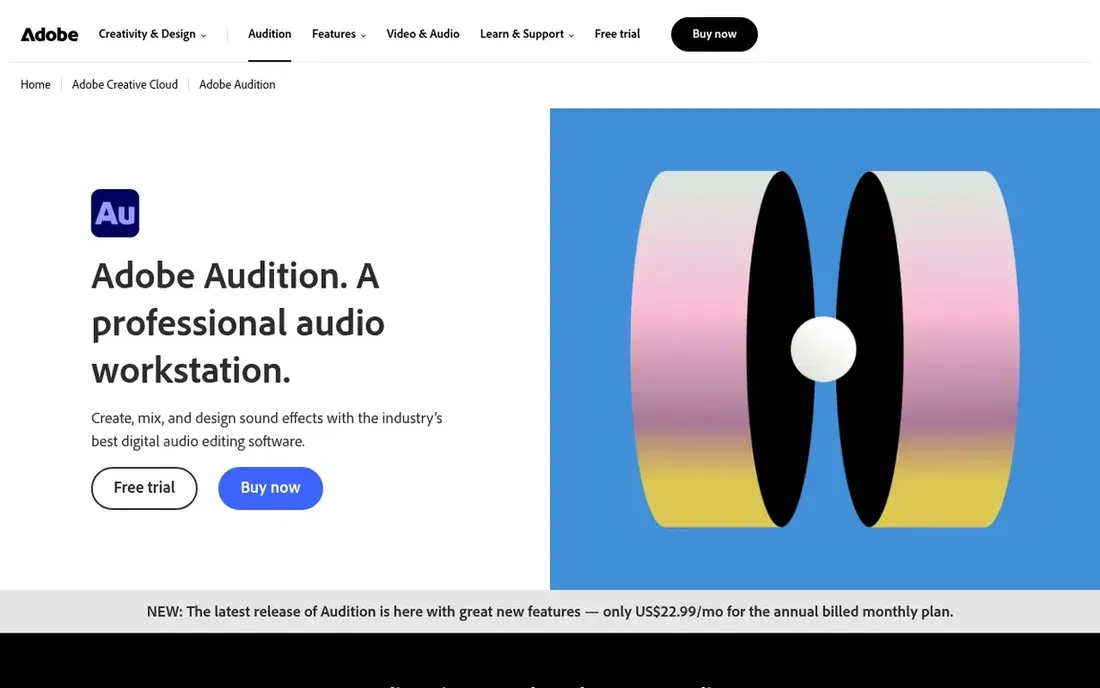
Adobe Audition targets dedicated audio editing and restoration. Adobe Audition is a professional audio workstation concentrated on recording, editing, and mixing. It supplies multitrack, waveform, and spectral display modes, making it a strong match for podcasters, video editors, and sound designers who require precise control over audio.
Startups producing regular content will appreciate its deep toolset and integration with Adobe's ecosystem. It also has a ramp-up time for those new to audio editing. Adobe Audition shows no starting price here, so confirm the cost on the vendor site. Free plan details: Not stated.
What to check first: Subscription-based pricing may not suit all budgets.
- Full multitrack, waveform
- Advanced restoration and noise reduction tools
- Steeper ramp-up time for beginners
Logic Pro targets Mac and iPad music production. Startups already using Apple devices will benefit from its tight integration and rich feature set, making it a capable choice for music production and post-production.
In daily use, Logic Pro is Apple's flagship music creation software for Mac and iPad, offering a thorough set of tools for songwriting, beat-making, editing, and mixing. Logic Pro shows no starting price here, so confirm the cost on the vendor site. Free access: Not stated.
What to check first: Can be overwhelming for straightforward editing tasks.
- Capable songwriting and beat-making tools
- Deep editing and mixing capabilities
- Mac and iPad only, no Windows support
Selection criteria
The comparison looks at four things: starting price, free access, how well the feature set matches audio editing software for startups, and the main limit of each tool. Plan names, prices and limits change often. Treat the figures here as a starting point and verify them with the vendor. The ranking is editorial: typical fit first, then clear pricing, then free access. If your needs are unusual, read the profiles rather than relying on position.
Things to verify first
- Confirm the entry price on the vendor page. For Pro Tools, Reaper, Adobe Audition and Logic Pro that means a quote rather than a fixed price.
- Read the limits listed for Reason first: less centred on traditional audio editing.
- Add up seats, add-ons and usage charges for Logic Pro before comparing it with cheaper entries.
- Ask the daily users to test Pro Tools on a live task before you roll it out to everyone.
- Confirm the exact Adobe Audition plan that includes your must-have features.
FAQ
Is Reason the right pick for everyone comparing audio editing software for startups?
No single tool suits every team. Reason comes first because it fits virtual rack instruments and sound design, while Pro Tools suits professional recording and post-production and Reaper suits lightweight and customizable audio production. Match the tool to your own size, budget and workflow before deciding.
Do these tools publish their prices?
Not all of them. Pro Tools, Reaper, Adobe Audition and Logic Pro publish no starting price, so expect a quote request for those. The rest, Reason included, show a starting price, though seats and billing terms still change the final cost.
Can I try these tools before paying?
Not by default. None of the tools, from Reason to Logic Pro, lists a free plan or a free trial here, so ask each vendor for a demo before committing.
How are the tools for audio editing software for startups ordered?
Reason sits first and Logic Pro last because the order follows typical fit for audio editing software for startups, then price clarity and free access. It is a judgement call, so read each profile for fit and limits.
Sources
- https://www.reasonstudios.com
- https://www.avid.com/pro-tools
- https://www.reaper.fm
- https://www.adobe.com/products/audition.html
- https://www.apple.com/logic-pro