Architectural Rendering Software for Enterprise in 2026: The 5 Best Options Side by Side
Need the best architectural rendering software for enterprise? We compare 5 tools on cost, free access and who each suits. With pricing notes and limits.
- Editor's choice
 Lumion
Quick live architectural visualization
Starts at$96 named user per monthVisit lumion.comFull review - Great alternative
 Twinmotion
Live visualization tied to design data
Starts atSee websiteVisit twinmotion.comFull review - Also consider
 Autodesk Revit
BIM-centered design and documentation
Starts atSee websiteVisit autodesk.comFull review
Direct answer
Lumion comes first here, mainly for quick live architectural visualization. Listed starting prices: Lumion from $96 named user per month. Alternatives: Twinmotion for live visualization tied to design data, and Autodesk Revit for BIM-centered design and documentation. The remaining 2 options are covered below with prices and limits.
TL;DR:
- The list opens with Lumion, aimed at quick live architectural visualization.
- Starting prices begin at $96 named user per month with Lumion.
- Archicad fits BIM design with built-in tools.
- The main caution on 3ds Max: steep learning curve for newcomers.
- Neither Lumion nor Archicad, nor any of the other 3 tools, has a permanent free plan; trials and quotes are the norm.
Last checked November 2026. Prices and plan details were read from the vendors' own pages in November 2026; vendors change plans often, so confirm the current price on the vendor site before you buy.
Quick comparison
| Tool | Best for | Starts at | Free plan? | |
|---|---|---|---|---|
| Lumion | Quick live architectural visualization | $96 named user per month | Free trial | Visit |
| Twinmotion | Live visualization tied to design data | See website | Not stated | Visit |
| Autodesk Revit | BIM-centered design and documentation | See website | Not stated | Visit |
| 3ds Max | Professional modeling, animation and rendering | See website | Not stated | Visit |
 Archicad | BIM design with built-in tools | See website | Not stated | Visit |
Architectural Rendering Software for Enterprise profiles
LinkVetted compared 5 tools for architectural rendering software for enterprise. The goal is a practical shortlist: published prices, free plan facts, best-fit use cases and honest limits for every entry.

Where Lumion fits: quick live architectural visualization. Lumion is real-time 3D rendering software aimed at architects. It is built to carry a project from early concept through to final render with speed, image quality and simplicity.
Choose Lumion for rapid, refined visual output. Lumion works as a visualization environment instead of a BIM authoring tool, so models come from elsewhere and must be kept in sync. What you pay to start with Lumion: $96 named user per month. Free options: Free trial.
Limits to weigh: Separate workflow from BIM authoring.
- Balances speed
- Designed for architecture workflows
- Large scenes can demand capable hardware
Twinmotion serves live visualization tied to design data. Very specialized production rendering may call for a dedicated engine.
It is widely known for quick walkthroughs and presentation imagery that help stakeholders understand a design before construction. Pricing for Twinmotion is not stated here, so ask the vendor for current figures. Free options: Not stated.
Honest limits: Needs capable graphics hardware.
- Handy for interactive walkthroughs
- Suits into design review and presentation workflows
- Output quality relies on source model detail
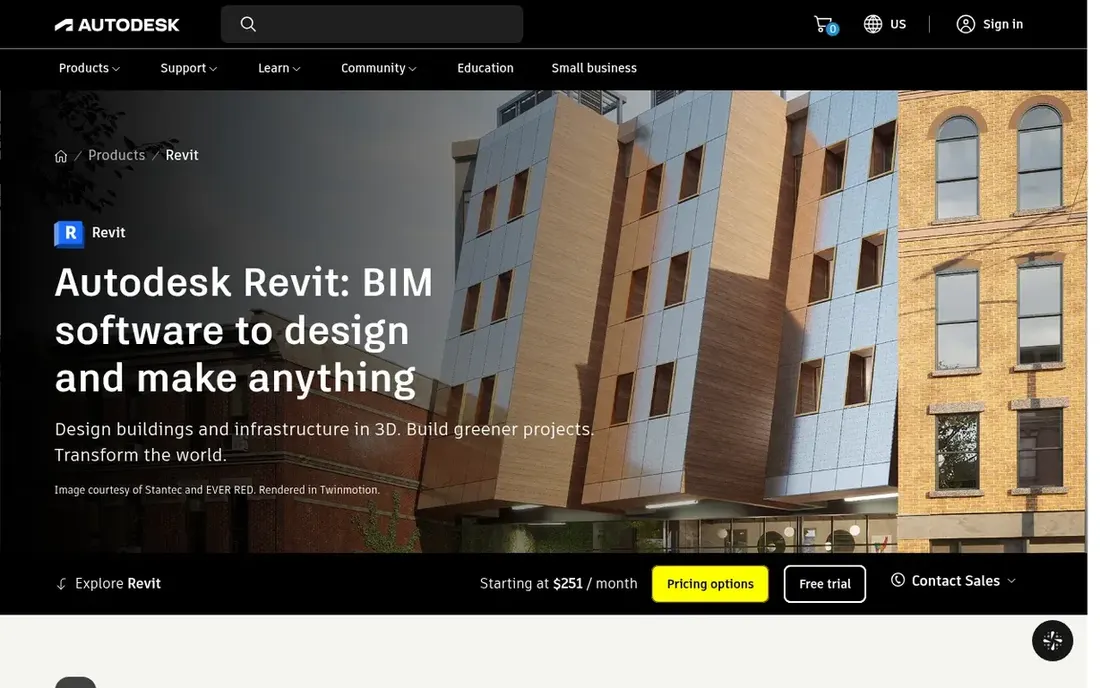
Autodesk Revit targets BIM-centered design and documentation. Choose Revit when coordinated BIM data and documentation matter as much as the images.
Check the vendor site for Autodesk Revit pricing; none is listed in this comparison. On free options: Not stated.
Where it falls short: Heavier ramp-up time for new users.
- Optional AI-assisted workflows
- Intelligent 3D models with instant drawing updates
- Rendering is secondary to BIM authoring
3ds Max
Best for: Professional modeling, animation and rendering
Where 3ds Max fits: professional modeling, animation and rendering. Autodesk 3ds Max is professional 3D modeling, animation and rendering software used to build expansive environments and high-quality designs.
Its depth includes a ramp-up time and specialist staffing needs. For everyday use, choose it when bespoke modeling and animation outweigh straightforward design-linked rendering. Pricing for 3ds Max is not stated here, so ask the vendor for current figures. Free access: Not stated.
Honest limits: Steep ramp-up time for newcomers.
- Deep modeling and animation toolset
- High-quality rendering for large scenes
- Not a BIM documentation tool
Archicad serves BIM design with built-in tools. Pick Archicad when intuitive BIM design is the priority and rendering needs are moderate.
Where it is weaker: Interoperability with other BIM tools needs planning.
No starting price is listed for Archicad here; confirm pricing on the vendor site. Free options: Not stated.
- Intuitive BIM authoring environment
- Feature-rich suite of built-in design tools
- Rendering choices are more restricted than dedicated engines
How we chose
We compared the tools on published pricing, free plan or trial availability, feature coverage for architectural rendering software for enterprise, and the limits each vendor documents. Figures are shown as the vendors publish them. Billing terms, seat minimums and add-ons can change the real cost. The sequence is a judgement call: typical use case first, then pricing transparency, then free access. Use the profiles to check fit.
Before you commit
- Ask Twinmotion, Autodesk Revit, 3ds Max and Archicad for a written quote, since no starting price is shown.
- Use real work to test the free trial from Lumion, rather than a demo project.
- Read the limits listed for Lumion first: separate workflow from BIM authoring.
- Check the integration list for Autodesk Revit against the tools you run today, and note which ones need a higher plan.
- Check the support hours and onboarding help 3ds Max offers; smaller vendors vary a lot here.
FAQ
Do these tools publish their prices?
Not all of them. Twinmotion, Autodesk Revit, 3ds Max and Archicad publish no starting price, so expect a quote request for those. The rest, Lumion included, show a starting price, though seats and billing terms still change the final cost.
Can I try these tools before paying?
Often, yes. Lumion offers a free trial. Use your own data and a real task during the test, and check what the free tier or trial limits before you rely on it.
How are the tools for architectural rendering software for enterprise ordered?
Lumion sits first and Archicad last because the order follows typical fit for architectural rendering software for enterprise, then price clarity and free access. It is a judgement call, so read each profile for fit and limits.
What is the cheapest option for architectural rendering software for enterprise in this list?
On published monthly entry prices, Lumion is the lowest here at $96 named user per month. Entry price is only part of the cost, because seats, add-ons and billing terms can change the total. For the full picture, the cards above cover all 5 entries of this architectural Rendering software for enterprise list, including price, free plan and limits.
Sources
- https://lumion.com
- https://www.twinmotion.com
- https://www.autodesk.com/products/revit
- https://www.autodesk.com/products/3ds-max
- https://graphisoft.com/archicad