Architectural Software for Fall in 2026: The 6 Best Options Side by Side
Compare 6 picks for the best architectural software for fall, with prices, free plans and who each fits. Notes on cost and gaps for each tool. Start here.

- Editor's choice
 ArchiCAD
Easy-to-learn BIM for architects
Starts at$43 per seat a monthVisit graphisoft.comFull review - Great alternative
 Lumion
High-quality architectural visualization
Starts at$96 named user per monthVisit lumion.comFull review - Also consider
 Allplan
Structural and civil engineering BIM
Starts atSee websiteVisit allplan.comFull review
Direct answer
ArchiCAD leads the list, best for easy-to-learn BIM for architects. Listed starting prices: ArchiCAD from $43 per seat a month and Lumion from $96 named user per month. For a different need, Lumion covers high-quality architectural visualization and Allplan covers structural and civil engineering BIM. Prices, free plans and limits for all 6 tools follow.
TL;DR:
- ArchiCAD is the opening pick, best for easy-to-learn BIM for architects.
- Vectorworks Architect fits adaptable BIM from concept to construction.
- ArchiCAD, Vectorworks Architect and the 4 others all need a premium plan or a trial, since no free plan is listed.
- One limit worth knowing about Allplan: less focus on architectural design.
Last checked November 2026. Prices and plan details were read from the vendors' own pages in November 2026; vendors change plans often, so confirm the current price on the vendor site before you buy.
Quick comparison
| Tool | Best for | Starts at | Free plan? | |
|---|---|---|---|---|
| ArchiCAD | Easy-to-learn BIM for architects | $43 per seat a month | Free trial | Visit |
| Lumion | High-quality architectural visualization | $96 named user per month | Free trial | Visit |
| Allplan | Structural and civil engineering BIM | See website | Not stated | Visit |
 AutoCAD | General drafting and DWG collaboration | See website | Not stated | Visit |
 Autodesk Revit | Full BIM and documentation | See website | Not stated | Visit |
 Vectorworks Architect | Adaptable BIM from concept to construction | See website | Not stated | Visit |
The best architectural software for fall
Choosing architectural software for fall usually comes down to price, fit and limits. This LinkVetted guide sets 6 tools side by side on those three points, with the facts kept short and checkable.

ArchiCAD is aimed squarely at easy-to-learn BIM for architects. ArchiCAD may have restricted interoperability with certain file formats compared with Revit, and its adoption varies by region.
What to check first: Restricted interoperability with some formats.
The starting price for ArchiCAD: $43 per seat per month. Free access: Free trial.
- Capable built-in tools
- Approachable interface
- Less typical in some regions
Lumion is built with high-quality architectural visualization in mind. Lumion is live 3D rendering software for architects that transforms designs into compelling visuals from concept to final render. It is recognised for its speed, quality, and simplicity, making it a good match for architects and visualization specialists who want to produce high-impact presentations and animations.
Lumion operates as a standalone rendering tool, which may need exporting models from BIM software. It also demands a feature-rich computer for smooth performance. Lumion starts at: $96 named user per month. Trial and free access: Free trial.
What works well: Quick live rendering.
Limits to weigh: Needs feature-rich hardware.
- Simple to pick up
- Broad material library
- Standalone workflow
Allplan was built for structural and civil engineering BIM. If your work is primarily architectural instead of engineering-oriented, consider Revit, ArchiCAD, or Vectorworks Architect instead. More specifically, Allplan is less concentrated on architectural design and may be complicated for beginners.
Best features of Allplan: Precast concrete tools.
Allplan, a Nemetschek company, gives you 3D CAD software for structural, civil, and precast concrete engineering. It is tailored for engineers and detailers who need precise modeling and documentation for complex structures, with BIM workflows that support collaboration across disciplines. This comparison lists no price for Allplan; ask the vendor. Free options: Not stated.
Drawbacks to consider: Less focus on architectural design.
- Solid for structural and civil
- BIM collaboration
- Complicated for beginners
AutoCAD is aimed squarely at general drafting and DWG collaboration. It is ideal for architects and designers who require dependable 2D drafting and entry-level 3D modeling, notably when working with DWG files and collaborating with several stakeholders.
The main drawbacks: Restricted BIM capabilities.
- Industry-standard DWG
- Cross-platform collaboration
- Subscription-based
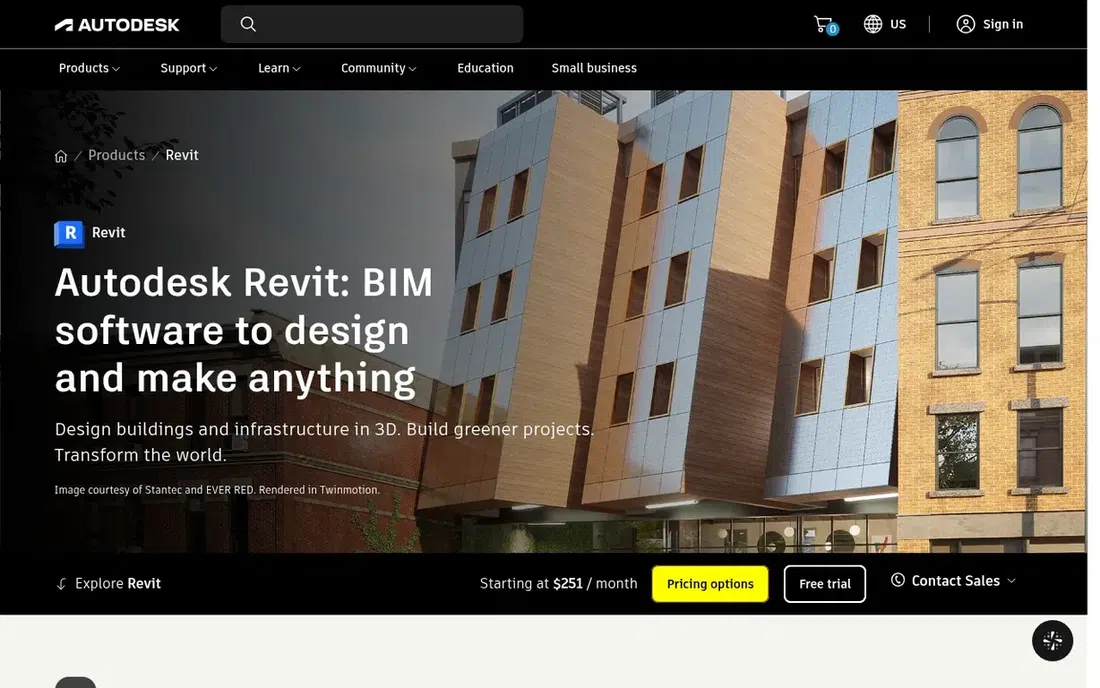
Autodesk Revit is built with thorough BIM and documentation in mind. Autodesk Revit is a BIM software for designing, documenting, and coordinating building projects.
What to check first: Needs subscription.
For everyday use, if you need a lighter or more easy-to-learn BIM tool, consider ArchiCAD or Vectorworks Architect. This comparison lists no price for Autodesk Revit; ask the vendor. Free options: Not stated.
- Intelligent 3D models
- Instant drawing updates
- Steep learning curve

Where Vectorworks Architect fits: adaptable BIM from concept to construction. It merges design freedom with BIM capabilities, making it a solid fit for architects who value both creative exploration and precise documentation throughout the project lifecycle.
Downsides: Ramp-up time for advanced features.
In practice, if you need a more specialized BIM tool for large-scale coordination, Revit or Allplan might be more appropriate. Vectorworks Architect does not show a starting price in this comparison, so check the vendor site for current pricing. Free options: Not stated.
- Adaptable modeling
- Solid design tools
- Can be resource-intensive
How these tools were picked
Pricing pages, product documentation and feature lists were the main sources, and every entry carries at least one honest drawback. Where a price is missing, the vendor does not list one publicly or ties it to a quote. Always confirm before budgeting. The order reflects how well each tool fits the most common buying scenario for architectural software for fall, then price clarity, then free plan access. It is a starting point, not a verdict.
What to check before you buy
- Confirm the entry price on the vendor page. For Allplan, AutoCAD, Autodesk Revit and Vectorworks Architect that means a quote rather than a fixed price.
- Run a trial of ArchiCAD and Lumion with real work before paying for a year; your own workflow is the best test.
- Read the limits listed for ArchiCAD first: restricted interoperability with some formats.
- Get the contract term, renewal terms and any onboarding fees from Allplan in writing.
- Check whether the features you need in ArchiCAD sit on the entry plan or only on higher tiers.
FAQ
What is the cheapest option for architectural software for fall in this list?
On published monthly entry prices, ArchiCAD is the lowest here at $43 per seat per month. Entry price is only part of the cost, because seats, add-ons and billing terms can change the total. Prices, free plan details and limits for all 6 tools in this architectural software for fall roundup sit on the individual cards above.
Which software is a good match for structural engineering?
ArchiCAD comes first here and is built for intuitive BIM for architects. Buyers with other needs may prefer Lumion (for high-quality architectural visualization) or Allplan (for structural and civil engineering BIM). Compare costs and limits first.
Is ArchiCAD the right pick for everyone comparing architectural software for fall?
No single tool suits every team. ArchiCAD comes first because it fits intuitive BIM for architects, while Lumion suits high-quality architectural visualization and Allplan suits structural and civil engineering BIM. Match the tool to your own size, budget and workflow before deciding.
How are the tools for architectural software for fall ordered?
The order follows typical fit for architectural software for fall, with ArchiCAD first and Vectorworks Architect last, then price clarity and free access. It is editorial judgement, not a score, so another team could rank the tools differently.
Can I try these tools before paying?
Often, yes. ArchiCAD and Lumion offer a free trial. Use your own data and a real task during the test, and check what the free tier or trial limits before you rely on it. Each of the 6 options in this architectural software for fall guide has its own card above with the price, free plan and limits.
Sources
- https://graphisoft.com/solutions/archicad
- https://lumion.com
- https://www.allplan.com
- https://www.autodesk.com/products/autocad
- https://www.autodesk.com/products/revit
- https://www.vectorworks.net/en-US/architect