Best Apps to Improve Communication Skills in 2026: 8 Tools Compared
Want the best apps to improve communication skills? We compare 8 speaking, writing and practice tools, with prices, free plans and honest limits for 2026.
- Editor's choice
 Orai
Everyday speaking practice
Starts atFreeVisit orai.comFull review - Great alternative
 Speeko
Confident public speaking
Starts atSee websiteVisit speeko.comFull review - Also consider
 Yoodli
AI speaking coaching
Starts atFreeVisit yoodli.comFull review
TL;DR:
- Orai, Speeko and Yoodli are the best focused speaking practice apps, with feedback on pace, filler words and clarity.
- Poised and VirtualSpeech suit work meetings and presentations, with practice for real professional situations.
- Grammarly and ELSA Speak help the written and spoken sides of communication, from clear emails to pronunciation.
- No app replaces real conversation, so pair practice with real meetings, talks and feedback from people you trust.
Quick comparison
| Tool | Best for | Starts at | Free plan? | |
|---|---|---|---|---|
| Orai | Everyday speaking practice | Free | Yes | Visit |
| Speeko | Confident public speaking | See website | Free trial | Visit |
| Yoodli | AI speaking coaching | Free | Yes | Visit |
 Poised | Work meetings and calls | See website | Free trial | Visit |
 VirtualSpeech | Presentation practice in VR | See website | Free trial | Visit |
 Grammarly | Clear written communication | Free | Yes | Visit |
 ELSA Speak | English pronunciation | Free | Yes | Visit |
 LinkedIn Learning | Communication courses | See website | Free trial | Visit |
The best apps to improve communication skills
Communication covers speaking, listening, writing and presenting, so the best app depends on which part you want to improve. The tools below split into speaking coaches, meeting helpers, presentation practice and writing support, and most offer a free plan or trial to test before paying.
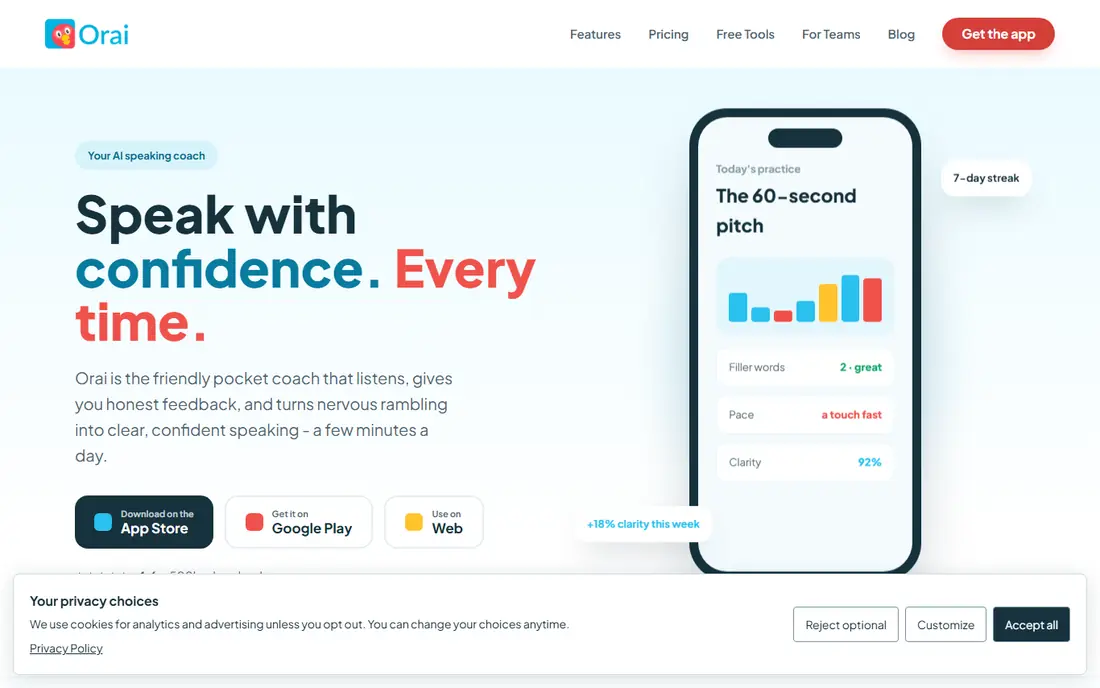
Orai is the easiest daily habit on this list. Short lessons and practice prompts help you speak more clearly and with better pace, and automated feedback flags filler words and flat delivery. Five minutes a day fits a commute or a lunch break, which is why it works for people who would never open a long course.
The limit is that automated feedback cannot judge your ideas or your audience. It can tell you that you spoke too fast, but not that your argument was unclear. Use Orai to build delivery habits, and pair it with real talks where a colleague or friend can judge content.
- Short daily speaking lessons
- Feedback on pace, filler words and energy
- Easy mobile practice
- Feedback is automated, not human coaching
- Deeper features need a paid plan
Speeko focuses on public speaking confidence, with analysis of pace, tone and filler words, plus exercises that build toward a real talk. It suits people preparing for presentations, pitches and interviews, where delivery under pressure is the main worry. The structured path helps more than random tips, since you can track progress over weeks.
Check the vendor site for current pricing, since plans have changed over time. Speeko also focuses on speaking, so written communication needs a separate tool like Grammarly. For stage and meeting delivery, it is a focused and practical coach.
- Speech analysis for pace and tone
- Structured speaking exercises
- Practice for talks and interviews
- Pricing is not published as a single simple figure
- Best for speakers, less for written work
Yoodli gives you a private place to practice speaking and see detailed analytics on filler words, pace, pauses and word choice. That privacy matters, since many people will practice more when no one else is listening. Interview and presentation modes let you rehearse for a specific situation rather than speaking into the void.
Numbers alone do not make a good talk, so use Yoodli analytics as a guide, not a verdict. A talk with perfect pace can still miss the point, and a talk with a few filler words can still persuade. Combine Yoodli practice with a real run through in front of a colleague.
- Free practice with detailed speech analytics
- Coaching for interviews and presentations
- Private practice space
- Analytics can feel like a lot of numbers
- Human feedback still matters for content
Poised works during real meetings, giving private, real time notes on filler words, pace and confidence while you talk. That live help is different from practice apps, since it catches habits in the moment they happen. It is built for video calls and professional conversations, where small delivery changes can change how you are heard.
The trade off is integration and price, since Poised is aimed at professionals and teams rather than casual learners. Check the vendor site for current plans and supported meeting apps. If meetings are where you struggle most, live feedback is worth testing in the trial.
- Real time feedback during meetings
- Helps with filler words and confidence
- Built for professional calls
- Needs meeting app integration
- Pricing is aimed at teams and professionals
VirtualSpeech puts you in front of a virtual audience, which is closer to real stage nerves than speaking alone in a room. Courses cover presentations, interviews and networking, and feedback covers eye contact, pace and filler words. For people who freeze in front of a crowd, that rehearsal can lower anxiety before the real event.
You need a VR headset for the full experience, though some courses work without one. Pricing also varies by course, so check the site for the option that fits your goal. VirtualSpeech is the most immersive practice here, and the most setup heavy, so it suits committed presenters.
- Realistic audience practice in virtual reality
- Courses for presentations and interviews
- Feedback on eye contact and pace
- Needs a VR headset for the full experience
- Pricing varies by course and plan
Grammarly improves the written side of communication, which is half the job for most office workers. It checks grammar, suggests clearer phrasing, and flags tone that may read as blunt or confused. The browser and app integrations mean it works where you already write, from email to documents.
Tone advice should be taken as a prompt, not a rule, since Grammarly cannot know your relationship with the reader. A direct message to a close colleague and a formal note to a client need different tones. Use Grammarly to catch errors and tighten sentences, then read the message once yourself before sending.
- Grammar, tone and clarity checks in email and documents
- Works in browsers and apps
- Free plan covers basics
- Tone suggestions are not always right
- Paid plan needed for full clarity and style help
ELSA Speak is the pick for non native English speakers who want clearer pronunciation. It listens to your speech, scores individual sounds, and gives lessons targeted at the sounds you miss most. That sound level feedback is more specific than general speaking apps, and it helps in work calls where clarity matters.
Native speakers looking for presentation skills will get less from ELSA, since its focus is pronunciation, not structure or persuasion. For English learners, though, it is one of the most focused tools available, and the free plan is enough to test whether the feedback style suits you.
- Detailed pronunciation feedback by sound
- Lessons for work and daily English
- Speech recognition practice
- Focused on English learners
- Less useful for native speakers working on delivery
LinkedIn Learning covers communication through courses rather than live coaching. You can learn presentation structure, difficult conversations, business writing and leadership communication from expert instructors, at your own pace. That breadth helps when you are not sure which skill to fix first.
Watching a course is not the same as practicing, so pair a course with Orai, Yoodli or a real talk. The trial, often one month, is enough to finish a focused course and decide if the library is worth keeping. For structured learning with a clear syllabus, LinkedIn Learning is the strongest option here.
- Wide course library on speaking, writing and leadership
- Expert led video courses
- Certificates of completion
- Courses are watched, not practiced live
- Subscription covers the whole library, not one course
How we picked these
We compared official feature pages, pricing pages and app listings for tools that help people speak, write or present more clearly. We favored apps available today with a free plan or trial, and we checked that each homepage belongs to the vendor. We excluded generic social apps and courses with no communication focus, and we kept tools that give feedback or structured practice rather than just tips.
Building a simple practice routine
Pick one skill and one app for two weeks. If meetings are the problem, use Poised or Yoodli for daily practice. If writing is the problem, use Grammarly on every work email for two weeks and note which suggestions you accept. A short daily habit beats a long course you never finish, and two weeks is enough to tell if an app is helping.
Then add real practice. Present a short update in a team meeting, record a practice talk on your phone, or ask a trusted colleague for one specific piece of feedback after a call. Apps can measure pace and filler words, but only a listener can tell you if your point landed. The best routine combines app feedback with human feedback, and it keeps the focus on one skill at a time.
What to avoid
Avoid apps that promise instant confidence or a perfect voice in a week. Communication improves with repetition and feedback, not with a single trick. Also avoid practicing only in private if your goal is public speaking, since audience pressure changes delivery. Step up gradually, from solo practice to a small group, then to a larger meeting or talk.
FAQ
What is the best app to improve communication skills?
Orai is the best daily speaking app for most people, with short lessons and clear feedback. Yoodli suits interview and presentation practice, Poised suits live work meetings, and Grammarly suits written work. The best app depends on whether speaking, writing or presenting is your main gap.
Can an app really improve public speaking?
Yes, for delivery habits like pace, filler words and pauses, where automated feedback is reliable. Apps help less with content, argument and audience reading, which need human feedback. Use an app for daily delivery practice, then rehearse real talks in front of people for content feedback.
Are there free apps to improve communication skills?
Yes, Orai, Yoodli, Grammarly and ELSA Speak all have free plans, and Speeko, Poised, VirtualSpeech and LinkedIn Learning offer trials. Free plans cover core practice, while paid plans add deeper analytics, courses or live features. Start free for two weeks before paying for any of these tools.
How long does it take to see improvement?
Most people notice small changes in pace and filler words within two to three weeks of daily practice. Bigger changes in confidence and structure take longer, often a few months of regular practice and real talks. Track one measure, like filler words per minute, rather than trying to fix everything at once.
Which app is best for work meetings?
Poised is built for live work meetings, with private real time feedback during calls. Yoodli is a strong practice alternative before important meetings, since you can rehearse answers and check delivery. Grammarly also helps before meetings, by tightening the written updates and emails that frame the discussion.
Is Grammarly enough for better communication?
Grammarly helps written clarity a lot, but it does not train speaking, listening or presentation skills. Pair it with a speaking app like Orai or Yoodli if you also present or lead meetings. Clear writing and clear speaking are related skills, but they need different practice.