Best Application Modernization Tools in 2026: 9 Tools Compared
Compare the best application modernization tools in 2026, from CAST Highlight and Azure Migrate to AWS and vFunction, for cloud moves and rewrites now.
- Editor's choice
 CAST Highlight
Portfolio assessment
Starts atSee websiteVisit castsoftware.comFull review - Great alternative
 Azure Migrate
Moving to Azure
Starts atFreeVisit azure.microsoft.comFull review - Also consider
 AWS Application Migration Service
Moving to AWS
Starts atSee websiteVisit aws.amazon.comFull review
TL;DR:
- CAST Highlight is the best starting point for deciding what to modernize, since it maps a whole portfolio from source code.
- Azure Migrate, AWS Application Migration Service, and Google Cloud migration tools suit teams moving to a specific cloud.
- vFunction suits teams breaking monoliths into services without a full rewrite.
- Most modernization tools are enterprise-priced and quote-based, so start with an assessment before buying a platform.
- The biggest risk is not the tool, but scope: modernize in slices, with business value in each step, rather than rewriting everything at once.
Quick comparison
| Tool | Best for | Starts at | Free plan? | |
|---|---|---|---|---|
| CAST Highlight | Portfolio assessment | See website | No | Visit |
| Azure Migrate | Moving to Azure | Free | Yes | Visit |
| AWS Application Migration Service | Moving to AWS | See website | No | Visit |
 Google Cloud Migrate | Moving to Google Cloud | See website | No | Visit |
 vFunction | Breaking up monoliths | See website | No | Visit |
 IBM Application Modernization | Enterprise modernization | See website | No | Visit |
 Blu Age | Mainframe modernization | See website | No | Visit |
 Tidal Migrations | Migration planning | See website | No | Visit |
 Astadia | Mainframe to cloud moves | See website | No | Visit |
The best application modernization tools
Application modernization means updating old software so it runs well on modern platforms: moving it to the cloud, breaking a monolith into services, replacing outdated frameworks, or retiring what no longer earns its keep. The tools below cover assessment, migration, refactoring, and mainframe moves. We compared scope, cloud fit, analysis depth, and pricing to shortlist nine.
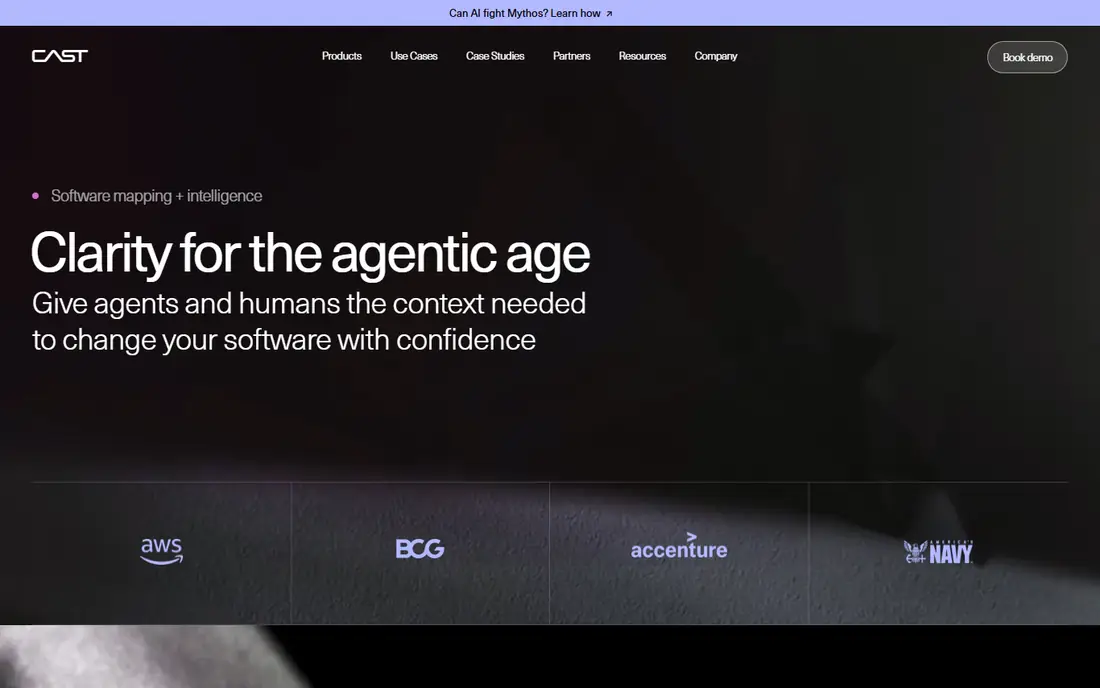
CAST Highlight is our pick for the first step of any modernization program. It scans application source code and maps technologies, frameworks, cloud readiness, open-source risk, and technical debt across a whole portfolio. Leaders get objective scores to decide what to rehost, refactor, replace, or retire, instead of relying on opinion.
The catch is that Highlight assesses rather than migrates. Its pricing is tiered by portfolio size, with third-party guides putting Complete Edition from around $44,000 per year. Pair it with a migration tool once you know which apps to move first.
- Scans source code across hundreds of apps
- Cloud readiness and technical debt scores
- Benchmarks for boards
- Enterprise pricing tiered by portfolio size
- Assessment alone does not move code
Azure Migrate is the central hub for moving workloads to Microsoft Azure. It discovers servers, assesses readiness, and migrates servers, databases, and web apps, with the core tooling free and Azure usage billed as normal. For companies already on Microsoft 365 or Windows Server, the fit is natural.
The limitation is destination. Azure Migrate moves you to Azure, not to a neutral platform, so multi-cloud teams should compare it with cloud-neutral assessment tools first. For a committed Azure move, it is the obvious starting point.
- Free assessment and migration hub
- Covers servers, databases, and web apps
- Deep Azure integration
- Azure-only destination
- Complex estates need planning and partner help
AWS Application Migration Service, known as MGN, replicates servers to AWS with minimal downtime, making it the workhorse for large lift-and-shift moves. It automates much of the replication and cutover work, which suits estates with hundreds of servers and tight downtime windows.
The honest catch is that rehosting is not modernizing. Moved servers run in the cloud, but monoliths stay monoliths. Use MGN to get to AWS fast, then refactor in slices with other tools rather than calling the move done.
- Lift-and-shift at scale
- Automated replication
- Strong for large server estates
- Rehosting alone does not modernize architecture
- AWS costs follow after migration
Google Cloud offers migration tooling for virtual machines, databases, and container moves, plus a data and AI platform that appeals to teams modernizing analytics alongside apps. Migrate to Containers helps teams containerize existing workloads, which is a genuine step beyond simple rehosting.
The downside is ecosystem size. In some regions, the partner network for Google Cloud migration is smaller than for AWS or Azure, so check local support before committing. For teams already invested in Google data tools, the destination value is strong.
- Migration tooling for VMs and containers
- Strong data and AI platform on arrival
- Anthos options
- Smaller migration partner network than AWS or Azure in some regions
- Pricing varies by service
vFunction helps teams split monolithic applications into microservices without a big-bang rewrite. It analyzes code and runtime behavior to map domains and dependencies, then guides incremental extraction of services that can be tested and shipped one at a time. That approach cuts the risk that kills most rewrite projects.
The catch is scope and price. Pricing is quote-based, and coverage is strongest for common enterprise stacks. For a team with a large Java or .NET monolith and a real need to split it, vFunction is one of the few tools built for exactly that job.
- Maps monolith structure and dependencies
- Extracts services incrementally
- Reduces rewrite risk
- Quote-based pricing
- Works best for Java and .NET monoliths in its core coverage
IBM covers modernization as a full program: assessment, AI-assisted code transformation, cloud migration, and managed services, with deep mainframe and hybrid cloud experience. Its watsonx Code Assistant helps developers understand and refactor legacy code faster, which matters on estates where original authors have long left.
The downside is that IBM is an enterprise engagement, not a quick self-serve signup. Smaller companies will find CAST or a cloud vendor tool more practical. For large estates with mainframe, regulatory, and hybrid needs, IBM's breadth is a real advantage.
- Broad services and tooling including AI-assisted code help
- Mainframe and hybrid expertise
- Large delivery network
- Enterprise pricing and engagement size
- Better as a program than a single tool
Blu Age specializes in transforming legacy mainframe applications, such as COBOL, into modern cloud-native code. Its automation converts large codebases faster than manual rewriting, with testing to prove the new code behaves like the old. That matters because mainframe rewrites are among the riskiest IT projects.
The limitation is focus. Blu Age is for legacy estates, not for a modern web app that needs a framework upgrade. If your problem is mainframe code, it belongs on the shortlist. If not, skip it.
- Automated mainframe code transformation
- Cloud-native targets
- Proven on large legacy estates
- Niche focus on legacy languages
- Project pricing, not a simple subscription
Tidal Migrations helps teams plan and track migrations, with discovery of applications and dependencies, migration wave planning, and runbooks for execution. It integrates with portfolio tools such as CAST Highlight, so assessment data flows into a real plan instead of sitting in a report.
The honest catch is that Tidal plans and tracks rather than transforming code. Pair it with a migration or refactoring tool for the actual move. For program managers running a multi-wave migration, that planning layer prevents the chaos that sinks many programs.
- Application discovery and migration planning
- Integrates with portfolio tools
- Clear runbooks
- Planning focus rather than code transformation
- Pricing is quote-based
Astadia runs mainframe-to-cloud migrations as a factory process, with automated code transformation, testing, and cutover support. Its approach suits organizations that need to exit a mainframe on a deadline, with predictable steps rather than a custom rewrite.
The downside is engagement size. Astadia works through projects, not small subscriptions, and its value is specific to mainframe estates. For a mainframe exit, that focus is a strength. For other modernization work, look elsewhere.
- Mainframe migration factory approach
- Automated transformation and testing
- Cloud partner depth
- Project-based engagements
- Not a fit for non-mainframe modernization
How we picked these
We compared official product pages, documentation, and independent migration comparisons for modernization tools. We favored tools with live products across assessment, cloud migration, refactoring, and mainframe transformation, and we included both vendor tools and independent platforms. Where pricing is quote-based, we say so rather than guessing a figure.
How to choose an application modernization tool
Start with the decision, not the tool. Know which apps to move, and why, before buying a platform.
Assess the portfolio first
Run CAST Highlight or a cloud vendor assessment before committing to a migration tool. You may find that a third of your portfolio should be retired, not modernized, which saves more money than any tool discount.
Pick the strategy per app
Not every app needs the same treatment. Rehost simple apps with AWS MGN or Azure Migrate, refactor monoliths with vFunction, transform mainframes with Blu Age or Astadia, and retire what no longer earns its keep. One tool rarely fits every app.
Modernize in slices
Ship value in small steps: move one service, prove it in production, then move the next. Big-bang rewrites fail because they delay value and hide problems until the end. Tools that support incremental extraction, such as vFunction, make slicing practical.
Budget for testing, not just tooling
Testing transformed code costs as much as transforming it. Budget for automated tests, parallel runs, and rollback plans, especially for mainframe and financial systems. A tool that skips testing is not saving money, it is hiding cost.
FAQ
What are the best application modernization tools?
CAST Highlight leads for portfolio assessment, Azure Migrate and AWS Application Migration Service lead for cloud moves, vFunction leads for breaking up monoliths, and Blu Age and Astadia lead for mainframe exits.
What is the best application modernization software for cloud migration?
For Azure, use Azure Migrate. For AWS, use AWS Application Migration Service. For Google Cloud, use Google Cloud migration tooling. Start with an assessment tool such as CAST Highlight if your destination is not yet decided.
How much do application modernization tools cost?
Most are enterprise-priced and quote-based. CAST Highlight Complete Edition is reported from around $44,000 per year, while cloud vendor migration tools are often free with cloud usage billed separately. Get a formal quote for your portfolio size.
What is the difference between rehosting and refactoring?
Rehosting moves an app to the cloud without changing its code, which is fast but leaves old architecture intact. Refactoring changes the code, such as splitting a monolith, which takes longer but improves scalability and maintenance.
How long does application modernization take?
It depends on portfolio size. A single app move can take weeks, while a large estate program takes months to years. Slicing work into small, shippable steps gives value early and reduces risk.
Should small businesses use application modernization tools?
Small businesses with a few apps usually need only their cloud vendor's migration tool, not an enterprise platform. Assessment tools pay off once the portfolio grows past a handful of business-critical apps.