Best Apps for Taxes in 2026: 8 Apps Compared
Find the best app for taxes for your return type and budget. We compare 8 tax apps on free filing, prices, imports, support, state fees and expert help.
- Editor's choice
 TurboTax
Most guided filing experience
Starts atFreeVisit turbotax.intuit.comFull review - Great alternative
 H and R Block
Guided filing plus in-person help
Starts atFreeVisit hrblock.comFull review - Also consider
 FreeTaxUSA
Lowest cost federal filing
Starts atFreeVisit freetaxusa.comFull review
TL;DR:
- Cash App Taxes and FreeTaxUSA are the cheapest routes for many filers, with free federal filing and low or no state costs.
- TurboTax offers the most guided, hand-holding experience, but it costs more than budget rivals for similar forms.
- H and R Block balances price with support, including live expert help on paid tiers and in-person offices.
- TaxSlayer and TaxAct sit in the middle on price, with solid guided filing and expert support options.
- Prices change during tax season, so check the vendor site for your exact return type before you pay.
Quick comparison
| Tool | Best for | Starts at | Free plan? | |
|---|---|---|---|---|
| TurboTax | Most guided filing experience | Free | Yes | Visit |
| H and R Block | Guided filing plus in-person help | Free | Yes | Visit |
| FreeTaxUSA | Lowest cost federal filing | Free | Yes | Visit |
 Cash App Taxes | Fully free federal and state filing | Free | Yes | Visit |
 TaxSlayer | Value with expert support | Free | Yes | Visit |
 TaxAct | Budget guided filing | Free | Yes | Visit |
 Jackson Hewitt Online | Flat-rate online filing | See website | No | Visit |
 1040.com | Simple flat-rate filing | See website | No | Visit |
The best apps for taxes
Tax apps differ less in the forms they cover than in guidance, price, and support. We compared official pricing pages and public reviews for tax season 2026, and we focused on free filing eligibility, federal and state prices, import tools, expert help, and mobile app quality. This is general information only, not tax advice, and prices can change during the season.

TurboTax is the easiest tax app to use if you want step-by-step guidance. The interview format asks plain questions, explains each section, and imports W-2s, 1099s, and investment data where supported. The mobile app supports full return completion, which helps if you prefer to file on a phone rather than a computer.
The cost is the main drawback. Paid tiers for itemised deductions, investments, rentals, and self-employment cost more than FreeTaxUSA or Cash App Taxes, and state filing adds extra cost. The Free Edition covers simple Form 1040 returns only, so many filers will need a paid tier. If guidance and a smooth experience matter more than the lowest price, TurboTax is still a strong pick.
- Very clear interview-style guidance
- Strong import tools
- Full mobile app filing
- Higher prices than budget rivals
- Free edition covers simple returns only

H and R Block is a good middle ground between TurboTax polish and budget pricing. Its Free Online tier covers more situations than TurboTax Free Edition, including Schedules 1, 2, and 3 in many cases, and paid tiers include live expert help. With thousands of offices, it also offers in-person help if you want to talk to a tax professional face to face.
The mobile app is solid for simple and moderate returns, but complex returns are easier on a computer. Prices vary during tax season, so the tier you need may cost more near the deadline. For filers who want guidance, a broader free tier, and a human backup, H and R Block is a sensible choice.
- Broader free tier than TurboTax
- Live expert help on paid tiers
- In-person offices
- Mobile app is less complete for complex returns
- Paid prices still vary by season
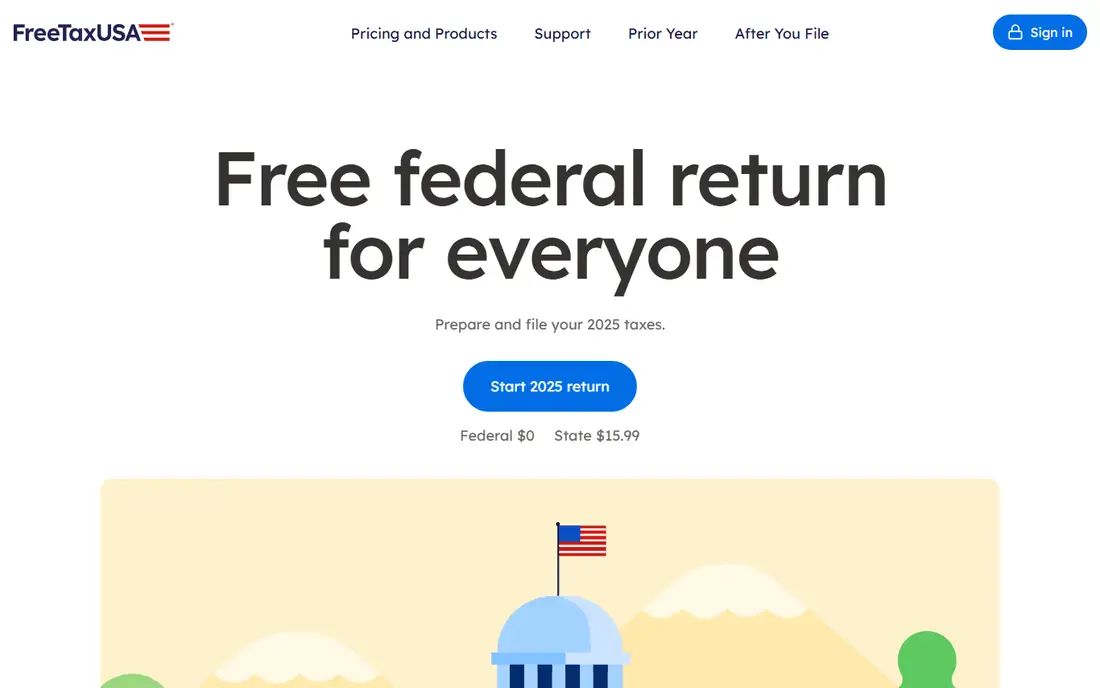
FreeTaxUSA is the best value pick for confident filers. Federal filing is free for every return type, including self-employment, rentals, and investments, with state filing at a low flat fee. That pricing makes it far cheaper than TurboTax for a complex return, even though the forms filed are the same.
Guidance is more straightforward and less polished than TurboTax, so you need to know your return type and be comfortable answering tax questions without as much explanation. Support exists, but it is not as extensive as H and R Block expert help. If you are comfortable with DIY filing and want the lowest cost, FreeTaxUSA is hard to beat.
- Free federal filing for all return types
- Low state fee
- Handles complex forms
- Less hand-holding than TurboTax
- Support is more limited
Cash App Taxes, formerly Credit Karma Tax, offers free federal and state filing with no paid tiers. That simplicity is appealing: there is no upsell to a higher tier for a more complex form, and the mobile flow is clean for straightforward to moderate returns. For many W-2 filers, students, and gig workers with simple records, it covers the return at no cost.
The limits are support and state coverage. Expert help is more limited than TurboTax or H and R Block, and some filers with multiple state returns may need another service. If your return is straightforward and you want zero filing cost, Cash App Taxes is an excellent first check, especially if you already use Cash App.
- Free federal and state filing
- No paid tiers or upsells
- Simple mobile flow
- Limited to one state filing in some cases
- Fewer expert help options
TaxSlayer sits between budget and premium options. Its Classic and higher tiers handle investments, rentals, and self-employment at prices below TurboTax, with expert support available when you need it. The interface is clear, though less polished than TurboTax, and the tier structure makes it easy to see which plan fits your return.
The Simply Free tier covers only simple returns, so many filers will need a paid tier, and state filing adds cost. Still, for a moderately complex return, TaxSlayer often gives the best balance of price and support. Compare its total, including state, with FreeTaxUSA before you pay, since the gap depends on your return type.
- Good value for moderate complexity
- Expert support options
- Clear tier structure
- Simply Free tier has narrow eligibility
- State fee adds to total cost
TaxAct is a long-standing budget option with guided filing for W-2, investment, rental, and self-employment returns. Prices are generally below TurboTax and H and R Block for similar tiers, and the free tier covers simple returns for W-2 employees and students. Import tools help with prior-year returns and common forms.
The interface feels more functional than friendly, and expert help is less extensive than the premium services. For a filer who wants guided filing without paying premium prices, that trade is reasonable. Check the total cost including state, since TaxAct state fees can narrow the gap with FreeTaxUSA for some returns.
- Lower prices than TurboTax
- Guided filing for many return types
- Import tools
- Interface is less polished
- Expert help is more limited than H and R Block
Jackson Hewitt Online offers flat-rate pricing, which simplifies cost comparison. Instead of tiered prices that rise with complexity, you pay one flat amount for federal and state filing in many cases, which helps multi-state filers and complex returns. In-person offices provide a backup if you want professional help.
There is no free tier, so simple filers may pay more than with Cash App Taxes or FreeTaxUSA. Online features also vary, and some complex situations are easier in an office. If you want a predictable total price and the option of in-person help, Jackson Hewitt Online is worth comparing with the tiered services.
- Flat-rate pricing for all return types
- In-person office backup
- Simple total cost
- No free tier
- Online features vary by return complexity
1040.com charges one flat price for federal and state filing, no matter how complex the return. That simplicity is its main appeal: you do not need to work out which tier fits your forms, and the total cost is clear upfront. It handles many common return types, including investments and self-employment, at that flat rate.
The trade-off is guidance and support. 1040.com offers fewer hand-holding features and expert help options than TurboTax or H and R Block. Confident DIY filers who want a predictable price will like it, while filers who want step-by-step guidance may prefer a premium service. Compare the flat price with FreeTaxUSA, since free federal filing may still be cheaper overall.
- One flat price for federal and state
- Simple pricing
- Handles many return types
- No free tier
- Fewer guidance and support features than premium apps
How we picked these
We compared official pricing pages and public reviews for tax apps that file US federal and state returns in October 2026. We favoured apps with a working mobile app or mobile-friendly site, clear free filing rules, and support for common return types. We excluded apps that had shut down, apps that only offered tax calculators with no filing, and apps whose homepages did not clearly belong to the product named.
How to choose a tax app without overpaying
Start with your return type, not with the brand you used last year. A simple W-2 return with standard deduction may qualify for free filing on several apps, while investments, rentals, or self-employment usually need a paid tier or a free federal option such as FreeTaxUSA. List your forms first: W-2, 1099, Schedule C, Schedule D, and Schedule E, then check which tier each app requires for those forms.
Next, compare the full total, including state filing, not just the advertised federal price. State fees vary widely, and a low federal price can become expensive once state is added. Check whether your state offers free filing, whether you qualify for IRS Free File, and whether a membership or discount applies. File early when possible, since prices often rise closer to the deadline.
Finally, think about support before you need it. If your return is simple, a budget app with limited support is fine. If you have a new situation, such as a first rental, a crypto sale, or self-employment income, expert help or in-person support can prevent costly errors. This article is general information only, not tax advice. For complex or high-value situations, consider a qualified tax professional.
FAQ
What is the best app for taxes for a simple return?
Cash App Taxes and FreeTaxUSA are strong for simple returns, since federal filing is free and state costs are low or zero. H and R Block Free Online also covers many simple returns, with broader eligibility than TurboTax Free Edition. The best apps for taxes for simple filers are usually the free options, unless you want premium guidance.
Are the best apps for taxes free?
Some are fully free, such as Cash App Taxes for federal and state, and FreeTaxUSA for federal filing. Others offer a free tier for simple returns, including TurboTax, H and R Block, TaxSlayer, and TaxAct. Paid tiers apply to itemised deductions, investments, rentals, and self-employment, so check eligibility for your exact return.
Which tax app is cheapest overall?
For many filers, Cash App Taxes is cheapest at zero for federal and state, followed by FreeTaxUSA with free federal and a low state fee. For complex returns, FreeTaxUSA often beats tiered services on total cost. Compare the full total, including state, since a low federal price alone does not tell the whole story.
Can I file taxes completely on my phone?
Yes, TurboTax, H and R Block, Cash App Taxes, and other apps in this list support full or near-full filing on a phone. Complex returns with many documents are easier on a computer, where you can review forms and imports more clearly. Use the phone for a simple return, and a computer for investments, rentals, or self-employment.
What is IRS Free File, and do I qualify?
IRS Free File is a program that offers free federal filing through partner software for filers below an income threshold, which changes each year. Check the IRS Free File page for the current threshold and participating providers. Even if you do not qualify, Cash App Taxes and FreeTaxUSA offer free federal filing for many returns outside the program.
Should I use a tax app or a tax professional?
A tax app suits most straightforward returns, including W-2, simple investments, and gig work with clear records. A tax professional is worth considering for complex situations, such as multiple businesses, large capital gains, estate issues, or an IRS notice. This article is general information only, not tax advice, so get professional advice when the stakes are high.