Best Aircraft Design Software (2026): 5 Picks Checked on Vendor Pages
Compare 5 picks for the best aircraft design software, with prices, free plans and who each fits. Verdicts stay brief and factual. Read before you buy.

- Editor's choiceAnsys Mechanical
Structural FEA of airframes and components
Starts atPricing on requestVisit ansys.comFull review - Great alternative
 Autodesk Fusion
Cloud CAD with integrated CAE basics
Starts atPricing on requestVisit autodesk.comFull review - Also consider
 Ansys Fluent
Aerodynamic and thermal fluid simulation
Starts atPricing on requestVisit ansys.comFull review
Direct answer
Ansys Mechanical leads the list, best for structural FEA of airframes and components. Look at Autodesk Fusion for cloud CAD with integrated CAE basics, and at Ansys Fluent for aerodynamic and thermal fluid simulation. Details and limits for the rest of the 5 tools are below. None of these vendors publish plan prices, so pricing is on request for every option.
TL;DR:
- Top of the list is Ansys Mechanical, which targets structural FEA of airframes and components.
- For simulation and optimization system work, Altair HyperWorks is worth a look.
- One limit worth knowing about Autodesk Fusion: less depth for advanced CFD.
- Every tool from Ansys Mechanical to Altair HyperWorks works by quote, with no list price shown.
- Neither Ansys Mechanical nor Altair HyperWorks, nor any of the other 3 tools, has a permanent free plan; trials and quotes are the norm.
Last checked November 2026. Pricing on request: vendors did not publish plan prices when this guide was last checked (November 2026), so ask each vendor for a written quote.
Quick comparison
| Tool | Best for | Starts at | Free plan? | |
|---|---|---|---|---|
| Ansys Mechanical | Structural FEA of airframes and components | Pricing on request | Not stated | Visit |
| Autodesk Fusion | Cloud CAD with integrated CAE basics | Pricing on request | Not stated | Visit |
| Ansys Fluent | Aerodynamic and thermal fluid simulation | Pricing on request | Not stated | Visit |
| Creo | Parametric 3D CAD for airframe parts | Pricing on request | Not stated | Visit |
| Altair HyperWorks | Simulation and optimization product work | Pricing on request | Not stated | Visit |
The full aircraft design software list
Short on time? The summary and table above give the quick view of 5 tools for aircraft design software, and the profiles that follow give the detail behind each entry.
Ansys Mechanical
Best for: Structural FEA of airframes and components
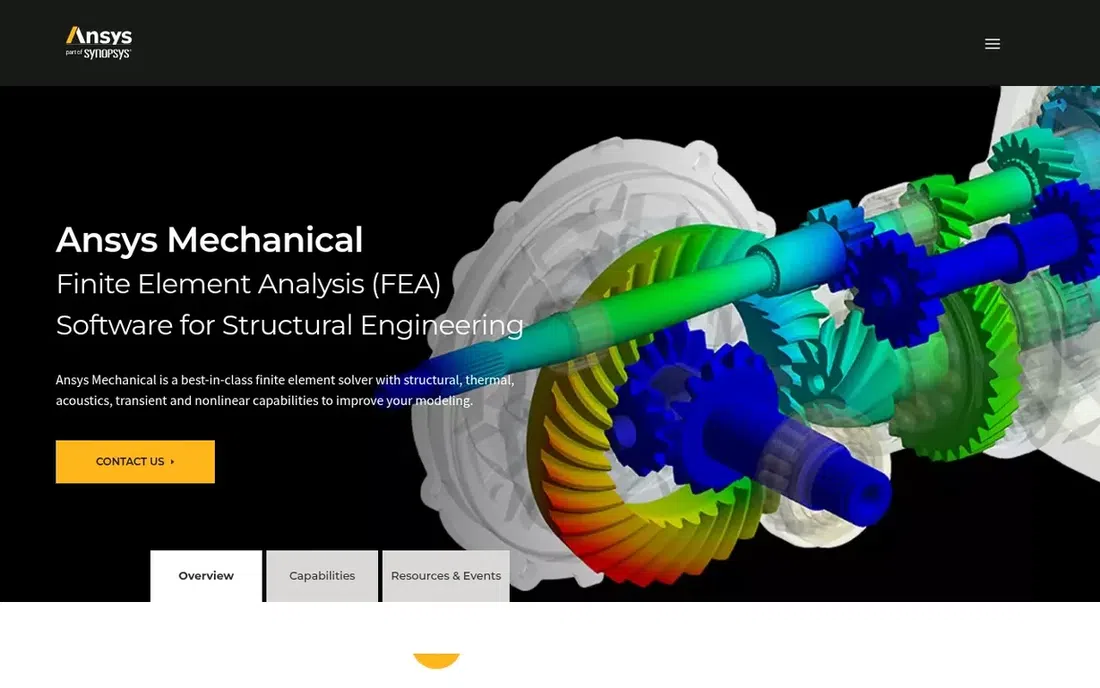
Ansys Mechanical serves structural FEA of airframes and components. Ansys Mechanical is structural finite element analysis software for solving complicated structural engineering problems, including both implicit and explicit analysis.
In daily use, Aircraft teams use it to study stress, deformation and structural behavior in airframes, brackets and other load-bearing parts. If your work is largely geometry creation instead of structural verification, a CAD-centered system will be more productive. Check the vendor site for Ansys Mechanical pricing; none is listed in this comparison. Free access: Not stated.
Honest limits: Model setup takes time.
- Implicit and explicit structural analysis
- Suits within the Ansys ecosystem
- Specialist knowledge required
Autodesk Fusion works best for cloud CAD with integrated CAE basics. If your program centers on high-fidelity CFD or very large assemblies, a specialist system will likely serve you better. Autodesk Fusion, formerly Fusion 360, is a cloud-based system for 3D CAD, modeling, manufacturing, industrial design, electronics and mechanical engineering.
For everyday use, heavy simulation work may need dedicated tools. Cloud-based workflows also rely on connectivity and data policies. Worth adding: Fusion is wide but not as deep as specialist solvers for advanced aerodynamics or large-scale structural analysis. This comparison lists no price for Autodesk Fusion; ask the vendor. On free options: Not stated.
Trade-offs to know: Cloud dependency for collaboration.
Highlights: CAM and CAE.
- Merges design and manufacturing tools
- Accessible for smaller teams
- Less depth for advanced CFD
Ansys Fluent targets aerodynamic and thermal fluid simulation. Results depend heavily on setup and validation choices.
Trade-offs to know: Demanding on compute resources.
Ansys Fluent is fluid simulation software built for advanced physics modeling and accurate computational fluid dynamics results. Ansys Fluent does not show a starting price in this comparison, so check the vendor site for current pricing. Trial and free access: Not stated.
- Deals with complicated flow problems
- Advanced physics modeling
- Requires CFD expertise
Creo
Best for: Parametric 3D CAD for airframe parts

Where Creo fits: Parametric 3D CAD for airframe parts. Creo is a parametric 3D CAD system from PTC used for in-depth mechanical design, including aircraft components and assemblies.
If your priority is fast conceptual shape exploration instead of in-depth production geometry, a lighter or more specialized modeler may suit you better. This comparison lists no price for Creo; ask the vendor. Trial and free access: Not stated.
Drawbacks to consider: Steep ramp-up time.
- Supports large assemblies
- Wide design and detailing tools
- Simulation needs companion tools
Altair HyperWorks
Best for: Simulation and optimization product work
Altair HyperWorks serves simulation and optimization product work. In practice, since the product line is transitioning under Siemens ownership, teams should confirm current packaging and support paths with the vendor.
Trade-offs to know: Plenty of modules to learn.
The breadth of the system means a real ramp-up time and careful module selection. If you need only one narrow analysis type, a focused tool may be simpler to adopt. Altair HyperWorks does not show a starting price in this comparison, so check the vendor site for current pricing. Free access: Not stated.
- Now part of the Siemens portfolio
- Supports optimization workflows
- Setup varies by discipline
How we built this list
Each tool was reviewed on what its vendor publishes: price, plan limits, core features and stated drawbacks. We did not run hands-on tests. Where a vendor does not publish a price, the entry says quote. Where a price depends on seats or billing term, the entry says so. Tools are placed by general fit for aircraft design software, with price clarity and free access as tie-breakers. A different team can reasonably rank them differently.
What to check before you buy
- Ask each vendor, from Ansys Mechanical to Altair HyperWorks, for a written quote; none of them publishes a starting price.
- Read the limits listed for Ansys Mechanical first: specialist knowledge required.
- A short pilot of Autodesk Fusion with your real workflow tells you more than a feature table.
- Work out what Altair HyperWorks costs with your real seat count, add-ons and usage, not just the entry price.
- Find out what support Creo includes on your plan, and whether onboarding help costs extra.
FAQ
Do these tools publish their prices?
No. None of the tools, from Ansys Mechanical to Altair HyperWorks, shows a fixed starting price here, so budget time for quotes.
How are the tools for aircraft design software ordered?
The order follows typical fit for aircraft design software, with Ansys Mechanical first and Altair HyperWorks last, then price clarity and free access. It is editorial judgement, not a score, so another team could rank the tools differently.
Is Ansys Mechanical the right pick for everyone comparing aircraft design software?
No single tool suits every team. Ansys Mechanical comes first because it fits structural FEA of airframes and components, while Autodesk Fusion suits cloud CAD with integrated CAE basics and Ansys Fluent suits aerodynamic and thermal fluid simulation. Match the tool to your own size, budget and workflow before deciding.
How should a small team choose aircraft design software?
Start with the stage where most work happens, for example CAD for in-depth parts or CFD for aerodynamics, and pick a tool capable there. Confirm licensing and support terms straight with each vendor.
Do I need both CAD and simulation software for aircraft design?
Most programs use separate tools for geometry creation and analysis. Creo manages in-depth CAD, whereas Ansys Fluent and Ansys Mechanical handle flow and structural work.
Does any tool for aircraft design software here have a free plan?
A permanent free plan is not offered by Ansys Mechanical, Altair HyperWorks or the other tools here. Plan a short evaluation period instead.
Sources
- https://www.ansys.com/products/structures/ansys-mechanical
- https://www.autodesk.com/products/fusion-360
- https://www.ansys.com/products/fluids/ansys-fluent
- https://www.ptc.com/en/products/creo
- https://altair.com/hyperworks