Best AI App for Home Interior Design in 2026: 8 Apps Compared
Looking for the best AI app for home interior design? We compared 8 AI tools for room redesigns, floor plans, virtual staging, and shopping in 2026 today.
- Editor's choice
 Planner 5D
Editable floor plans and 3D design
Starts atFreeVisit planner5d.comFull review - Great alternative
 Homestyler
Free 3D room design
Starts atFreeVisit homestyler.comFull review - Also consider
 RoomGPT
Fast photo redesigns
Starts at$9 credit packVisit roomgpt.ioFull review
TL;DR:
- Planner 5D is our pick for most homeowners, because it pairs AI tools with editable floor plans and 3D rooms you can actually change.
- Homestyler is the best free starting point for 3D room design, with unlimited basic renders and a large furniture library.
- RoomGPT is the fastest way to test a new style from a single room photo, with no floor plan to build first.
- REimagineHome is the best choice for virtual staging and renovation ideas tied to real, shoppable products.
Quick comparison
| Tool | Best for | Starts at | Free plan? | |
|---|---|---|---|---|
| Planner 5D | Editable floor plans and 3D design | Free | Yes | Visit |
| Homestyler | Free 3D room design | Free | Yes | Visit |
| RoomGPT | Fast photo redesigns | $9 credit pack | Yes | Visit |
 REimagineHome | Virtual staging and shoppable ideas | $19 per month | Yes | Visit |
 Interior AI | High-volume staging | See website | No | Visit |
 IKEA Kreativ | Previewing IKEA furniture in your room | Free | Yes | Visit |
 Houzz | Inspiration and shopping | Free | Yes | Visit |
 magicplan | Measured floor plans from a phone scan | $12.99 per month | Yes | Visit |
The best AI apps for home interior design
The best AI app for home interior design depends on what you are trying to do. Some tools restyle a photo in seconds, others help you build a floor plan and move furniture in 3D, and a few connect a design to products you can buy. These eight cover that range, from free experiments to professional staging.
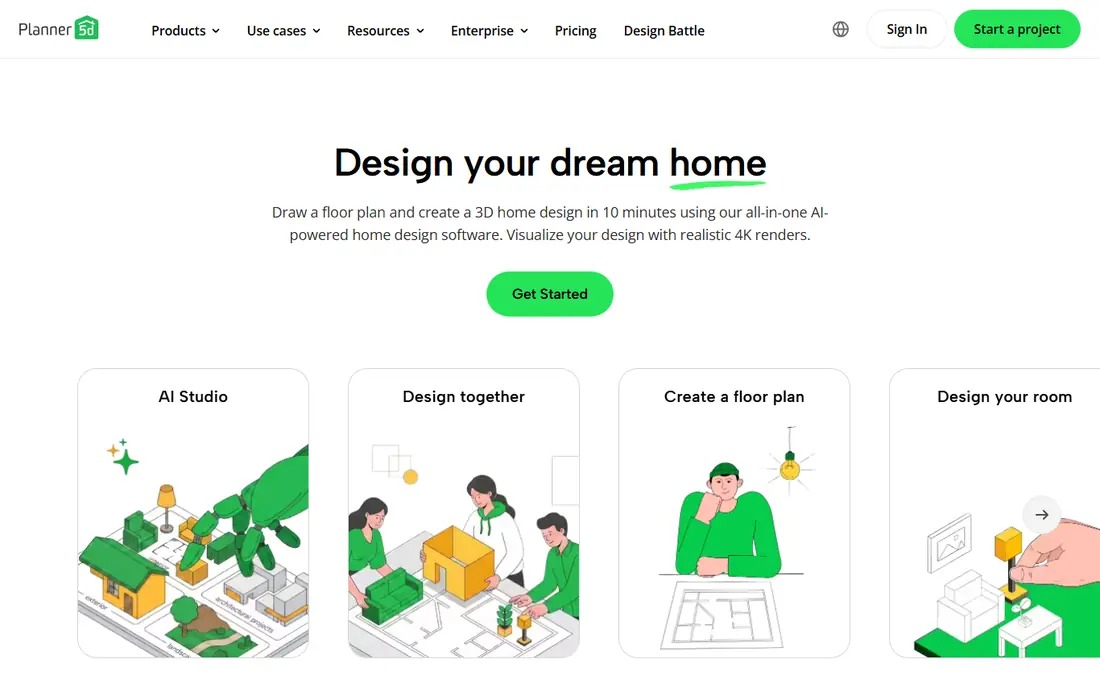
Planner 5D is the most complete home design app on this list. You can draw a floor plan, place furniture in 2D and 3D, and use AI tools to generate images, recognize a plan, or edit a room, all inside a project you can keep changing. That editable workflow matters: a photo restyle looks nice once, but a Planner 5D project lets you test a sofa in three positions, change wall colors, and see the room from different angles.
The free plan covers unlimited projects and about half the furniture catalog, which is enough to plan a real room. Premium costs $19.99 per month or $59.99 per year and adds the full catalog and higher-quality renders. For a homeowner planning a renovation or a new layout, Planner 5D is the best AI home interior design app overall.
- Unlimited projects on the free plan
- Editable 2D and 3D rooms
- AI image tools inside a real design workflow
- Full furniture catalog and advanced renders need Premium
- AI tools are paid on some plans
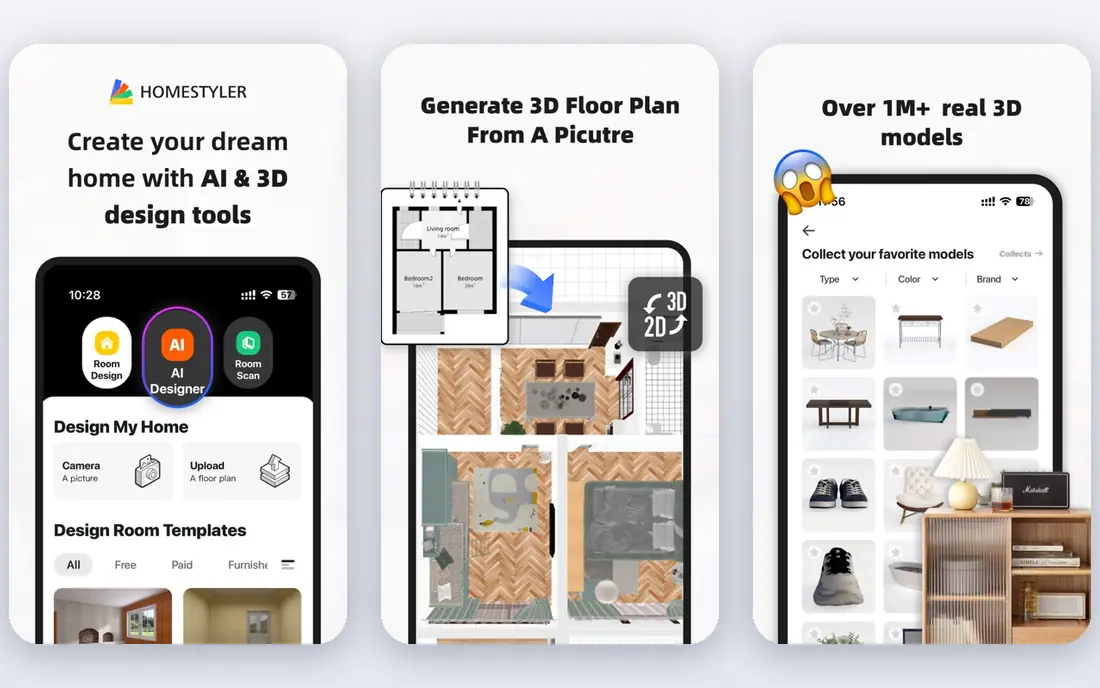
Homestyler is the best free way to design a room in 3D. You can build a floor plan, furnish it from a large library, and render it in basic quality without paying, which makes it ideal for trying layouts before you buy anything. Its Pro plan starts at about $6.80 per month and adds higher-resolution renders and more AI features, but the free tier is genuinely useful on its own.
The limits are resolution and AI credits. A basic render is fine for planning, but a polished presentation image will need a paid tier, and the handful of free AI credits will not cover a large staging project. For a homeowner who wants to move furniture around in 3D for free, Homestyler is hard to beat.
- Free plan with unlimited basic renders
- Large furniture and decor library
- Web, iOS, and Android apps
- Free AI credits are limited
- Higher-resolution renders need a paid plan
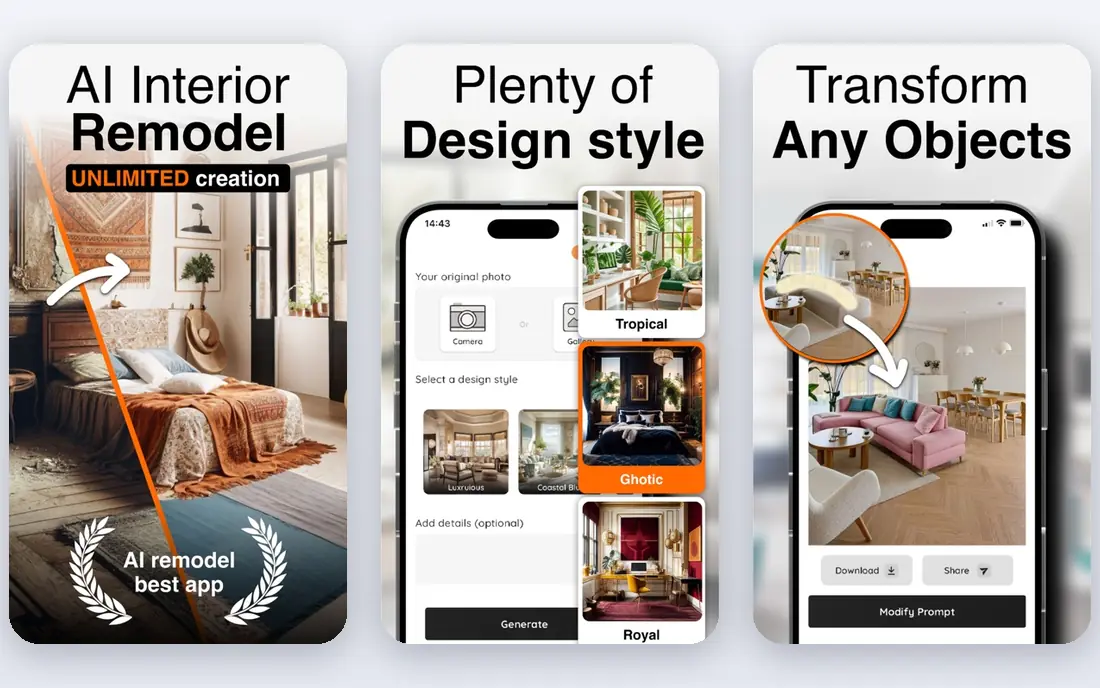
RoomGPT is the fastest tool here. Upload a photo of a room, pick a style, and you get a redesigned image back in a short time, with no floor plan, measurements, or furniture library to learn first. That simplicity makes it ideal for a quick question such as whether a room would suit a modern, coastal, or rustic look, and the first free design lets you test the quality on your own photo.
The trade-off is that the result is a picture, not a plan. You cannot move the sofa in the redesigned image, measure a wall, or buy the exact items shown. Credit packs start at about $9 for 30 credits, which suits occasional experiments. For a fast style test, RoomGPT is the best AI tool for home interior design in its category.
- Simplest upload-and-redesign workflow
- One free design to try
- Good for quick style experiments
- Output is an image, not an editable room plan
- Credit packs needed for regular use
REimagineHome bridges photo redesign and shopping. You upload a room photo, describe changes in plain language, and get a redesigned image, with higher plans linking ideas to real products you can buy. That link matters for a renovation: a pretty image is less useful than an image plus a product list you can act on. Five free designs let you test it before paying.
Plans start at about $19 per month, and the most useful features, such as chat-based edits, reference photos, and full product linking, sit on Pro tiers. Like RoomGPT, it produces images rather than an editable floor plan, so pair it with Planner 5D or Homestyler if you also need measurements and layout. For staging and renovation ideas, it is a strong pick.
- Five free designs with no card
- Conversational edits
- Real shoppable products on Pro plans
- Paid plans needed for chat, references, and full product features
- Output is image based
Interior AI is built for volume. Real estate agents, stagers, and property managers use it to restyle and virtually stage many rooms quickly, with a wide range of styles and room types. If you need dozens of staged images for listings, its batch workflow and output options are more practical than a one-photo-at-a-time consumer app.
Casual homeowners will find it less friendly. There is no permanent free tier on its current plans, and pricing is subscription based, with higher tiers for high monthly volume. Check the current price on the vendor site before committing. For professional staging volume, Interior AI is one of the best AI apps for home interior design.
- Fast restyling and virtual staging at volume
- Many styles and room types
- Suited to real estate use
- No permanent free tier on current plans
- Pricing varies and can be high for casual use
IKEA Kreativ answers a specific, practical question: will this IKEA sofa actually fit and look right in my room? You scan your room, place real IKEA products in it, and see how they sit in the space, which reduces the guesswork that leads to returns. It is free, and it lives inside the IKEA app and website, so the products you preview are the ones you can buy.
The limit is the catalog. If you want non-IKEA furniture, a mix of brands, or a full redesign in a different style, Kreativ will not cover it. Full 3D scanning also needs a supported phone or tablet. For an IKEA shopper planning a room, it is the most useful free tool on this list.
- Free to use
- Places real IKEA furniture in a scan of your room
- Helps check size and fit
- Limited to the IKEA catalog
- Full 3D scan needs a supported device
Houzz is less an AI design tool and more the place to start a project. Its photo library covers nearly every room style, and idea books let you save images, note what you like, and share them with a partner or a professional. You can also shop for products and find local designers and contractors from the same app, which helps turn inspiration into a real project.
Its AI and room-planning features are lighter than Planner 5D or Homestyler, so it works best as a companion: gather ideas on Houzz, then build the layout in a design app. For inspiration, product discovery, and finding a professional, Houzz remains an essential free starting point for home design.
- Free app with a huge photo library
- Idea books for saving designs
- Shopping and professional directory included
- AI design features are lighter than dedicated tools
- Shopping focus can distract from planning
magicplan solves the least glamorous part of interior design: measuring the room. You scan a room with your phone, and it builds a floor plan with dimensions, which you can then use for furniture planning, renovation quotes, or a contractor briefing. Two free projects let you test it on a real room before paying.
Scan accuracy varies with lighting, device, and room shape, so check key measurements with a tape measure before ordering furniture or approving work. The Sketch plan costs about $12.99 per month and adds the full feature set. For anyone starting a renovation, a measured plan from magicplan is a practical first step.
- Creates measured floor plans from a phone scan
- Two free projects to try
- Useful for renovations and estimates
- Accuracy depends on the scan and device
- Full features need a paid Sketch plan
How we picked these
We compared official pricing pages, free-tier limits, and feature lists in October 2026, plus public reviews, and we favored tools that still work on current phones and browsers. We included photo redesign, 3D planning, staging, shopping, inspiration, and measurement, because home interior design covers all of those jobs. Prices were taken from vendor pages where we could confirm them, and we wrote See website where pricing was not published or varied by plan.
Choosing an AI interior design app
Start with the job, not the app. If you want a quick style idea, use RoomGPT or REimagineHome on a photo. If you want to plan a layout, use Planner 5D or Homestyler to build a floor plan. If you want to buy furniture, use IKEA Kreativ for IKEA pieces or Houzz for a wider search. Using two tools together often beats searching for one tool that does everything.
Photos, measurements, and realism
AI images can change room proportions, window positions, and furniture sizes, so treat a redesign as inspiration, not a blueprint. Measure your room, check doorways and ceiling heights, and confirm that a sofa or table in an image will fit in real life. For a renovation, share the AI image with a contractor and ask what is practical, rather than assuming every detail can be built as shown.
Cost and credits
Many AI design tools use credits, and credit costs vary by image size and style. A free trial of one or five designs is enough to judge quality, but it will not furnish a whole house. Budget for a monthly plan or a credit pack if you plan to stage several rooms, and check whether unused credits expire before you buy a large pack.
FAQ
What is the best AI app for home interior design?
Planner 5D is the best overall pick, because it combines AI tools with editable floor plans and 3D rooms. Homestyler is the best free 3D option, RoomGPT is fastest for a photo redesign, and REimagineHome is best for staging with shoppable products. The right tool depends on whether you need a picture, a plan, or a shopping list.
Can AI design my room from a photo?
Yes. RoomGPT, REimagineHome, and Interior AI can restyle a room photo in a chosen style, and IKEA Kreativ can place real furniture in a scan of your room. The output is an image for inspiration, not a measured plan, so check dimensions and product availability before you buy or build anything shown.
Is there a free AI interior design app?
Yes. Planner 5D and Homestyler have free plans for 3D design, RoomGPT offers one free design, REimagineHome offers five free designs, and IKEA Kreativ and Houzz are free. Free AI credits are limited, so a free plan suits a single room or a style test better than a whole-house project.
How accurate are AI room designs?
AI designs are good for style and layout ideas, but they can distort proportions, furniture sizes, and architectural details. Always measure your room and check product dimensions before ordering. For structural work, electrical changes, or plumbing, consult a qualified professional rather than relying on an AI image alone.
What is the best AI tool for home interior design for real estate staging?
REimagineHome and Interior AI are the strongest staging picks, with fast restyling and, for REimagineHome, product links on higher plans. Interior AI suits higher volumes for agents with many listings. For a single home sale, a few credits on either tool can produce staged images far cheaper than physical staging.