Best AI Home Design App in 2026: 8 Apps Compared
We compared the best ai home design app for room redesigns, floor plans, and staging, covering free credits, price, and editable layouts for homeowners in 2026.
- Editor's choice
 Planner 5D
Editable floor plans and 3D rooms
Starts atFreeVisit planner5d.comFull review - Great alternative
 Homestyler
Browser floor plans and renders
Starts atFreeVisit homestyler.comFull review - Also consider
 RoomGPT
Quick photo room redesigns
Starts at$9 one-timeVisit roomgpt.ioFull review
TL;DR:
- Planner 5D is our pick for editable floor plans, while Homestyler suits browser-based 2D and 3D room design.
- Photo redesign tools like RoomGPT and REimagineHome are best for style ideas, not measured plans for builders.
- Free credits run out fast, so check how many renders a free plan covers before you start a full home project.
- AI images can change room proportions and details, so measure your room and confirm colors with real samples.
Quick comparison
| Tool | Best for | Starts at | Free plan? | |
|---|---|---|---|---|
| Planner 5D | Editable floor plans and 3D rooms | Free | Yes | Visit |
| Homestyler | Browser floor plans and renders | Free | Yes | Visit |
| RoomGPT | Quick photo room redesigns | $9 one-time | Yes | Visit |
 REimagineHome | Photo redesigns and staging | $19 per month | Yes | Visit |
 Interior AI | Photorealistic room restyles | $49 per month | Free trial | Visit |
 HomeDesignsAI | Interior, exterior, and garden ideas | See website | Free trial | Visit |
 DecorMatters | Room design with shopping ideas | Free | Yes | Visit |
 Spacely AI | Sketch and photo rendering | See website | Yes | Visit |
The best ai home design app
We compared official pricing, free credits, input types, and output formats for the best ai home design app, and we favored tools that still offer usable free access and clear paid terms.
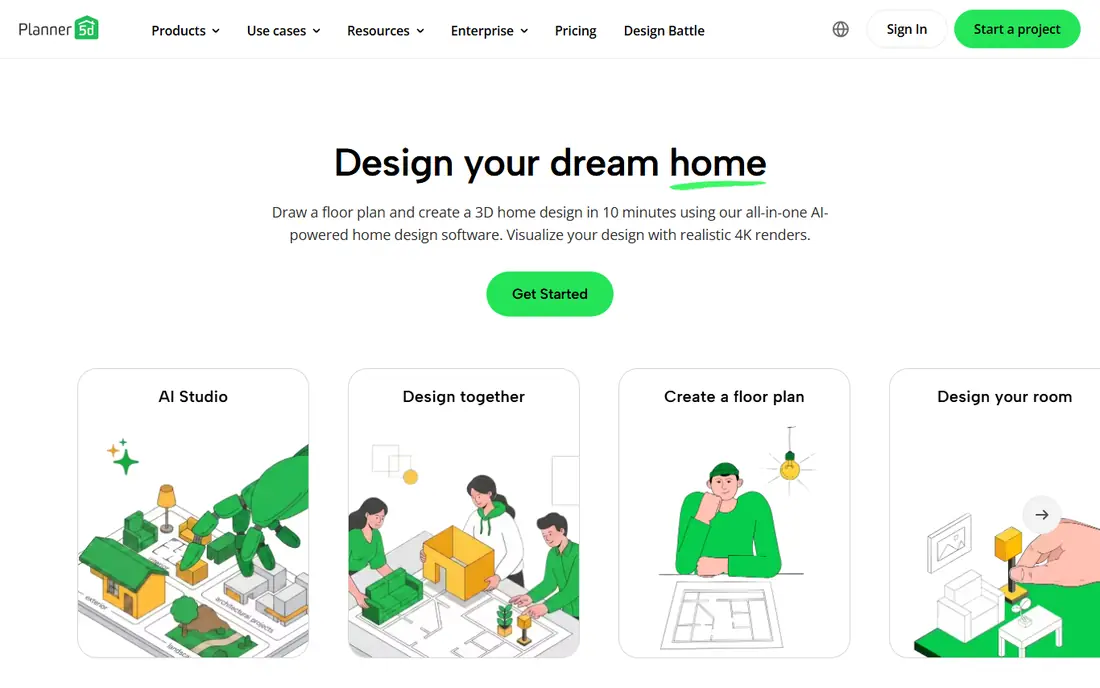
Planner 5D is our pick for homeowners who want a real plan, not just a pretty picture. Its free plan covers unlimited projects with part of the furniture catalog, and its editor lets you draw floor plans, place furniture, and view rooms in 2D and 3D. That editable workflow suits renovations, furniture placement, and layout experiments.
The free plan limits the catalog and advanced rendering, and AI image generation sits on paid plans. Planner 5D also needs care with measurements: enter real room dimensions, or the plan will look good but fit poorly. For a practical home design app that grows from ideas to a usable layout, Planner 5D leads this list.
- Unlimited projects on free plan
- Editable 2D and 3D layouts
- AI image tools on paid plans
- Full furniture catalog and advanced renders need a paid plan
- AI tools are paid
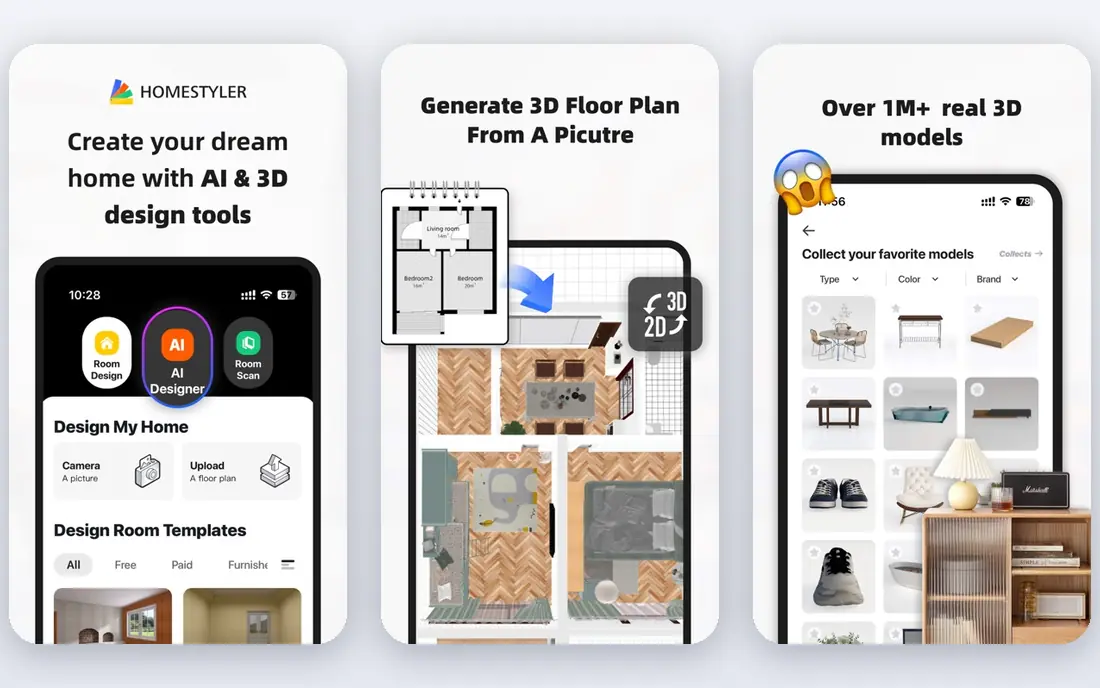
Homestyler suits users who want to design in a browser without installing software. Its floor plan tools, furniture library, and 3D views cover living rooms, bedrooms, kitchens, and home offices, and its Basic plan gives a useful starting point. Paid plans add more AI credits, higher-quality renders, and fuller catalog access.
Free AI credits are limited, so a full home redesign can use them fast. Homestyler is also a planning tool first and a photo restyle tool second, so users who want one-click photo makeovers may prefer RoomGPT or REimagineHome. For editable layouts with good renders, Homestyler is a strong, accessible choice.
- Browser-based 2D and 3D design
- Free Basic plan
- AI rendering options on paid plans
- AI credits are limited on free plans
- High-quality renders use credits or paid plans

RoomGPT is the simplest tool here: upload a room photo, pick a style, and get a redesigned image. Its free tier offers one redesign, and credit packs start at 9 dollars for 30 credits in recent listings, which suits occasional experiments. For a quick style test before buying paint or furniture, RoomGPT is fast and cheap.
The limit is control. RoomGPT outputs an image, not a measured plan, and AI can change furniture size, window placement, or room shape. Treat its images as inspiration, then rebuild the look in Planner 5D or Homestyler with real dimensions. For quick ideas, RoomGPT is excellent; for a build-ready plan, it is not enough alone.
- One free redesign to test the tool
- Simple photo upload
- Low-cost credit packs for occasional use
- No editable floor plan
- Output can alter room proportions and details
REimagineHome suits homeowners and real estate professionals who need fast photo redesigns and virtual staging. Its free designs let you test the tool, and paid plans add more credits, conversational edits, and product-linked ideas on higher tiers. For staging a listing or testing a new living room look, REimagineHome is practical and fast.
Credit limits matter: a full home with many rooms can use a monthly allowance quickly, and some newer chat and product features need higher plans. REimagineHome also outputs images, not measured plans, so confirm dimensions before you buy furniture. For photo-led design and staging, it is one of the best AI tools here.
- Free designs to start
- Virtual staging and redesigns
- Conversational edits on higher plans
- Lower plans exclude some newer features
- Credit limits apply per plan
Interior AI focuses on photorealistic room restyles from a photo, sketch, or 3D view, which suits users who want a polished concept image for a room. Its style range is broad, and its outputs can help you compare modern, rustic, minimalist, and other looks side by side. For designers and homeowners who need strong visuals, Interior AI delivers.
The cost is higher than many rivals, with Pro plans listed at 49 dollars per month in recent comparisons, and free access is limited to a trial rather than a lasting plan. Outputs can also contain small errors in proportions or details, so measure before you act. For high-quality concept images, Interior AI is a premium pick.
- Photorealistic restyles from photos and sketches
- Many style options
- Useful for concept work
- Higher monthly cost than rivals
- No lasting free plan in recent terms
HomeDesignsAI, also listed as Home-Design.ai in some comparisons, covers more than living rooms: it offers interior redesigns, exterior concepts, garden ideas, floor plan tools, and virtual staging. That breadth suits homeowners planning a whole property refresh, not just one room. Its credit-based plans let occasional users buy packs rather than a long subscription in some offers.
Pricing and trial terms vary, so check the current site for credit counts and plan limits before you pay. As with other photo tools, outputs are concepts, not measured construction plans, and AI can alter details. For broad, whole-home inspiration, HomeDesignsAI is a versatile choice.
- Covers interiors, exteriors, and gardens
- Floor plan and staging tools
- Credit-based plans
- Pricing and trial terms vary by offer
- Outputs need measurement checks
DecorMatters suits users who want a free, friendly app for room ideas, moodboards, and shopping-linked design. Its tools help you try styles, save inspiration, and explore products that match a look, which is useful when you are furnishing a room from scratch. The free starting point makes it easy to test without a subscription.
DecorMatters is less of a measured floor plan tool than Planner 5D or Homestyler, and its AI features vary by section. Treat it as a design helper for ideas and product discovery, then confirm sizes and layout in a planner app. For casual home design and shopping inspiration, DecorMatters is a pleasant, low-cost option.
- Free app to start
- Room design and moodboard tools
- Shopping-linked ideas in the app
- AI depth varies by feature
- Best as a design helper, not a measured planner
Spacely AI suits designers and serious homeowners who want rendering from photos, sketches, or 3D inputs, not just a single photo filter. Its trial credits let you test output quality, and its tools support interior concepts, staging, and design iteration. For users with sketches or existing 3D work, Spacely AI offers more control than a simple restyle app.
Credit costs vary by rendering engine and output quality, so a complex project can use credits faster than expected. Pricing terms also change, so check the current site before a large project. For sketch-to-render workflows and professional concepts, Spacely AI is a strong specialist pick.
- Trial credits to test rendering
- Works from photos, sketches, and 3D inputs
- Useful for designers
- Credit costs vary by rendering type
- Pricing terms change over time
How we picked these
We compared official pricing, free credits, input types, and output formats, and we favored tools with usable free access and clear paid terms. We included editable planners, photo restylers, staging tools, and sketch renderers, since home design covers all of those jobs. We also noted where free credits are small, since that limit shapes real use more than a feature list.
How to choose the best ai home design app for you
Decide whether you need a plan or a picture
Planners like Planner 5D and Homestyler give editable layouts with dimensions, while restylers like RoomGPT, REimagineHome, and Interior AI give style images. A renovation needs a plan, while a style refresh can start with a picture. Many projects need both: a restyle for ideas, then a planner for the final layout.
Measure first, then design
Measure room length, width, ceiling height, door swings, and window positions before you build a plan. AI images often change proportions, so a beautiful render can hide a sofa that will not fit. Confirm paint colors with physical samples in your own light, since screens shift color.
Watch credits and export limits
Free credits often cover only a few renders, and high-resolution exports may cost extra. Start with one room, test the style and quality, and only then buy credits for a full home. Check whether you can export plans, images, or shopping lists, since that affects how useful the tool is for builders and stores.
FAQ
What is the best ai app for home design for beginners?
Planner 5D is our pick for beginners who want a real floor plan, thanks to its free plan and editable layouts. Homestyler is also beginner-friendly in a browser. For a first style test, RoomGPT offers a simple photo redesign with a free trial credit.
What is the best ai home design app for room redesigns from a photo?
RoomGPT and REimagineHome are strong picks for photo redesigns, with RoomGPT suiting quick tests and REimagineHome suiting staging and fuller projects. Interior AI suits photorealistic concepts at a higher price. Remember that photo outputs are ideas, not measured plans.
Can AI home design apps create floor plans?
Yes, Planner 5D and Homestyler create editable floor plans with dimensions, furniture, and 3D views. Photo restylers do not create measured plans, though some tools offer floor plan generators as a separate feature. Enter real measurements for any plan you will build from.
Are AI home design apps free?
Many offer free plans or trial credits, including Planner 5D, Homestyler, RoomGPT, and DecorMatters, but full catalogs, high-quality renders, and large credit packs need paid plans. Free credits run out fast on photo tools, so test one room before you buy a larger pack.
How accurate are AI home design images?
AI images are useful for style and layout ideas, but they can change proportions, furniture sizes, and architectural details. Always measure your room, check door and window positions, and confirm colors with real samples. For structural work, consult a qualified professional before you build.