Best AI Workspace Tool for Documents in 2026: 8 Tools Compared
Compare the best AI workspace tool for documents in 2026, from Notion AI and Copilot to Gemini and Coda, with writing, search, security, and pricing notes.
- Editor's choice
 Notion AI
Flexible docs and wikis
Starts atFreeVisit notion.comFull review - Great alternative
 Microsoft 365 Copilot
Microsoft 365 users
Starts atSee websiteVisit microsoft.comFull review - Also consider
 Google Workspace with Gemini
Google users
Starts atSee websiteVisit workspace.google.comFull review
TL;DR:
- Notion AI suits teams that want docs, wikis, and AI writing help in one flexible workspace.
- Microsoft 365 Copilot suits firms already on Word, Excel, and Teams, since AI works inside those apps.
- Google Workspace with Gemini suits teams on Docs, Drive, and Gmail that want AI summaries and drafts in place.
- Coda AI and ClickUp Brain suit teams that mix docs with tables, projects, and automations.
- AI output always needs a human check for facts, tone, and privacy, especially for client or legal documents.
Quick comparison
| Tool | Best for | Starts at | Free plan? | |
|---|---|---|---|---|
| Notion AI | Flexible docs and wikis | Free | Yes | Visit |
| Microsoft 365 Copilot | Microsoft 365 users | See website | No | Visit |
| Google Workspace with Gemini | Google users | See website | No | Visit |
 Coda AI | Docs plus tables | Free | Yes | Visit |
 ClickUp Brain | Docs plus projects | Free | Yes | Visit |
 Confluence with Atlassian Intelligence | Team wikis | Free | Yes | Visit |
 Mem | AI notes and search | See website | Free trial | Visit |
 Craft | Clean Apple-focused docs | See website | Free trial | Visit |
The best ai workspace tool for documents
A best AI workspace tool for documents should help a team write, organise, and find documents faster, without creating errors or privacy risks. AI features vary: some draft and summarise, some answer questions from your own docs, and some automate tables and tasks. The tools below cover the main approaches, from Notion and Copilot to Coda and Mem, so you can pick based on the apps your team already uses.

Notion is our pick for most teams that want one workspace for documents, wikis, and project notes. Pages can hold text, tables, checklists, and embeds, and databases turn those pages into trackers for projects, meeting notes, and content plans. Notion AI adds drafting, editing, summaries, and answers based on workspace pages, which helps a team turn rough notes into a clean brief or find a decision buried in old docs.
The catch is cost and structure. Notion itself has a free plan, but Notion AI is a paid add-on on most plans, so a team should budget for it separately. A workspace without clear page owners and naming rules can also grow messy fast. If your team will maintain a simple structure and pay for AI, Notion is one of the best AI workspace tools for documents available.
- Docs, wikis, and databases in one workspace
- AI writing, summaries, and Q and A over workspace content
- Large template library
- AI is a paid add-on for most plans
- Large workspaces need structure to stay findable
- Offline use is limited
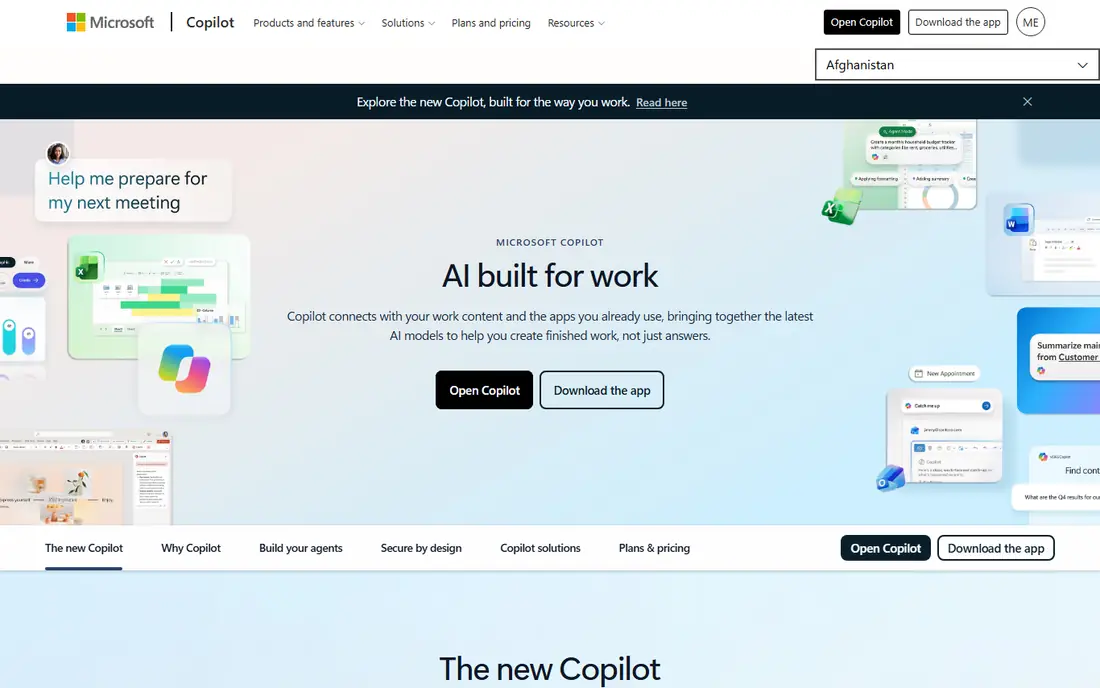
Microsoft 365 Copilot brings AI into the apps many offices already use. In Word it can draft from an outline or summarise a long document, in Outlook it can summarise a thread, and in Teams it can recap a meeting. Because Copilot can draw on files in OneDrive and SharePoint, it can draft a brief from existing company documents rather than starting from a blank page. That in-app fit is its main strength.
Cost is the barrier. Copilot needs an eligible Microsoft 365 plan plus a per-user Copilot licence, so a large team faces a real monthly total. AI output also needs checking, especially for numbers, dates, and quoted facts. For a firm already committed to Microsoft 365, Copilot is the most direct AI document upgrade. For a small team on Google or Notion, the cost may not justify a switch.
- AI inside Word, Excel, Outlook, and Teams
- Drafts and summaries from your files
- Enterprise security controls
- Needs a Microsoft 365 business plan plus Copilot licence
- Cost adds up per user
- Results need fact checks
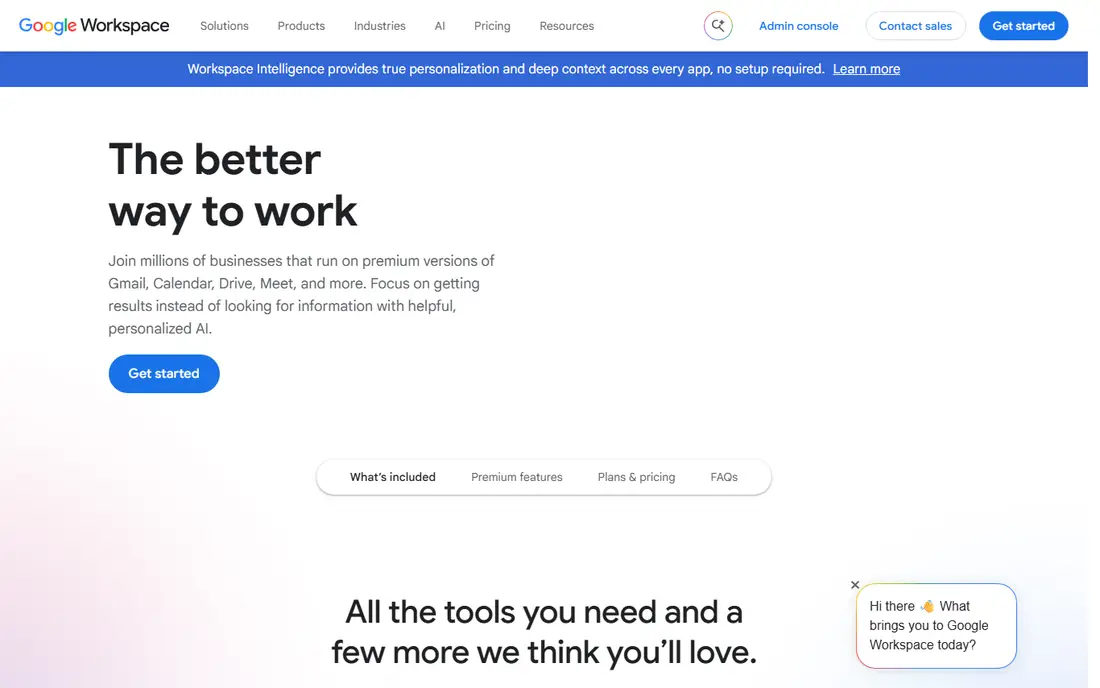
Google Workspace with Gemini adds AI help to Docs, Sheets, Gmail, and Drive without forcing a new workspace. In Docs, Gemini can help draft, rewrite, and summarise, while in Gmail it can summarise long threads and suggest replies. Teams that already store documents in Drive and collaborate in Docs will find the learning curve short, since sharing, comments, and version history stay the same.
AI availability varies by Workspace edition, and some advanced features sit on higher business or enterprise plans. As with Copilot, drafts and summaries need a human check for facts and tone, and admins should review data and retention settings. For a Google-based team, Gemini in Workspace is the simplest AI document upgrade, with no migration to a new tool.
- Gemini help inside Docs, Gmail, and Drive
- Summaries and drafts in familiar apps
- Strong sharing and comments
- AI features vary by Workspace plan
- Enterprise controls need higher plans
- Output needs human review
Coda blends documents with tables, buttons, and automations, so a doc can become a tracker, a brief, and a workflow in one page. Coda AI can draft text, summarise a doc, fill table columns, and help build formulas, which suits teams that manage content, projects, and data in the same place. Templates for meeting notes, project trackers, and content calendars speed up the first setup.
The learning curve is steeper than Notion for casual users, since Coda docs can include formulas and automations that need care. AI credits and limits also vary by plan, so a heavy AI team should check current limits. For a team that wants documents plus structured data without a separate spreadsheet and project tool, Coda is a strong and flexible pick.
- Docs that act like apps with tables and buttons
- AI for drafting, tables, and summaries
- Strong templates
- Learning curve for doc builders
- AI credits vary by plan
- Smaller community than Notion
ClickUp combines docs with tasks, goals, and project views, and ClickUp Brain adds AI writing, summaries, and search across that workspace. A team can link a brief to tasks, assign owners, and track progress without leaving the doc, which suits product, marketing, and operations teams that live in project plans. Brain can also answer questions from workspace docs and summarise long threads.
ClickUp can feel busy for a team that only wants documents. The platform packs tasks, docs, chat, and goals into one window, and setup takes time to keep views clean. Brain is also a paid add-on on most plans. For a team already using ClickUp for projects, Brain is a natural AI upgrade. For a doc-only team, Notion or Google Docs will feel lighter.
- Docs linked to tasks and projects
- Brain AI for writing, summaries, and search
- Wide project views
- Platform can feel busy for doc-only teams
- AI is paid on most plans
- Setup takes time
Confluence is a long-standing team wiki, and Atlassian Intelligence adds AI summaries, drafting help, and smarter search across Confluence pages. Teams can organise product docs, onboarding guides, and meeting notes in spaces with permissions, and link pages to Jira issues for work tracking. That structure suits engineering, product, and support teams that need a durable knowledge base rather than a loose set of docs.
Confluence feels formal for a very small team that just needs shared notes. AI features also vary by plan, so a team should check its edition before expecting full Intelligence features. For an Atlassian shop that already uses Jira, Confluence with Intelligence is the most consistent AI wiki choice, with permissions and search that scale to large teams.
- Strong team wiki structure
- Atlassian Intelligence for summaries and search
- Links to Jira
- AI features vary by plan
- Interface feels formal for small teams
- Best with Jira and Atlassian tools
Mem takes a different approach: it focuses on fast capture and AI search over notes and documents, rather than on building a large wiki. Users can jot notes, link related items, and ask Mem to find and summarise information across their workspace. That search-first design suits individuals and small teams that generate many notes and need to retrieve decisions fast without manual tagging.
Mem is smaller than Notion, Google, or Microsoft, with fewer integrations and templates. It also suits personal and small team knowledge work better than a large company wiki with complex permissions. For a user who values AI search and quick notes over a full project platform, Mem is worth a trial. For a large team wiki, Confluence or Notion will scale better.
- AI search across notes and docs
- Fast capture and linking
- Smart summaries and organisation
- Smaller ecosystem than Notion or Google
- Pricing and plan limits vary
- Less suited to large team wikis
Craft offers clean, fast documents with an AI assistant that can draft, rewrite, and summarise pages. It shines on Apple devices, with a polished editor, offline support, and a focus on writing rather than on project management. Small teams and individuals who want beautiful docs without a busy platform often pick Craft for that reason. Sharing and collaboration cover basic team needs.
Craft is less deep for large team wikis and Windows-heavy workplaces than Notion or Confluence. Team admin, permissions, and integrations are more limited, and AI limits vary by plan. For an Apple-focused individual or small team that values writing quality and speed, Craft is a strong pick. For a large cross-platform team, Notion, Copilot, or Google Workspace will fit better.
- Clean design and fast editing
- AI assistant for drafting and summaries
- Good Apple device support
- Less Windows and web depth than rivals
- Team features are smaller
- AI limits vary by plan
How we picked these
We compared official feature pages, pricing pages, and AI documentation for workspace tools with a working AI document product in October 2026. We kept tools that combine documents with AI drafting, summarising, or search, and we mixed general workspaces with wiki and notes tools so teams of different sizes have a fit. We did not claim hands-on testing, and we used See website where AI pricing is an add-on or varies by plan.
Using AI documents safely
AI drafts save time, but they can invent facts, dates, and quotes, so every AI draft needs a human fact check before it goes to a client or a legal file. Keep sensitive documents out of AI tools that lack the controls your firm requires, and check admin settings for data retention and training use. Set a simple rule: AI can draft and summarise, but a named human owns the final version.
Organising docs so AI can help
AI search works best when docs have clear titles, owners, and dates. Use a simple folder or space structure, name pages by topic and date where helpful, and archive old versions instead of leaving duplicates. Link related docs, such as a brief to its meeting notes, so AI answers draw on the right sources. A tidy workspace helps both humans and AI find the correct document fast.
FAQ
What is the best AI workspace tool for documents?
Notion AI is our pick for most teams because it combines docs, wikis, and databases with AI writing and search. Microsoft 365 Copilot suits Microsoft shops, while Google Workspace with Gemini suits Google shops. The best choice depends on the apps your team already uses each day.
What are the best AI workspace tools for documents for small teams?
Notion, Coda, and Google Workspace offer free or low-cost starts with AI as a paid add-on or higher plan feature. Craft and Mem suit individuals and small teams that want clean docs and AI search. Start with the tool your team already knows, then add AI where it saves real time.
Is Notion AI worth paying for?
Notion AI is worth testing if your team writes many briefs, summaries, and wikis in Notion and wants AI help inside those pages. It is a paid add-on on most plans, so compare its cost against time saved on drafting and search. Teams that rarely write long docs may not need it.
Can AI workspace tools replace human editing?
No, AI drafts and summaries need human checks for facts, tone, privacy, and client suitability. AI can speed up first drafts and retrieval, but a named human should own the final version, especially for client, legal, and financial documents.
How does Microsoft 365 Copilot differ from Google Gemini in Workspace?
Copilot works inside Word, Excel, Outlook, and Teams for Microsoft 365 firms, while Gemini works inside Docs, Gmail, and Drive for Google Workspace firms. Both draft, summarise, and search across company files. Pick based on your existing suite, not on AI features alone.
Are AI document tools safe for confidential work?
Safety depends on plan controls, data retention, and admin settings, which vary by vendor and edition. Use enterprise plans with clear data handling terms for confidential work, limit AI access to approved workspaces, and keep highly sensitive documents out of tools without the required controls.