Best AI Web Scraping Tools in 2026: 9 Tools Compared
Best ai web scraping tools compared for 2026: verified AI-ready scrapers, pricing, free plans, and the rules you must follow before you collect any data.
- Editor's choice
 Firecrawl
AI-ready pages into Markdown and JSON
Starts at$19 per monthVisit firecrawl.devFull review - Great alternative
 Apify
Ready-made scrapers and scheduled runs
Starts atSee websiteVisit apify.comFull review - Also consider
 Bright Data
Large scale collection on protected sites
Starts atSee websiteVisit brightdata.comFull review
TL;DR:
- Firecrawl is our pick for most AI teams because its Markdown and JSON output fits retrieval and agent workflows with little cleanup.
- Apify suits teams that want ready-made scrapers and scheduled runs, while Bright Data suits large scale work on protected sites.
- No-code tools such as Browse AI and Octoparse help non-developers, but they cost more per row at high volume than an API.
- Every tool here must be used only on data you have a right to collect, and only in line with site terms, robots rules, and applicable law.
Quick comparison
| Tool | Best for | Starts at | Free plan? | |
|---|---|---|---|---|
| Firecrawl | AI-ready pages into Markdown and JSON | $19 per month | Yes | Visit |
| Apify | Ready-made scrapers and scheduled runs | See website | Yes | Visit |
| Bright Data | Large scale collection on protected sites | See website | Yes | Visit |
 Oxylabs | Bulk data collection for developers | $49 per month | Free trial | Visit |
 ScrapingBee | Simple API scraping with rendering | $49 per month | Free trial | Visit |
 Octoparse | No-code visual scraping | $69 per month | Yes | Visit |
 Browse AI | No-code extraction and change monitoring | $19 per month | Yes | Visit |
 Zyte | Developer API with automatic access handling | See website | Free trial | Visit |
 Diffbot | AI extraction and knowledge graphs | See website | Free trial | Visit |
The best ai web scraping tools
The best ai web scraping tools turn messy web pages into clean data for AI work, and the best ai tools for web scraping do that without forcing you to babysit every page change. This guide compares nine tools that exist and work in October 2026, with a clear focus on AI-ready output, pricing, and honest limits.
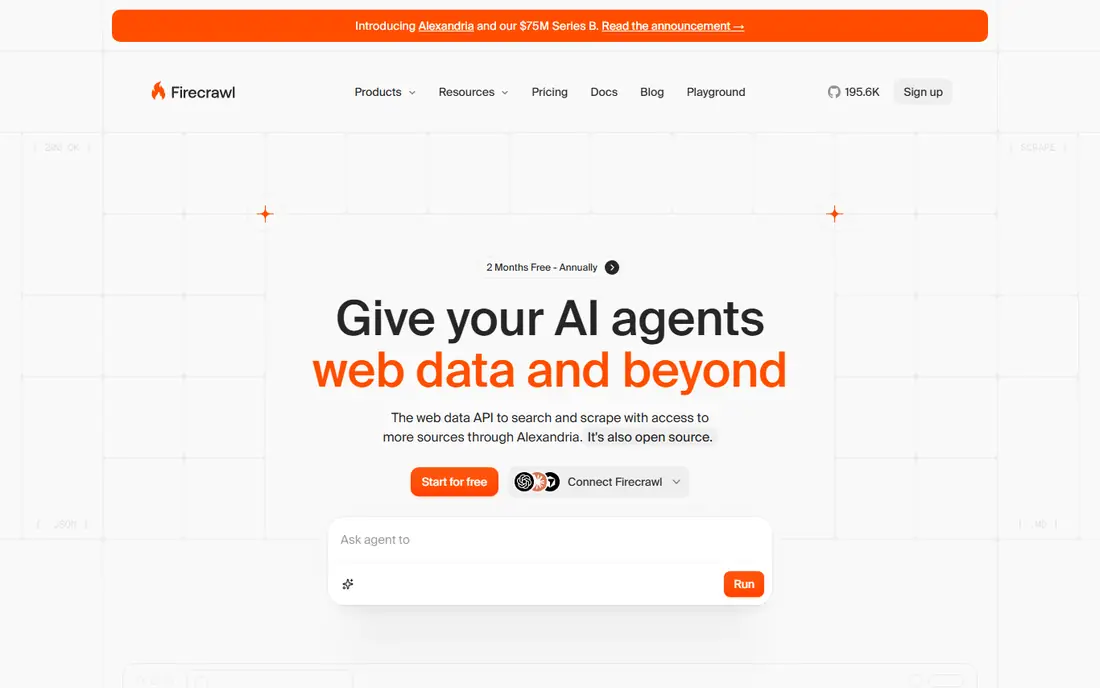
Firecrawl fits AI teams that want clean pages fast, with little parsing work after the scrape. In practice, aI-ready Markdown and JSON output and handles JavaScript pages give it a clear role for the buyer described above. That combination is why it earns a place on this list, even though no tool in this guide is right for every buyer. The main risk is credit burn, so test with a small crawl and set limits before a large job. The honest catch is that credit use rises on complex pages, and large crawls need careful budget control. Check those limits during a trial or free plan, and confirm the price on the official pricing page before you commit to a paid plan.
- AI-ready Markdown and JSON output
- Handles JavaScript pages
- Simple API and crawl controls
- Credit use rises on complex pages
- Large crawls need careful budget control
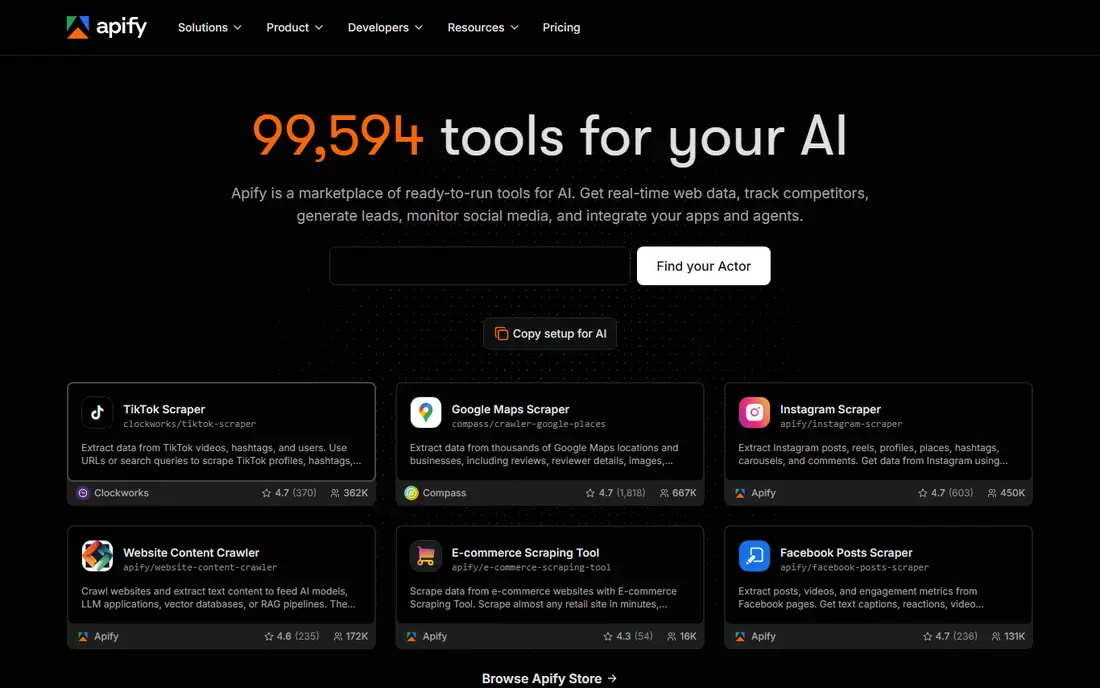
Apify fits teams that want a scraper for a specific site without building one from scratch. In practice, large library of ready-made scrapers and scheduling and proxy handling give it a clear role for the buyer described above. That combination is why it earns a place on this list, even though no tool in this guide is right for every buyer. Check the rating and maintenance history of each ready-made scraper before you rely on it for daily data. The honest catch is that credit and compute pricing takes time to forecast, and some scrapers vary in quality. Check those limits during a trial or free plan, and confirm the price on the official pricing page before you commit to a paid plan.
- Large library of ready-made scrapers
- Scheduling and proxy handling
- Strong developer platform
- Credit and compute pricing takes time to forecast
- Some scrapers vary in quality
Bright Data fits large operations that need reliable access at scale and can manage a detailed budget. In practice, large proxy network and managed APIs and datasets for common targets give it a clear role for the buyer described above. That combination is why it earns a place on this list, even though no tool in this guide is right for every buyer. Start with one product and one target, and confirm the full monthly cost before adding more products. The honest catch is that pricing is complex and can be costly for small teams, and setup takes planning. Check those limits during a trial or free plan, and confirm the price on the official pricing page before you commit to a paid plan.
- Large proxy network and managed APIs
- Datasets for common targets
- Enterprise controls
- Pricing is complex and can be costly for small teams
- Setup takes planning
Oxylabs fits developers who want a dependable API for repeated bulk jobs. In practice, managed scraping APIs and proxy options and good for e-commerce and search data give it a clear role for the buyer described above. That combination is why it earns a place on this list, even though no tool in this guide is right for every buyer. Run a pilot on your target sites and track cost per 1,000 successful responses before scaling. The honest catch is that developer first, so non-developers may need help, and usage pricing needs monitoring. Check those limits during a trial or free plan, and confirm the price on the official pricing page before you commit to a paid plan.
- Managed scraping APIs and proxy options
- Good for e-commerce and search data
- Clear developer docs
- Developer first, so non-developers may need help
- Usage pricing needs monitoring
ScrapingBee fits developers who want a quick API without managing proxies or browsers. In practice, simple single endpoint design and javaScript rendering and proxy handling built in give it a clear role for the buyer described above. That combination is why it earns a place on this list, even though no tool in this guide is right for every buyer. Use the basic mode for simple pages and save rendering for pages that truly need it. The honest catch is that per credit cost is higher than some rivals at scale, and heavy rendering uses more credits. Check those limits during a trial or free plan, and confirm the price on the official pricing page before you commit to a paid plan.
- Simple single endpoint design
- JavaScript rendering and proxy handling built in
- Easy to learn
- Per credit cost is higher than some rivals at scale
- Heavy rendering uses more credits
Octoparse fits analysts and small teams who prefer a visual builder over code. In practice, visual point and click builder and templates for common sites give it a clear role for the buyer described above. That combination is why it earns a place on this list, even though no tool in this guide is right for every buyer. Build one task locally first, then move it to the cloud once the selectors prove stable. The honest catch is that desktop workflow can feel dated, and proxy and captcha use adds cost. Check those limits during a trial or free plan, and confirm the price on the official pricing page before you commit to a paid plan.
- Visual point and click builder
- Templates for common sites
- Cloud scheduling on paid plans
- Desktop workflow can feel dated
- Proxy and captcha use adds cost
Browse AI fits non-technical users who need regular extracts from a small set of pages. In practice, no-code robots for extraction and monitoring and spreadsheet friendly output give it a clear role for the buyer described above. That combination is why it earns a place on this list, even though no tool in this guide is right for every buyer. Keep your robot narrow and test it after site layout changes, since selectors can break. The honest catch is that credits are tied to rows, so wide tables get costly, and protected sites may fail. Check those limits during a trial or free plan, and confirm the price on the official pricing page before you commit to a paid plan.
- No-code robots for extraction and monitoring
- Spreadsheet friendly output
- Quick setup
- Credits are tied to rows, so wide tables get costly
- Protected sites may fail
Zyte fits engineering teams that already work with Scrapy and want managed access handling. In practice, automatic handling for many hard sites and pay per successful response options give it a clear role for the buyer described above. That combination is why it earns a place on this list, even though no tool in this guide is right for every buyer. Price your job by site difficulty, not by page count alone, and confirm browser mode costs in advance. The honest catch is that costs vary by site difficulty, and full setup is developer heavy. Check those limits during a trial or free plan, and confirm the price on the official pricing page before you commit to a paid plan.
- Automatic handling for many hard sites
- Pay per successful response options
- Strong Scrapy roots
- Costs vary by site difficulty
- Full setup is developer heavy
Diffbot fits research and data teams that need structured facts from many different sites. In practice, aI extraction that adapts to varied page layouts and knowledge graph features give it a clear role for the buyer described above. That combination is why it earns a place on this list, even though no tool in this guide is right for every buyer. Define the fields you need before a trial, and compare extraction accuracy across your own sample pages. The honest catch is that premium pricing puts it out of reach for small teams, and setup needs clear schema planning. Check those limits during a trial or free plan, and confirm the price on the official pricing page before you commit to a paid plan.
- AI extraction that adapts to varied page layouts
- Knowledge graph features
- Strong for research data
- Premium pricing puts it out of reach for small teams
- Setup needs clear schema planning
How we picked these
We compared official feature pages, pricing pages, and public documentation for each vendor, and we checked that each product is still offered in October 2026. We favored tools with AI-ready output such as Markdown, JSON, or structured extraction, clear credit or usage pricing, and a usable free tier or trial. We left out tools that were discontinued, that lacked a working homepage, or that promised to bypass access controls without a lawful use case.
How to choose an AI web scraping tool
Start with the output you need. If you feed a chatbot or search index, Markdown and clean JSON save hours of parsing. If you feed a spreadsheet or dashboard, structured fields and CSV export matter more than raw HTML. Pick the output first, then judge speed and price. Check the access rules before you scale. Respect robots.txt, site terms, rate limits, and privacy law, and avoid collecting personal data you do not need. A tool that makes collection easy does not make every collection lawful, so keep a short note of the source, the permission basis, and the retention period for each dataset. Test on your hardest pages, not your easiest ones. JavaScript heavy pages, login walls, and frequently changing layouts reveal the real cost. Run the same ten pages through two tools, compare field completeness, and watch how credits are charged for failed or partial pages before you commit to a paid plan.
FAQ
What is the best ai web scraping tool for AI projects?
Firecrawl is a strong default for AI projects because it returns Markdown and JSON that are easy to index. Apify is better when you need a ready-made scraper for a specific site, and Bright Data is better for very large jobs on hard to reach pages.
Are AI web scraping tools legal to use?
It depends on the site, the data, and the law that applies. Users must respect site terms, robots rules, and applicable law, and they should avoid personal data, copyrighted text, and login protected content unless they have a clear right to use it. When in doubt, ask the site owner or get legal advice.
Do I need to code to use these tools?
No. Browse AI and Octoparse offer visual builders for non-developers, while Firecrawl, Apify, and ScrapingBee offer APIs for developers. Choose a visual tool for small recurring jobs and an API for jobs that must run on a schedule.
How does pricing usually work?
Most tools charge by credits, records, requests, or compute time, so the same job can cost very different amounts on two platforms. Compare the price for 1,000 pages or rows on your own test set, and check what happens when a page fails.