Best AI Tools for Web App Development in 2026: 8 Tools Compared
Compare the best AI tools for web app development in 2026, from prompt-to-app builders to AI editors for production code, teams, and founders in one guide.

- Editor's choice
 Cursor
Professional developers in a real codebase
Starts at$20 per monthVisit cursor.comFull review - Great alternative
 Lovable
Founders building an MVP from prompts
Starts at$25 per monthVisit lovable.devFull review - Also consider
 Bolt
Fast full-stack prototypes in the browser
Starts atSee websiteVisit bolt.newFull review
TL;DR:
- Lovable, Bolt, and Replit are the fastest routes from a prompt to a working web app, with a database and deployment included.
- Cursor and Claude Code suit developers who already own a codebase and want AI help inside real production work.
- v0 by Vercel is the strongest pick for polished React interfaces inside a Next.js workflow.
- GitHub Copilot and Bubble cover the two ends of the range: editor help for coders, and visual building for non-coders.
Quick comparison
| Tool | Best for | Starts at | Free plan? | |
|---|---|---|---|---|
| Cursor | Professional developers in a real codebase | $20 per month | Yes | Visit |
| Lovable | Founders building an MVP from prompts | $25 per month | Yes | Visit |
| Bolt | Fast full-stack prototypes in the browser | See website | Yes | Visit |
 v0 by Vercel | Polished React and Next.js interfaces | See website | Yes | Visit |
 Replit | Browser building and deployment in one place | See website | Yes | Visit |
 GitHub Copilot | Editor suggestions for GitHub teams | $10 per month | Yes | Visit |
 Claude Code | Agent-led work across large codebases | See website | No | Visit |
 Bubble | Visual web app building without code | See website | Yes | Visit |
The best AI tools for web app development
We compared prompt-to-app builders, AI editors, and visual platforms by what they actually produce: working code you can keep, a hosted app you can share, or help inside code you already own. The right pick depends on your skill level and on what happens after the first demo.
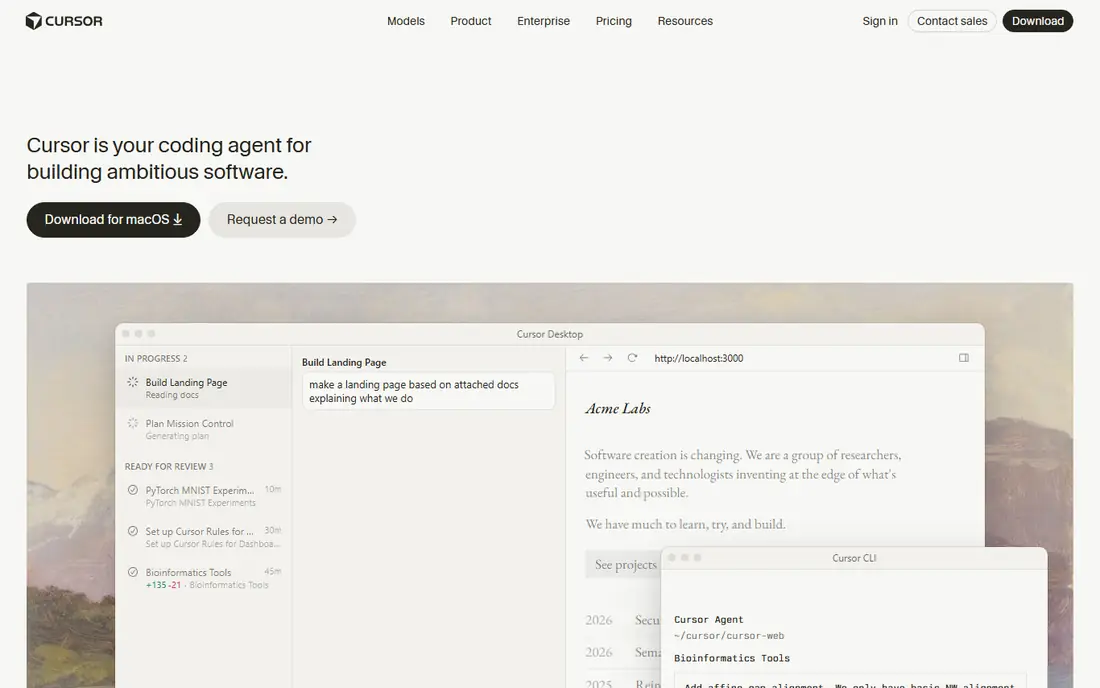
Cursor is our pick for developers who already write code and want AI woven into their daily editor. It looks and feels like VS Code, so extensions and shortcuts carry over, and its agent can read across files, make edits, and run follow-up steps. For a web app with real routing, state, and API calls, that codebase awareness matters far more than a flashy demo.
The catch is control. On a large refactor, Cursor can move fast in the wrong direction if your prompt is vague, so small steps and frequent checks work better than one giant request. Pricing starts at 20 dollars per month for Pro, with a limited free tier. If you build web apps for a living, Cursor is the most practical AI upgrade to your existing workflow.
- AI-native editor built on VS Code
- Multi-file agent edits
- Plan mode and background agents
- Paid plan usage limits apply to premium models
- Large refactors need careful prompts

Lovable turns a written description into a working web app with a front end, database, authentication, and file storage. For a founder testing an idea, that speed is hard to beat. You can describe a booking tool, a dashboard, or a small marketplace, get a shareable app, and then iterate by chatting with the builder about changes.
The limit shows up in depth. Lovable handles common app patterns well, but unusual business logic, custom design systems, or heavy integrations may need hand-written code after export. Paid plans start at 25 dollars per month, with a free tier for trying it out. If your goal is a credible MVP in days rather than weeks, Lovable is a strong first choice among the best ai developer platforms.
- Full-stack apps from prompts
- Supabase backend with auth and storage
- GitHub sync for code ownership
- Daily credit limits can slow heavy use
- Complex backend logic may need a developer

Bolt is built for speed. You open it in a browser, describe the app you want, and watch a full-stack prototype take shape with no local install. That makes it a good pick for demos, hackathons, and early product tests where the point is to show something working, not to ship a final system on day one.
The trade-off is scale. As a project grows, prompts need more structure, and you may need to clean up generated code or move it into a regular editor. Bolt offers a free tier, with paid plans based on usage. For rapid prototyping, and for non-developers who want to see an idea running, Bolt is one of the best app making website options available now.
- Full-stack building entirely in the browser
- Quick iteration from prompts
- No local setup needed
- Token and credit limits apply
- Large projects can drift without clear structure
v0 is the best web app development platform choice when the interface is the hard part. It generates polished React components and pages from prompts, and it fits naturally into a Next.js project deployed on Vercel. Designers and front-end developers can move from an idea to a clean, responsive layout with far less boilerplate than starting from a blank file.
The limit is scope. v0 is not a full-stack app builder in the same sense as Lovable or Bolt, so you still need to wire up data, auth, and business logic yourself or with another tool. That makes it ideal as a companion to a real codebase, not as a replacement for one. If you already build with React, v0 can lift the quality and speed of your front end work.
- High-quality React interface generation
- Strong fit with Next.js and Vercel deployment
- Component-level control
- Focused on interfaces, not full back ends
- Best value inside the Vercel workflow
Replit combines a browser editor, an AI agent, and deployment in one workspace. You can prompt an app into existence, edit the code in the same window, and publish it without setting up servers or a local toolchain. That all-in-one setup suits students, small teams, and solo builders who want to skip setup and get straight to building.
The catch is the browser boundary. Heavy projects and long agent sessions can feel slower than local development, and usage-based costs need watching. Replit offers a free tier, with paid plans for heavier use. As one of the best web app development platform options for beginners and small teams, Replit earns its place for convenience alone.
- Browser IDE with AI agent
- Built-in hosting and deployment
- Live collaboration features
- Performance depends on your connection
- Credit costs can grow on agent-heavy projects
GitHub Copilot is the least disruptive AI tool on this list. It lives inside your editor, suggests code as you type, and can now handle agent-style tasks across files. For teams already on GitHub, that fit is a real advantage. Pull requests, issues, and code review stay in one system, and Copilot can help with tests, refactors, and boilerplate.
The limit is ambition. Copilot helps you write code faster, but it does not build a whole app from a single prompt the way Lovable or Bolt try to do. Paid Pro plans start at 10 dollars per month, with a limited free tier. If you want AI help without changing editors or workflows, Copilot is the safe, practical pick.
- Works inside editors developers already use
- Agent mode for multi-step tasks
- Strong GitHub workflow fit
- Less full-project context than Cursor in some cases
- Team value depends on GitHub usage
Claude Code is an agent that works from the terminal, reading your repo, making edits across many files, and running tests to check its work. For experienced developers, that workflow can be powerful. You can hand it a well-defined task, such as adding a feature across several modules, and review the resulting changes as a diff.
The catch is the interface. There is no visual editor here, so comfort with the terminal and with reviewing code changes is essential. Pricing depends on the subscription or API route you choose, so check current terms before you commit. For large, repo-wide tasks where reasoning quality matters more than a pretty demo, Claude Code is one of the best ai tools for web development available.
- Strong reasoning for complex tasks
- Terminal-based agent for multi-file edits
- Test execution support
- Command-line only, so no visual editor
- Cost depends on plan or API usage
Bubble is the best website app builder here for non-developers who want a real product, not just a prototype. Its visual editor lets you design pages, define data types, and build workflows with logic, payments, and user accounts. Many startups have shipped full products on Bubble without writing traditional code.
The trade-off is learning time. Simple apps come together quickly, but a complex app with careful data design and performance tuning takes real effort to build well. Bubble offers a free tier, with paid plans for custom domains and higher capacity. If you want to build and run a web app without hiring a developer at the start, Bubble is still a serious option.
- Visual editor for production-grade web apps
- Built-in database and workflows
- Plugin ecosystem
- Learning curve for complex apps
- Performance and pricing need care at scale
How we picked these
We compared official product pages, pricing pages, app store listings, and public reviews, focusing on what each tool produces and who it serves. We included both prompt-to-app builders and AI coding assistants because the main keyword covers both kinds of work. We favored tools with a free tier or trial, clear code ownership or export where relevant, and an active product in October 2026. We did not claim hands-on testing, and we treated marketing claims about speed and quality as claims to check against documentation and user reports.
How to choose the right tool for your project
Start with your end goal, not the demo. If you need a prototype to show investors or test an idea, pick Lovable, Bolt, or Replit and accept that a rebuild may follow. If you need a product you will maintain for years, pick Cursor, Claude Code, or Copilot inside a codebase you control, and use v0 for the front end where it helps. If you do not code at all, pick Bubble or Lovable and budget time to learn data design.
Check ownership, limits, and costs before you build
Ask three questions before you invest weeks in any tool. Can you export the code and host it elsewhere. What happens when you hit credit, token, or capacity limits. What does the monthly cost look like at your real usage level, not just the starter plan. Prompt builders often look cheap until agent credits add up, and visual builders can grow costly as users increase. A short trial project with real data will reveal more than any feature list.
Keep humans in charge of architecture and security
AI tools can generate a login form, but they do not take responsibility for your users data. Review authentication, permissions, and data handling before launch, and test the app with real edge cases. Keep secrets out of prompts and code, use version control, and review generated code the way you would review a junior developer's work. The best ai for web app development is the tool that speeds up your work while leaving you in control of the result.
FAQ
What are the best ai tools for web app development for beginners?
Lovable, Bolt, and Replit are the easiest starting points because they build from prompts in the browser. Bubble also works for beginners who prefer visual building over prompts. Start with a small project to learn limits before committing to a paid plan.
What is the best web app development platform for a production app?
Cursor, Claude Code, and GitHub Copilot suit production work because they operate inside a codebase you own and can test. Prompt builders can produce a working app, but production apps still need code review, tests, and careful hosting. Choose the tool that matches your team's existing workflow.
What are the best open source ai tools for web development?
Open source options in this space change often, and many AI editors rely on hosted models even when the editor itself is open. Check the license and model terms for any tool before you adopt it for client work. For full control, pair an open editor with models and hosting you can audit.
Is v0 better than Lovable for web apps?
v0 is better for polished React interfaces inside a Next.js project, while Lovable is better for a complete app with a back end from one prompt. Many teams use both, with v0 for interface work and another tool for data and logic. Pick by the part of the app that slows you down most.
What is the best ai developer platform for a small team?
Replit suits small teams that want one browser workspace for building and deployment. Cursor suits small teams of developers who already code together. Lovable suits a small team led by a non-technical founder. Compare credit costs and export options before you choose.
Do AI app builders replace developers?
No, they change the work developers do rather than removing it. AI builders handle boilerplate and first drafts well, but architecture, security, testing, and product judgment still need people. The strongest results come from a skilled person guiding the tool, not from an unchecked prompt.