Best AI Watermark Remover Tools in 2026: 9 Tools Compared
Compare the best ai watermark remover tools for photos and video in 2026, with free limits, manual brush options, and honest quality trade-offs today.

- Editor's choice
 WatermarkRemover.io
Simple free photo removal
Starts atFreeVisit watermarkremover.ioFull review - Great alternative
 HitPaw Watermark Remover
Photos and video
Starts atSee websiteVisit hitpaw.comFull review - Also consider
 Media.io AniEraser
Browser video and photo removal
Starts atSee websiteVisit media.ioFull review
TL;DR:
- WatermarkRemover.io is the simplest free starting point for photos, with automatic detection and no signup for a few images a day.
- HitPaw Watermark Remover handles harder cases, including video and moving watermarks, but full exports need a paid plan.
- Media.io suits users who want manual brush control in a browser, plus video tools in the same account.
- No tool restores a heavily watermarked image perfectly, and tiled or textured watermarks often leave faint traces.
- Only remove watermarks from images you own or have permission to edit, since removing a creator watermark to reuse their work can breach copyright.
Quick comparison
| Tool | Best for | Starts at | Free plan? | |
|---|---|---|---|---|
| WatermarkRemover.io | Simple free photo removal | Free | Yes | Visit |
| HitPaw Watermark Remover | Photos and video | See website | Yes | Visit |
| Media.io AniEraser | Browser video and photo removal | See website | Yes | Visit |
 PicWish | Quick product photo cleanup | See website | Yes | Visit |
 Apowersoft Watermark Remover | Desktop batch removal | See website | Free trial | Visit |
 Dewatermark | Simple mobile removal | Free | Yes | Visit |
 Inpaint | Manual photo retouching | See website | Free trial | Visit |
 Aiseesoft Watermark Remover | Broad format support | See website | Free trial | Visit |
 Photopea | Free manual editing control | Free | Yes | Visit |
The best ai watermark remover tools
AI watermark removers use inpainting to fill the area under a watermark with plausible background pixels. That works well for a small logo on a plain background, and less well for a watermark over faces, text, or busy texture. The nine tools below cover automatic removal, manual control, video, and desktop batch work.
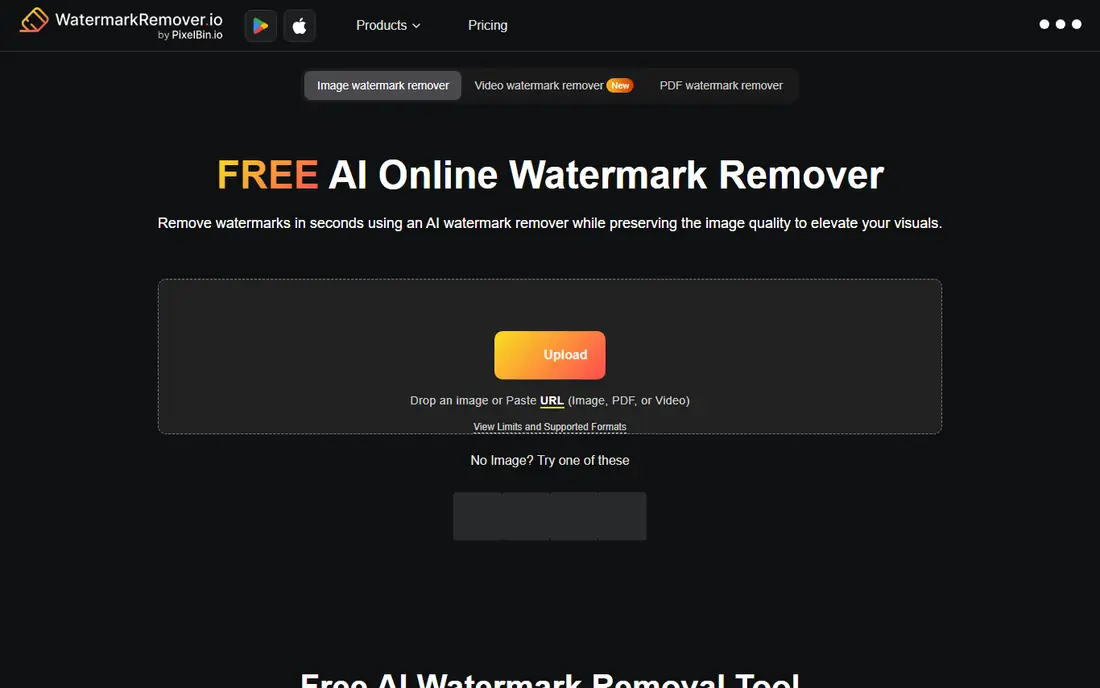
WatermarkRemover.io is the easiest tool to try first, because it detects a watermark automatically and returns a cleaned image in seconds. You upload a photo, the AI finds the watermark area, and you can refine the result with manual editing if a faint trace remains. Support for common formats such as JPG, PNG, and WebP covers most phone and web images.
The limit is volume and complexity. Free use allows three images a day without an account, and stacked or tiled watermarks often leave ghosting or blur in textured areas. For a single logo on a product photo or a clean background, it performs well. For a full-image watermark, expect to try a manual tool instead.
- Automatic detection
- No signup for basic use
- Fast results
- Three free images a day
- Complex watermarks leave traces

HitPaw is the strongest all-round pick when you need both photo and video removal. Its AI model detects watermarks automatically, and it offers several removal modes for different cases, including moving watermarks in video. A preview step lets you check the result before export, which saves time on tricky files.
The catch is pricing. The free online tool is useful for testing, but full-resolution exports and heavier video work need a paid plan, and the desktop app gives the best results. For occasional photo cleanup, a free browser tool may be enough. For regular video work, HitPaw is worth the upgrade.
- AI detection for photos and video
- Handles moving watermarks
- Several removal modes
- Full exports need paid plan
- Desktop install for best results
Media.io AniEraser suits users who want control over exactly what gets removed. You brush over one or more watermark areas in a video or photo, then export the cleaned file, with HD export on paid plans. It supports common video formats such as MP4 and MOV, and it sits inside a broader online video editor with trimming and effects.
The trade-off is that free use is limited, and the interface feels like a toolkit rather than a polished single-purpose app. Manual brushing also takes longer than automatic detection, though it gives better results on oddly shaped watermarks. For video creators who need precise control in a browser, Media.io is a practical choice.
- Manual brush for precise areas
- Video support
- Broad format support
- Free exports limited
- Toolkit feel rather than single-purpose polish
PicWish is a good fit for sellers and small businesses cleaning up product photos. It processes images quickly, handles logos and text overlays well on clean backgrounds, and offers mobile apps for on-the-go edits. The interface is simple, so a first-time user can get a result without learning a full photo editor.
The limit is free volume. Free credits cover only a small number of images, and heavier or repeated use needs a paid plan. Video watermark removal is a separate workflow, so video-heavy users should look at HitPaw or Media.io instead. For product photos, PicWish is fast and reliable.
- Fast photo processing
- Clean results on product shots
- Mobile apps
- Free credits limited
- Video tools are separate
Apowersoft Watermark Remover suits users with many files to clean, thanks to batch processing on desktop. It supports a broad range of image and video formats, and it offers both automatic and manual selection for watermark areas. That combination helps for a folder of similar images with watermarks in the same position.
The downside is polish. The interface feels dated beside newer browser tools, and full exports require a paid plan after the trial. For a one-off image, a free browser tool is quicker. For batch work on a desktop, Apowersoft earns its place.
- Batch processing
- Desktop and mobile apps
- Broad format support
- Interface feels dated
- Full use needs paid plan
Dewatermark is a simple mobile app for removing a logo or text watermark from a phone photo. The workflow is short: open the image, let the AI detect the watermark or brush over it, and save the result. That simplicity suits social media users who want a quick cleanup without a desktop editor.
The limits are platform and quality. It is mobile only, and complex or textured watermarks may leave visible traces. It is best for basic logos on clean backgrounds, not for restoring a heavily watermarked stock photo. For quick phone edits, it is a handy free option.
- Simple mobile workflow
- Fast for basic logos
- Easy sharing
- Mobile only
- Moderate quality on complex images
Inpaint is not a one-click watermark tool, but it is a strong manual option for users who want control. You paint over the watermark, date stamp, or unwanted object, and the tool fills the area from surrounding pixels. That control helps when automatic tools guess wrong, especially on images with clear backgrounds or repeated patterns.
The trade-off is speed. Manual selection takes longer, and batch work is slower than Apowersoft or a browser auto tool. A free trial lets you test results before buying. For a single important photo where quality matters more than speed, Inpaint is worth the extra effort.
- Precise manual selection
- Good for objects and text
- Desktop and online versions
- No automatic watermark detection
- Slower for many files
Aiseesoft Watermark Remover covers a wide range of formats, including older image types that some browser tools reject. Desktop processing keeps large files local, and batch options help for repeated jobs. It offers selection tools for marking watermark areas in photos and videos, with a preview before export.
The downside is speed and polish. Processing is slower than fast browser tools, and the interface feels less modern. For standard JPG or PNG work, a browser tool is quicker. For unusual formats or a desktop-only workflow, Aiseesoft is a useful fallback.
- Many image and video formats
- Desktop processing
- Batch options
- Slower than browser tools
- Interface less modern
Photopea is a free, browser-based photo editor that can remove watermarks manually using content-aware fill, clone stamp, and healing tools. It opens PSD, JPG, PNG, and many other formats, and it needs no install. For users who already edit photos, it offers far more control than any automatic remover.
The catch is effort and skill. There is no automatic watermark detection, so you must select the area and judge the fill yourself, which takes practice. It also handles photos only, not video. For a user who wants free, precise control and is willing to learn basic retouching, Photopea is the most capable free option.
- Free full editor
- Content-aware fill
- No install needed
- Manual work only
- Learning curve for beginners
How we picked these
We compared official feature pages, free plan limits, photo and video support, and public tests of real images updated in 2026. We favored tools that still work in October 2026, publish clear free limits, and offer either automatic detection or precise manual control. We treated quality claims with care, since results depend heavily on watermark size, position, and background texture.
How to get a clean result
Start with the simplest automatic tool
Try WatermarkRemover.io or PicWish first for a small logo on a clean background, since automatic detection is fast and often good enough. If the result shows ghosting or blur, move to a manual tool such as Media.io brush mode, Inpaint, or Photopea, and refine only the problem area.
Judge the background, not just the watermark
A watermark over sky, a plain wall, or a solid color is easy to fill, while one over a face, fine text, or busy fabric is hard for any AI tool. If the background is complex, expect a faint trace and consider cropping, blurring, or replacing that section instead of chasing a perfect fill. For video, test a short clip before processing a long file.
Respect ownership and licensing
Only remove watermarks from images you own, have licensed, or have permission to edit, such as your own photos with a date stamp or a client file you are authorized to clean. Removing a stock agency or photographer watermark to use their work without paying can breach copyright and platform rules. When in doubt, buy the licensed version instead.
FAQ
What is the best ai watermark remover tool for photos?
WatermarkRemover.io is the best free starting point for simple photo watermarks, with automatic detection and no signup for a few images a day. HitPaw handles harder photo cases and video, while PicWish suits product photos. Test with your own image, since background texture affects results.
Can AI tools remove watermarks from video?
Yes, HitPaw and Media.io both support video watermark removal, including moving watermarks in some cases. Video results depend on watermark movement and background complexity, so test a short clip first. Free video exports are often limited in length or resolution.
Are free watermark removers really free?
Most free tools limit daily images, resolution, or exports, and full use needs a paid plan. WatermarkRemover.io allows three free images a day, while Photopea offers free manual editing with ads. Check the free limit before starting a large batch.
Why does my cleaned image look blurry?
Inpainting guesses what sits under the watermark, so busy textures, faces, and fine patterns are hard to reconstruct. Small watermarks on plain backgrounds clean up best, while large or tiled watermarks often leave blur or ghosting. A manual tool with careful selection can improve the result, but it cannot recover detail that was never visible.
Is it legal to remove a watermark?
It depends on ownership and permission. Removing a watermark from your own photo, a date stamp, or a file you are authorized to edit is generally fine. Removing a creator, stock agency, or brand watermark to reuse their work without a license can breach copyright. When in doubt, get permission or buy the licensed file.
Sources
- https://www.watermarkremover.io
- https://www.hitpaw.com/watermark-remover.html
- https://www.media.io/ai-object-remover.html
- https://www.picwish.com
- https://www.apowersoft.com/watermark-remover
- https://www.dewatermark.ai
- https://www.theinpaint.com
- https://www.aiseesoft.com/watermark-remover/
- https://www.photopea.com