Best AI Scraping Tools in 2026: 8 Tools Compared
Compare the best AI scraping tools for 2026, with pricing, free plans, and honest limits for research, pricing, and lead work for your team this week.
- Editor's choice
 Bright Data
Large scale managed scraping
Starts atSee websiteVisit brightdata.comFull review - Great alternative
 Oxylabs
Enterprise scraping and proxies
Starts atSee websiteVisit oxylabs.ioFull review - Also consider
 Apify
Ready made scrapers and automation
Starts atFreeVisit apify.comFull review
TL;DR:
- AI scraping now covers both no-code extraction and developer APIs, so the right pick depends on who will run it.
- Managed APIs suit developers and larger volumes, while visual tools suit small teams without code.
- Credit and usage pricing varies a lot, so compare cost per successful page, not just the entry price.
- No tool removes the need to check site terms, robots rules, and data rules before you collect.
Quick comparison
| Tool | Best for | Starts at | Free plan? | |
|---|---|---|---|---|
| Bright Data | Large scale managed scraping | See website | Free trial | Visit |
| Oxylabs | Enterprise scraping and proxies | See website | Free trial | Visit |
| Apify | Ready made scrapers and automation | Free | Yes | Visit |
 ScrapingBee | Simple API for developers | See website | Free trial | Visit |
 Browse AI | No-code extraction and monitoring | Free | Yes | Visit |
 Octoparse | Visual scraping for beginners | Free | Yes | Visit |
 ParseHub | Free visual scraping for small jobs | Free | Yes | Visit |
 Diffbot | AI extraction and knowledge data | See website | Free trial | Visit |
The best AI scraping tools
We compared tools that turn public web pages into structured data, with a focus on ease of setup, handling of JavaScript pages, and clear pricing. Use these tools only on sites where collection is allowed, and respect site terms, robots rules, and applicable law.
Bright Data suits teams that need large volumes of public web data with managed proxies and unblocking built in. Its prebuilt scrapers cover many common targets, which can shorten setup time compared with building a scraper from scratch. For teams that need data at scale, the managed approach also reduces time spent on blocks, retries, and proxy rotation.
The catch is cost and complexity, since usage pricing and many product lines can make a first quote hard to compare with a simple API plan. Check the pricing page for the plan that matches your volume, and run a small trial on a real task before you commit to a paid plan.
- Large proxy network
- Prebuilt scrapers
- Strong unblocking tools
- Pricing can be complex
- Enterprise focus may suit larger teams
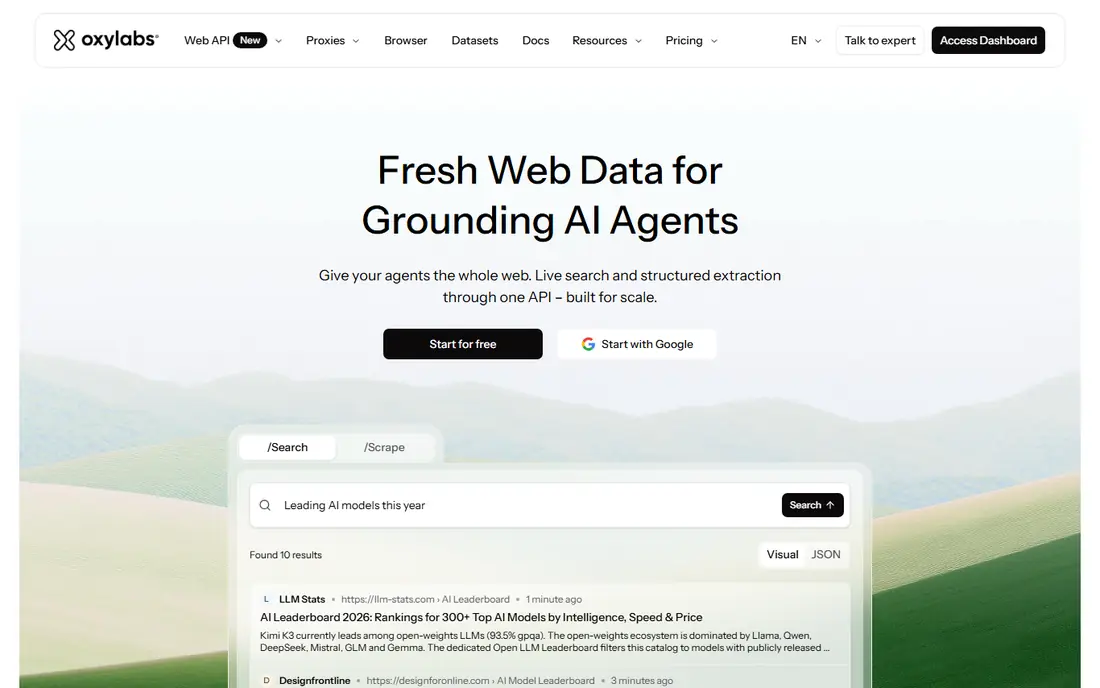
Oxylabs suits companies that need steady, compliant data collection with support and clear documentation. Its web scraping APIs handle proxies, rendering, and retries, which helps teams that need consistent output rather than one-off exports. The product range also covers datasets and proxies, so a team can keep several data jobs with one vendor.
The catch is that smaller buyers may find the sales-led process slower than a self-serve signup, and costs rise with volume. A short trial on your own data will tell you more than a feature list, so test the workflow you will use every week before you pay.
- Large proxy pool
- Dedicated scraping APIs
- Compliance focus
- Quote based pricing for larger use
- Learning curve for new users
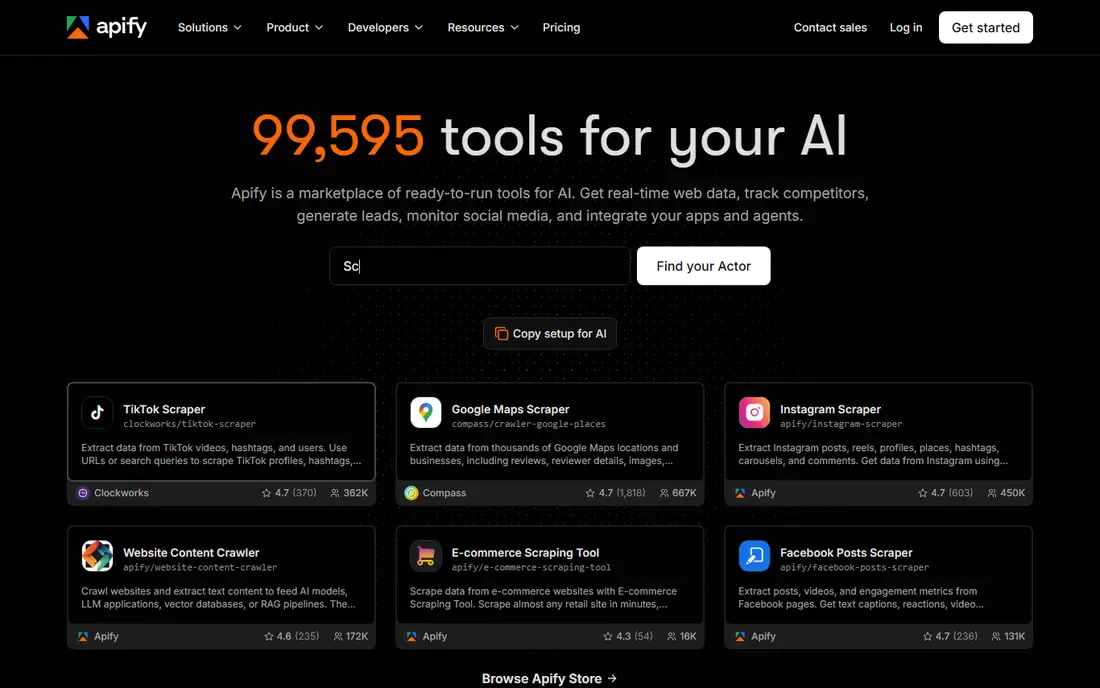
Apify suits teams that want a ready scraper for a specific site without writing and maintaining code. Its marketplace, called Actors, includes scrapers for many common sites, and results can be scheduled, exported, or sent through an API. For developers, custom Actors can be built in code and run in the cloud, which keeps local machines free.
The catch is that compute-unit pricing takes time to learn, and a marketplace Actor still needs a test run on your target before you rely on it. Look at setup time, support options, and export options before you pay, since those details shape daily use more than headline features.
- Large marketplace of ready scrapers
- Scheduling and APIs
- Free plan
- Costs depend on compute units
- Some actors vary in quality
ScrapingBee suits developers who want a simple API call that returns HTML or extracted data. It handles proxies, browser rendering, and common blocks, so a developer can focus on parsing results rather than on fetching pages. The API also supports screenshots and basic extraction, which helps for quick checks and small data jobs.
The catch is credit use, since rendering and extra features consume more credits, so test your exact page type before you estimate a monthly bill. Compare the total monthly cost at your expected volume, not just the entry price, and confirm that the plan includes the features you need.
- Simple API
- JavaScript rendering
- Screenshot and extraction options
- Credit use rises on JavaScript pages
- No visual builder
Browse AI suits non-technical users who need data from a site on a regular schedule. You train a robot by pointing at the fields you want, and it can then run on a schedule and send results to a spreadsheet or another app. Change monitoring is a useful extra, since it can alert you when a price, listing, or page changes.
The catch is that heavily interactive sites can be harder to train, and credit limits mean high-frequency jobs may need a larger plan. Check the pricing page for the plan that matches your volume, and run a small trial on a real task before you commit to a paid plan.
- Point and click setup
- Change monitoring
- Spreadsheet style output
- Credit limits on lower plans
- Complex sites may need help
Octoparse suits beginners and small teams who want to build a scraper without code. Its visual builder and templates cover common sites such as product lists and directories, which helps a first project move quickly. Cloud runs and scheduled tasks mean results can arrive without leaving a computer running all day.
The catch is that very complex or login-gated sites may still need manual work, and some advanced options require a paid plan. A short trial on your own data will tell you more than a feature list, so test the workflow you will use every week before you pay.
- Visual point and click builder
- Templates
- Cloud runs
- Advanced features sit on paid plans
- Desktop focus for some tasks
ParseHub suits people with a small, well-defined scraping job and no budget to start. Its visual tool lets you click the data you want and build a project in a browser-like view, with results exported as a spreadsheet or JSON. An API is available on paid plans, which helps when results need to feed another tool.
The catch is scale, since larger or more frequent jobs will need a paid plan, and free users should expect limited support. Look at setup time, support options, and export options before you pay, since those details shape daily use more than headline features.
- Free plan
- Visual selection
- API access
- Paid plans are needed for larger projects
- Support is limited on free use
Diffbot suits teams that need automatic extraction across many different page types, not just one template. Its AI models identify articles, products, and discussions without a site-specific template, which helps when targets change often. A knowledge graph and APIs also suit research and enrichment work where structured facts matter more than raw HTML.
The catch is price and setup, since business plans and API integration suit teams with a clear data budget and developer time. Compare the total monthly cost at your expected volume, not just the entry price, and confirm that the plan includes the features you need.
- Automatic extraction from articles and products
- Large knowledge graph
- APIs
- Pricing is aimed at business use
- Custom work may need sales help
How we picked these
We compared official feature pages, pricing pages, documentation, and public reviews, and we kept only tools that are live, actively sold, and clearly aimed at turning web pages into structured data. We favored tools with clear handling of JavaScript pages, proxies, scheduling, and exports, and we noted where pricing depends on credits, records, or compute units. We did not count a tool as a good fit just because it can fetch a page, since a useful scraper must also handle blocks, changes, and exports. For this topic we also treated lawful use as a core test, so we list only legitimate tools and we note the need to respect site terms, robots rules, and applicable law.
How to choose an AI scraping tool
Start with the target site and the job, not with the feature list. A simple product list needs a different tool than a JavaScript-heavy site that changes often, and a one-off export needs a different plan than a daily feed.
Match the tool to your skill level
If no one on your team writes code, a visual tool or a ready scraper will save weeks of effort, even if a developer API looks cheaper on paper. If you have developers, an API gives more control over parsing, retries, and storage, and it fits better into an existing pipeline. Be honest about who will maintain the job when a site changes, since that person matters more than the first setup.
Check JavaScript, blocks, and scheduling
Many modern sites load data with JavaScript, block repeated requests, or change their layout without notice. Check whether the tool renders pages, rotates proxies, retries failures, and runs on a schedule. Ask how failures are reported, since a silent gap in a daily feed can be worse than a visible error. A trial on your hardest target, not your easiest one, gives the clearest answer.
Compare cost per successful result
Credit systems differ, and a cheap credit can still be costly if JavaScript rendering, screenshots, or retries consume several credits per page. Estimate pages per month, multiply by the credit cost for your page type, and add proxy or compute costs where they apply. For a small job, a free plan may be enough, while a daily feed at scale needs a plan with room for retries and growth.
Stay within the rules for the site
Only collect data you are allowed to collect, respect site terms and robots rules, and follow applicable law on personal data and copyrighted material. Avoid collecting private account data, login-gated data without permission, or personal data you have no lawful basis to use. When the stakes are high, get legal advice before scaling up, and keep records of what you collected and why.
FAQ
What is an AI scraping tool?
An AI scraping tool turns web pages into structured data such as tables, product lists, or prices, often with AI help to identify fields or handle page changes. Some tools use a visual builder, while others use an API that a developer calls from code. The best choice depends on your skill level, volume, and how often the target site changes.
Is web scraping legal?
It depends on the site, the data, and how you collect it. Public data collected at a modest rate can be defensible in some cases, but site terms, copyright, personal data, and aggressive crawling create real risk. Respect site terms and robots rules, avoid private or login-gated data without permission, and get legal advice before scaling up.
Do I need proxies for scraping?
For a small number of pages on a permissive site, often not. For larger volumes or sites that rate-limit visitors, proxies and managed unblocking help a lot. Managed APIs and enterprise tools include those features, while visual tools may handle smaller jobs without them.
What is the difference between an API and a no-code scraper?
An API takes a URL and returns data for code you write, which scales well and fits into pipelines. A no-code scraper gives a visual interface to define fields, which gets a non-developer productive faster. Apify sits between the two, with ready scrapers plus code options.
How much do AI scraping tools cost?
Free plans cover small jobs, while paid plans often start with usage credits and rise with volume. Enterprise proxy and dataset pricing can reach much higher monthly levels. Always estimate cost per successful page for your page type, since JavaScript rendering and retries change the real cost.