Best AI Translation Tools in 2026: 8 Tools Compared
Compare the best AI translation tools in 2026, from DeepL and Google Translate to Microsoft Translator and Smartcat, with languages, price and accuracy.
- Editor's choice
 DeepL
Natural document translation
Starts atFreeVisit deepl.comFull review - Great alternative
 Google Translate
Widest language coverage
Starts atFreeVisit translate.google.comFull review - Also consider
 Microsoft Translator
Microsoft teams and speech
Starts atFreeVisit microsoft.comFull review
TL;DR:
- DeepL is our pick for natural sounding business and document translation, especially between European languages, while Google Translate covers the most languages.
- Microsoft Translator suits Microsoft 365 teams and developers, with a large free API volume and strong speech translation.
- Papago suits Korean, Japanese and Chinese translation, while Reverso suits learners who want dictionary and context examples.
- Smartcat and Phrase suit teams that need translation memory, glossaries and human review in one workflow.
- Machine translation still makes errors, so have a human review any legal, medical, safety or published text before you rely on it.
Quick comparison
| Tool | Best for | Starts at | Free plan? | |
|---|---|---|---|---|
| DeepL | Natural document translation | Free | Yes | Visit |
| Google Translate | Widest language coverage | Free | Yes | Visit |
| Microsoft Translator | Microsoft teams and speech | Free | Yes | Visit |
 Papago | Korean, Japanese and Chinese | Free | Yes | Visit |
 Reverso | Context and learning | Free | Yes | Visit |
 Smartcat | Team translation workflows | See website | Free trial | Visit |
 Phrase | Localization for products | See website | Free trial | Visit |
 Weglot | Multilingual websites | See website | Free trial | Visit |
The best AI translation tools
AI translation tools turn text, documents, speech and websites from one language into another in seconds. The eight tools below cover everyday translation, business documents, developer APIs and website localization, so pick by language pair, content type and whether you need a human review step.
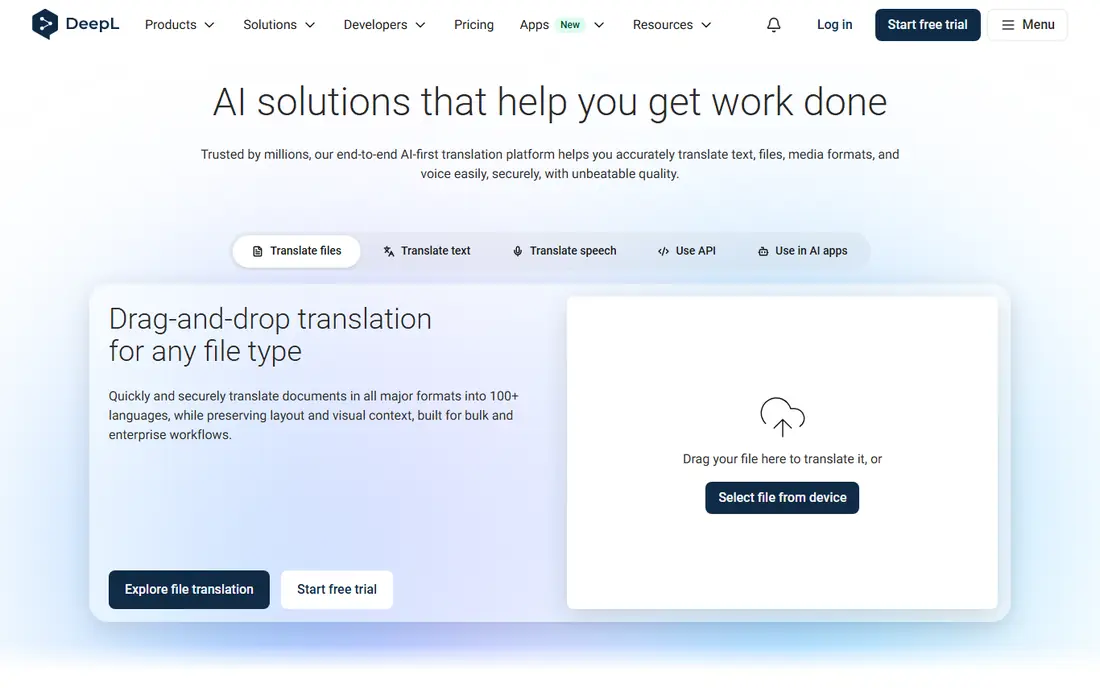
DeepL is our pick for business and document translation, because its output often reads more naturally than rival engines for European language pairs. It translates Word, PowerPoint and PDF files while keeping much of the original formatting, which saves hours of reformatting. Glossaries let teams lock in approved terms for products, legal phrases and brand names, so translations stay consistent across documents.
The language list is smaller than Google Translate, and the free tier caps monthly characters and file translations, so heavy users need a paid plan. DeepL also offers an API with a free tier for developers. For emails, reports, contracts and other documents where tone matters, DeepL is the strongest general choice in this list.
- Natural sounding output for many European languages
- Document translation that keeps formatting
- Glossaries for consistent terms
- Fewer languages than Google Translate
- Free tier limits characters and file translations per month

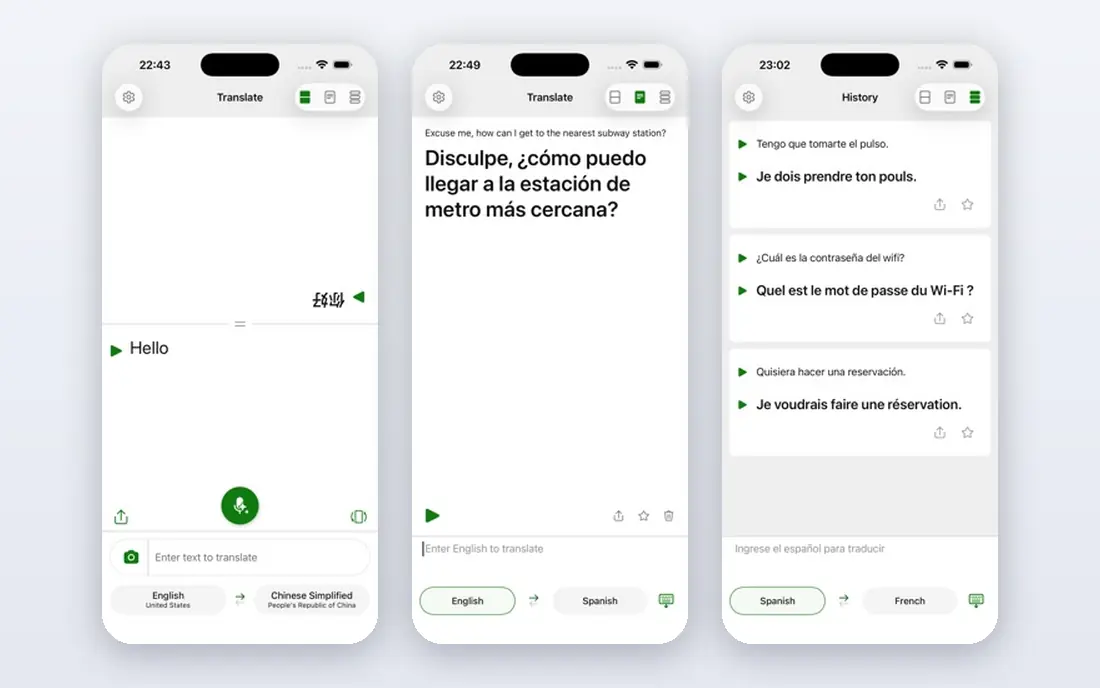
Google Translate remains the most useful free translator for everyday needs, thanks to its huge language coverage and many input modes. You can type, speak, photograph text, or upload a document, and get a translation in seconds across phones, browsers and apps. That breadth matters when you travel, read a foreign website, or work with languages that smaller engines do not cover.
For complex business or literary text, its tone can feel flat, and idioms sometimes translate literally. It is also a consumer tool first, so teams that need glossaries, translation memory and review workflows should pair it with a localization platform. For free, broad and instant translation, Google Translate is unmatched.
- Covers a very large number of languages
- Text, speech, camera and document translation
- Free for everyday use
- Tone and nuance can feel flat in complex text
- Document formatting is less polished than DeepL for business files
Microsoft Translator suits teams already on Microsoft 365, plus developers who need translation inside their own apps. It powers translation in Teams meetings, Office documents and Azure services, and its conversation mode lets many people talk across languages with live captions. Developers get a large free API volume, which makes it attractive for apps that translate user content at scale.
For a single business document, its web experience is less refined than DeepL, and accuracy varies more by language pair. If your team lives in Teams and Office, or you build on Azure, Microsoft Translator offers the cleanest integration. If you only translate documents, start with DeepL instead.
- Strong speech and conversation translation
- Integrates with Teams, Office and Azure
- Large free API volume for developers
- Everyday web interface is less polished than DeepL for documents
- Accuracy varies by language pair
Papago, from Naver, is the specialist pick for East Asian languages, especially Korean. It handles Korean honorifics and formality levels better than general engines, which matters in business and polite communication, and it performs well for Japanese and Chinese pairs too. Image, voice and conversation modes make it useful for travel and daily communication in Korea and Japan.
Its language list is narrower than Google Translate, and it lacks the document workflow depth of DeepL for large business files. For Korean, Japanese or Chinese translation, especially Korean formality, Papago deserves a place alongside DeepL and Google Translate. Test your exact language pair with real sentences before you rely on any engine.
- Strong Korean, Japanese and Chinese translation
- Honorific and formality handling for Korean
- Image and voice translation
- Language coverage is narrower than Google
- Business document features are thinner than DeepL
Reverso suits learners, writers and professionals who want to see how a word or phrase is actually used, not just a single translation. Its context search shows real sentence examples with translations, alongside dictionary entries, grammar help and verb conjugation. That context helps you choose between similar words and avoid a technically correct but unnatural phrase.
For long documents, Reverso is less strong than DeepL, and some features need a paid plan for full use. Use it as a companion tool, checking a tricky phrase in Reverso after a first draft from DeepL or Google Translate. For language learning and careful writing, that context view is genuinely valuable.
- Context examples show how words are used in real sentences
- Dictionary, grammar and conjugation tools
- Useful for learners and writers
- Translation quality for long documents lags specialist engines
- Free tier has limits on some features
Smartcat is a translation platform, not just a translator, and it suits teams that translate regularly. AI translation drafts content, translation memory reuses past approved translations, glossaries keep terms consistent, and a marketplace lets you hire human reviewers inside the same workflow. That combination helps product, marketing and support teams keep quality steady as volume grows.
A solo user who only needs occasional translation will find it heavier than DeepL or Google Translate, and pricing is quote based for many teams. For a company that translates product content, help articles or marketing across languages every week, Smartcat workflow and review options justify the extra setup.
- AI translation plus translation memory and glossaries
- Human review marketplace inside the platform
- Collaboration for teams
- More platform than a simple translator
- Pricing is quote based for many teams
Phrase suits software and product teams that need to ship in many languages on a regular cycle. It manages strings from code, design files and documents, applies translation memory and machine translation, and routes content to human reviewers before release. Integrations with development tools automate much of the handoff that otherwise happens by email and spreadsheet.
That power needs setup. A small team with occasional documents will do better with DeepL, while a product team with weekly releases will benefit from Phrase automation. If localization is part of your product workflow, not a one off task, Phrase is a strong platform to evaluate.
- Built for software and product localization
- Translation memory, glossaries and automation
- Integrations with code and design tools
- Needs setup and team process to pay off
- Pricing varies by product and volume
Weglot is the simplest way to make a website multilingual. Install it on WordPress, Shopify, Webflow or a custom site, and it detects content, translates it automatically, and lets you edit translations in a visual editor. Translated pages get language specific URLs and SEO settings, which helps search engines index each language version correctly.
The free plan suits only a small site with limited words and one extra language, and costs grow as words and languages increase. For a business website that needs to serve customers in several languages without rebuilding the site, Weglot offers the fastest and clearest path in this list.
- Fastest path to a multilingual website
- Automatic translation with manual editing
- SEO features for translated pages
- Free plan covers only a small site
- Costs grow with words and languages
How we picked these
We compared official pricing pages, feature lists and language coverage, plus public reviews, for AI translation tools that are current in October 2026. We kept only tools with a working official homepage and a current translation product, and we favored tools with clear language coverage, document or speech features, and a path to human review where quality matters. We did not claim hands on testing, and where pricing varies by volume, plan or language count, we used See website rather than a single figure.
How to choose an AI translation tool
Start with your language pair and content type, since no engine leads in every language. DeepL leads for many European business documents, Google Translate leads for breadth, Papago leads for Korean formality, and Microsoft Translator leads for speech inside Microsoft tools. Test each candidate with real sentences from your work, not generic test phrases, and judge tone, accuracy and handling of names, numbers and technical terms.
Quality, privacy and human review
Never publish or sign a machine translation of legal, medical, safety or financial text without human review by a qualified translator. Check privacy terms before translating confidential documents, since free consumer tools may process text on their servers. Paid business plans often offer stronger data handling and no training on your content, so read those terms carefully. Build a glossary for product and brand terms, and keep a human in the loop for anything that affects health, money, safety or reputation.
Cost, languages and workflow
Free tools cover everyday translation well, but teams need to budget for paid plans, API volume or platform fees as words and languages grow. Count words per month, languages, and whether you need document formatting, speech, website translation or software localization, since each need points to a different tool. A team that translates weekly should invest in translation memory and glossaries, which save money over time by reusing approved translations instead of paying to translate the same sentence twice.
FAQ
Which AI tool is best for translation overall?
DeepL is our overall pick for business and document translation, thanks to natural output and formatting preservation, while Google Translate is best for breadth and free everyday use. The best tool for you depends on your language pair, so test DeepL, Google Translate and Microsoft Translator with your real text before you commit.
What is the best AI translation app for travel?
Google Translate is best for travel, thanks to camera, voice and conversation modes across many languages, plus offline packs for many languages. Papago is a strong addition for Korea and Japan, and Microsoft Translator suits group conversations. Download offline language packs before you travel, since data coverage varies abroad.
Is DeepL better than Google Translate?
For many European language pairs and business documents, DeepL output often reads more naturally and keeps document formatting better. Google Translate covers far more languages and offers more input modes, such as camera and conversation translation. Use DeepL for documents and Google Translate for breadth, travel and languages DeepL does not cover.
Can AI translation replace a human translator?
No, not for published, legal, medical or safety critical text. AI translation is fast and good for drafts, everyday communication and understanding, but it still misses nuance, cultural context and domain terms. Use AI for a first draft, then have a qualified human translator review and edit anything that affects reputation, money, health or safety.
How do I keep translations consistent across a team?
Use glossaries for approved terms, translation memory to reuse past translations, and a review step before publishing. Tools such as DeepL, Smartcat and Phrase support glossaries and memory, which stop the same term being translated differently by different people. Agree on tone and formality rules for each language, and review them regularly as your product and audience grow.