Best AI UI Design Tools in 2026: 8 Tools Compared
Compare the best ai ui design tools for prompts, wireframes and live sites, with current pricing, export options and honest limits for design teams in 2026.
- Editor's choice
 Figma
Team UI design with AI help
Starts atFreeVisit figma.comFull review - Great alternative
 Google Stitch
Free text-to-UI drafts
Starts atFreeVisit stitch.withgoogle.comFull review - Also consider
 Uizard
Fast editable mockups
Starts at$12 per monthVisit uizard.ioFull review
TL;DR:
- Figma remains the team hub, while AI tools such as Google Stitch, Uizard and Visily are better for a fast first draft.
- Free tiers are useful for testing, but serious work usually needs a paid plan for more generations, projects or exports.
- Tools that export cleanly to Figma, code or a live site save more time than tools that only produce pretty screenshots.
- Prompt-to-app tools such as v0 and Lovable suit prototypes, not finished production software without a developer review.
- This market changes fast, so check that a tool is still actively sold before you build a workflow around it.
Quick comparison
| Tool | Best for | Starts at | Free plan? | |
|---|---|---|---|---|
| Figma | Team UI design with AI help | Free | Yes | Visit |
| Google Stitch | Free text-to-UI drafts | Free | Yes | Visit |
| Uizard | Fast editable mockups | $12 per month | Yes | Visit |
 Visily | Spec-to-wireframe flows | See website | Yes | Visit |
 Framer | AI pages published as live sites | $5 per month | Yes | Visit |
 Relume | Sitemaps and wireframes | See website | Yes | Visit |
 v0 by Vercel | Prompt-to-code UI | See website | Yes | Visit |
 Lovable | Prompt-to-working web app | See website | Yes | Visit |
The best ai ui design tools
AI UI tools now cover very different jobs, from a first wireframe to a live website. Pick by the output you need, not by the demo that looks most impressive.
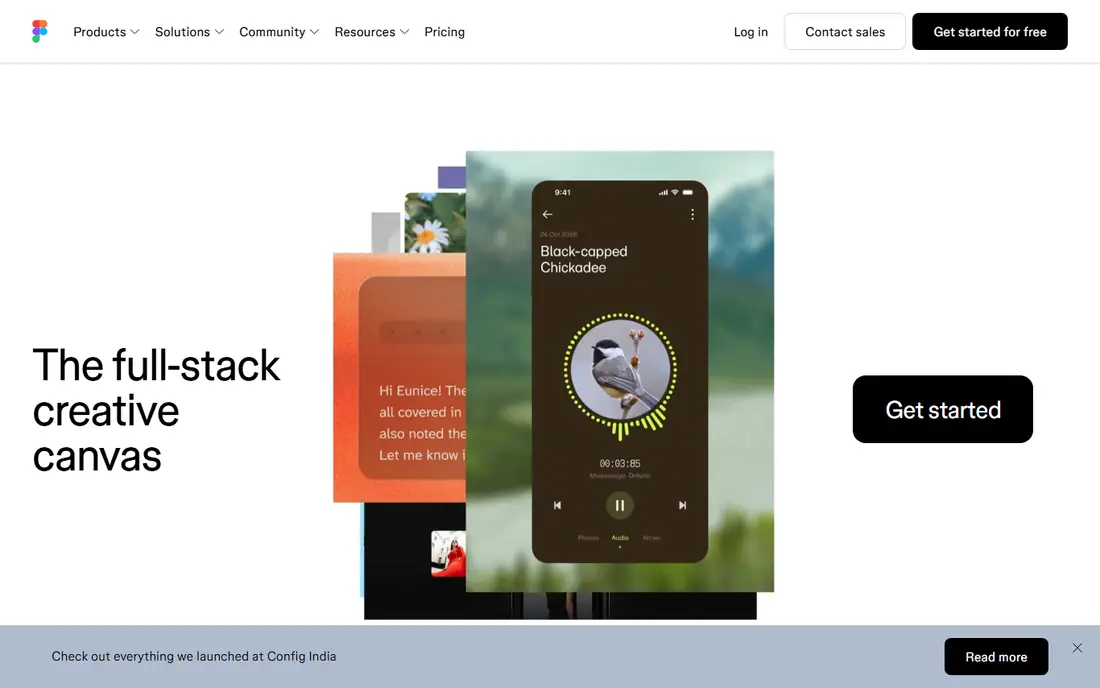
Figma is still the safest default for product teams. Designers work together in the browser, share components and design systems, and hand work to developers in one place. AI features now help with renaming layers, generating placeholder copy, editing images and turning prompts or existing designs into working prototypes with Figma Make.
The catch is that Figma is a design tool first, not a one-click website builder. AI output still needs a designer to fix spacing, hierarchy and real content, and heavy AI use can consume credits on paid plans. If your team already uses Figma, start there and add a specialist tool only for a gap it leaves.
- Industry-standard collaboration
- AI features inside paid plans
- Huge component and plugin library
- AI credits can add cost on heavy use
- Learning curve for new designers
Google Stitch turns a written brief, sketch or screenshot into editable screens and multi-screen flows. It is a strong first step when you have an idea but no designer on hand, and it exports designs and code so a team can keep working rather than starting again. Its roots in the former Galileo AI work show in its focus on realistic app screens.
Stitch is not a replacement for a design system or a senior designer. Layouts can feel generic, and colours, type and spacing often need a human pass before they look like a real product. For a free first draft, though, it is hard to beat.
- Free to start with usage limits
- Text, sketch or screenshot input
- Editable designs with code export
- Output still needs design polish
- Limits apply on the free tier

Uizard is built for speed. Paste a sketch, screenshot or written idea and you get an editable mockup in minutes, which is ideal for a founder, product manager or student who needs to show an idea rather than describe it. The editor stays simple on purpose, so you spend time on screens rather than learning design software.
That simplicity is also the limit. Teams with a mature design system or complex interaction needs will outgrow Uizard quickly and move work into Figma. Use it for early exploration and stakeholder feedback, then rebuild the winning direction in a fuller tool.
- Sketch and screenshot to mockup
- Simple editor for non-designers
- Fast first screens
- Limited AI generations on the free plan
- Less suited to complex design systems
Visily suits small teams that start from a written spec. Paste requirements as a prompt, get editable multi-screen flows, and push the result to Figma or code when it is ready. Screenshot conversion is also handy when you want to rework an existing screen without redrawing it from scratch.
Like every wireframing AI, Visily can miss edge cases, empty states and error screens unless you ask for them directly. Treat its output as a structured draft, then add the awkward screens that real products need before you call the flow complete.
- Turns written requirements into flows
- Screenshot-to-design conversion
- Collaboration and Figma export
- Paid tiers needed for fuller use
- AI output needs review for edge cases
Framer closes the gap between a mockup and a live page. Its AI can generate a full page from a prompt, and you can then edit layout, copy and interactions and publish without a separate developer step. That makes it a strong pick for marketing sites, portfolios and landing pages.
It is less suited to complex web apps with logins, databases and custom logic. If your goal is a polished public site, Framer is efficient. If your goal is a product dashboard, pair it with a code tool or a fuller design workflow instead.
- Prompt-to-page generation
- Publishes real responsive sites
- AI copy and translation help
- Free plan limits publishing
- Design freedom needs learning the editor
Relume starts where many projects should start, with structure. It generates a sitemap and wireframes from a prompt, then lets you build pages from a large component library and export to Figma or Webflow. That flow helps teams agree on pages and sections before anyone argues about colours.
The trade-off is visual character. Relume wireframes are clean but generic until a designer adds brand, imagery and tone. Use it to settle information architecture fast, then treat styling as a separate step.
- AI sitemap and wireframe generation
- Large component library
- Export to Figma or Webflow
- Structure first, visual polish second
- Full library needs a paid plan
v0 is aimed at people who are comfortable with code. Describe a screen or component and it returns React and Tailwind code you can edit, test and deploy. That makes it useful for developers who want a working starting point rather than a static image to rebuild by hand.
The output is a first draft, not finished production code. Check accessibility, state handling, security and performance before shipping, and budget for credits if your team iterates heavily. For a prototype or internal tool, it can save days. For a customer-facing launch, keep a developer in the loop.
- Generates React and Tailwind code
- Editable and deployable output
- Strong for developers
- Code needs review before production
- Credit-based pricing can rise with heavy use
Lovable goes further than a screen generator by building a working web app from a chat prompt, including front end, back end and database setup. That makes it appealing for founders who want to test an idea with real users rather than showing slides. Iteration happens in plain language, which lowers the barrier for non-technical teams.
The honest limit is scale and safety. A generated app may handle a demo well and struggle with real user data, payments or edge cases. Use Lovable to validate an idea, then bring in proper engineering before you store sensitive data or charge customers.
- Builds front end, back end and database setup from chat
- Working app from a prompt
- Fast prototype loop
- Credit limits on lower plans
- Complex apps still need developer review
How we picked these
We compared official pricing pages, product documentation and recent 2026 roundups for AI UI tools that are still actively sold. We favoured tools with a clear output, whether that is an editable design, a wireframe, code or a live site, and we excluded tools that had shut down or moved to invite-only access. We also checked export paths, since a tool that traps work inside its own canvas costs more time than it saves.
How to choose the right AI UI tool
Start with the job, not the tool. If you need team design and handoff, Figma is the hub. If you need a quick mockup for a meeting, Uizard, Visily or Google Stitch will get you there faster. If you need a live marketing page, Framer is the shorter path. If you need working code, v0 or Lovable fit better.
Run the same brief through two or three tools before you commit. Score time to first usable screen, how much editing the output needs, whether your brand styles survive, and how clean the export is. A tool that wins on a demo prompt but fails on your real brief is not a win.
Also watch credit pricing. Several tools charge by generation or message, so a month of heavy iteration can cost more than the headline plan price. Set a monthly test budget, track use in the first month, and only then choose a long-term plan.
FAQ
What is the best ai tool for ui design?
There is no single winner. Figma is best for team design work, Google Stitch is best for a free first draft, and Framer is best for publishing a page. Match the tool to whether you need a mockup, a design system or a live site.
Can AI design a full app interface?
AI can generate screens, flows and even working prototypes, but a full app still needs human decisions on navigation, edge cases, accessibility and brand. Use AI for drafts and speed, then refine with a designer and test with real users.
Is Google Stitch really free?
Google Stitch offers a free tier with usage limits, so small projects and tests cost nothing. Heavy use, larger teams or advanced needs may hit those limits, so check the current usage terms before planning a large project around it.
Do AI UI tools export to Figma?
Many do, including Relume, Visily and Google Stitch, which is a key reason to prefer them over screenshot-only tools. Export quality varies, so test with your own components and styles rather than trusting a marketing claim.
Will AI replace UI designers?
AI speeds up routine screens and first drafts, but it does not replace research, judgement, brand work or testing. Designers who use AI for drafts and focus on product decisions tend to get more value from these tools than teams that publish raw AI output.
What is the best ai ui design tool for beginners?
Uizard and Google Stitch are the friendliest starting points for non-designers, since they need only a prompt, sketch or screenshot. Figma is better once you want to learn real UI design, collaborate with a team or build a design system.