Best AI Tools for Studying in 2026: 8 Tools Compared
These best ai tools for studying help with flashcards, notes, tutoring, and research. Compare free plans, prices, and the best fit by subject in 2026.
- Editor's choice
 NotebookLM
Source-based notes and summaries
Starts atFreeVisit notebooklm.google.comFull review - Great alternative
 Quizlet
Flashcards and study sets
Starts at$19.99 per yearVisit quizlet.comFull review - Also consider
 Knowt
Notes to flashcards and quizzes
Starts at$24.99 per monthVisit knowt.comFull review
TL;DR:
- NotebookLM is the best free starting point for source-based study, with answers tied to your own notes and files.
- Quizlet and Knowt suit flashcard learners, while RemNote and Brainscape add stronger spaced review.
- ChatGPT Study Mode and Khanmigo work best as tutors for working through problems, not as sources to copy.
- AI answers can be wrong, so check key facts against your course materials before an exam.
- Start free, then pay only for the tool that fixes your biggest study bottleneck.
Quick comparison
| Tool | Best for | Starts at | Free plan? | |
|---|---|---|---|---|
| NotebookLM | Source-based notes and summaries | Free | Yes | Visit |
| Quizlet | Flashcards and study sets | $19.99 per year | Yes | Visit |
| Knowt | Notes to flashcards and quizzes | $24.99 per month | Yes | Visit |
 ChatGPT | Study Mode tutoring and explanations | $20 per month | Yes | Visit |
 Khanmigo | Guided tutoring for school subjects | $4 per month | Yes | Visit |
 Brainscape | Confidence-based flashcard review | $7.99 per month | Yes | Visit |
 RemNote | Notes with spaced repetition | $8 per month | Yes | Visit |
 Grammarly | Writing and citation help | $12 per month | Yes | Visit |
The best ai tools for studying
Study tools fall into a few jobs: turning notes into review material, tutoring you through a hard topic, and polishing writing. The eight below cover those jobs without requiring a large subscription stack.
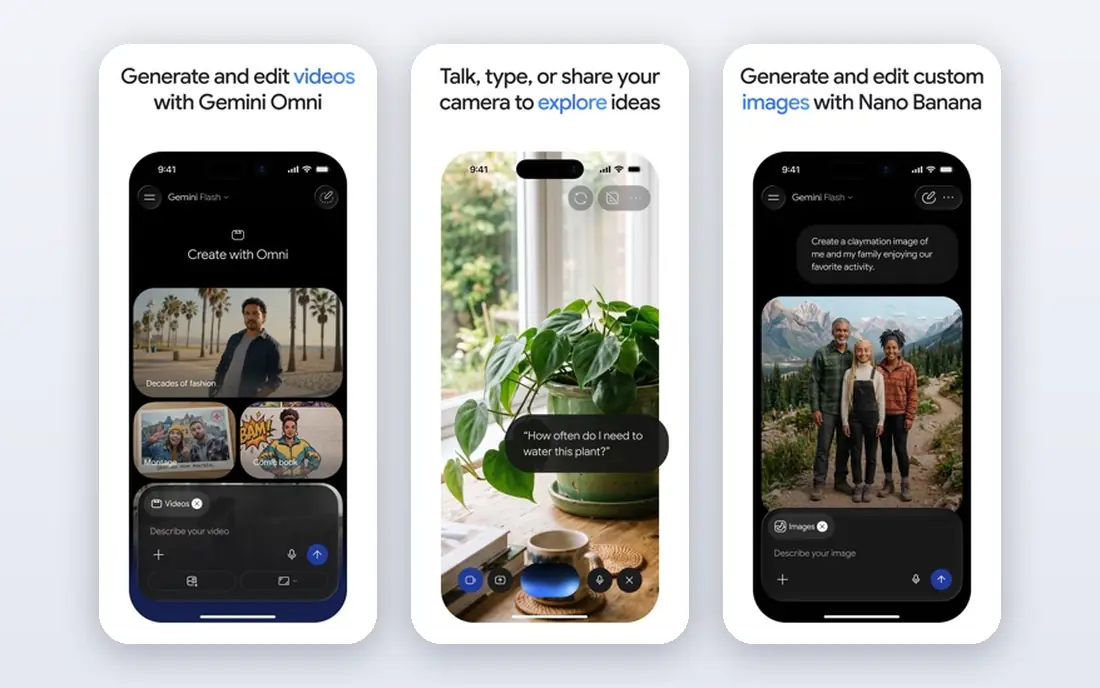
NotebookLM, now often called Gemini Notebook, works differently from a general chatbot. You upload PDFs, Docs, slides, URLs, YouTube links, or audio, and it answers from those sources, with citations to the exact passage. That source-bound design helps for exam prep, since you can check where an answer came from instead of trusting a general model output.
Free limits are generous, with 100 notebooks and 50 sources each on published terms, and paid Google AI plans raise those limits. The main gap is review scheduling. NotebookLM does not schedule flashcards for you in the way RemNote or Brainscape do, so pair it with a flashcard app if long-term recall is your goal. For understanding a set of course readings, it is our first pick.
- Answers cite your uploaded sources
- Audio overviews for listening
- Large free notebook limits
- Stays tied to your sources by design
- No built-in spaced review scheduler
- Higher limits need paid Google AI plans
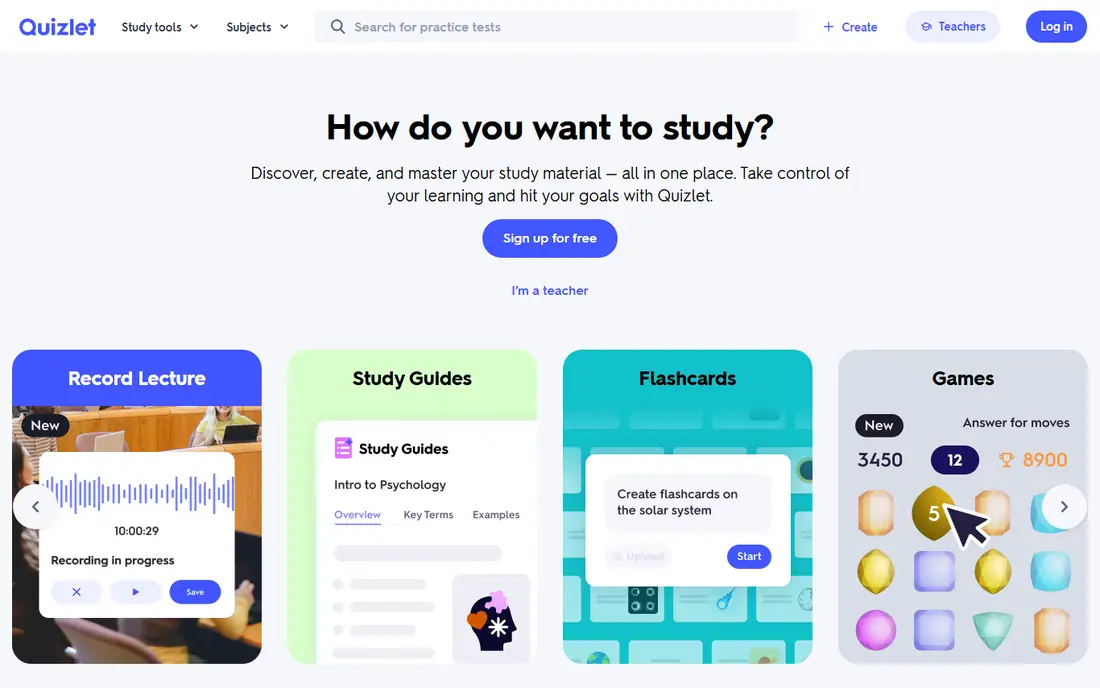
Quizlet remains the most familiar flashcard tool for students, with a large library of shared sets for standard courses and simple tools for making your own. You can study with flashcards, matching games, practice tests, and Learn mode, which adapts as you answer. That variety helps when you need to drill vocabulary, terms, and definitions quickly.
The free plan covers basic study, while Plus is listed at $19.99 per year in recent October 2026 comparisons and removes ads while adding paid study features. AI sets can be shallow or contain errors, so check any generated set against your notes before you rely on it. For shared decks and quick drilling, Quizlet is still hard to beat.
- Huge library of shared sets
- Many study modes
- Easy to make sets from notes
- AI-generated sets need checking
- Learn mode is lighter than full spaced repetition
- Ads on the free plan
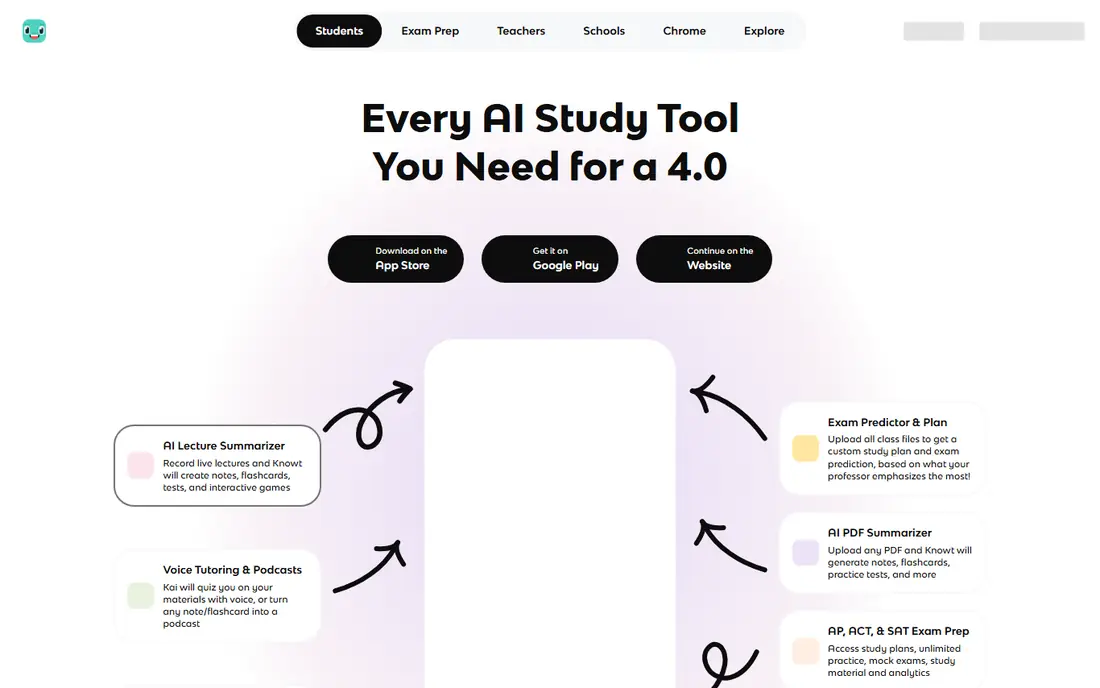
Knowt suits students who already have notes and want them turned into flashcards, quizzes, and practice tests with little manual work. It accepts notes, PDFs, lecture videos, and slides, and it can import Quizlet sets, which helps if you are moving from another tool. A built-in scheduler supports review over time, which is a real advantage over tools that only generate cards.
The catch is pricing. The free plan covers unlimited sets with ads, but PDF and video summarizers, lecture recording, and the voice tutor sit in Ultra, listed at $24.99 a month or $149.99 a year. If you use those features weekly, the annual plan makes more sense. If you only need basic flashcards, the free plan or Quizlet may be enough.
- Turns notes, PDFs, and videos into sets
- Quizlet import
- Built-in review scheduler
- Best AI features need Ultra
- Monthly price is high
- Annual plan is cheaper but still a commitment
ChatGPT Study Mode is the most flexible tutor in this list, since it can explain a concept, walk through a problem step by step, and quiz you on what you just learned. Recent updates added quizzes and flashcards, which make it more useful for review than a plain chat window. It works across subjects, from math and science to history and writing, and the free plan covers basic Study Mode use.
It is still a general-purpose tool, not a course-specific study system. It does not schedule reviews, track mastery across a semester, or cite your course files in the way NotebookLM does. Paid Plus, at $20 a month, raises limits and model access, while a lower Go plan at $8 a month suits lighter use. Use ChatGPT to understand, then use flashcards or practice problems to lock in recall.
- Study Mode guides rather than just giving answers
- Quizzes and flashcards added in 2026
- Handles many subjects
- No review scheduler
- Free plan has usage limits
- Answers need checking against course sources
Khanmigo is Khan Academy tutor, designed to guide students through problems rather than handing over answers. It asks follow-up questions, checks understanding, and links back to Khan Academy lessons, which helps younger students and those revisiting school-level math, science, and writing. At $4 a month or $44 a year for learners, it is one of the cheapest paid tutors here, and it is free for many teachers.
The scope is narrower than ChatGPT. Khanmigo shines for K-12 and early college topics, but it is less useful for advanced, niche, or graduate coursework. If you are studying school subjects or rebuilding basics, Khanmigo offers a calmer, more structured tutor than a general chatbot. Pair it with a flashcard app for vocabulary and formulas.
- Tutoring that asks questions first
- Linked to Khan Academy lessons
- Low monthly price
- Best for school-level subjects
- Less useful for graduate or niche courses
- Full access may need a school plan
Brainscape uses a confidence-based repetition system: you rate how well you knew each card, and the app schedules harder cards sooner. That simple rating step helps many students focus on weak areas instead of re-reading cards they already know. The free plan includes hundreds of AI-generated cards, with Pro at $7.99 a month billed yearly for unlimited AI cards and full features.
Brainscape accepts notes, PDFs, and pasted text, but it has fewer input types than Knowt or NotebookLM. AI decks also need a quick check for errors, as with any generated set. For students who want a focused flashcard routine without a complex note system, Brainscape is a strong, affordable pick.
- Confidence ratings drive review timing
- Hundreds of AI cards on free plan
- Simple, focused interface
- AI decks need checking
- Fewer input types than Knowt
- Paid plan needed for unlimited AI cards
RemNote combines notes, flashcards, and spaced review in a single workspace, which suits students who want one system for a whole semester. Its spaced repetition engine and exam scheduler are among the strongest here, helping you plan reviews around test dates rather than cramming at the end. You can turn notes into flashcards as you write, which saves the separate step of building decks later.
The trade-off is complexity. RemNote takes longer to learn than Quizlet or Brainscape, and the most useful AI features sit in Pro plus AI at $18 a month, above the $8 Pro plan. If you are willing to invest a week in learning the system, RemNote can replace several tools. If you want quick flashcards this week, start with Quizlet or Brainscape instead.
- Notes and flashcards in one place
- Strong spaced repetition engine
- Exam scheduler for planning
- Steep learning curve
- Best AI features need the higher plan
- Interface can feel busy at first
Grammarly fits the writing side of studying, from essays and lab reports to application letters. The free plan catches basic grammar and spelling issues, while paid plans add clarity, tone, and citation help. It works inside Google Docs, browsers, and desktop apps, so you do not need to paste text into a separate editor for every assignment.
Grammarly will not teach you a subject or build a study plan, so treat it as a writing aid, not a tutor. Students can often get a discount on Pro, with recent comparisons listing around $12 a month on monthly terms. Use it to polish drafts, then read the final version yourself, since AI suggestions can miss context or change your meaning.
- Catches grammar and clarity issues
- Works in Docs, browsers, and apps
- Citation help for papers
- Not a study tutor
- Premium price adds up
- AI suggestions still need your judgment
How we picked these
We compared official pricing pages, feature pages, and recent October 2026 study-tool comparisons for apps that still work, still accept new users, and serve US students. We favored tools with a free plan, a working official homepage, and a clear study job, whether flashcards, tutoring, source-based notes, or writing. We left out discontinued tools and general chatbots without a study mode.
Disclaimer: AI study tools can make mistakes, and they may reflect the biases or limits of their training data. Check important facts against your textbook, lecture notes, or a trusted source before an exam, and follow your school academic honesty rules for AI use. Never submit AI output as your own work without checking your school policy.
How to build a study stack that stays cheap
Start with one free tool for each job, not five paid subscriptions. Use NotebookLM for course readings, Quizlet or Brainscape for flashcards, and ChatGPT Study Mode or Khanmigo for tutoring. That free stack covers most needs, and it avoids the $60-plus monthly stack that many lists suggest.
Add a paid plan only when you hit a real limit, such as ads that slow you down, a need for PDF summarizers in Knowt, or higher limits in ChatGPT. Check student discounts first, since several vendors offer education pricing. Finally, test any new tool during a low-stakes week, with a real chapter from your course, before you rely on it for an exam.
FAQ
What is the best AI app for studying?
NotebookLM is best for studying from your own course files, while Quizlet and Knowt are best for flashcards. ChatGPT Study Mode and Khanmigo are best for tutoring through hard topics. The best pick depends on whether your bottleneck is understanding, recall, or writing.
Are there free AI tools for studying?
Yes, NotebookLM, Quizlet, Knowt, ChatGPT, Brainscape, and RemNote all offer free plans with real study features. Free plans usually limit AI features, ads, or usage, but they are enough to test a tool and cover light study. Pay only when a free limit blocks your regular routine.
Can AI tools help with exam prep?
Yes, if you use them for practice and review rather than copying answers. Use AI to generate quizzes, explain concepts, and turn notes into flashcards, then test yourself without the tool. Check AI answers against course materials, since errors in a generated set can hurt exam performance.
Is using AI for homework cheating?
It depends on your school rules and how you use it. Using AI to understand a concept, outline an essay, or check grammar is often allowed, while submitting AI output as your own work may break academic honesty rules. Ask your teacher or check your school policy when you are unsure.
Which AI study tool is best for flashcards?
Quizlet is best for shared sets and quick drilling, Brainscape is best for confidence-based review, and RemNote is best if you want notes and flashcards in one system with spaced repetition. Knowt is best if you want notes turned into sets with little manual work.