Best AI Tools for Support Cost Reduction in 2026: 8 Tools Compared
Compare the best ai tools for support cost reduction, with per-resolution pricing, deflection rates, helpdesk fit and hidden costs to check for teams in 2026.
- Editor's choice
 Intercom Fin
Predictable per-outcome pricing
Starts at$29 per seat per monthVisit intercom.comFull review - Great alternative
 Zendesk AI
Existing Zendesk teams
Starts atSee websiteVisit zendesk.comFull review - Also consider
 Help Scout AI
Email-first small teams
Starts atSee websiteVisit helpscout.comFull review
TL;DR:
- Per-resolution pricing looks simple, but total cost depends on base seats, included allowances and how many conversations the AI actually resolves.
- The fastest cost saving usually comes from fixing top help articles first, since AI agents answer from the content you give them.
- Flat priced tools can beat per-resolution tools at low volume, while high volume teams should model costs at twice their current traffic.
- Deflection only saves money if customers accept the answer, so track reopened tickets and CSAT alongside resolution counts.
- Switching helpdesks to chase a cheaper AI add-on often costs more in migration than it saves, so favour tools that work with your current stack.
Quick comparison
| Tool | Best for | Starts at | Free plan? | |
|---|---|---|---|---|
| Intercom Fin | Predictable per-outcome pricing | $29 per seat per month | Free trial | Visit |
| Zendesk AI | Existing Zendesk teams | See website | Free trial | Visit |
| Help Scout AI | Email-first small teams | See website | Free trial | Visit |
 Gorgias AI Agent | Shopify support teams | See website | Free trial | Visit |
 Ada | Enterprise automation at scale | See website | No | Visit |
 Tidio Lyro | Small business chat | See website | Yes | Visit |
 Freshdesk Freddy AI | Freshdesk teams on a budget | See website | Free trial | Visit |
 Chatbase | Fast AI chatbot from your content | See website | Yes | Visit |
The best AI tools for support cost reduction
We compared AI support tools on pricing model, resolution approach, helpdesk fit and how easy it is to forecast the monthly bill.
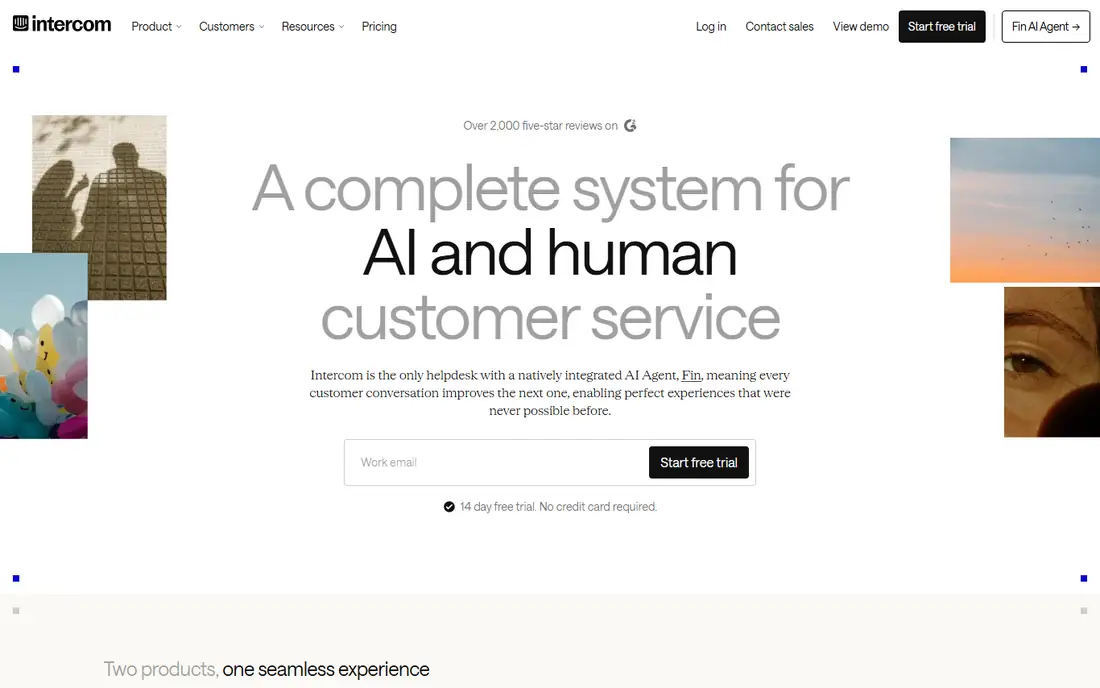
Fin is often the easiest AI support cost to model, because Intercom publishes a per-outcome price of 99 cents for a conversation it resolves or a workflow it completes. Seats start at 29 dollars per seat per month on annual billing, and Fin can also run on another helpdesk without Intercom seats, subject to a minimum commitment. That transparency helps finance teams, since they can multiply expected resolutions by a known rate.
The catch is that seats and content quality still matter. Every human who answers conversations needs a seat, and Fin answers from your help articles, so out of date content will be repeated confidently. Teams with strong articles and moderate volume get the most value. High volume teams should still model the bill at higher traffic, since a successful AI agent can resolve far more conversations than a pilot suggests.
- Published $0.99 per outcome pricing
- Works with Intercom or other helpdesks
- Strong help centre answers
- Seats add to the AI bill
- Poor help articles lead to poor answers
Zendesk AI includes AI agents in Suite and Support plans, with billing per automated resolution after a small allowance per agent each month. Third party analyses report rates around 1.50 dollars on committed volume and 2 dollars pay as you go, but Zendesk does not publish the rate in the same way Intercom does, so get it in writing. Copilot features help human agents draft replies and summarise tickets, which can cut handle time even when the AI does not resolve the ticket alone.
The main advantage is staying put. A team already on Zendesk avoids migration, keeps macros, reporting and workflows, and adds AI where agents already work. The drawback is total cost, since Suite seats plus AI resolutions plus Copilot seats can add up. For an existing Zendesk team, that is usually still cheaper than switching, but new teams should compare the full stack price, not just the AI line.
- Native Zendesk integration
- AI agents across channels
- Copilot for agents
- Per-resolution rates are not fully published
- Suite plan required for full value

Help Scout AI Answers is a practical option for email-first teams that want AI deflection without an enterprise platform. Reports put AI Answers at 75 cents per resolution, with seats starting around 25 dollars per user per month, which makes it one of the lower per-resolution options in this list. Setup is straightforward for teams that already run a shared inbox and help centre in Help Scout.
The limitation is scope. Help Scout is strongest for email and chat, and teams with heavy phone volume or complex enterprise workflows may need a larger platform. AI answers also depend on help centre quality, as with every tool here. For a small team that wants a clear, modest AI bill and a calm email workflow, Help Scout is a sensible pick.
- AI Answers at $0.75 per resolution in reports
- Simple setup
- Strong email workflow
- Less suited to complex voice or enterprise needs
- AI pricing sits on top of seats
Gorgias is built for ecommerce support, and its AI Agent can check order status, handle returns questions and draft replies using Shopify data. Ticket based pricing with no per-seat fees suits teams where many people dip into support part time, and AI is included on plans rather than sold only as an enterprise add-on. Reports put automated interactions around 90 cents to 1.50 dollars, depending on plan and volume.
The catch is fit. A non-ecommerce team will gain less from the Shopify depth, and ticket volume pricing needs careful forecasting during sales peaks. For a Shopify brand with a real support queue, though, Gorgias often cuts cost in two ways, by resolving routine order questions automatically and by letting part time agents work without a seat for each person.
- Shopify order data built in
- Ticket based pricing with no seat fees
- AI on every plan
- Best fit is ecommerce
- Pricing varies by ticket volume and plan
Ada is aimed at larger teams that want AI agents to resolve a high share of conversations across chat, email and messaging, with workflows that check account data and take actions. Its reasoning and multilingual coverage help global brands, and its analytics show where automation works and where it fails. For an enterprise with high volume, that depth can produce larger savings than a basic chatbot.
The drawback is that Ada is a project, not a plug-in. Pricing is quote based, implementation takes weeks, and content and integration work still fall on the team. Smaller teams may find the scope and cost hard to justify. Ada fits organisations that already have support volume, clean help content and a team to own automation as an ongoing programme.
- Strong automation and reasoning
- Multilingual support
- Enterprise integrations
- Pricing is quote based
- Implementation needs more planning than a simple chatbot
Tidio is a low cost entry point for small businesses that want website chat with an AI agent. The free plan lets a team test live chat, and Lyro, its AI agent, is available as an add-on from around 32.50 dollars per month in recent reports. Lyro answers from your website and help content, hands off to humans when needed, and suits stores and service businesses with common questions.
The honest weakness is scale. Tidio is not built for complex enterprise ticketing, deep CRM workflows or heavy phone support. Teams with large queues or strict compliance needs should look at larger helpdesk platforms. For a small team that wants to answer after-hours questions and cut repetitive chat volume quickly, Tidio is one of the cheapest credible starting points.
- Free plan to start
- Lyro AI add-on from modest monthly cost
- Easy website chat
- Limited for complex enterprise tickets
- AI accuracy depends on content quality
Freshdesk Freddy AI gives existing Freshdesk teams an AI agent and agent Copilot without switching helpdesks. Freddy can answer from the knowledge base, triage tickets and help agents draft replies, while Copilot summarises conversations and suggests next steps. That combination can cut both ticket volume and handle time, which are the two main levers for cost reduction.
The catch is plan gating. The most useful AI features sit on higher tiers, and Copilot adds a per-agent charge on top of the base plan. Teams should map which Freddy features their plan actually includes before forecasting savings. For a Freshdesk team that wants incremental AI value without migration, Freddy is a practical, low disruption choice.
- Native Freshdesk integration
- Freddy AI Agent and Copilot
- Familiar pricing tiers
- Advanced AI features sit on higher plans
- Copilot adds per-agent cost
Chatbase lets teams build an AI chatbot from a website, documents or help centre in a short time, then embed it as a widget. That speed suits small teams that want deflection quickly, without replacing their helpdesk or running a long implementation. The free plan allows testing, and paid plans scale with message volume, so a team can start small and grow.
The limitation is that Chatbase is a chatbot layer, not a complete support platform. Ticketing, agent workflows and deep reporting still need another tool, and complex actions such as order changes may need custom work. For a team whose main cost driver is repetitive website questions, Chatbase can cut volume fast. For a team that needs full ticket management, pair it with a helpdesk rather than expecting it to replace one.
- Quick setup from website and documents
- Website widget
- Low starting cost
- Not a full helpdesk
- Integrations and reporting are lighter than enterprise tools
How we picked these
We compared official pricing pages, help centre documentation and independent pricing analyses, and we favoured tools with clear resolution models, helpdesk fit and a realistic path to lower cost per ticket. We included per-resolution, flat and ticket based models, since the cheapest model depends on volume. Prices change often, so treat figures here as starting points and confirm the current rate, included allowance and seat costs on the vendor page before buying.
How to actually cut support costs with AI
Buying an AI tool does not cut costs on its own. Savings come from the work around it, and from measuring the right things.
Fix content, then automate
Start with the top 20 questions by volume, and rewrite those help articles in plain language with clear steps and links. Test the AI on those topics first, check answers for accuracy, and fix gaps before expanding. A team that automates messy content will just scale confusion, while a team with clean content will see resolution rates rise quickly.
Model the full bill at real volume
Add seats, AI resolutions, add-ons and any minimum commitments, then model the total at current volume and at twice that volume. Compare cost per resolved ticket, not just the headline AI price, and include the cost of content upkeep and someone owning the tool. A pilot with real traffic, over at least a month, gives a far better forecast than a vendor estimate.
Measure quality, not just deflection
Track resolution rate, reopened tickets, CSAT, handle time and escalation time together. If deflection rises but CSAT falls or reopen rates climb, customers are not really being helped, and cost will return as repeat contacts. Review failed AI conversations weekly, fix the content or workflow behind them, and keep a clear human handoff for sensitive, high value or angry customers.
FAQ
How much can AI really reduce support costs?
It varies widely by volume, topic mix and content quality. Routine questions such as order status, password resets and policy questions automate well, while complex or emotional cases still need humans. A realistic pilot target is to resolve a meaningful share of routine contacts, then expand, rather than assuming most tickets will disappear in the first month.
Is per-resolution pricing cheaper than flat pricing?
It depends on volume. Per-resolution pricing is predictable at moderate volume, but can grow fast at high volume. Flat pricing can be cheaper for steady, high volume teams, yet wasteful if volume is low. Model both at your real traffic, including seats and add-ons, before choosing.
Do we need to switch helpdesks to use AI?
No, in most cases. Many AI tools work with an existing helpdesk, and native AI add-ons from your current vendor avoid migration cost. Switching only makes sense if your current helpdesk cannot support the channels, integrations or reporting you need, and the savings clearly outweigh migration and retraining.
Will AI hurt customer satisfaction?
It can, if answers are wrong, hard to escape or used for sensitive issues. It helps satisfaction when answers are fast, accurate and easy to hand off to a human. Keep humans available, test answers regularly, and watch CSAT and reopen rates alongside deflection. Quality and cost should move together, not in opposite directions.
What should we do before buying an AI support tool?
List your top contact reasons, check help article quality, and confirm which channels and integrations you need. Run a pilot on real traffic, measure resolution, reopen and CSAT, and get the full price in writing. Assign one owner for content and performance, since an AI tool without an owner tends to drift and lose accuracy over time.